Overview
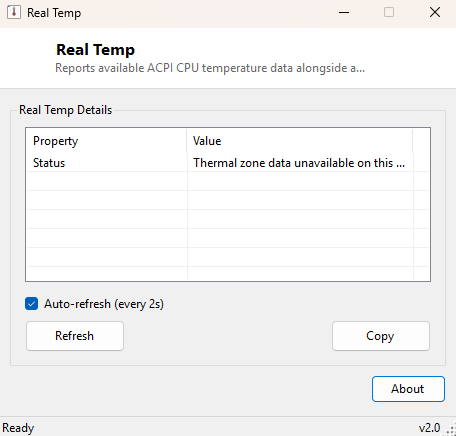
Real Temp reports whatever CPU thermal-zone data Windows' ACPI subsystem is willing to expose, alongside an estimated "distance to TjMax" figure — the gap between the current reading and the temperature at which the CPU is expected to begin thermal throttling. The name and framing deliberately echo the classic community temperature tool it draws inspiration from, while being honest about a real limitation: not every motherboard exposes accurate, per-core ACPI thermal data to Windows, and this tool tells you plainly when that's the case rather than fabricating a number.
Key Features
- Live-updating temperature reading with a 2-second auto-refresh
- Distance-to-TjMax estimate based on a standard assumed 100°C throttle point
- Reads directly from the same ACPI thermal zone data Windows itself uses
- Clear on-screen message when no thermal zone data is available, rather than a fake reading
- Auto-refresh can be paused for a stable, non-flickering snapshot
Why You Might Need This Tool
Watching CPU temperature while stress-testing, gaming, or diagnosing an unexplained thermal shutdown is one of the most common reasons people install a monitoring utility. Real Temp gives you that number without needing a heavier full system-monitoring suite — useful as a lightweight companion running alongside a benchmark like IntelBurnTest or Core2MaxPerf to watch how quickly temperatures climb under sustained full load, or simply as a quick sanity check after reseating a cooler to confirm idle temperatures look reasonable.
How It Works
Real Temp queries the MSAcpi_ThermalZoneTemperature WMI class in the
root\WMI namespace — the same ACPI-exposed thermal zone data Windows itself
consults for its own thermal management decisions. The raw value this class returns is
in tenths of a degree Kelvin, so the tool converts it with
(value / 10.0) - 273.15 to get Celsius, then subtracts that figure from an
assumed TjMax of 100°C (a reasonable, commonly-used approximation across modern consumer
CPUs) to produce the distance-to-throttle estimate. On systems where the motherboard
firmware does not populate this WMI class with meaningful per-CPU data — which is common,
since many OEM boards either omit it or report a generic chassis sensor instead — the
tool detects the missing or empty result and displays an explicit status message rather
than showing a plausible-looking but meaningless number.
How to Use It
Launch the tool and readings begin updating automatically every two seconds; no configuration is needed. Leave "Auto-refresh" checked to watch temperature change live during a stress test, or uncheck it to freeze the display on a single reading you want to note down or screenshot.
System Requirements & Notes
No administrator rights are required — reading ACPI thermal zone data through WMI is a standard-user operation. Accuracy and even availability of this data depends entirely on what the motherboard's firmware chooses to expose; this is a genuine platform limitation, not a bug in the tool.
Frequently Asked Questions
Why does it say no thermal data is available on my PC?
Your motherboard's firmware simply isn't populating the ACPI thermal zone WMI class with
per-CPU data — this is a common limitation on many OEM and budget boards and is outside
what any pure-software tool can work around without a vendor-specific driver.
Is the TjMax value used here accurate for my exact CPU model?
100°C is a reasonable approximation for most modern consumer CPUs, but some models throttle
at a different exact point; treat the distance-to-TjMax figure as a useful estimate rather
than a manufacturer-verified number.