User guide

Debmedia School ERP, screen by screen

Every screenshot was taken from the real, running program with a sample company loaded. For installing, activating and looking after the program see the documentation. To look at the pictures only, open the screenshot gallery.

Start here

Signing in and the first screen.

Sign In
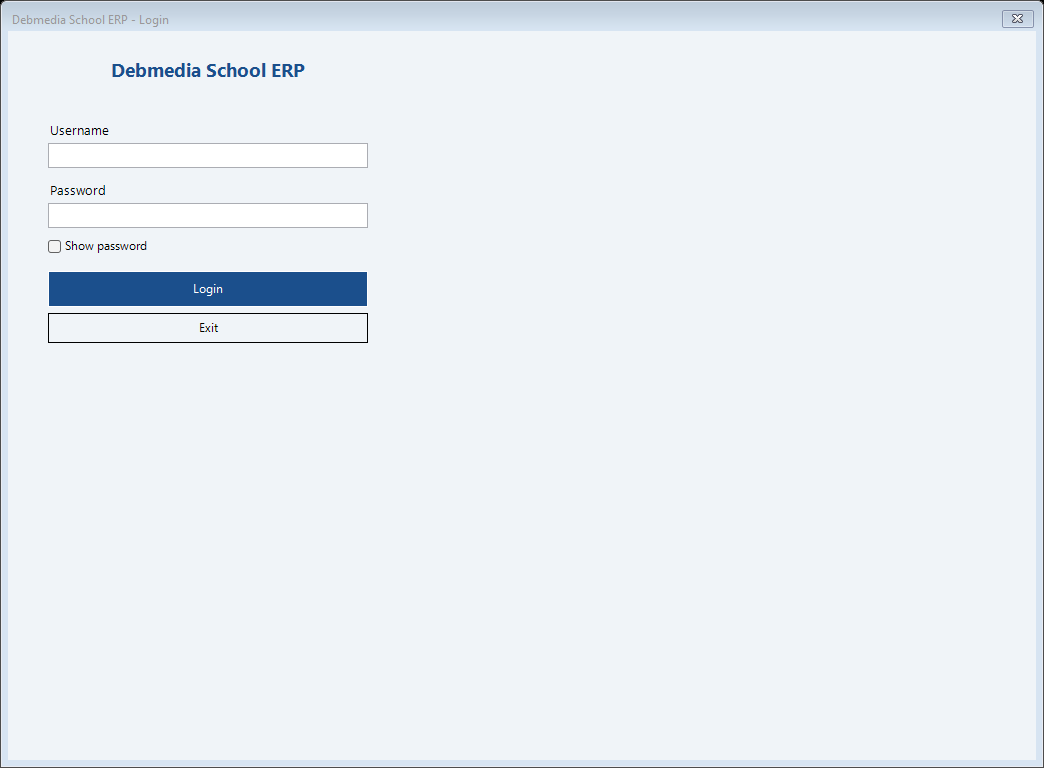
Debmedia School ERP Sign In: Every person signs in with their own user name. The first user is admin; the program makes you choose a new password straight away. Passwords are stored as...
Sign In: Every person signs in with their own user name. The first user is admin; the program makes you choose a new password straight away. Passwords are stored as...

Every person signs in with their own user name. The first user is admin; the program makes you choose a new password straight away. Passwords are stored as salted hashes, an account locks after repeated wrong passwords, and the screen signs out after the idle time you set.

Dashboard
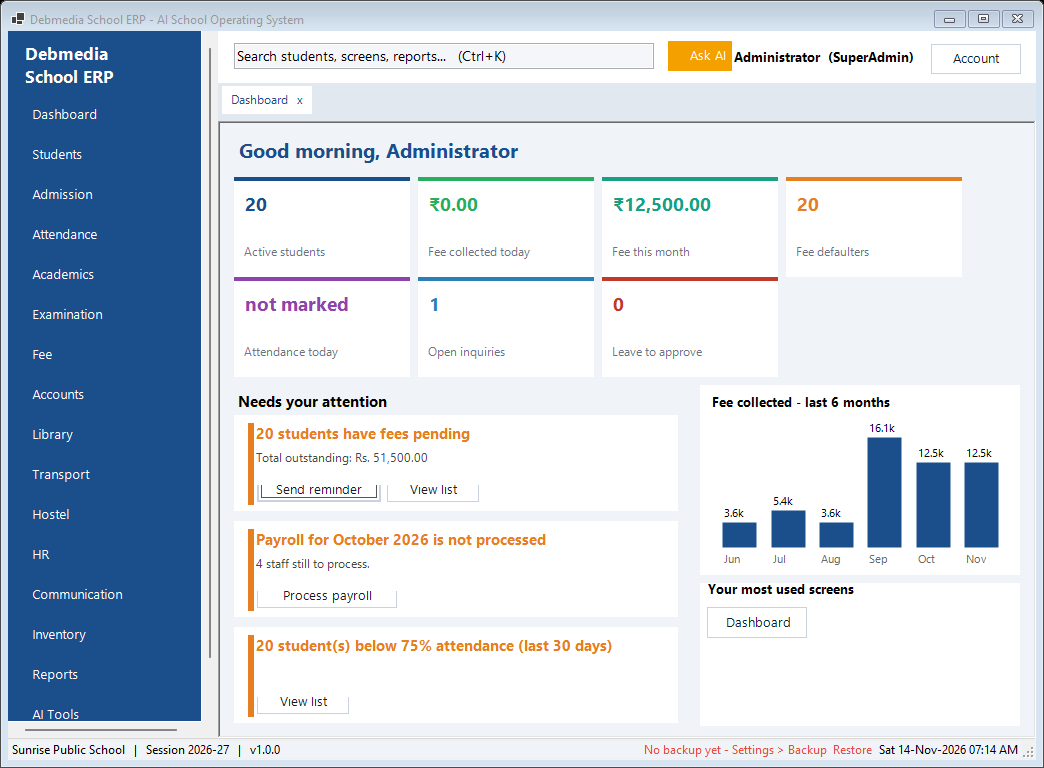
Debmedia School ERP Dashboard: The first screen after sign-in: active students, fees collected today and this month, fee defaulters, attendance today, open inquiries and leave waiting for...
Dashboard: The first screen after sign-in: active students, fees collected today and this month, fee defaulters, attendance today, open inquiries and leave waiting for...

The first screen after sign-in: active students, fees collected today and this month, fee defaulters, attendance today, open inquiries and leave waiting for approval, a chart of fees collected over the last six months, and a list of things that need attention (fees pending, payroll not processed, students below 75 percent attendance) with a button to act on each.

The menu on the left has one entry per module. Every screen opens in a tab, and Ctrl+K opens a search box that finds any screen, report, student or action by typing a few letters.

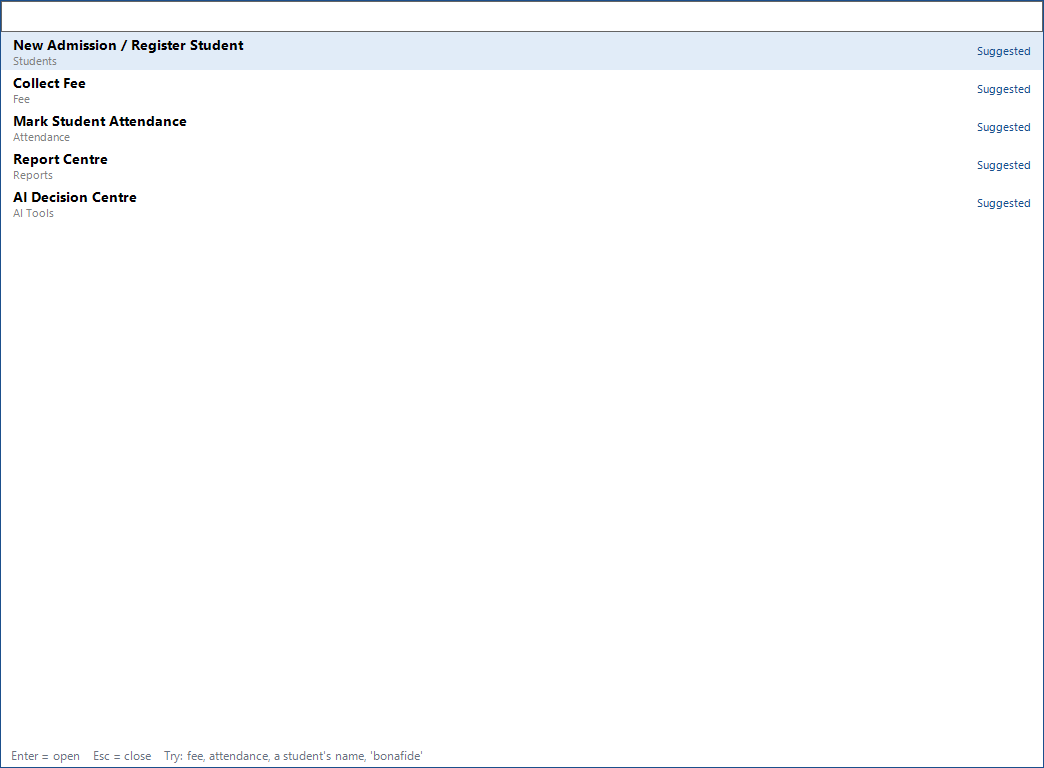
Debmedia School ERP Search Everything (Ctrl+K): Type a few letters to jump to a screen, a report or a student. Recent and suggested screens are shown first, and a user only sees the screens their role may...
Search Everything (Ctrl+K): Type a few letters to jump to a screen, a report or a student. Recent and suggested screens are shown first, and a user only sees the screens their role may...

Type a few letters to jump to a screen, a report or a student. Recent and suggested screens are shown first, and a user only sees the screens their role may open.

Students

Admission, the student record, ID cards, certificates, promotion and alumni.

New Admission and Register Student
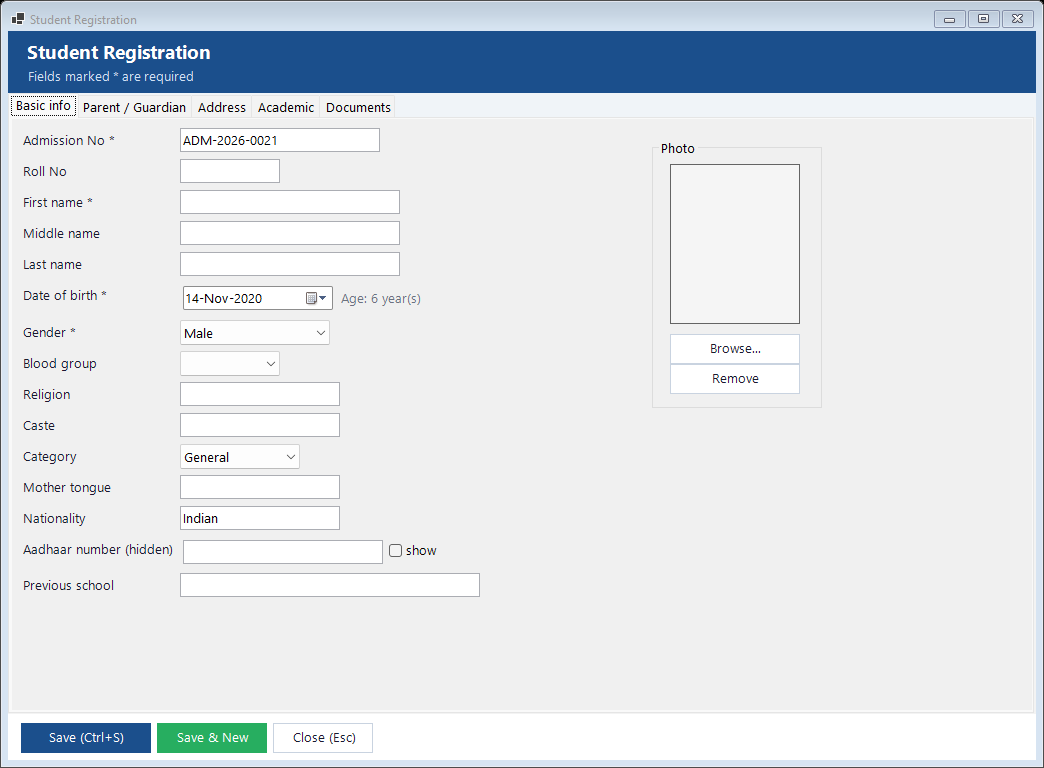
Debmedia School ERP New Admission and Register Student: One form for a new student: personal details, parents and guardian, address, academic details, previous school and documents, with the photo. The admission...
New Admission and Register Student: One form for a new student: personal details, parents and guardian, address, academic details, previous school and documents, with the photo. The admission...

One form for a new student: personal details, parents and guardian, address, academic details, previous school and documents, with the photo. The admission number is generated by the program. Aadhaar-type identity numbers are stored encrypted, which only guards against casual browsing of the data file.

Student List
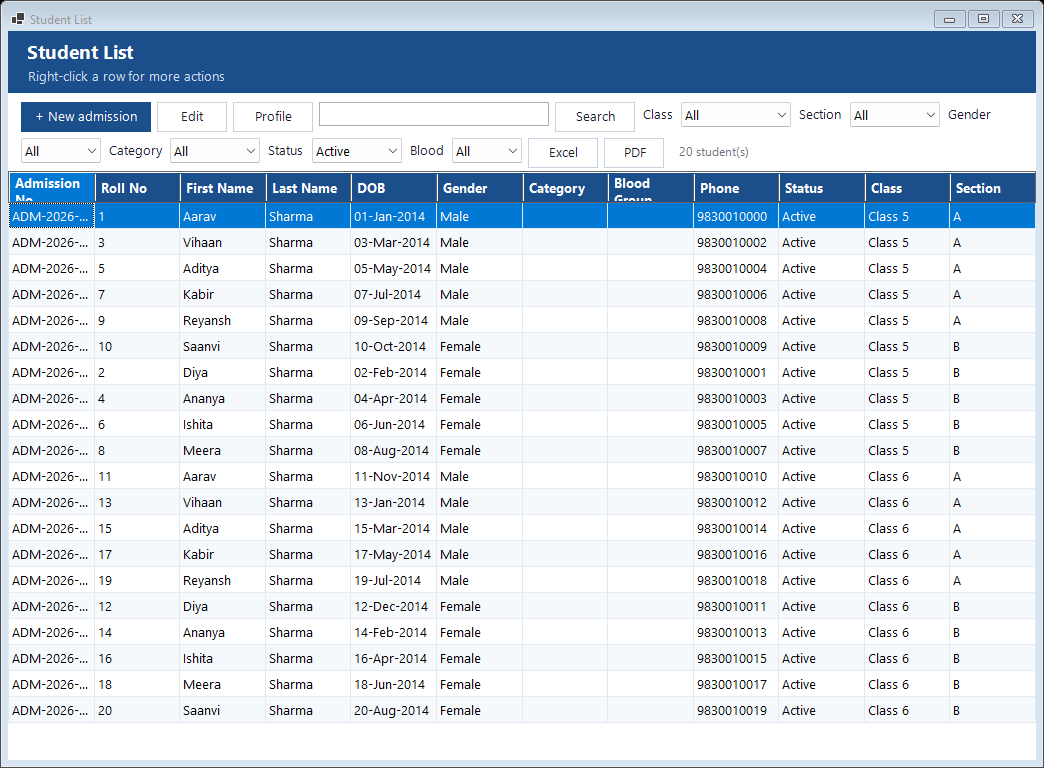
Debmedia School ERP Student List: Find any student by name, admission number or phone, and filter by class, section, status and gender. From the list, open the profile, print an ID card,...
Student List: Find any student by name, admission number or phone, and filter by class, section, status and gender. From the list, open the profile, print an ID card,...

Find any student by name, admission number or phone, and filter by class, section, status and gender. From the list, open the profile, print an ID card, collect fees or export to Excel.

Student Profile
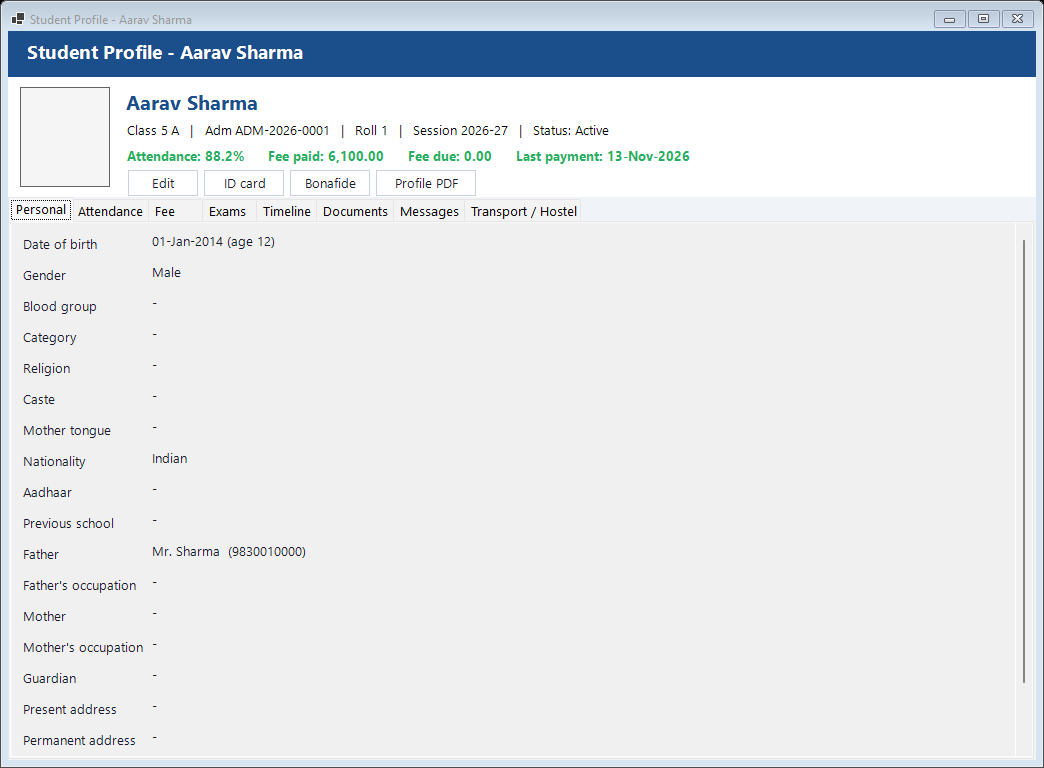
Debmedia School ERP Student Profile: Everything about one student on tabs: personal details, parents, fees with receipts and dues, attendance percentage, exam results, a timeline of events,...
Student Profile: Everything about one student on tabs: personal details, parents, fees with receipts and dues, attendance percentage, exam results, a timeline of events,...

Everything about one student on tabs: personal details, parents, fees with receipts and dues, attendance percentage, exam results, a timeline of events, documents checklist, messages, transport and hostel.

Student Promotion
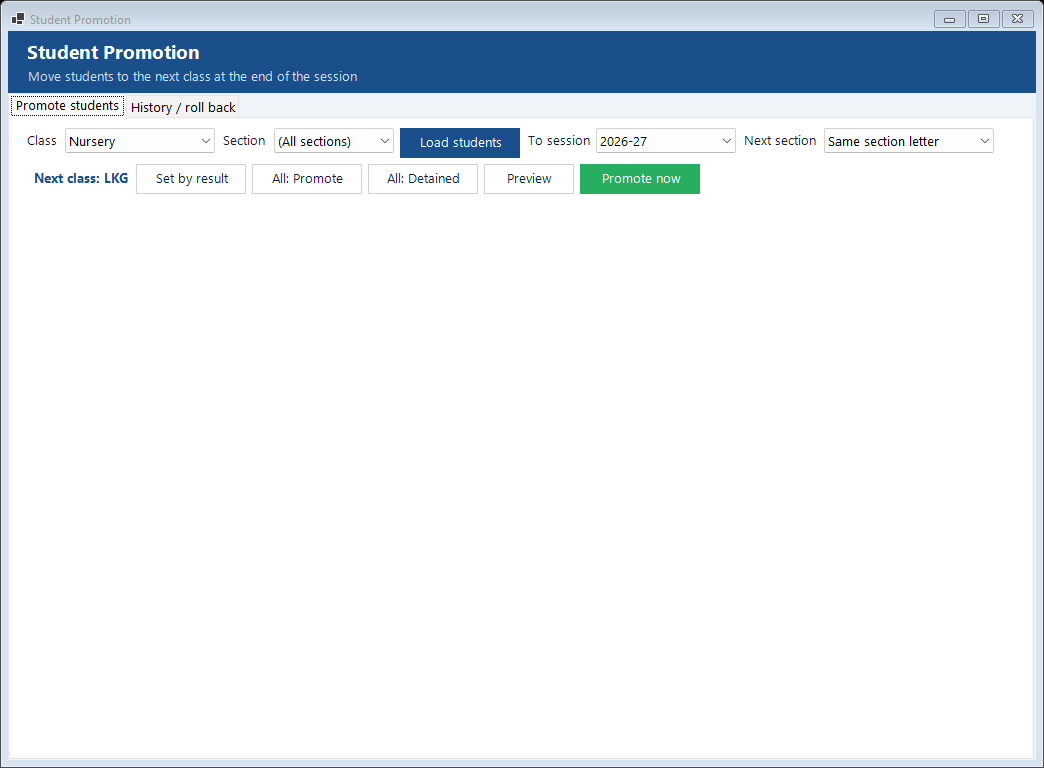
Debmedia School ERP Student Promotion: Move a whole class to the next class and session at the end of the year. Results decide who is promoted or detained, passing-out students move to alumni,...
Student Promotion: Move a whole class to the next class and session at the end of the year. Results decide who is promoted or detained, passing-out students move to alumni,...

Move a whole class to the next class and session at the end of the year. Results decide who is promoted or detained, passing-out students move to alumni, and a promotion can be rolled back within seven days.

ID Cards
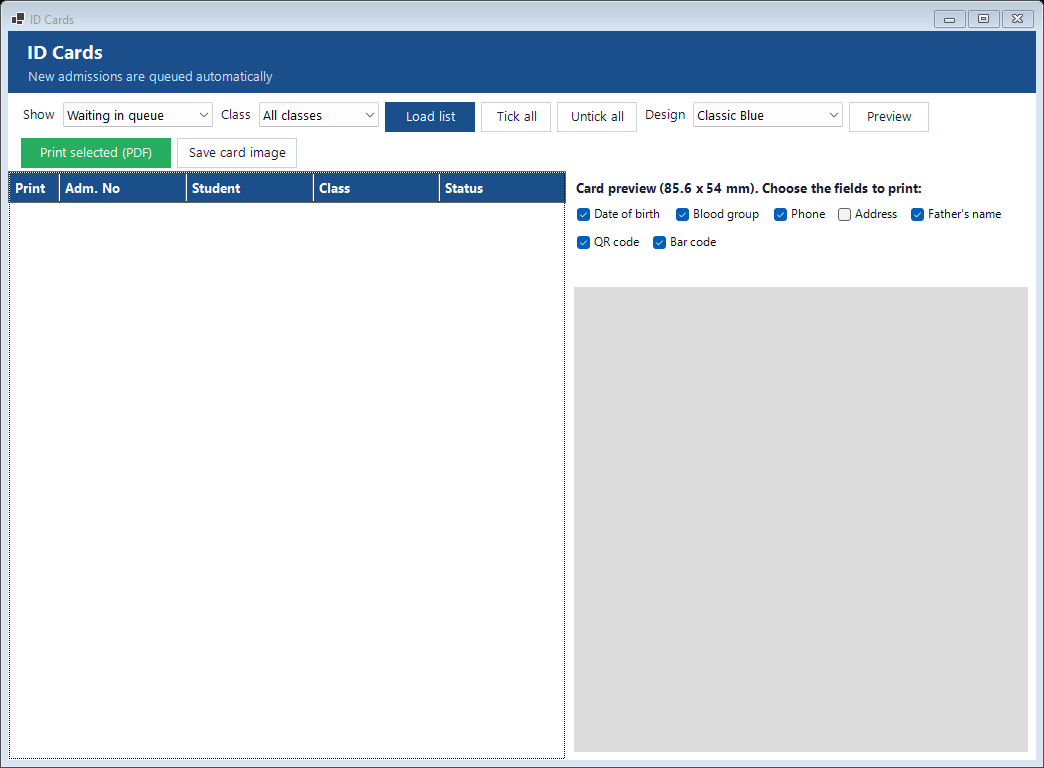
Debmedia School ERP ID Cards: Choose the students, choose which details and whether a QR code or barcode appears, and print cards. A queue shows who is waiting and who has been printed.
ID Cards: Choose the students, choose which details and whether a QR code or barcode appears, and print cards. A queue shows who is waiting and who has been printed.

Choose the students, choose which details and whether a QR code or barcode appears, and print cards. A queue shows who is waiting and who has been printed.

Certificates and Letters
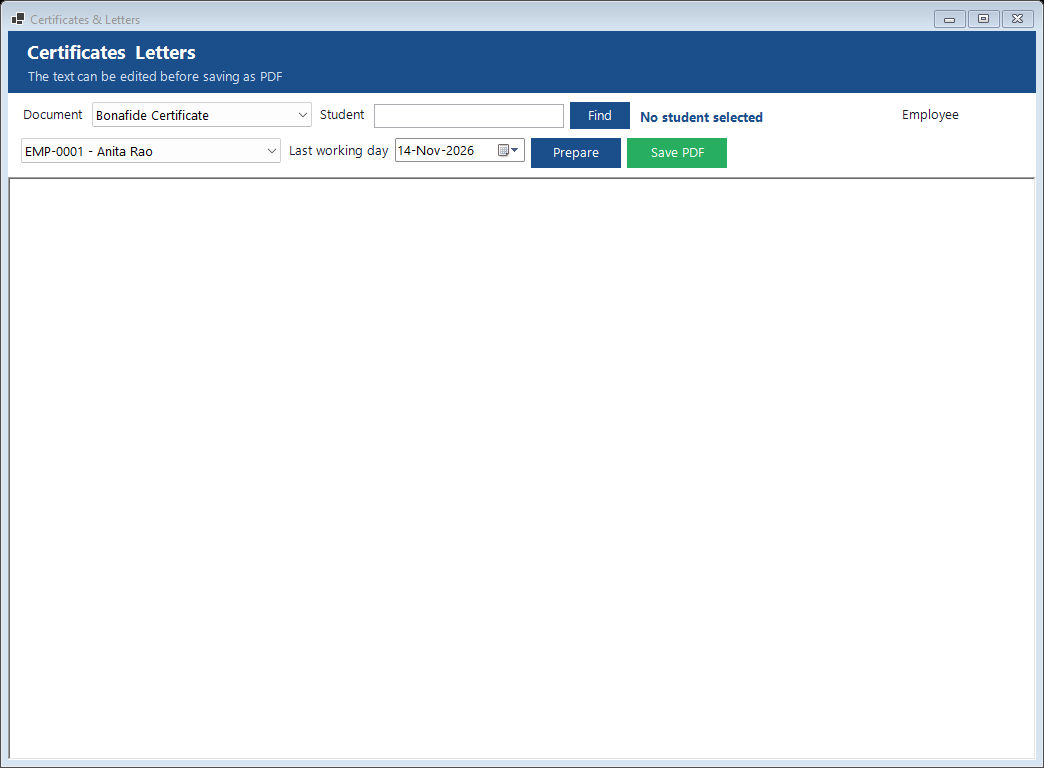
Debmedia School ERP Certificates and Letters: Bonafide, character, study and date-of-birth certificates, an alumni certificate, and salary, appointment and experience letters for staff, filled in from...
Certificates and Letters: Bonafide, character, study and date-of-birth certificates, an alumni certificate, and salary, appointment and experience letters for staff, filled in from...

Bonafide, character, study and date-of-birth certificates, an alumni certificate, and salary, appointment and experience letters for staff, filled in from the records and saved as PDF.

Admission

Inquiries and the guided admission process.

Admission Process
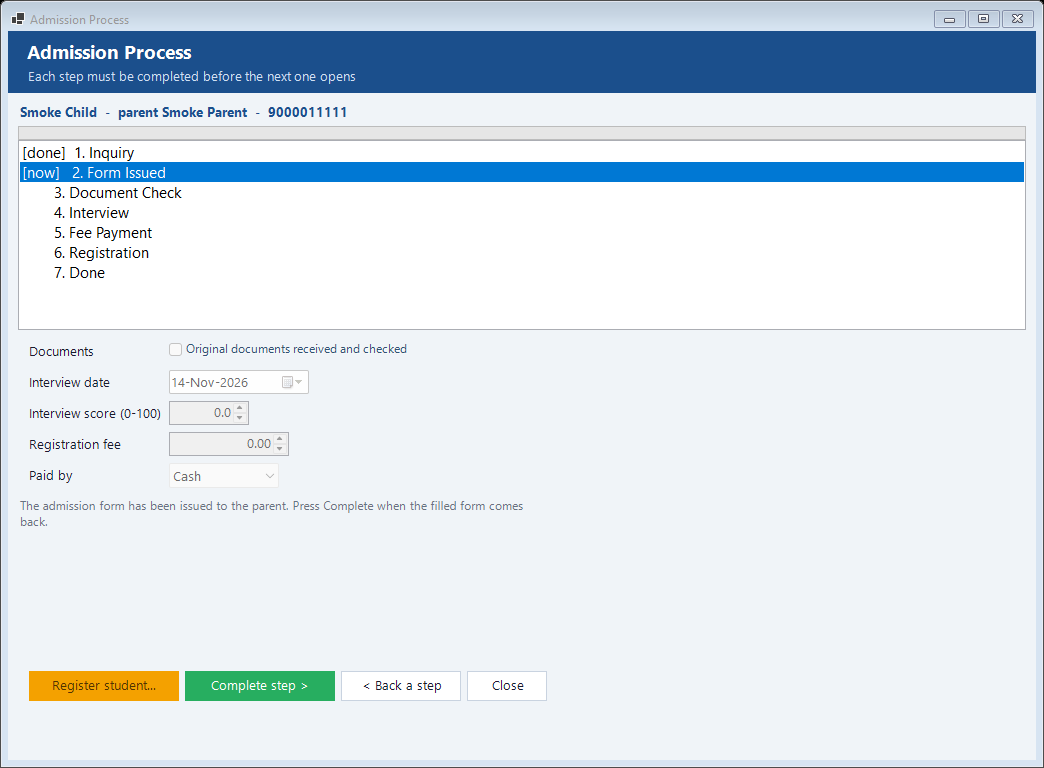
Debmedia School ERP Admission Process: A step-by-step admission for one inquiry: form received, document check, interview, fee payment and registration. The steps are done in order, so nothing is...
Admission Process: A step-by-step admission for one inquiry: form received, document check, interview, fee payment and registration. The steps are done in order, so nothing is...

A step-by-step admission for one inquiry: form received, document check, interview, fee payment and registration. The steps are done in order, so nothing is missed.

Attendance

Daily student attendance, registers and staff attendance.

Staff Attendance
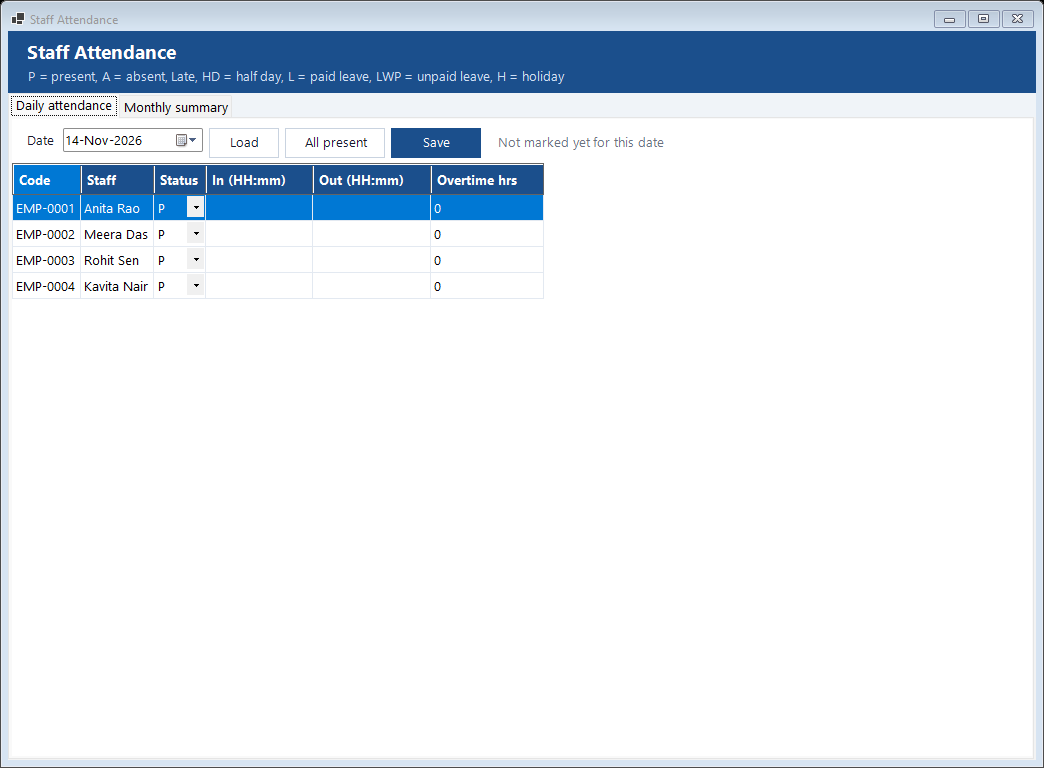
Debmedia School ERP Staff Attendance: Mark each teacher and staff member present, absent, late, on half day or on leave, with check-in and check-out times and overtime. A monthly summary feeds...
Staff Attendance: Mark each teacher and staff member present, absent, late, on half day or on leave, with check-in and check-out times and overtime. A monthly summary feeds...

Mark each teacher and staff member present, absent, late, on half day or on leave, with check-in and check-out times and overtime. A monthly summary feeds the payroll.

Academics

Classes, sections, subjects, sessions and the timetable.

Classes
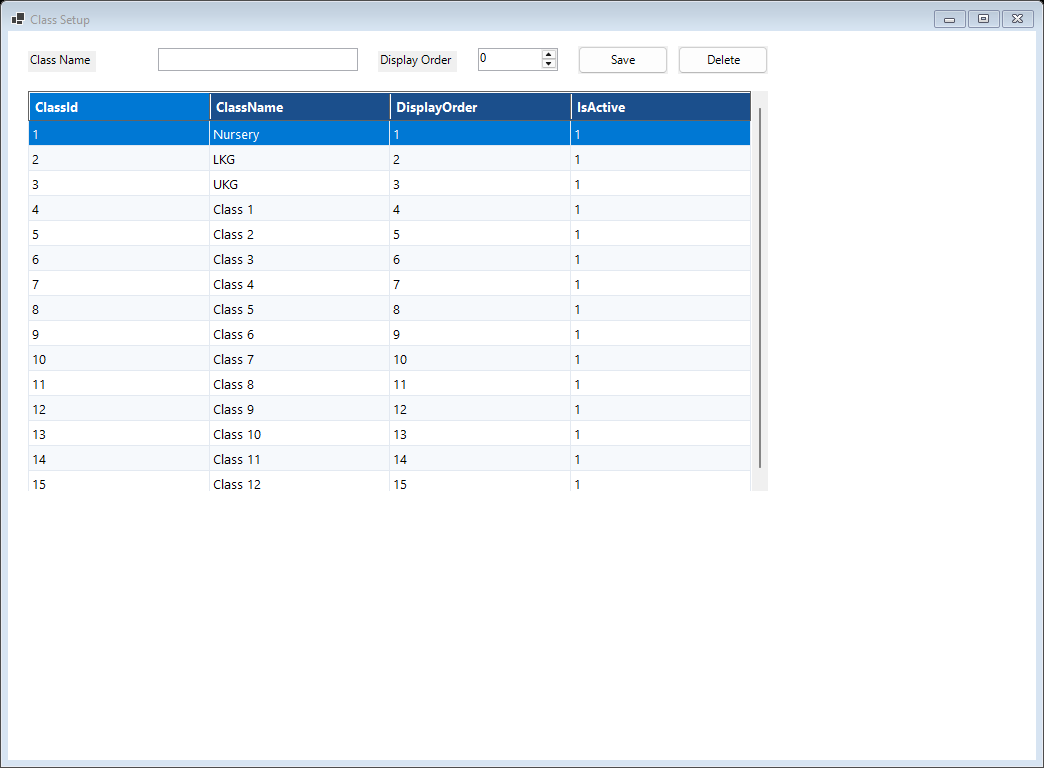
Debmedia School ERP Classes: The classes of the school, from nursery to Class 12, with their display order.
Classes: The classes of the school, from nursery to Class 12, with their display order.

The classes of the school, from nursery to Class 12, with their display order.

Subjects
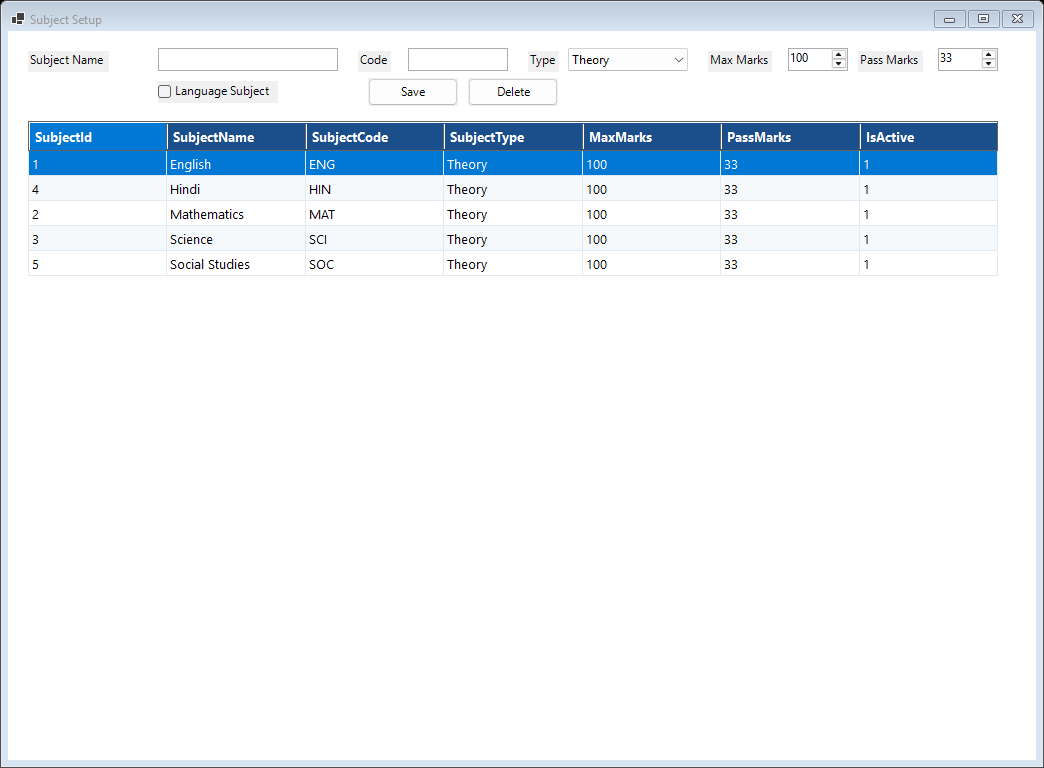
Debmedia School ERP Subjects: Subjects with code, type (theory, practical), maximum and pass marks.
Subjects: Subjects with code, type (theory, practical), maximum and pass marks.

Subjects with code, type (theory, practical), maximum and pass marks.

Timetable Generator
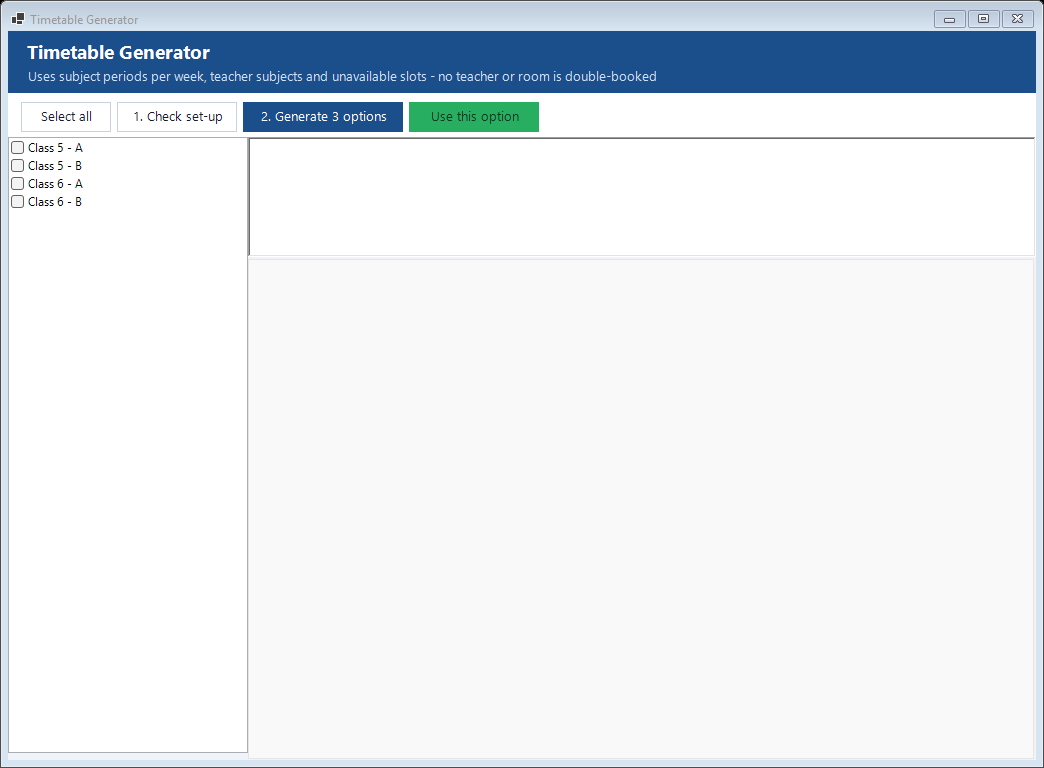
Debmedia School ERP Timetable Generator: Choose the classes and the subjects with their periods per week, and the generator builds a timetable in which no teacher is in two places at once. Check...
Timetable Generator: Choose the classes and the subjects with their periods per week, and the generator builds a timetable in which no teacher is in two places at once. Check...

Choose the classes and the subjects with their periods per week, and the generator builds a timetable in which no teacher is in two places at once. Check the result, adjust and save; saving again replaces the old timetable. A substitute-teacher screen covers absent teachers.

Examination

Exam plans, routines, marks, results and report cards.

Exam Planning
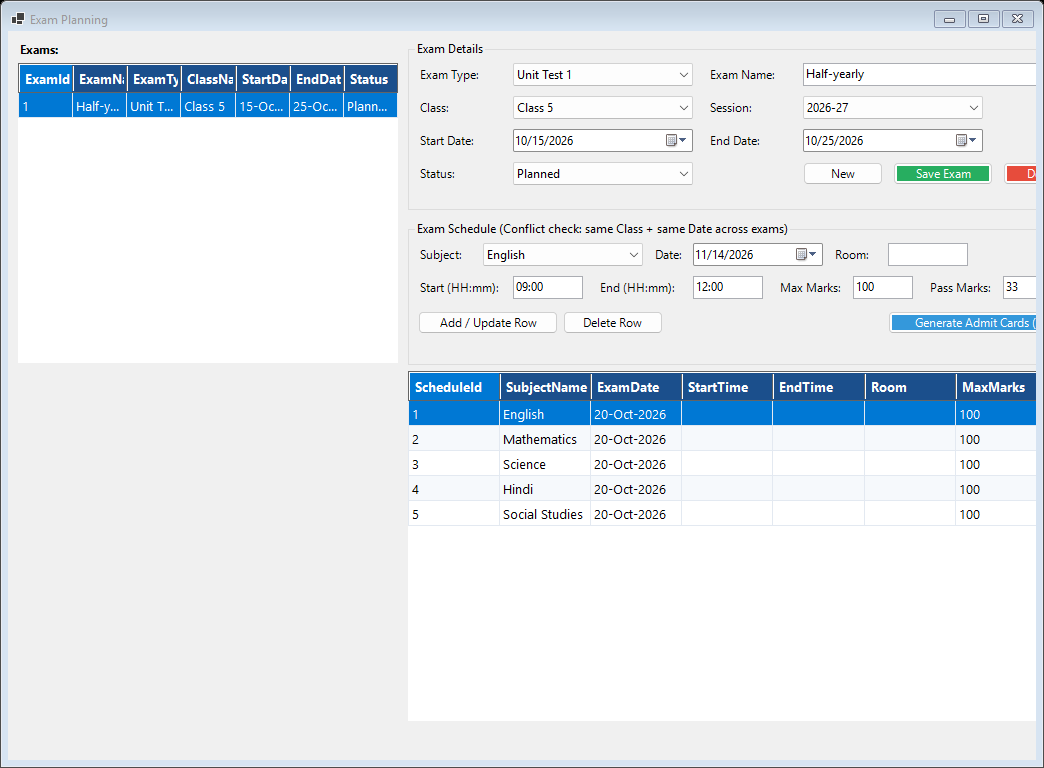
Debmedia School ERP Exam Planning: Create an exam for a class, add the subject papers with date, time, room, maximum and pass marks, and publish the schedule.
Exam Planning: Create an exam for a class, add the subject papers with date, time, room, maximum and pass marks, and publish the schedule.

Create an exam for a class, add the subject papers with date, time, room, maximum and pass marks, and publish the schedule.

Exam Routine Generator
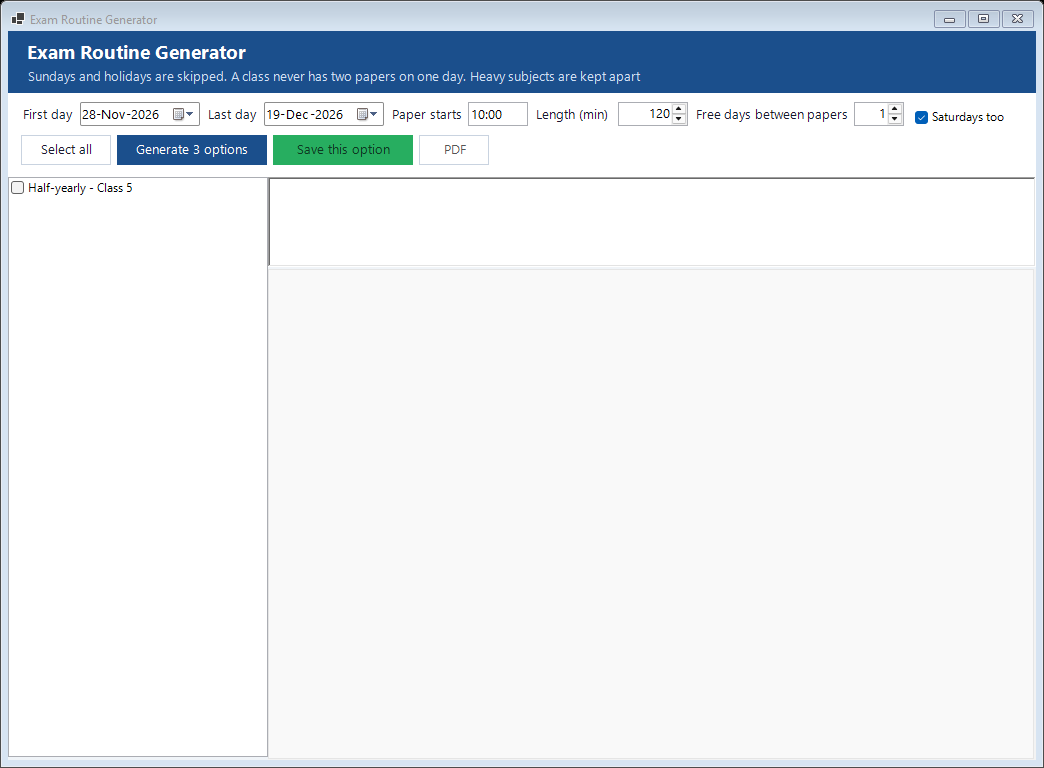
Debmedia School ERP Exam Routine Generator: Give the first and last day, the holidays and the gap you want between papers, and the generator lays out a date sheet that skips Sundays, Saturdays and...
Exam Routine Generator: Give the first and last day, the holidays and the gap you want between papers, and the generator lays out a date sheet that skips Sundays, Saturdays and...

Give the first and last day, the holidays and the gap you want between papers, and the generator lays out a date sheet that skips Sundays, Saturdays and holidays. If the window is too short it says so, or shortens the gap with a note. A routine cannot be replaced once marks have been entered.

Fees

Fee structure, collection, receipts, concessions, fines and dues.

Fee Structure
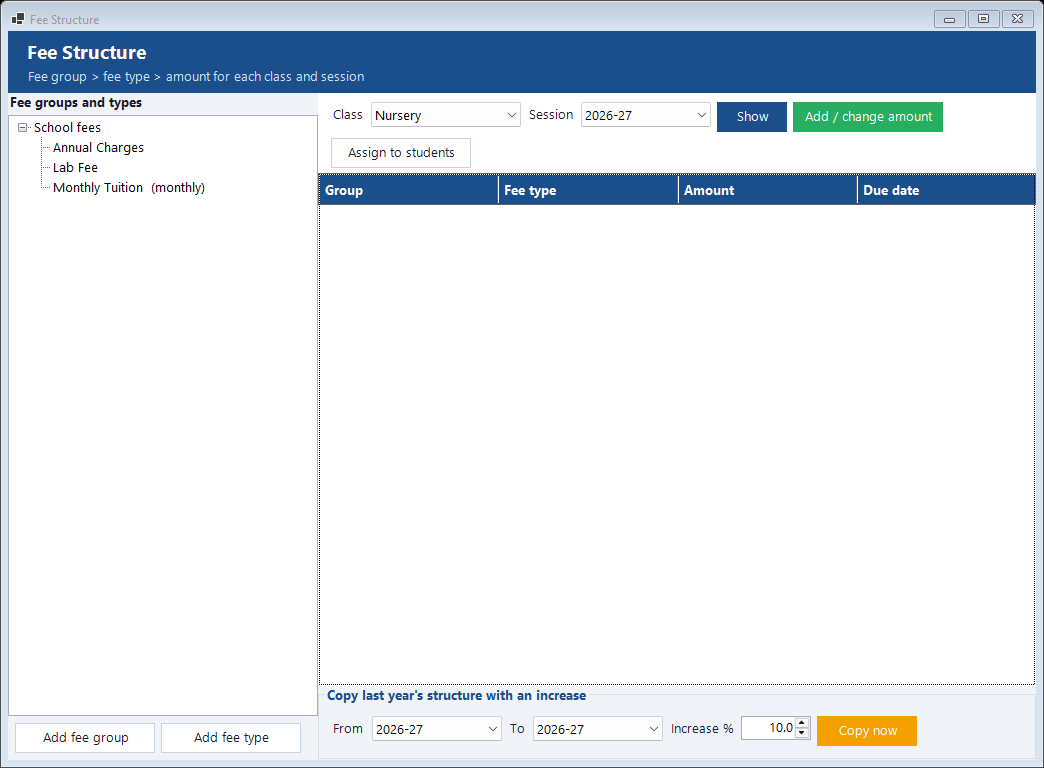
Debmedia School ERP Fee Structure: Fee groups and fee types (tuition, lab, annual charges and so on) with the amount and due date for each class. Copy last year's structure with a percentage...
Fee Structure: Fee groups and fee types (tuition, lab, annual charges and so on) with the amount and due date for each class. Copy last year's structure with a percentage...

Fee groups and fee types (tuition, lab, annual charges and so on) with the amount and due date for each class. Copy last year's structure with a percentage increase.

Fee Dues and Defaulters
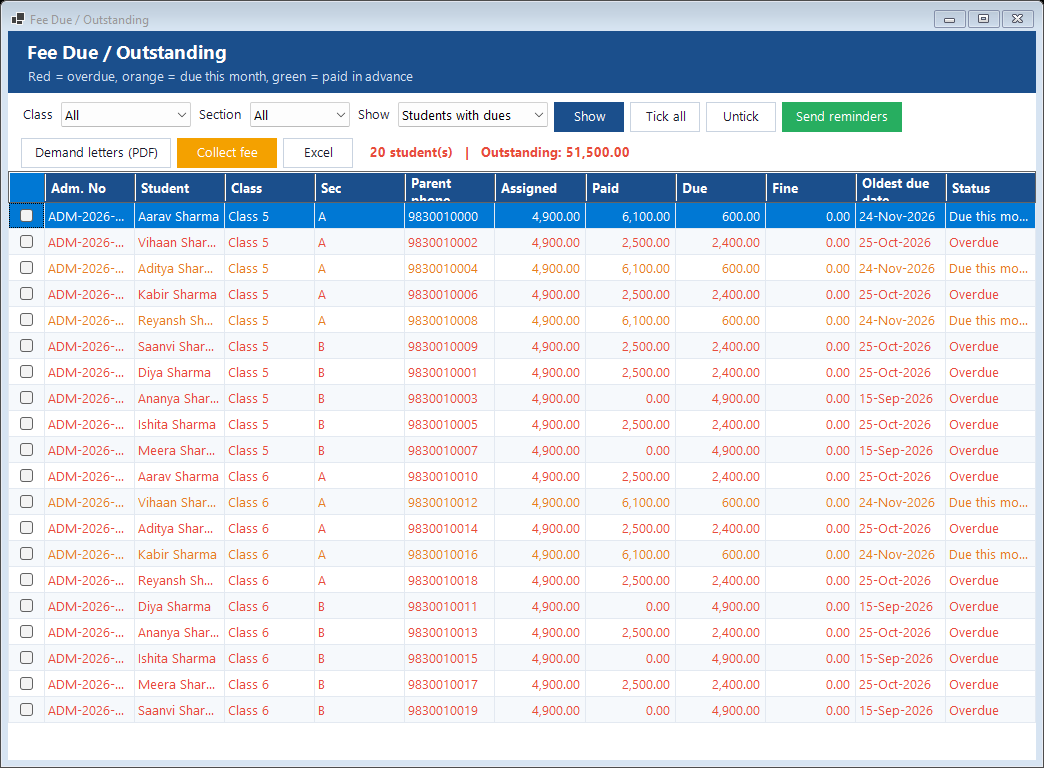
Debmedia School ERP Fee Dues and Defaulters: Who owes how much, by class and section, colour coded: red for overdue, orange for due this month, green for paid in advance. Tick students and send...
Fee Dues and Defaulters: Who owes how much, by class and section, colour coded: red for overdue, orange for due this month, green for paid in advance. Tick students and send...

Who owes how much, by class and section, colour coded: red for overdue, orange for due this month, green for paid in advance. Tick students and send reminders, print demand letters or export to Excel, or go straight to collecting the fee.

Fee Receipt
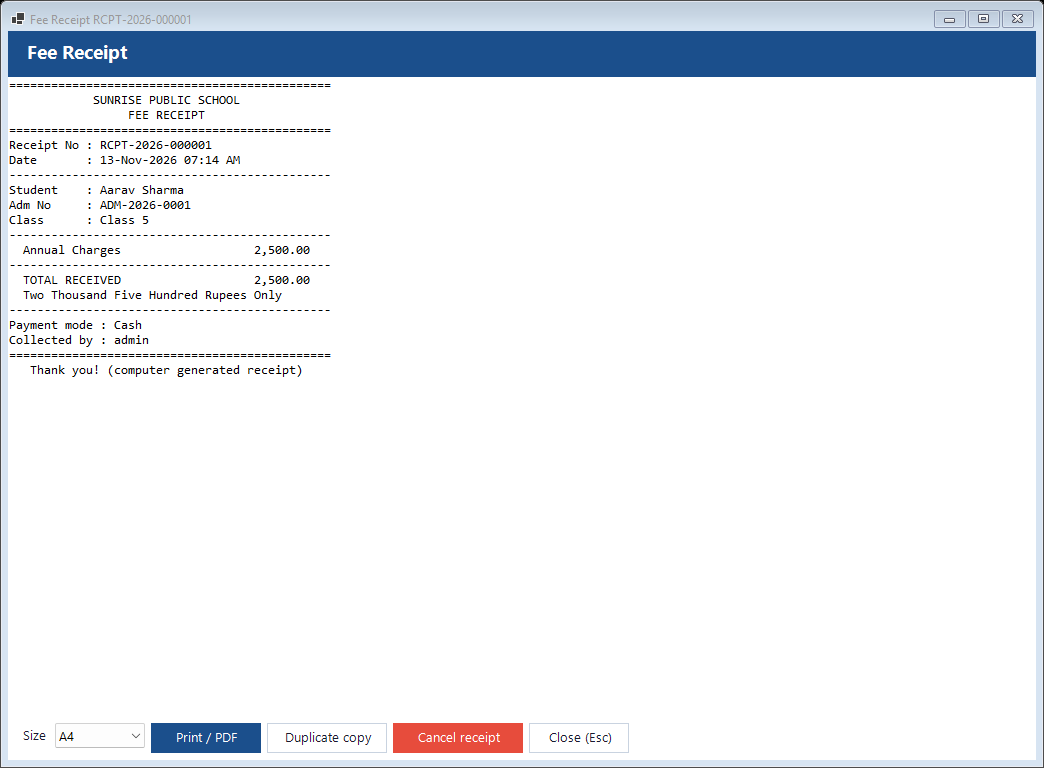
Debmedia School ERP Fee Receipt: Collecting a fee posts a numbered receipt that shows the heads paid, any fine and discount, the mode of payment and the amount in words. Part payments are...
Fee Receipt: Collecting a fee posts a numbered receipt that shows the heads paid, any fine and discount, the mode of payment and the amount in words. Part payments are...

Collecting a fee posts a numbered receipt that shows the heads paid, any fine and discount, the mode of payment and the amount in words. Part payments are supported, a receipt can be reprinted, and a cancelled receipt needs a reason and restores the due.

Fee Reports
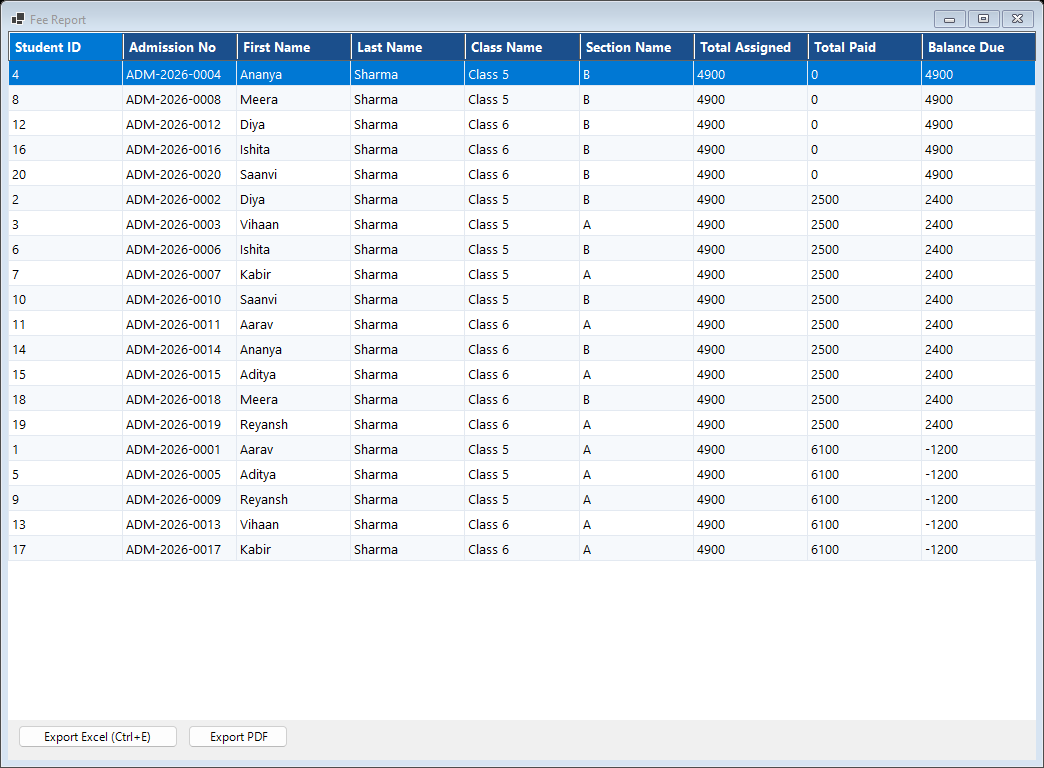
Debmedia School ERP Fee Reports: Collection by day, month, head, class and payment mode, and the dues report, with Excel and PDF export.
Fee Reports: Collection by day, month, head, class and payment mode, and the dues report, with Excel and PDF export.

Collection by day, month, head, class and payment mode, and the dues report, with Excel and PDF export.

Accounts

Income, expenses, vouchers, banks and the ledger.

Income
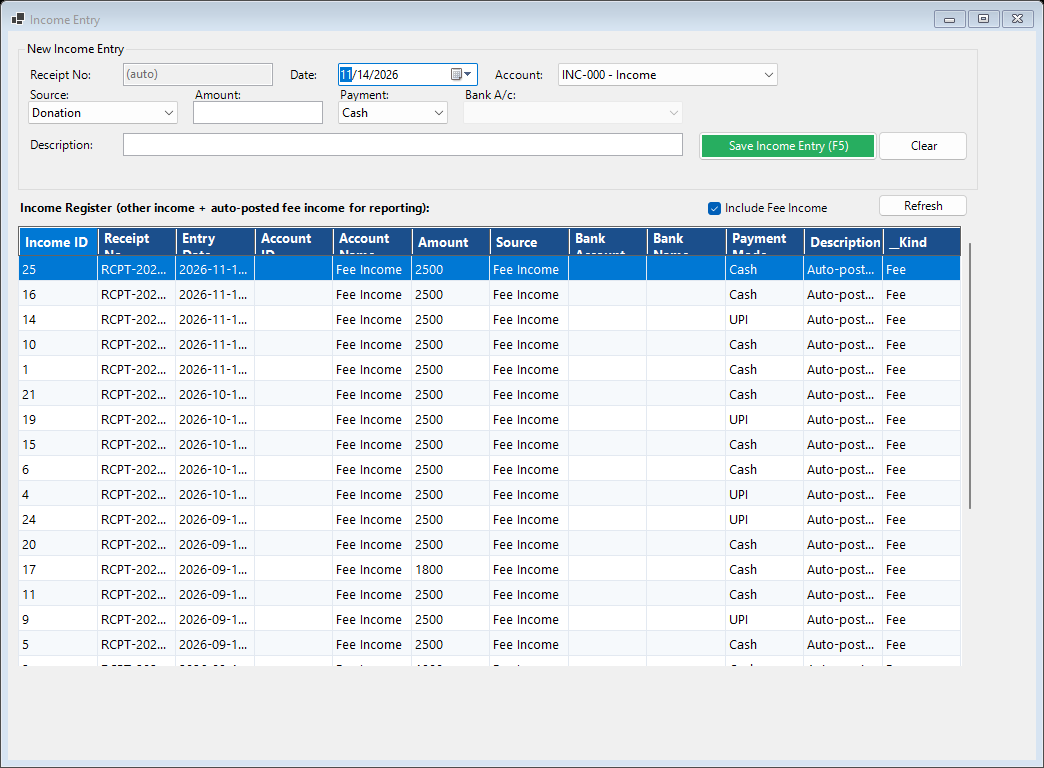
Debmedia School ERP Income: Fee receipts appear here automatically; other income such as donations, rent and grants is entered with its account and payment mode.
Income: Fee receipts appear here automatically; other income such as donations, rent and grants is entered with its account and payment mode.

Fee receipts appear here automatically; other income such as donations, rent and grants is entered with its account and payment mode.

Chart of Accounts
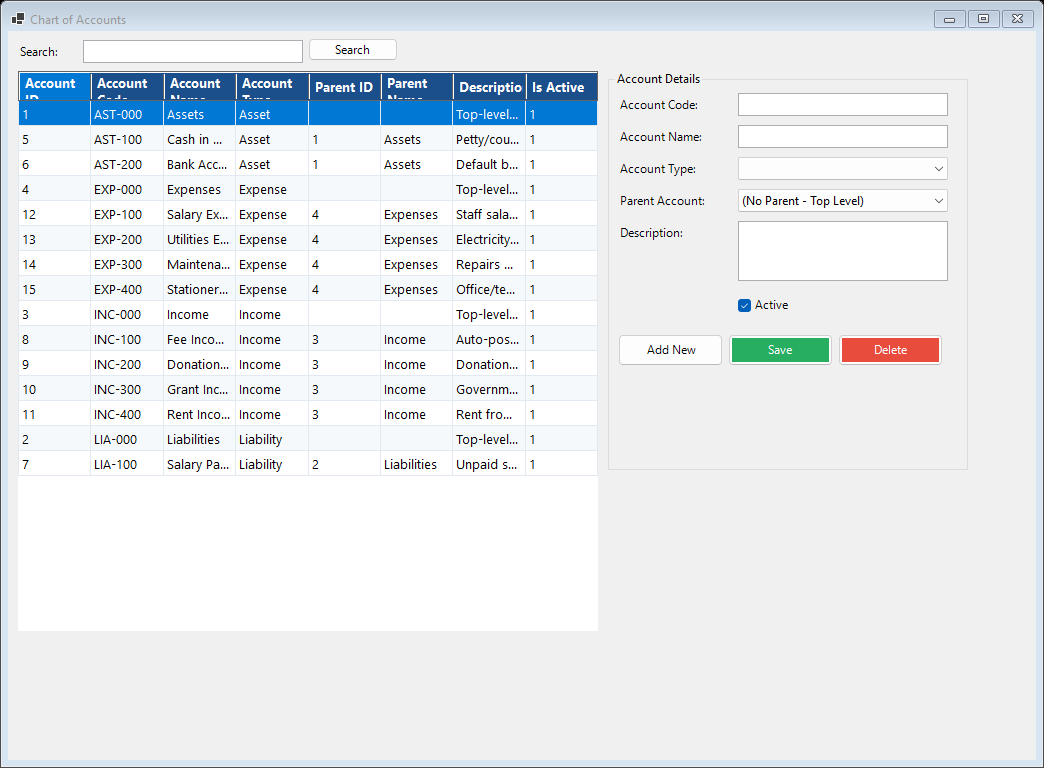
Debmedia School ERP Chart of Accounts: The accounts of the school in groups (assets, liabilities, income, expenses) that vouchers and fees post to. Accounts can be added and opening balances set.
Chart of Accounts: The accounts of the school in groups (assets, liabilities, income, expenses) that vouchers and fees post to. Accounts can be added and opening balances set.

The accounts of the school in groups (assets, liabilities, income, expenses) that vouchers and fees post to. Accounts can be added and opening balances set.

HR and Payroll

Staff, salary structures, leave and payroll.

Employees
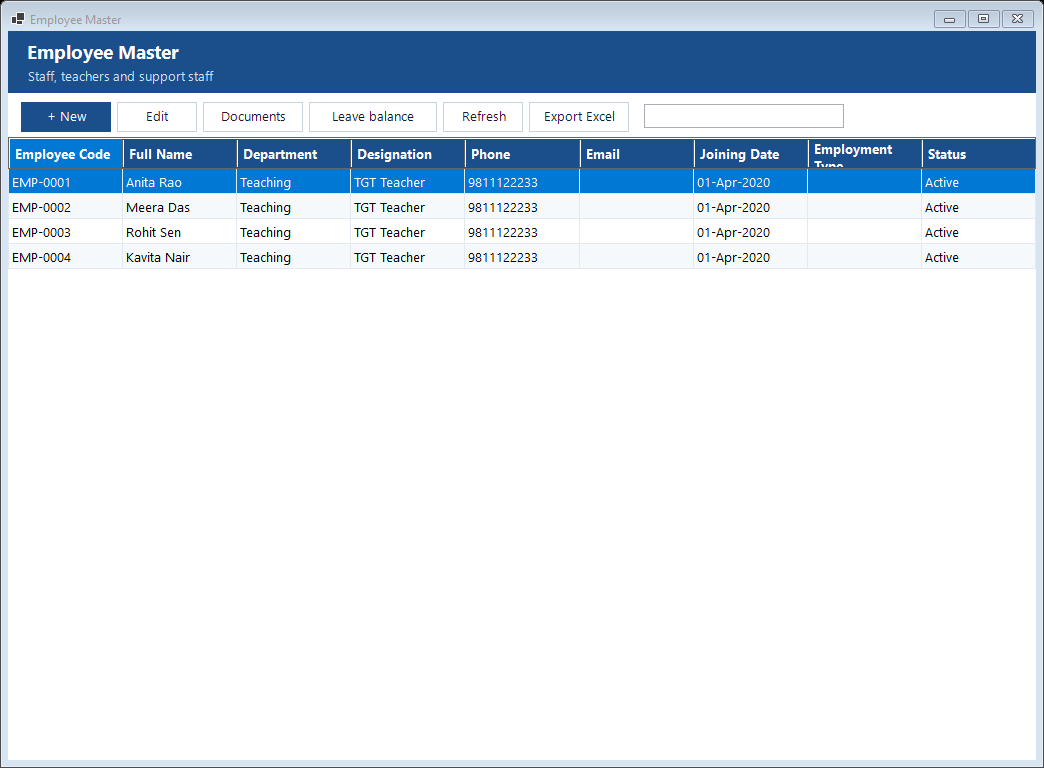
Debmedia School ERP Employees: Teachers and staff with department, designation, joining date, bank details and documents. Salary is set by designation or per person, with effective dates...
Employees: Teachers and staff with department, designation, joining date, bank details and documents. Salary is set by designation or per person, with effective dates...

Teachers and staff with department, designation, joining date, bank details and documents. Salary is set by designation or per person, with effective dates so the history is kept.

Communication

Messages to parents and staff.

Message Centre
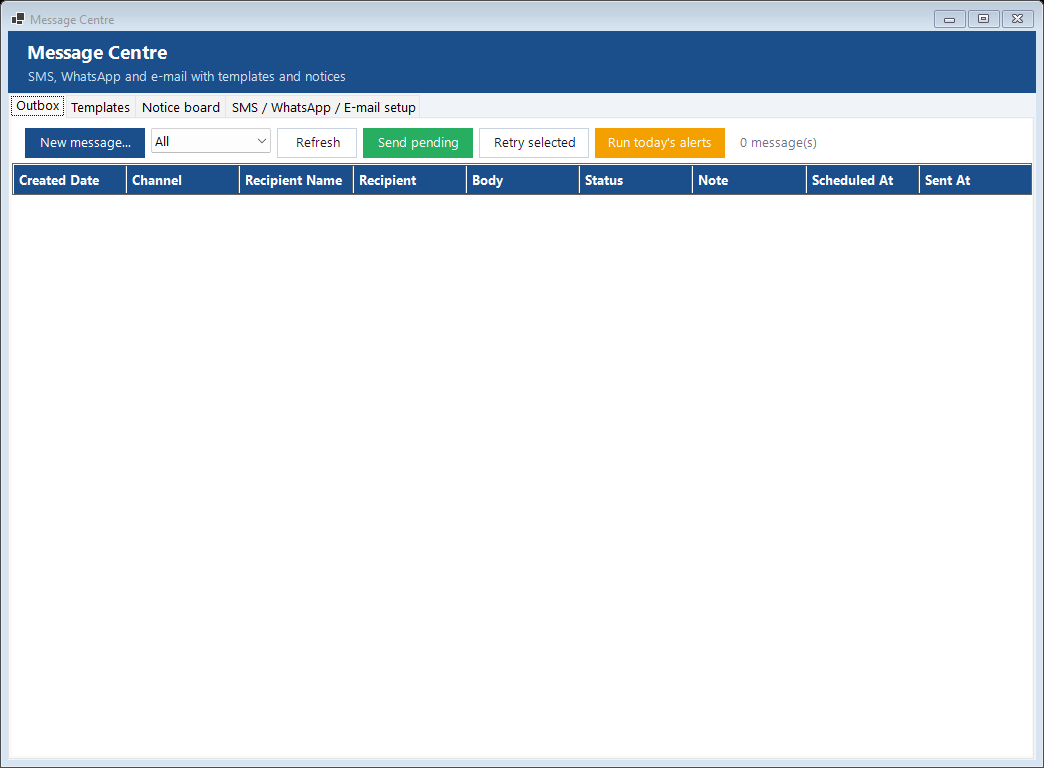
Debmedia School ERP Message Centre: Templates, a notice board and an outbox for SMS, WhatsApp and e-mail messages to parents and staff. Fee reminders, absence alerts and birthday wishes can be...
Message Centre: Templates, a notice board and an outbox for SMS, WhatsApp and e-mail messages to parents and staff. Fee reminders, absence alerts and birthday wishes can be...

Templates, a notice board and an outbox for SMS, WhatsApp and e-mail messages to parents and staff. Fee reminders, absence alerts and birthday wishes can be queued automatically. Sending needs the school's own SMS gateway, e-mail server or WhatsApp account; messages for a channel that is not set up stay in the outbox, and a WhatsApp link can be used by hand.

Reports

More than 40 reports with Excel and PDF export.

Student Reports
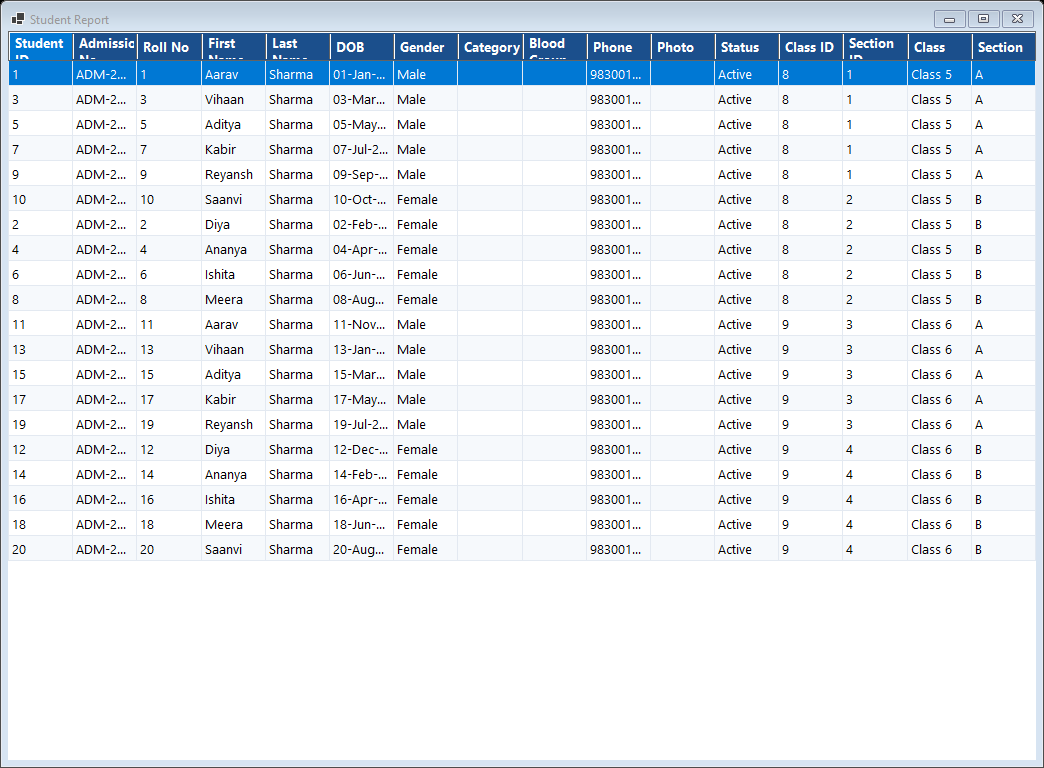
Debmedia School ERP Student Reports: Student lists and strength by class and section, a month-wise birthday list and more, with Excel and PDF export. The Report Centre holds every report of...
Student Reports: Student lists and strength by class and section, a month-wise birthday list and more, with Excel and PDF export. The Report Centre holds every report of...

Student lists and strength by class and section, a month-wise birthday list and more, with Excel and PDF export. The Report Centre holds every report of every module in one list.

Decision Tools

Rule-based tools that work from the school's own data.

Decision Centre
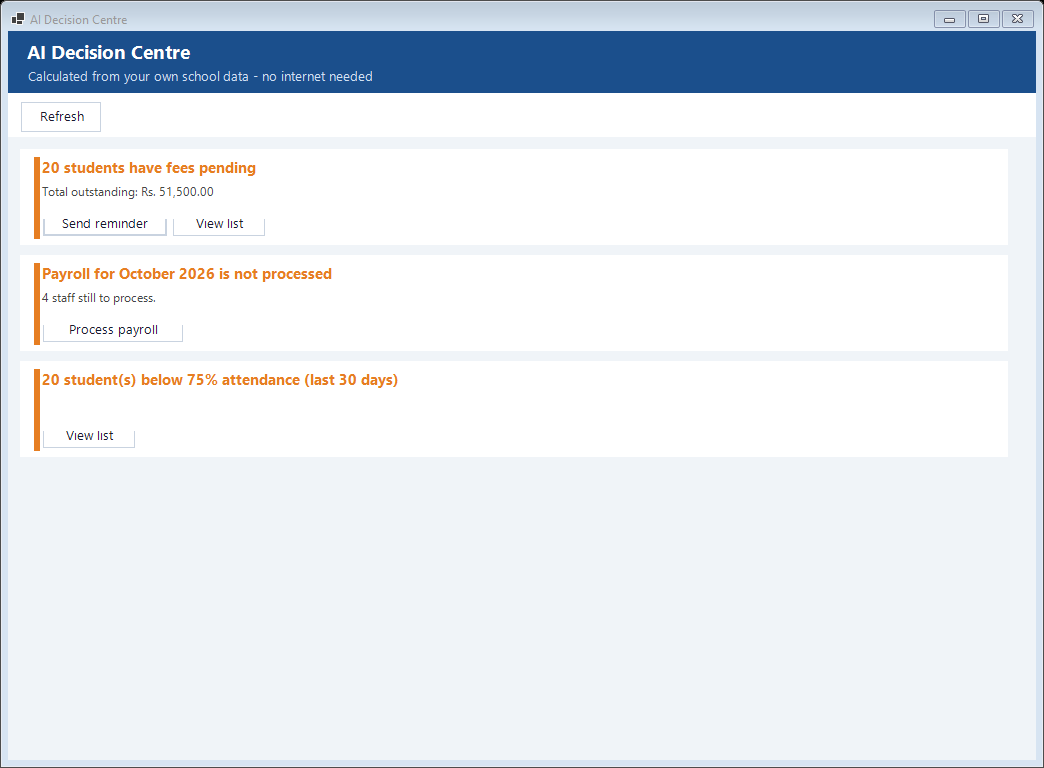
Debmedia School ERP Decision Centre: Cards that say what needs attention today, worked out from your own data with no internet: fees pending, payroll not processed, students at risk of low...
Decision Centre: Cards that say what needs attention today, worked out from your own data with no internet: fees pending, payroll not processed, students at risk of low...

Cards that say what needs attention today, worked out from your own data with no internet: fees pending, payroll not processed, students at risk of low attendance, admissions this month, with a button to act. These are calculated rules, not a cloud service.

Ask a Question
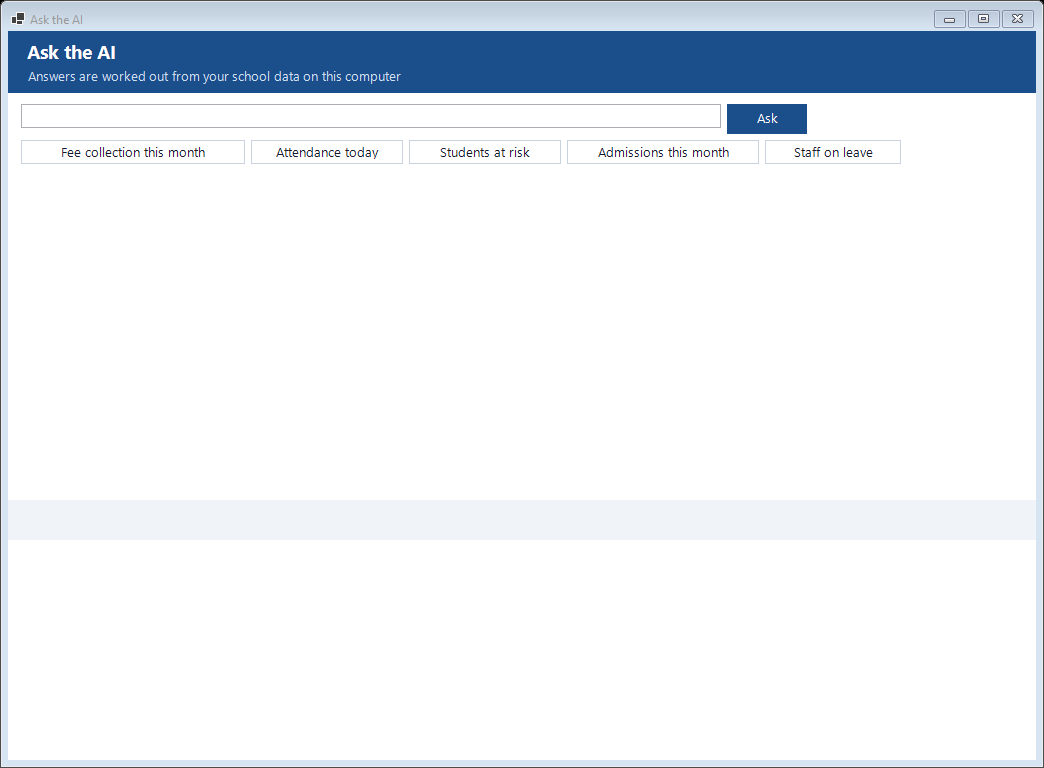
Debmedia School ERP Ask a Question: A question box for the principal that answers from the school's data, for example the fee collection this month or the students at risk. It answers a fixed...
Ask a Question: A question box for the principal that answers from the school's data, for example the fee collection this month or the students at risk. It answers a fixed...

A question box for the principal that answers from the school's data, for example the fee collection this month or the students at risk. It answers a fixed set of kinds of question. A connection to an outside AI service can be set in the integration settings; that connection has not been tried with a live account.

Teacher Assistant
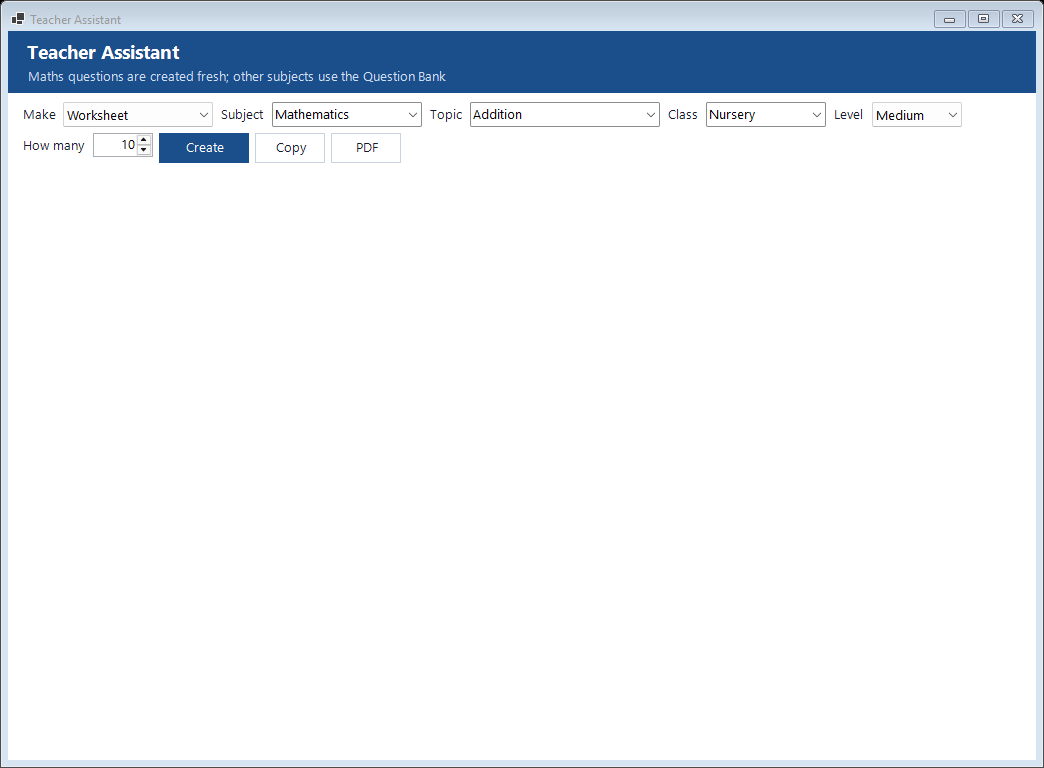
Debmedia School ERP Teacher Assistant: Builds a worksheet, an MCQ set or a question paper by picking from the school's own question bank, by subject, topic, class and difficulty.
Teacher Assistant: Builds a worksheet, an MCQ set or a question paper by picking from the school's own question bank, by subject, topic, class and difficulty.

Builds a worksheet, an MCQ set or a question paper by picking from the school's own question bank, by subject, topic, class and difficulty.

Settings

School profile, users, roles, backup and the audit log.

School Profile
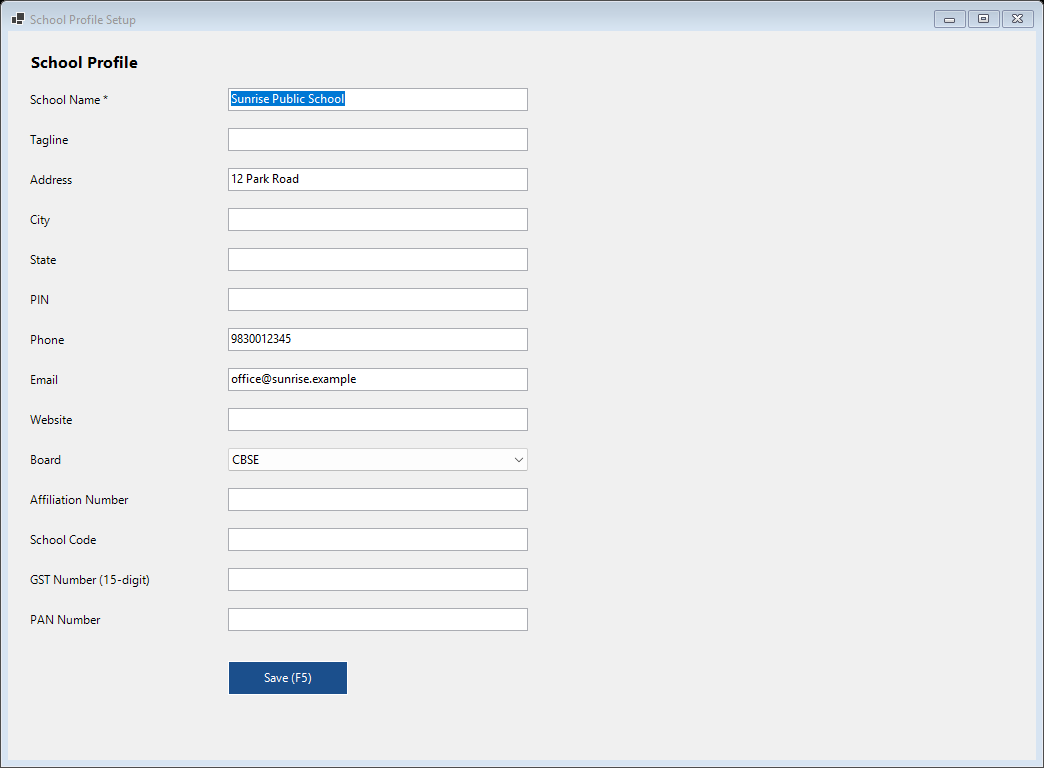
Debmedia School ERP School Profile: School name, address, board, affiliation number and logo, which appear on receipts, report cards, certificates and letters.
School Profile: School name, address, board, affiliation number and logo, which appear on receipts, report cards, certificates and letters.

School name, address, board, affiliation number and logo, which appear on receipts, report cards, certificates and letters.

Roles and Permissions
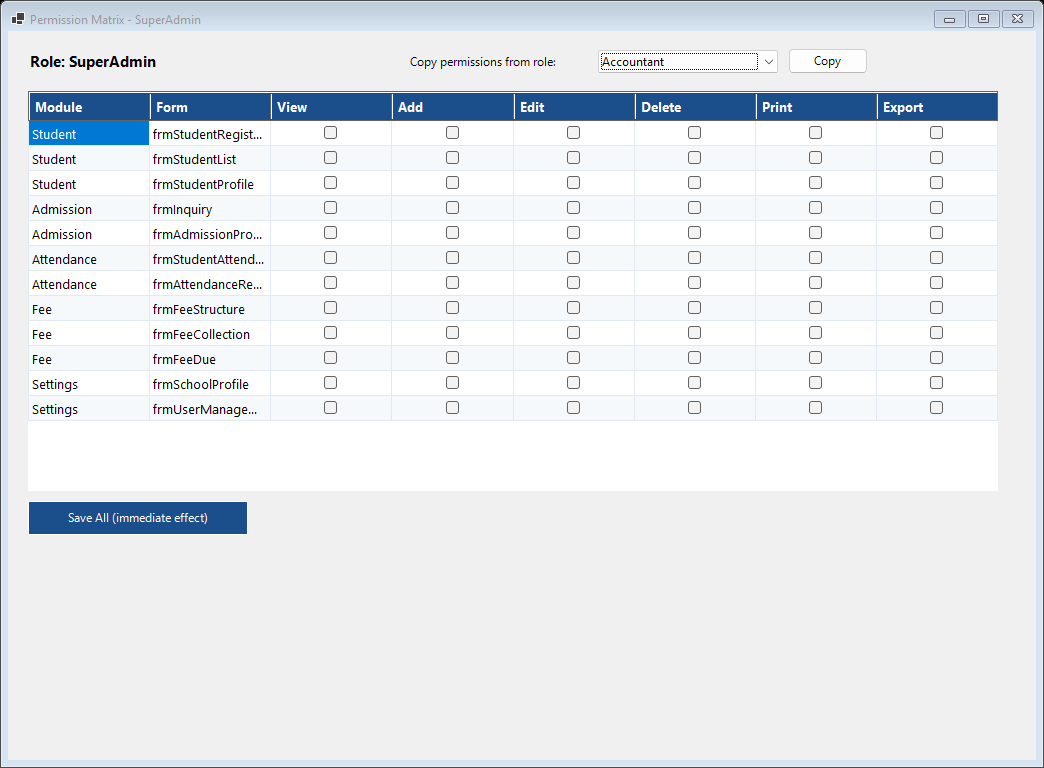
Debmedia School ERP Roles and Permissions: Each role (principal, accountant, teacher, receptionist and others) has view, add, edit, delete, print and export rights for every screen, so a teacher...
Roles and Permissions: Each role (principal, accountant, teacher, receptionist and others) has view, add, edit, delete, print and export rights for every screen, so a teacher...

Each role (principal, accountant, teacher, receptionist and others) has view, add, edit, delete, print and export rights for every screen, so a teacher cannot open the accounts and a clerk cannot change fees.

Backup and Restore
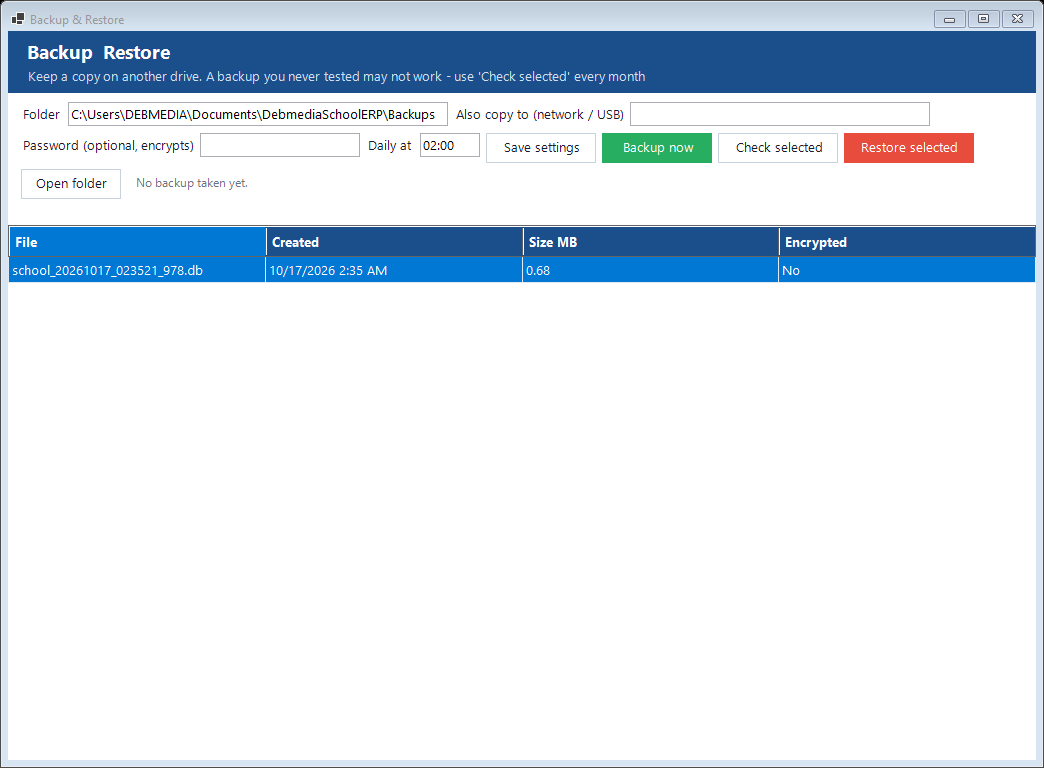
Debmedia School ERP Backup and Restore: A copy of the data is taken automatically every day, and you can take one now, optionally with a password. A restore takes a safety copy of the current data...
Backup and Restore: A copy of the data is taken automatically every day, and you can take one now, optionally with a password. A restore takes a safety copy of the current data...

A copy of the data is taken automatically every day, and you can take one now, optionally with a password. A restore takes a safety copy of the current data first. Copy the backup folder to a pen drive or cloud drive now and then.

Audit Log
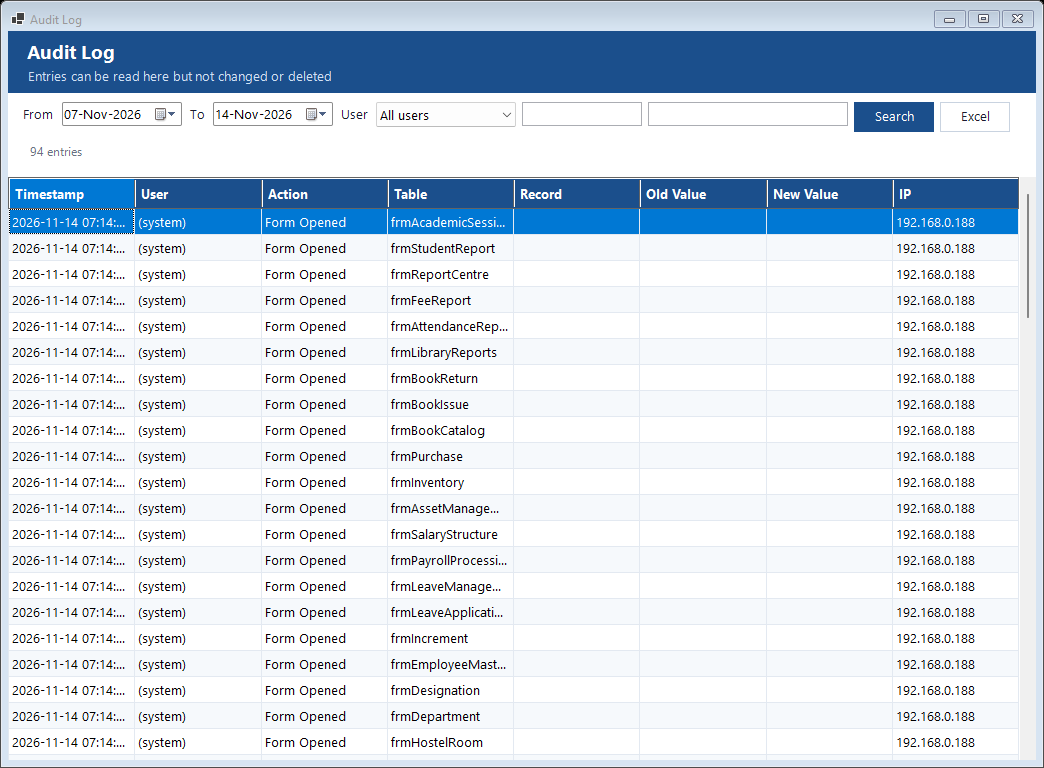
Debmedia School ERP Audit Log: Who did what and when, with old and new values. The log cannot be edited.
Audit Log: Who did what and when, with old and new values. The log cannot be edited.

Who did what and when, with old and new values. The log cannot be edited.

About and Licence
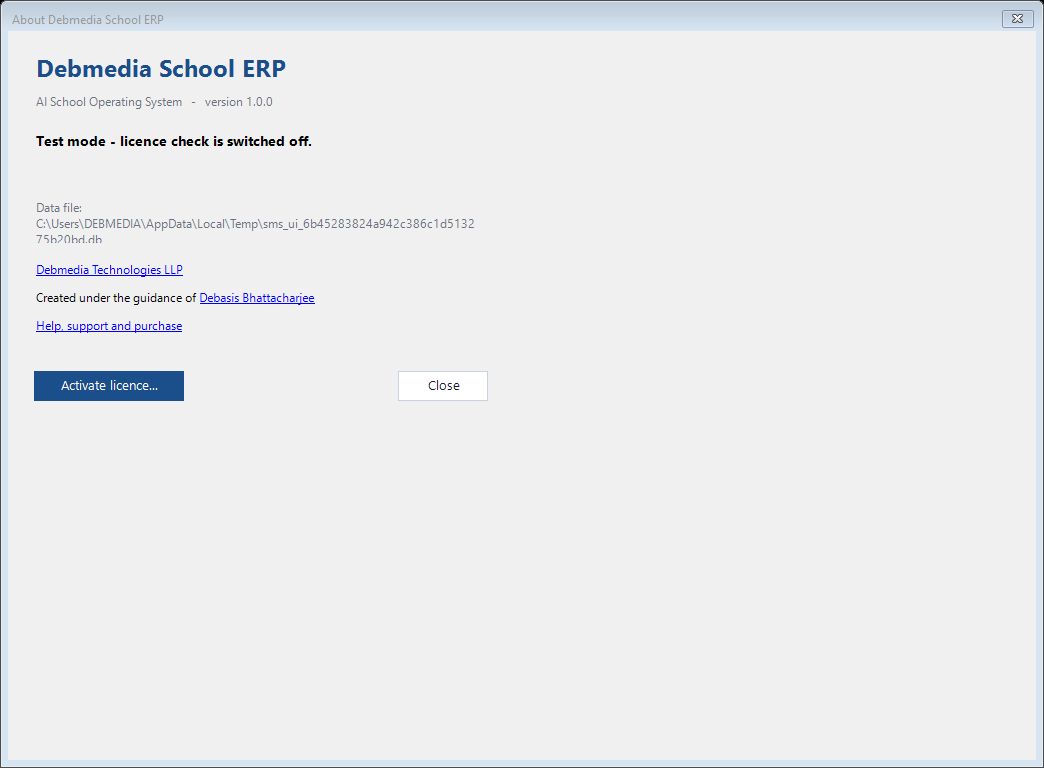
Debmedia School ERP About and Licence: The version, where the data file is kept, the licence status and a button to activate a licence key.
About and Licence: The version, where the data file is kept, the licence status and a button to activate a licence key.

The version, where the data file is kept, the licence status and a button to activate a licence key.