
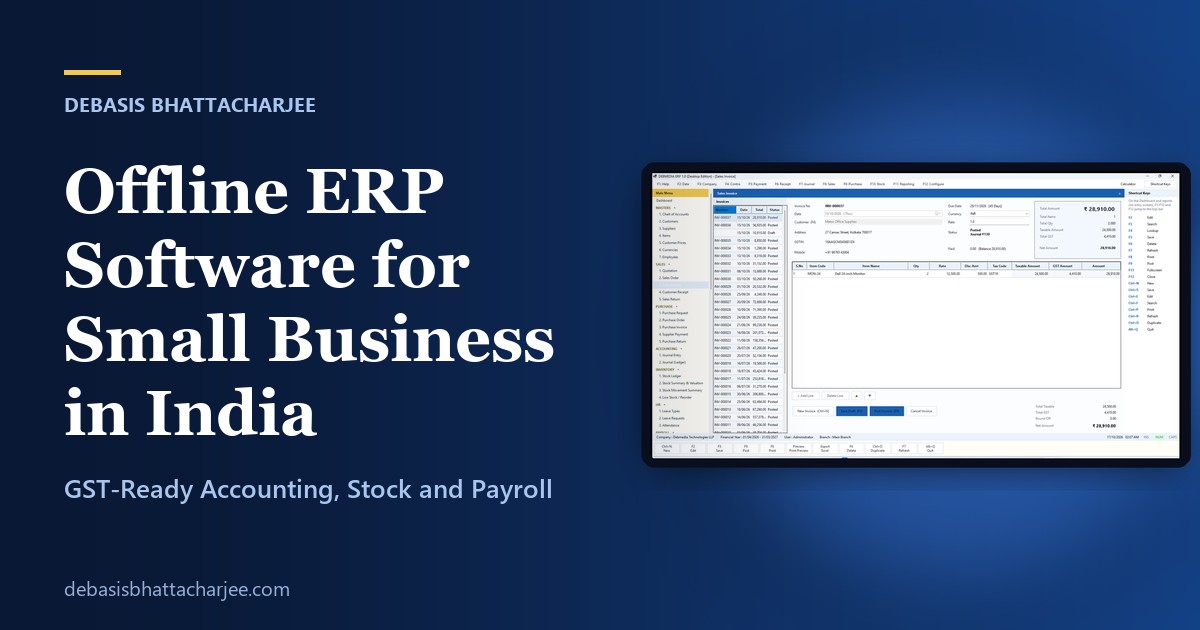
If your internet drops twice a week, if your accountant still asks for a data file on a pen drive, or if you simply do not want your sales and stock figures sitting on someone else’s server, offline ERP software deserves a serious look. This guide explains what an offline ERP is, what a small business in India should check before choosing one (GST, stock, payroll, backups and more), and how DEBMEDIA ERP approaches each of those points. It ends with a simple three-day plan for testing any ERP before you pay.
What is offline ERP software?
ERP stands for enterprise resource planning. In plain words, it is one program that keeps your buying, selling, stock, accounts, tax and staff records together, so you enter a transaction once and it appears everywhere it should. Offline ERP software (also called desktop ERP) installs on your own Windows computer or office server and stores its data there, usually in one database file. It does not need an internet connection to record invoices, print them, run reports or take backups.
That is different from a cloud ERP, where you log in through a browser and the vendor hosts your data. Both models can be good. The right one depends on how your business works, which the next sections help you decide.
Why small businesses in India choose offline ERP
- Unreliable connectivity. Shops, workshops, schools and factories often have patchy broadband. An offline system keeps billing and stock moving when the line is down.
- Speed at the counter. A program running on your own machine responds instantly, and keyboard-driven screens let staff enter invoices quickly.
- Data ownership. Your records stay in a file you control and can copy, back up and hand to your accountant.
- Predictable cost. Many offline products are sold with a one-time licence instead of a monthly fee per user, which makes long-term costs easier to plan.
- Familiar way of working. Many Indian accountants and traders already think in terms of vouchers, ledgers and function keys, and desktop software fits that habit.
Offline vs cloud ERP: an honest comparison
| Question | Offline (desktop) ERP | Cloud ERP |
|---|---|---|
| Works without internet? | Yes | No, or only in a limited mode |
| Where is your data? | On your computer or office server | On the vendor’s servers |
| Access from anywhere? | Only from computers on your network (remote access needs extra setup) | Yes, from any browser |
| Backups | Your responsibility | Usually handled by the vendor |
| Typical pricing | Often a one-time licence | Usually a monthly or yearly subscription |
| Updates | You install them | Automatic |
| Best for | One site, a counter, a factory or an office with patchy internet | Several locations and people who work remotely |
Neither model is “better”. If your whole team works from one place and you value control and uptime, offline is a strong fit. If your staff are spread across cities and need access from phones, a cloud product is usually easier.
The 10-point checklist before you buy any ERP
- Real double-entry accounting. Every sale, purchase, receipt and payment should create balanced debit and credit entries automatically, and the Trial Balance must always tally.
- GST that is calculated, not typed. Look for tax codes on each line, CGST plus SGST for same-state supplies, IGST for inter-state, separate input and output tax accounts, and a GST report. You can read the official rules on the GST portal.
- Stock that ties to the books. Quantity should come from a stock ledger, with a clear costing method (weighted average or FIFO), reorder levels and a stock valuation that agrees with the inventory account.
- The full sales and purchase cycle. Quotation, order, invoice, receipt and return on the sales side; request, order, invoice, payment and return on the purchase side, with one-click conversion between them.
- Receivables and payables control. Credit limits, due dates, customer and supplier statements and an ageing report for collections.
- Payroll and leave, if you have staff. Salary components, attendance, leave balances, a payroll run that posts to the accounts, and printable payslips.
- Roles, permissions and an audit trail. You should be able to stop a clerk from posting or cancelling, and see who did what and when.
- Backups you can trust. Look for backups that are checked after they are created, and a restore that protects your current data first.
- Reports you can export. Print, preview, and export to Excel, CSV and PDF, so your accountant gets what they need.
- A fair trial and a clear exit. You should be able to test with your own data and export your records if you leave.
How DEBMEDIA ERP covers the checklist
DEBMEDIA ERP is a Windows desktop ERP built with this checklist in mind. Here is how it handles each point. Every feature below is shown, screen by screen, on the DEBMEDIA ERP details page.
Accounting and GST
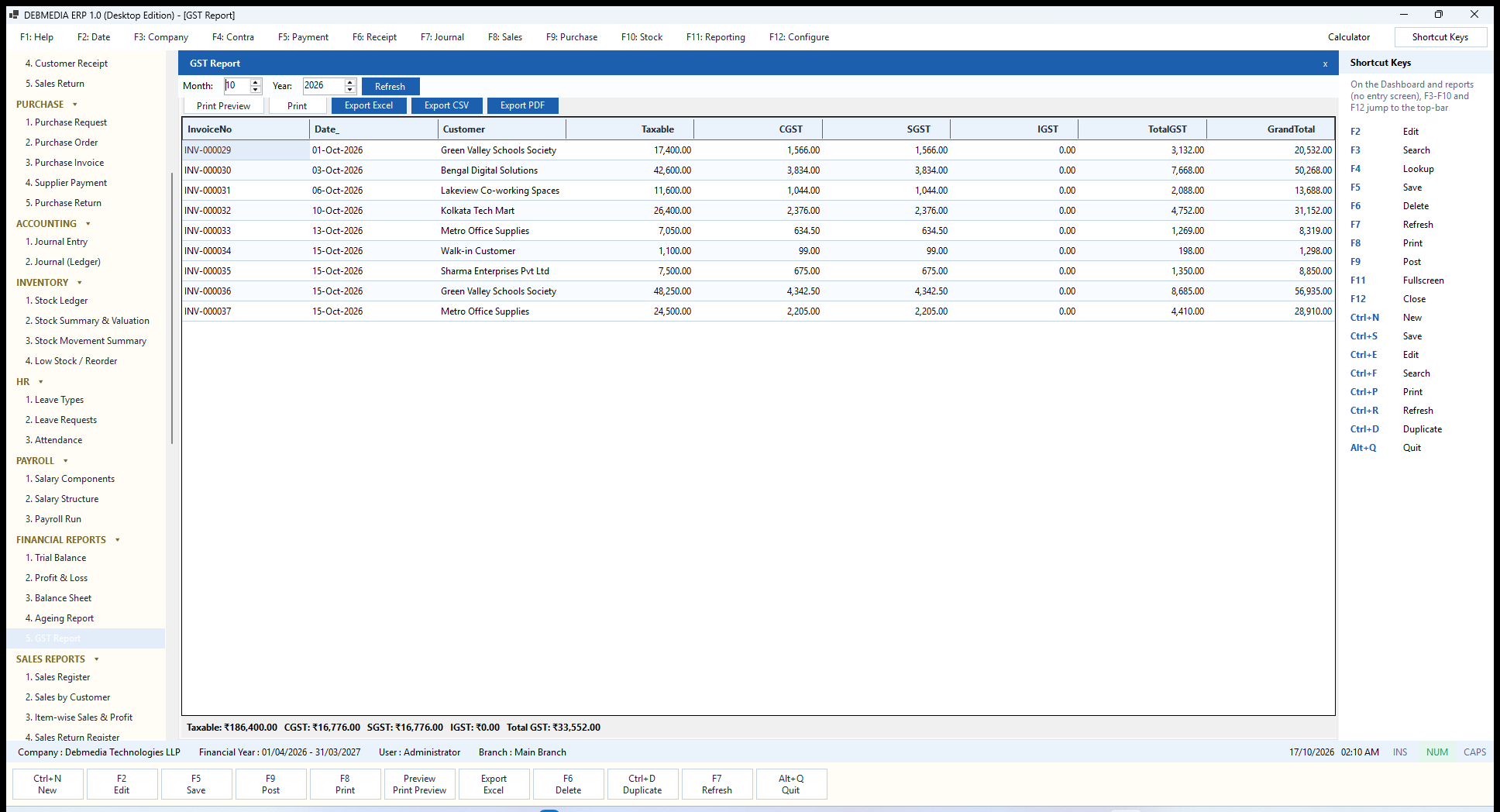
Every invoice, receipt, payment, return, journal and payroll run posts a balanced journal entry in a single step, so the Trial Balance and Balance Sheet always agree. On a sales invoice the program works out the taxable value, applies the tax code and splits the tax into CGST and SGST or IGST using one central calculation. The GST calculation is explained in detail, and the monthly GST report lists taxable value, CGST, SGST and IGST per invoice.
Sales, purchase and stock
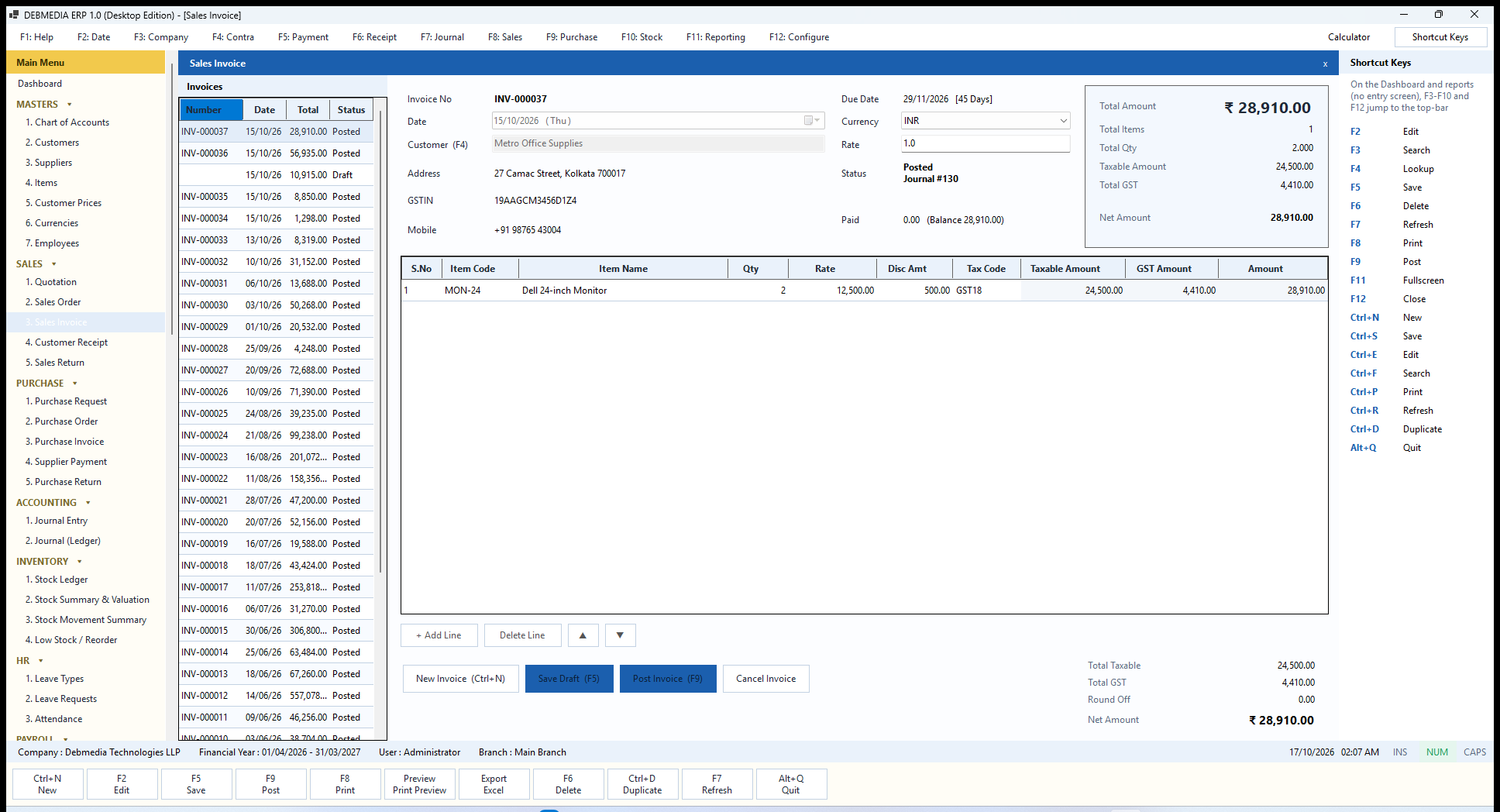
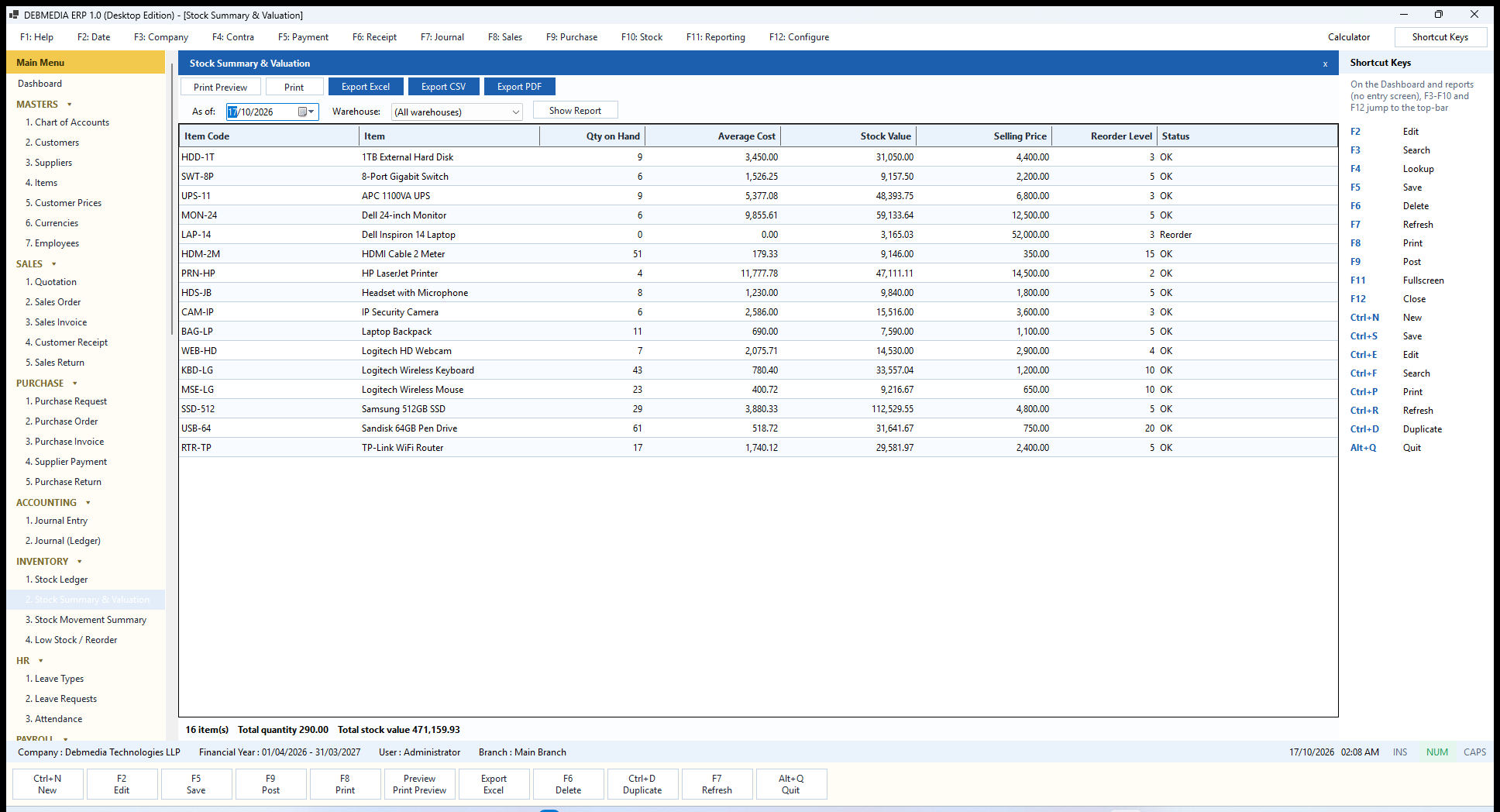
The sales invoice shows customer details, due date, live totals and one-click posting. Posting creates the accounting entry, reduces stock and records the cost of goods sold in the same transaction. Stock comes from a ledger, valued by weighted average by default (FIFO is also available), and the stock summary and valuation total equals the Inventory account on the Balance Sheet.
Payroll, leave and people
The HR and payroll modules cover leave types and requests, a monthly attendance sheet, salary components, each employee’s salary structure and a payroll run that posts to the accounts, records payment and prints payslips with the amount in words.
Control and safety
Access is controlled by roles with 150 separate permissions, so posting, cancelling, approving, closing a year and paying salaries can be given to different people. Login history, a lock-out after five wrong passwords and an audit log record what happens. The backup and restore screen creates backups that are integrity-checked and fingerprinted with a SHA-256 hash, and it takes a safety backup before any restore.
Reports, several computers and licensing
There are more than 40 reports, from the Trial Balance and Profit and Loss to the Day Book, Cash Book, ageing, sales and purchase registers and HR reports. Every one can be printed, previewed or exported to Excel, CSV and PDF. If you need more than one computer, an optional multi-user mode lets several PCs share one company database over an office network, with the number of simultaneous users set by the licence. The licence is a lifetime one with offline activation, and a short free trial is built in. For current plans and pricing, see the DEBMEDIA ERP product site.
Who should not choose an offline ERP
An honest guide should say when a desktop product is the wrong tool. Think twice if:
- your team works from many cities and needs access from phones and browsers all day;
- you need e-invoicing, e-way bill or portal-ready return files generated automatically (DEBMEDIA ERP produces GST reports and registers but does not generate those files);
- you need hundreds of simultaneous users, or multi-country consolidation;
- you cannot commit to taking daily backups and keeping a copy on another device.
One more point on tax: the program’s tax engine supports both CGST plus SGST and IGST, but the Company, Customer and Supplier screens do not yet expose a State field. If most of your sales are inter-state, test that case first during the trial. The full list of current limits is on the details page, because you should know them before you buy.
A three-day plan to test any ERP
- Day 1: set up with your real data. Enter your company details and financial year, your chart of accounts, ten real customers, ten suppliers and your 30 best-selling items with opening stock.
- Day 2: run a normal day. Raise five real sales invoices, record two receipts, buy stock from a supplier, pay one bill and process one sales return. Then check that the Trial Balance tallies and that stock quantity matches what is on your shelf.
- Day 3: test the edges. Print an invoice, export a report to Excel, take a backup and restore it into a test copy, create a second user with limited rights, and try an inter-state sale if you make them. If you have staff, run a sample payroll.
If the software handles those three days smoothly, and your accountant is comfortable with the reports, you have tested what matters.
Frequently asked questions
What is offline ERP software?
It is ERP software that installs and runs on your own computer or office server and stores data locally, so it works without an internet connection. It covers accounting, sales, purchase, inventory and often HR and payroll in one program.
Is offline ERP software good for small businesses in India?
It suits businesses that work from one location, want fast billing, need to keep working when the internet is down and prefer to own their data. Businesses with staff in many cities usually find a cloud product easier.
Can an offline ERP handle GST?
Yes, if it includes tax codes, CGST, SGST and IGST handling, separate input and output tax accounts and a GST report. Check how it deals with inter-state sales before you buy.
Can several people use an offline ERP at the same time?
Many can, on one office network. In DEBMEDIA ERP, several computers share one company database and the licence sets how many people can use it at once, from 1 to 25.
How do I keep my data safe in an offline ERP?
Take a backup every day, keep a copy on another device, and prefer software that verifies each backup after it is created. Practise a restore at least once.
Can I try DEBMEDIA ERP before buying?
Yes. A short free trial is built in, and you can request the download from the DEBMEDIA ERP page.
Next steps
Use the checklist above on every product you shortlist, including ours. To see exactly how DEBMEDIA ERP behaves, read the screen-by-screen walkthrough, then request the trial and run the three-day plan with your own figures. If you are weighing a custom system instead of a ready product, read why Indian businesses are moving from generic software to custom business systems, or see our ERP and CRM services.