This page shows every Corporate preset from the free Image Filters & Effects tool on its own: a before-and-after comparison and a full picture with the filter applied. There are 20 filters here, all run at 100% strength on the same sample photo.
Corporate presets are clean and restrained. They suit headshots, team pages, reports and business websites where you want a polished, trustworthy look. In this set of 20, 1 lean warm, 3 lean cool and 16 stay close to neutral. On average they change contrast by +12 and saturation by +5; 2 boost colour.
Jump to a filter
All 20 Corporate filters
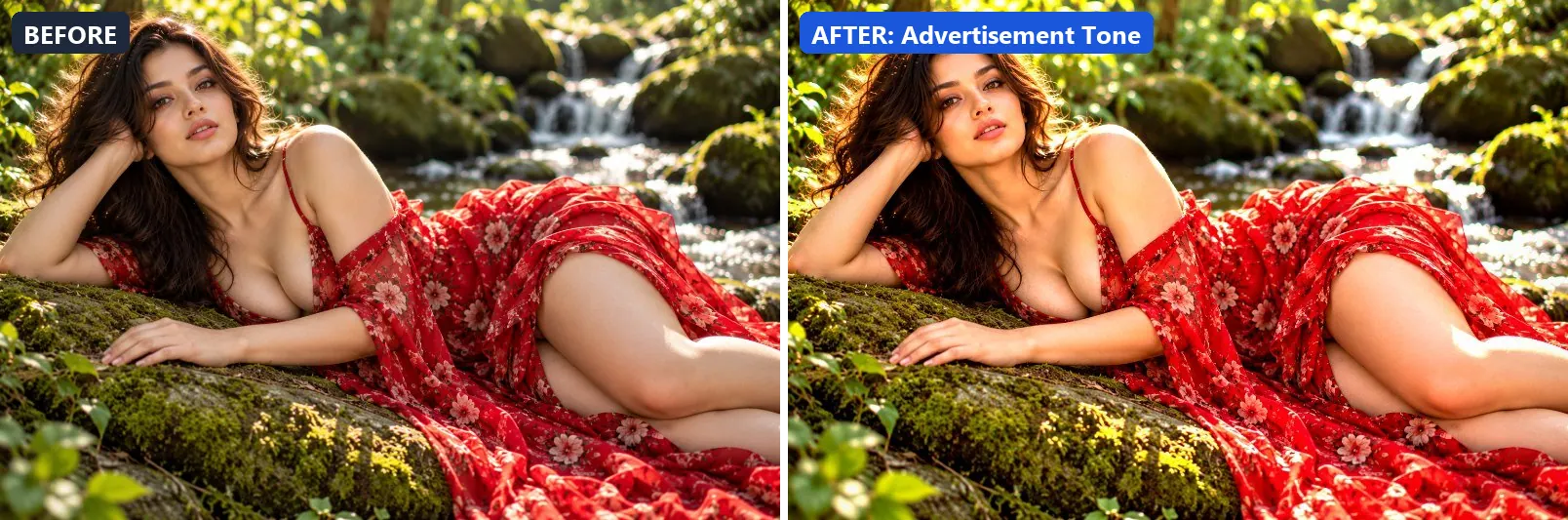
1. Advertisement Tone
Ad-ready tone — bright, punchy and stops the scroll.
This preset boosts colour, brightens the frame and gently lifts the midtones. On top of that it adds strong contrast, applies extra clarity and applies noticeable sharpening.
Brightness +10 · Contrast +20 · Saturation +18 · Gamma 1.04 · Warmth (R−B) +2 · Clarity +14 · Vignette 8 · Sharpen 2

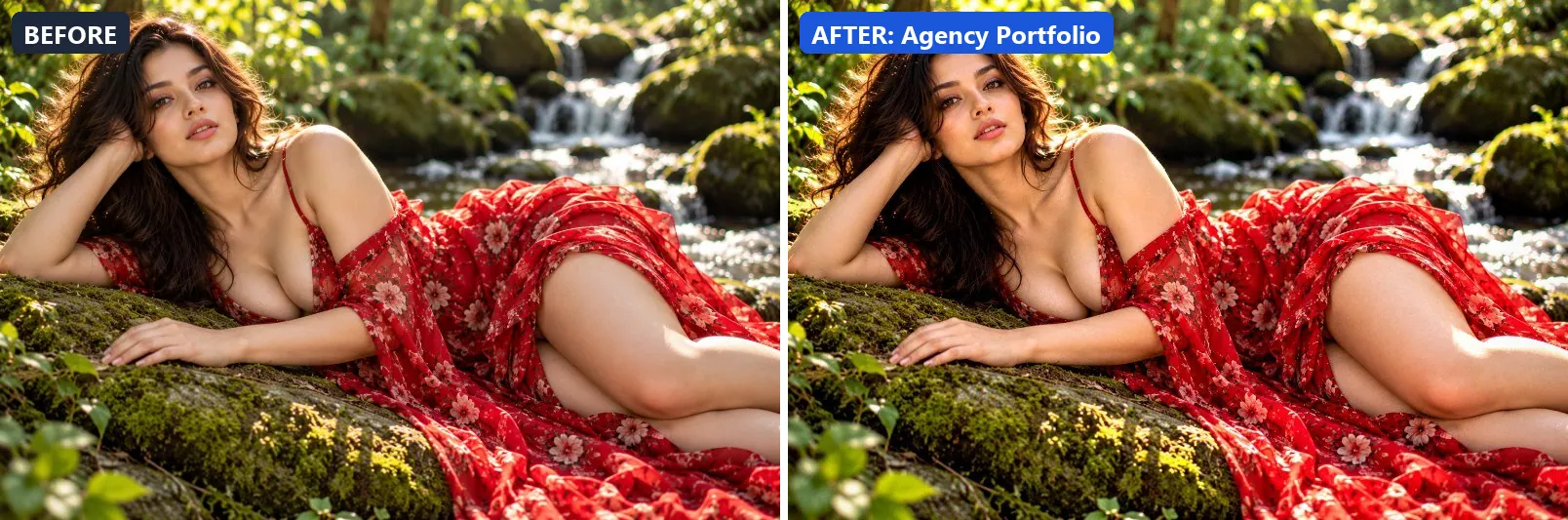
2. Agency Portfolio
Creative agency quality — refined, sophisticated and award-worthy.
Applied at 100%, it lifts exposure slightly and adds some contrast. Beyond that it applies extra clarity. It closes with a light vignette.
Brightness +4 · Contrast +16 · Saturation +8 · Gamma 1.02 · Warmth (R−B) −2 · Clarity +12 · Vignette 10 · Grain 2 · Sharpen 1

3. Business Headshot
Executive headshot — confident, clear and professionally polished.
The grade lifts exposure slightly and gently lifts the midtones. In addition it adds some contrast and applies extra clarity. Final touches: a light vignette.
Brightness +8 · Contrast +12 · Saturation +5 · Gamma 1.07 · Warmth (R−B) +4 · Clarity +10 · Vignette 10 · Sharpen 1


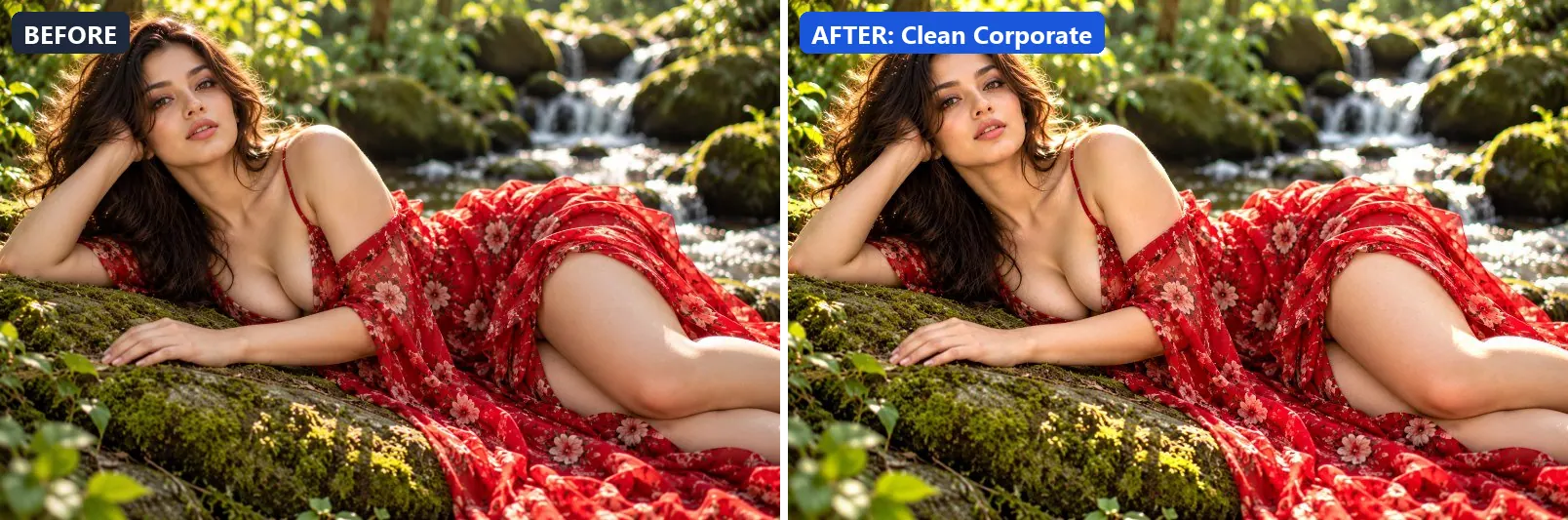
4. Clean Corporate
Boardroom clean — neutral, precise and professional without personality.
At full strength it lifts exposure slightly and gently lifts the midtones. It also adds some contrast and applies extra clarity.
Brightness +7 · Contrast +10 · Saturation +3 · Gamma 1.05 · Warmth (R−B) 0 · Clarity +10 · Vignette 5 · Sharpen 1

5. Clean Interior
Real estate interior — bright, natural, inviting and spacious.
This preset brightens the frame and gently lifts the midtones. On top of that it adds some contrast and applies extra clarity.
Brightness +12 · Contrast +8 · Saturation +8 · Gamma 1.1 · Warmth (R−B) +2 · Clarity +10 · Vignette 5 · Sharpen 1


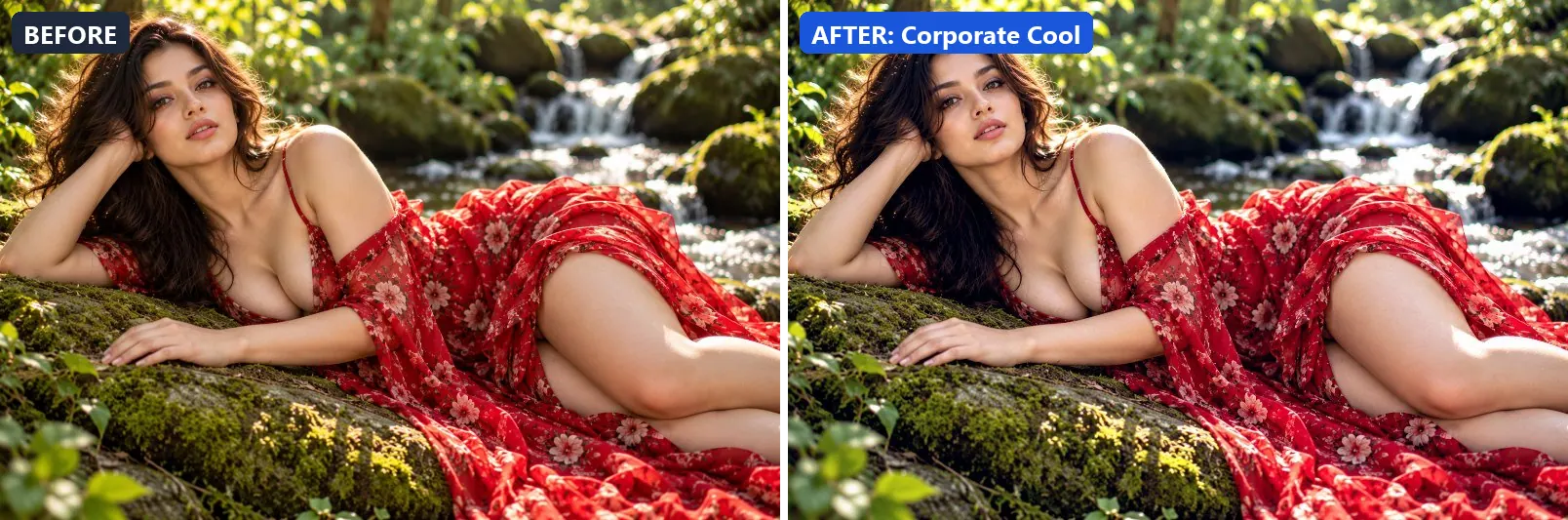
6. Corporate Cool
Cool authoritative — blue-grey tone projects efficiency and trust.
Applied at 100%, it adds a clearly cool, blue cast, lifts exposure slightly and gently lifts the midtones. It also adds blue-tinted shadows. Beyond that it adds some contrast and applies extra clarity.
Brightness +6 · Contrast +12 · Saturation −5 · Gamma 1.04 · Warmth (R−B) −15 · Clarity +10 · Vignette 6 · Sharpen 1

7. Corporate Warm
Warm professional — approachable warmth that builds trust.
The grade leans warm, lifts exposure slightly and gently lifts the midtones. In addition it adds some contrast and applies extra clarity.
Brightness +8 · Contrast +10 · Saturation +8 · Gamma 1.08 · Warmth (R−B) +10 · Clarity +8 · Vignette 8 · Sharpen 1


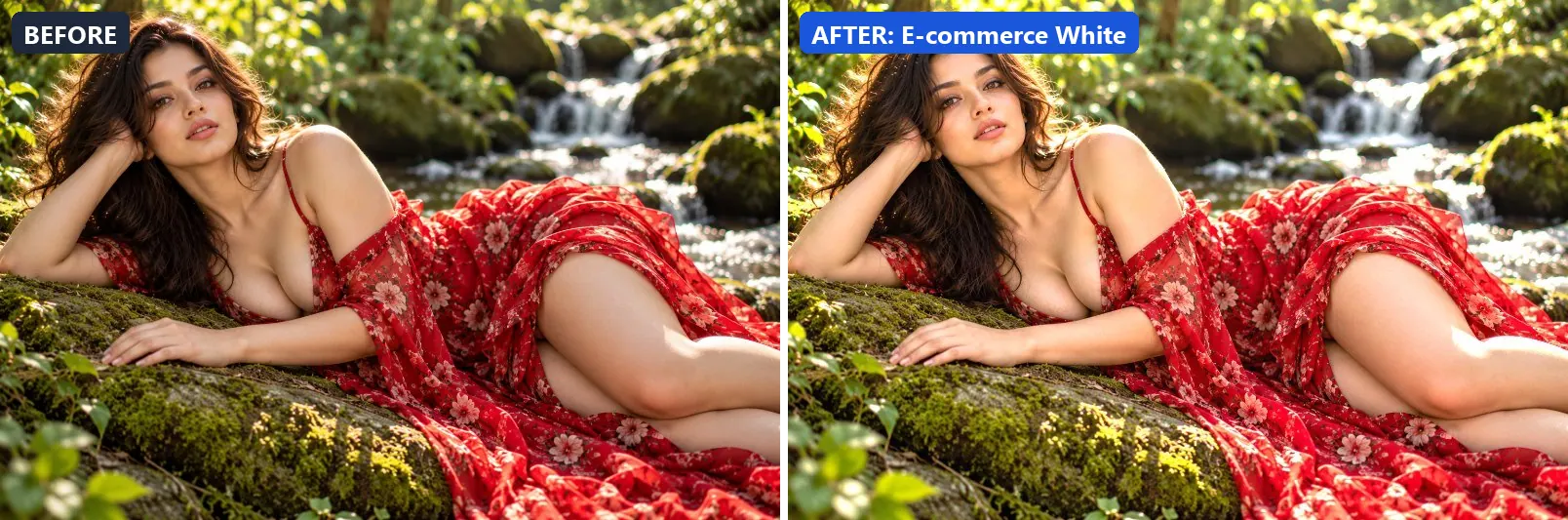
8. E-commerce White
Online store white — pure background, true product colours, no distraction.
At full strength it brightens the frame and opens up the midtones. It also adds some contrast, applies extra clarity and applies noticeable sharpening.
Brightness +14 · Contrast +8 · Saturation +4 · Gamma 1.12 · Warmth (R−B) 0 · Clarity +10 · Sharpen 2

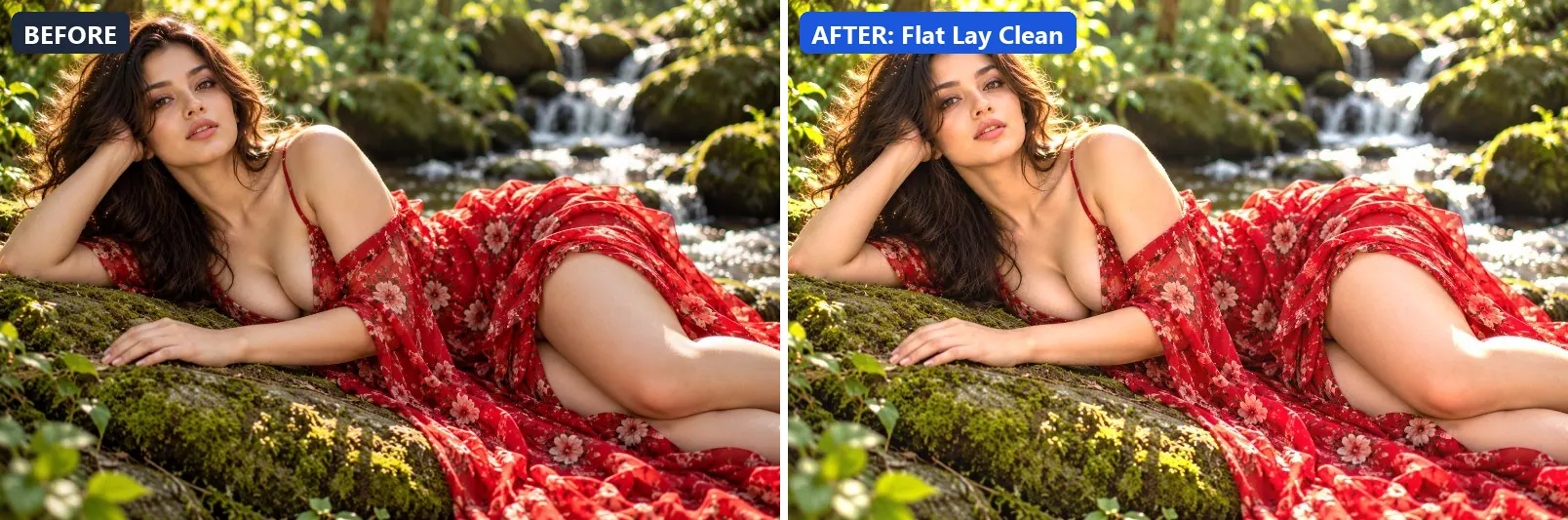
9. Flat Lay Clean
Product flat lay — perfectly even, bright and colour-accurate.
This preset brightens the frame and opens up the midtones. For depth it uses greenish highlights. On top of that it applies extra clarity.
Brightness +14 · Contrast +6 · Saturation +8 · Gamma 1.12 · Warmth (R−B) +1 · Clarity +10 · Sharpen 1

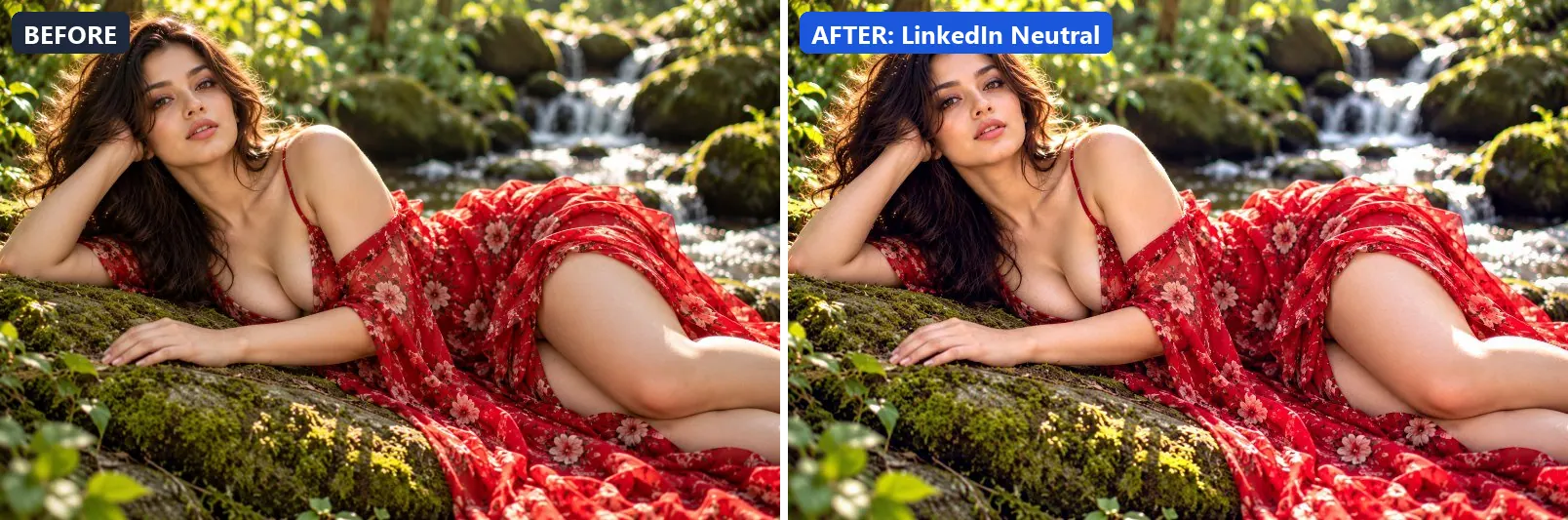
10. LinkedIn Neutral
LinkedIn-optimised — confident blue-neutral, professional clarity.
Applied at 100%, it leans cool, lifts exposure slightly and gently lifts the midtones. Beyond that it adds some contrast and applies extra clarity.
Brightness +8 · Contrast +12 · Saturation +5 · Gamma 1.06 · Warmth (R−B) −8 · Clarity +10 · Vignette 6 · Sharpen 1

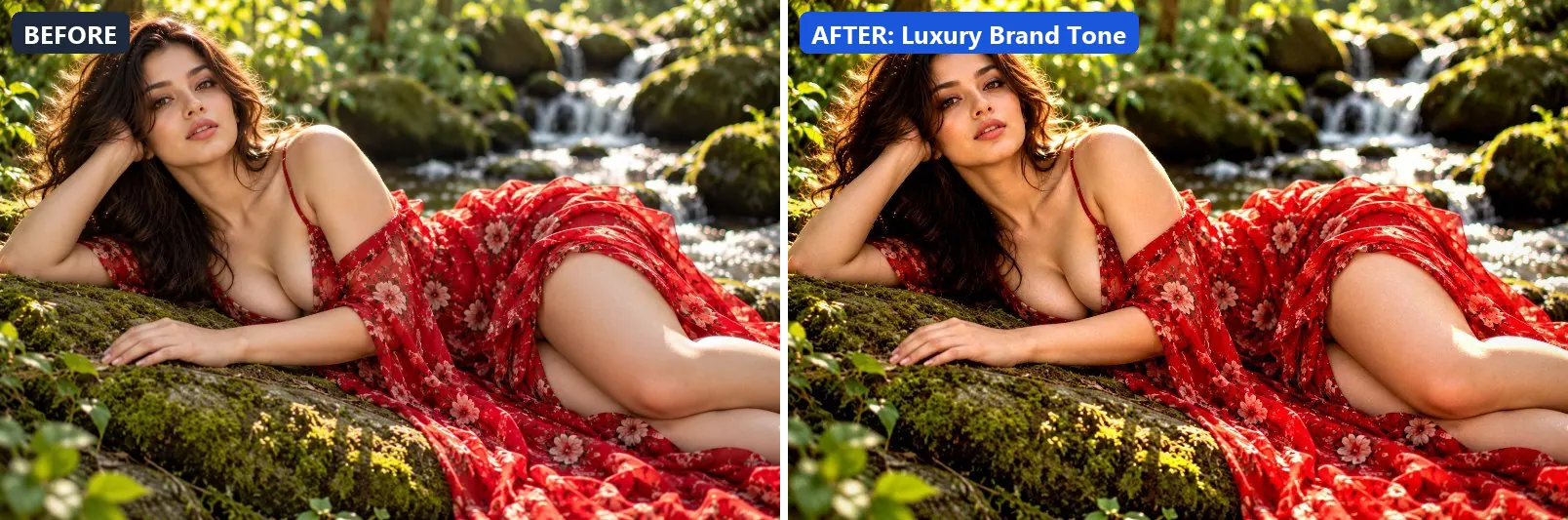
11. Luxury Brand Tone
Premium luxury — rich deep shadows, precise highlights, understated class.
The grade adds some contrast. In addition it applies extra clarity. Final touches: a light vignette.
Brightness −2 · Contrast +18 · Saturation +6 · Gamma 1 · Warmth (R−B) +4 · Clarity +12 · Vignette 16 · Grain 2 · Sharpen 1

12. Minimal Grey
Minimal design grey — ultra-desaturated, modern editorial neutrality.
At full strength it softens colour, lifts exposure slightly and gently lifts the midtones. It also adds some contrast and applies extra clarity.
Brightness +6 · Contrast +10 · Saturation −22 · Gamma 1.05 · Warmth (R−B) −3 · Clarity +10 · Vignette 5 · Sharpen 1


13. Modern Branding
Brand photography — vivid, distinctive and memorable.
This preset lifts exposure slightly and gently lifts the midtones. On top of that it adds some contrast and applies extra clarity.
Brightness +8 · Contrast +14 · Saturation +14 · Gamma 1.05 · Warmth (R−B) −1 · Clarity +12 · Vignette 6 · Sharpen 1


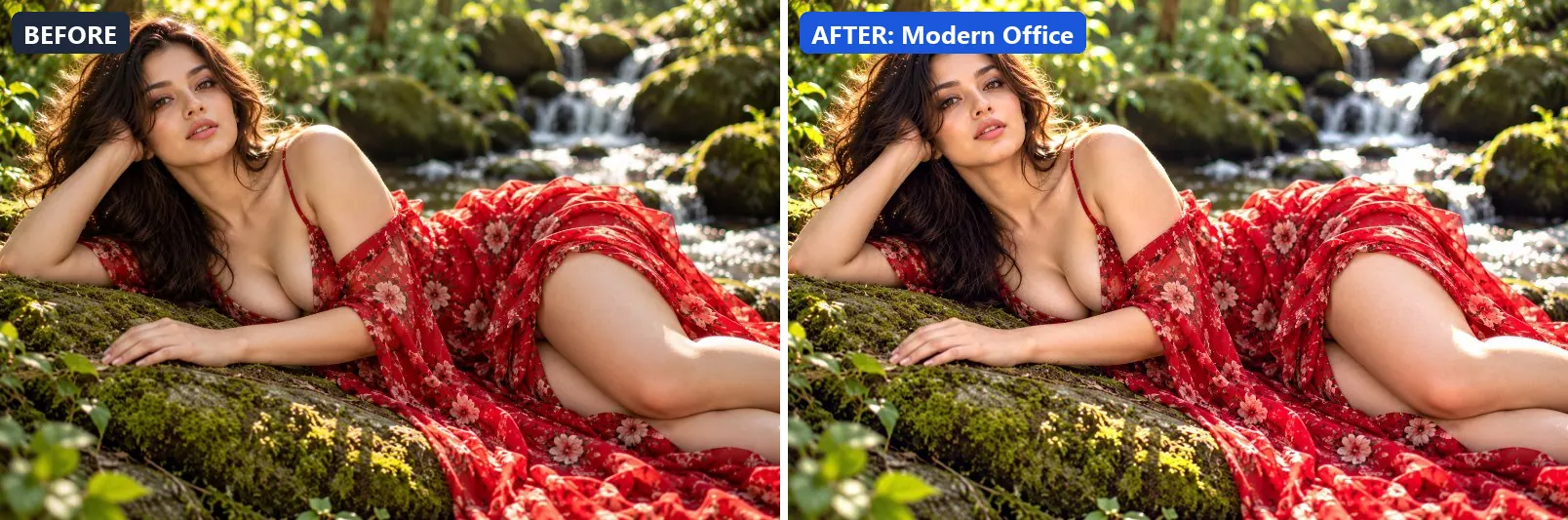
14. Modern Office
Contemporary office aesthetic — crisp whites, neutral greys, precise.
Applied at 100%, it brightens the frame and gently lifts the midtones. Beyond that it adds some contrast and applies extra clarity.
Brightness +10 · Contrast +10 · Saturation +3 · Gamma 1.07 · Warmth (R−B) −5 · Clarity +12 · Vignette 4 · Sharpen 1

15. Product Catalog
Print catalog quality — accurate colours, clean shadows, precise detail.
The grade lifts exposure slightly and gently lifts the midtones. In addition it adds some contrast, applies extra clarity and applies noticeable sharpening.
Brightness +8 · Contrast +12 · Saturation +6 · Gamma 1.05 · Warmth (R−B) 0 · Clarity +12 · Sharpen 2


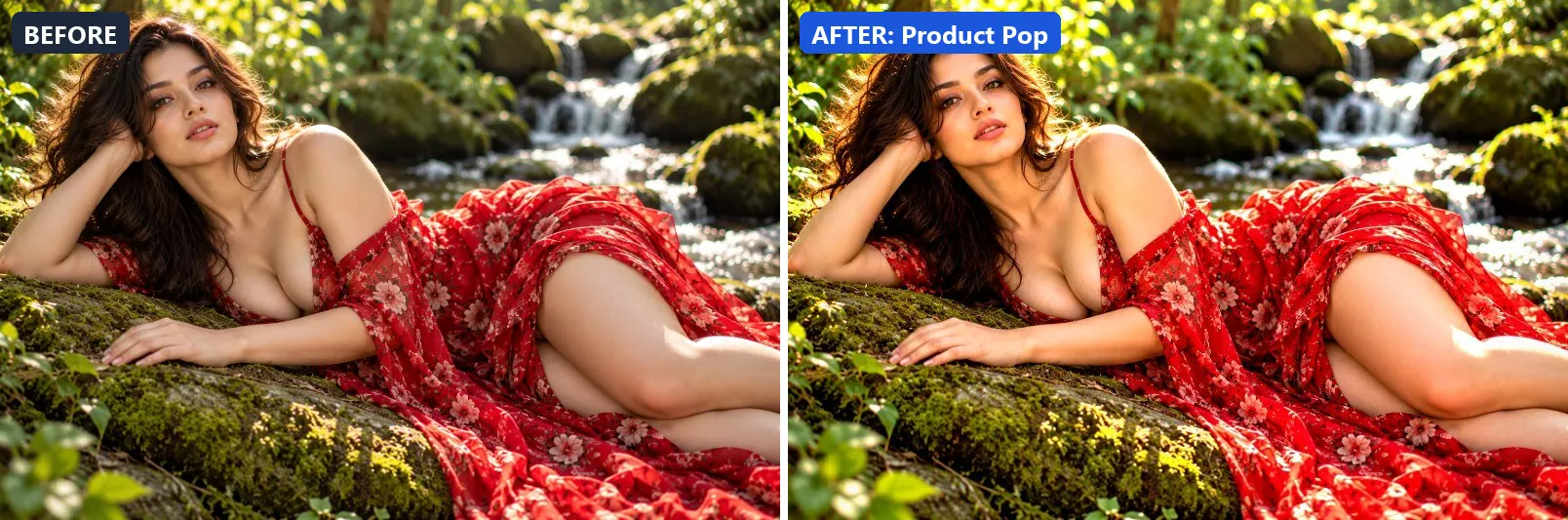
16. Product Pop
Product photography pop — colours jump, clean separation, eye-catching.
At full strength it boosts colour, lifts exposure slightly and gently lifts the midtones. It also adds some contrast, applies extra clarity and applies noticeable sharpening.
Brightness +8 · Contrast +18 · Saturation +20 · Gamma 1.04 · Warmth (R−B) 0 · Clarity +15 · Vignette 8 · Sharpen 2

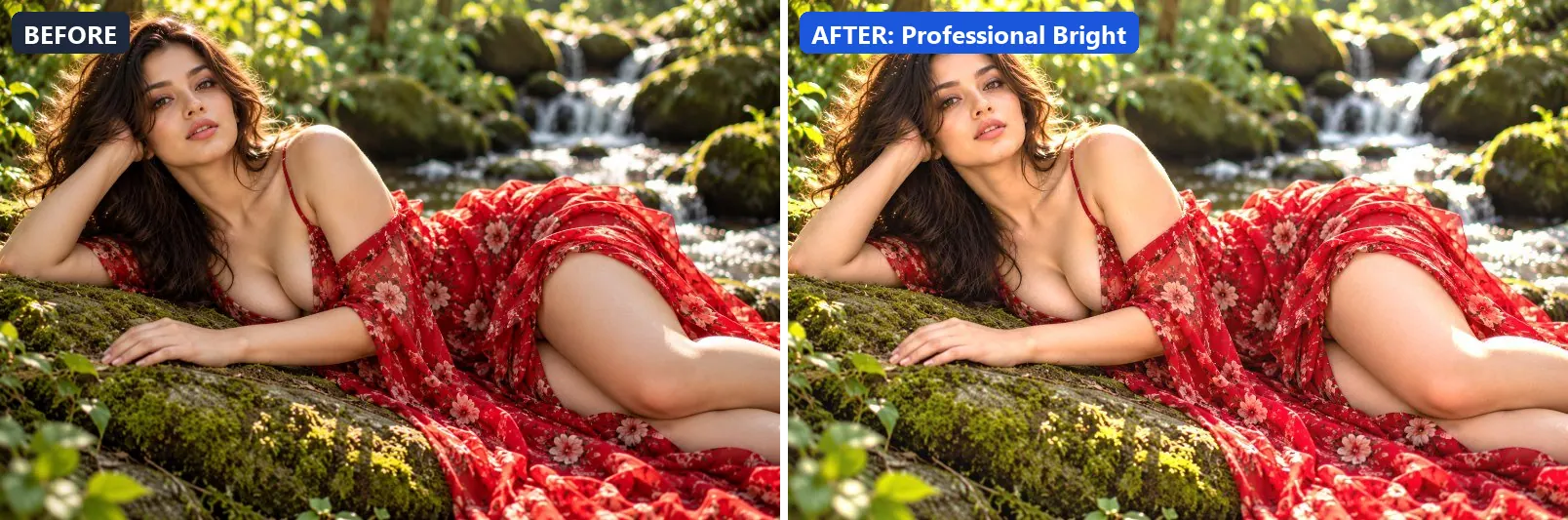
17. Professional Bright
Bright and open professional — high-key, approachable and clean.
This preset brightens the frame and opens up the midtones. On top of that it adds some contrast and applies extra clarity.
Brightness +14 · Contrast +8 · Saturation +5 · Gamma 1.12 · Warmth (R−B) +1 · Clarity +8 · Vignette 3 · Sharpen 1

18. Studio Neutral
Studio neutral baseline — zero colour bias, maximum accuracy.
Applied at 100%, it lifts exposure slightly and adds some contrast. Beyond that it applies extra clarity.
Brightness +5 · Contrast +8 · Saturation 0 · Gamma 1.03 · Warmth (R−B) 0 · Clarity +8 · Sharpen 1


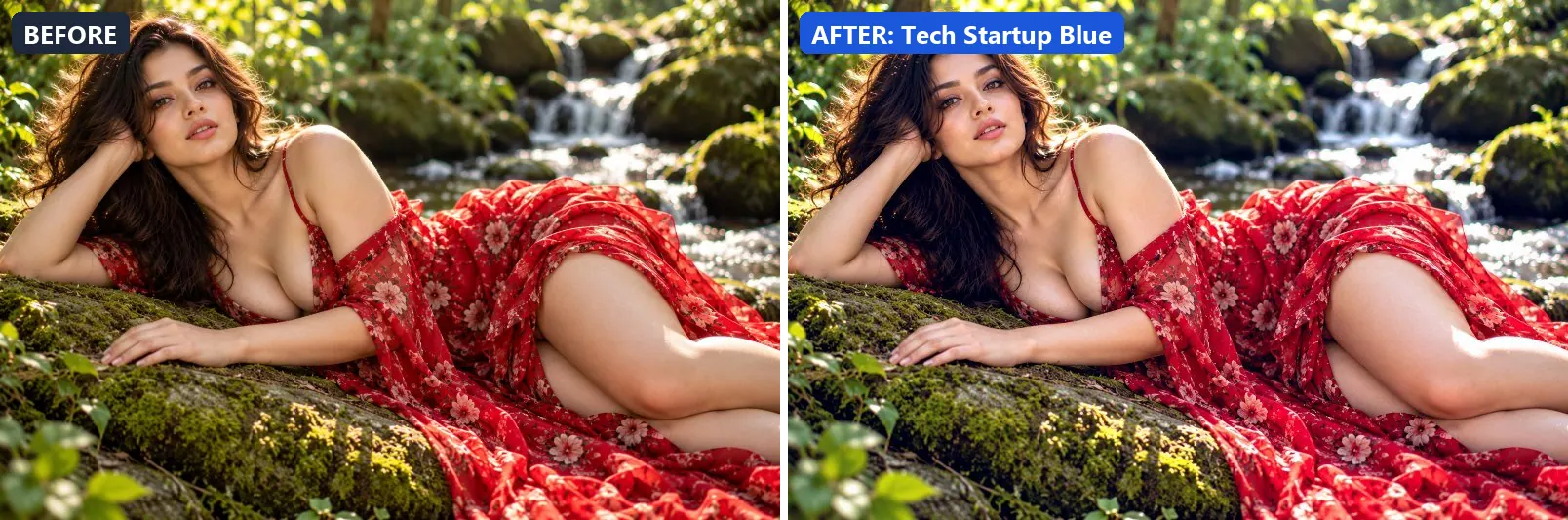
19. Tech Startup Blue
Silicon Valley clean — cool blue-white, modern and innovative feel.
The grade adds a clearly cool, blue cast, lifts exposure slightly and gently lifts the midtones. Colour is split-toned with blue-tinted shadows. In addition it adds some contrast and applies extra clarity.
Brightness +8 · Contrast +12 · Saturation +5 · Gamma 1.06 · Warmth (R−B) −19 · Clarity +12 · Vignette 5 · Sharpen 1

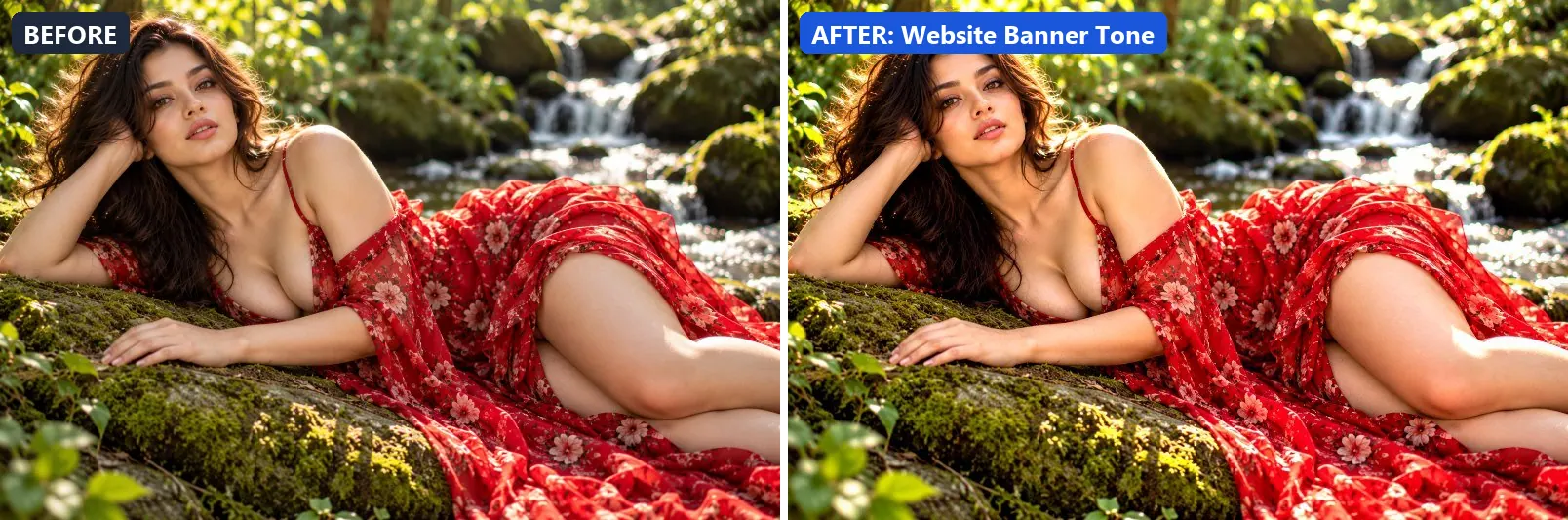
20. Website Banner Tone
Hero banner quality — bold, clear and optimised for digital screens.
At full strength it lifts exposure slightly and gently lifts the midtones. It also adds some contrast, applies extra clarity and applies noticeable sharpening.
Brightness +8 · Contrast +16 · Saturation +10 · Gamma 1.04 · Warmth (R−B) −2 · Clarity +12 · Vignette 5 · Sharpen 2

More filter groups
- Cinematic
- Portrait & Skin
- Landscape Pro
- Black & White
- Clarity & Detail
- Golden Hour
- Night & Astro
- Lighting Effects
- Emotional Mood
- Atmosphere
- Artistic Styles
- Experimental FX
- Film Emulation
- Vintage Extras
- Natural Extras
- Travel Destinations
- Weather
- Seasons
- Fashion & Editorial
- Food & Product
- Sports & Action
- Social Media
- Architecture & Urban
Try these filters on your own photo
Free, runs in your browser, full-resolution download.