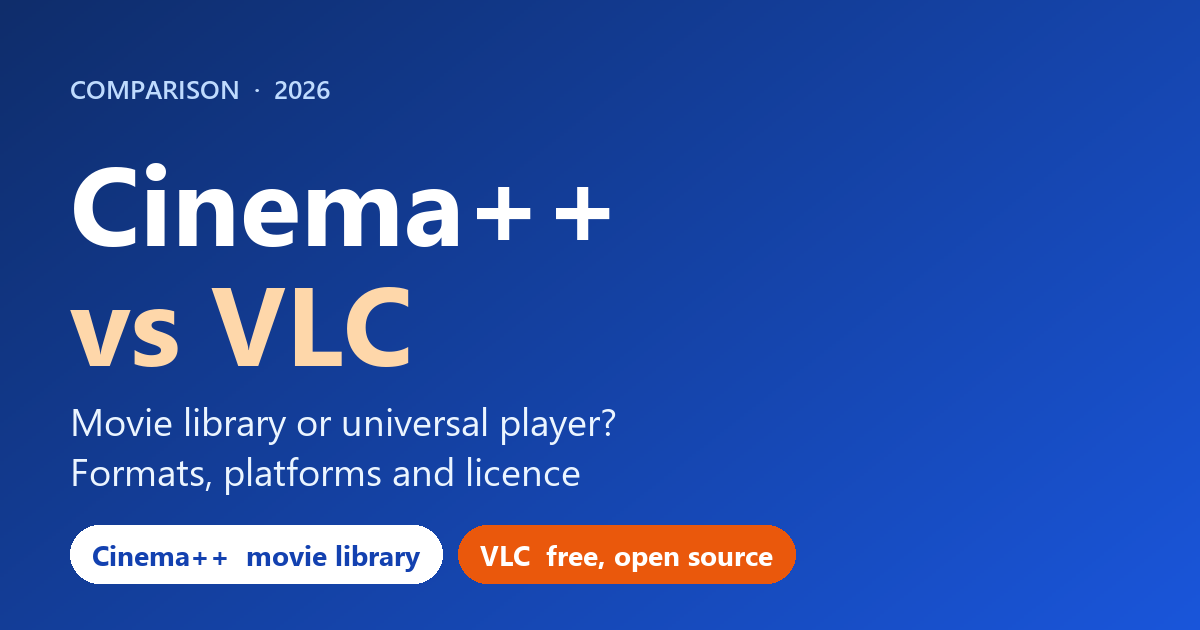
Short answer: VLC is the free, open source player that handles almost any file on almost any platform, so it is the default choice. Cinema++ is a Windows player built around a visual movie library with posters and metadata. I built Cinema++, so read this as an interested but fact-checked comparison.
These two solve different problems. VLC plays files. Cinema++ plays files and also turns a folder of movies into a browsable collection. This guide sets out what each says it does, and where VLC is the better choice, which is often.
Disclosure: Cinema++ is my product. Its facts come from its product page. VLC facts come from VideoLAN’s official site, read on 23 October 2026 (version 3.0.24 was shown).
Cinema++ vs VLC at a glance
| Cinema++ | VLC | |
|---|---|---|
| Price | See the product page | Free, open source (GPL) |
| Platforms | Windows 10 (64-bit) and 11 | Windows (XP SP3 to 11, 32/64-bit, ARM64), macOS, Linux, Android, iOS |
| Formats | MP4, MKV, AVI, MOV, TS, M2TS, WMV, FLV and more, no codec packs | MPEG (ES, PS, TS, PVA, MP3), AVI, MP4/MOV, MKV, FLV, MXF and many more |
| Movie library with posters | Yes, with metadata and artwork | Not described on VideoLAN’s pages |
| Subtitles | SRT, ASS and others with sync, size and style | Many formats including SubRip, SSA, DVD, closed captions |
| Audio track switching | Yes, during playback | Many audio codecs listed; track switching is not described on the pages I read |
| Playback controls | Speed, zoom, chapters, frame-step | Video and audio filters, subtitle synchronisation |
| Streaming and discs | Not stated on its page | Network streams, DVD, Video CD, Audio CD, DVB |
| Ads and tracking | None stated | “No spyware, no ads and no user tracking” |
| Extensions and skins | None stated | Skins, extensions, a skin editor |
What VLC is
VLC is a free, open source, cross-platform player and framework from the non-profit VideoLAN organisation. Its features page lists a very wide range of containers and codecs, streaming protocols, DVDs and discs, many subtitle formats, hardware decoding on most platforms and filters. It states there are no usage restrictions on the software. For most people who just want to play a video, it is hard to beat, and it costs nothing.
What Cinema++ is
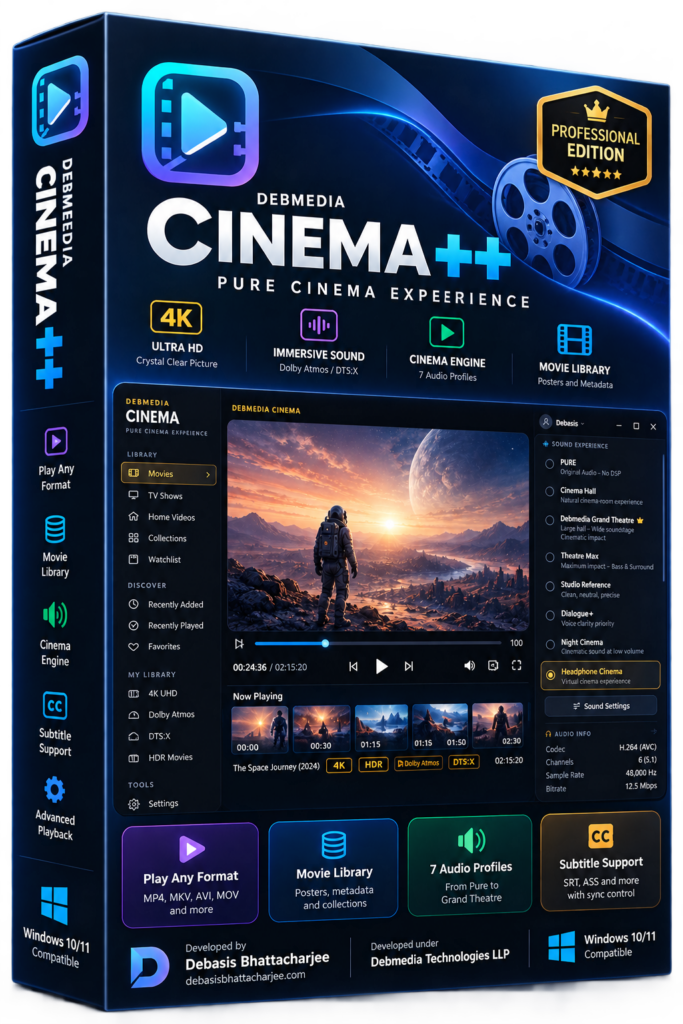
Cinema++ is a Windows media player and movie library organiser. Its page lists playback of MP4, MKV, AVI, MOV, TS, M2TS, WMV and FLV without codec packs, a library builder that organises folders with poster art, genres and ratings, automatic metadata and artwork, subtitle loading with sync, offset, font size and style controls, audio track switching, variable speed, zoom, chapter markers, frame-step and a dark cinema mode. Requirements: Windows 10 (64-bit) or 11, 4 GB of RAM (8 GB for 4K) and 150 MB of storage.
The real difference: a library
If you only play files, VLC does the job. The case for Cinema++ is the library: if you keep a large folder of films and want to browse them by poster, genre and rating instead of by file name, that is what it is built for. VideoLAN’s pages do not describe that kind of library with online artwork, so if that matters to you, Cinema++ is aimed at it. Check whether Cinema++’s metadata features need an internet connection, which its page does not state.
Where VLC is the better choice
- You want a free player that works on Windows, Mac, Linux, Android and iOS.
- You play network streams, DVDs, discs or broadcast sources.
- You want the broadest format, subtitle and filter support, and open source code.
- You need an older Windows version (XP SP3 onward) or an ARM64 build.
Where Cinema++ is the better choice
- You want your movie folders to appear as a visual library with posters and metadata.
- You want subtitle offset, size and style controls and instant audio-track switching in a cinema-style interface.
- You are on Windows 10 or 11 and prefer a library-first player.
How to decide in 60 seconds
- Just playing videos? Use VLC. It is free and covers almost everything.
- Want a poster-style movie collection? Try Cinema++.
- Need streams, discs or other platforms? VLC.
- Using both is fine. Many people keep VLC as a general player and a library app for browsing.
Frequently asked questions
Is VLC free?
Yes. VideoLAN describes VLC as a free and open source multimedia player with no spyware, no ads and no user tracking, and licenses most of its software under the GNU General Public License version 2.
Does VLC play MPEG-TS files?
VLC's features page lists MPEG-TS among its supported input formats, along with MPEG-1/2, H.264, MKV, MP4, AVI and many more. The page does not mention the .ts, .mts or .m2ts extensions by name.
Does VLC support HEVC (H.265)?
VLC's features page that I read lists MPEG-1/2, H.264 and many other video codecs but does not list HEVC. VLC's home page says it plays most codecs with no codec packs needed, so check the current version for your files.
Does Cinema++ build a movie library?
Yes. Its product page says you point it at a folder and it builds a visual library with poster art, titles, genres, ratings and metadata, and fetches artwork, descriptions and cast information. VLC's pages do not describe a poster-art movie library.
Which Windows versions do they support?
VLC says it runs on all versions of Windows from XP SP3 to Windows 11, including 64-bit and ARM64 builds. Cinema++ lists Windows 10 (64-bit) or Windows 11.
What I checked, and what this comparison cannot tell you
I read VideoLAN’s VLC page, features page, legal page and Windows download page on 23 October 2026. VLC’s documentation site did not load, so I do not describe VLC behaviour beyond those pages. Cinema++ facts come from its product page. I did not test playback performance, so I make no claims on smoothness or 4K handling.
See my other Windows apps on the products page.