Cinema ++
Beautiful media player and personal movie library manager for Windows
Cinema++ is a desktop media player and movie library organizer for Windows that treats your film collection with the respect it deserves. It plays every major video format — MP4, MKV, AVI, MOV, TS, M2TS and more — with no codec installation required. Cinema++ also builds a rich visual library from your local folders, automatically organizing your movies with poster art, genre tags, ratings and metadata. The player features a dark cinema-mode interface, chapter navigation, subtitle support with sync control, audio track switching and playback speed control. Whether you have 10 movies or 10,000, Cinema++ keeps your collection organized, searchable and beautiful to browse.
See Cinema++ in Action
A clean, modern interface designed for real-world use.
Debmediacinema screen 01 screenshot
What Is Debmedia Cinema?
Debmedia Cinema is a premium Windows media player built around a proprietary Cinema Engine — a real-time audio processing system that transforms the sound of any video file into an immersive cinematic experience. Unlike basic media players that simply decode and play files, Debmedia Cinema actively processes audio through seven curated profiles, manages your media library with intelligent categories (4K, Dolby Atmos, DMAX, HDR Movies), and wraps everything in a cinema-inspired dark interface designed for comfortable long viewing sessions.
The player runs entirely on your local machine — no internet connection required, no streaming accounts, no subscription. Open a file, choose your audio profile, and let the Cinema Engine do the rest.
Screen-by-Screen Feature Walkthrough
1. The Cinema Home Screen — Your Media Command Centre
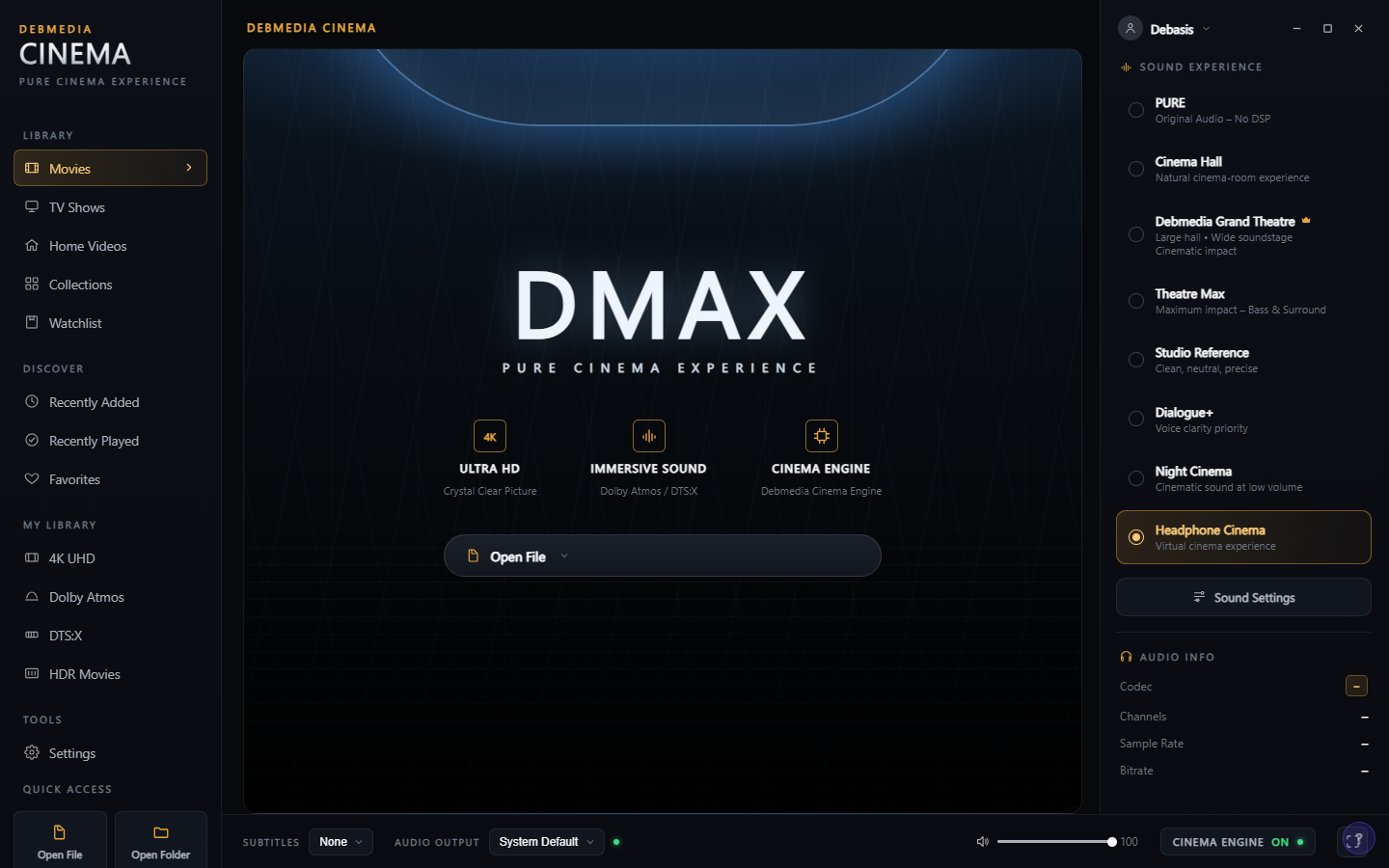
The home screen announces its intent immediately — the PURE CINEMA EXPERIENCE banner occupies the centre stage, flanked by three capability badges: ULTRA 4K, IMMERSIVE SOUND, and CINEMA ENGINE. The left sidebar is your complete library navigator, with top-level categories (Movies, TV Shows, Home Videos, Collections, Watchlist) and curated smart collections below: Recently Added, Recently Played, Favorites, All 4K, Dolby Atmos, DMAX, and HDR Movies. The right panel is dedicated to your audio environment — seven profiles line up for immediate selection, from the transparent PURE profile through Cinema Hall, Debmedia Grand Theatre, Theatre Mac, Studio Reference, Dialogue, and Headphone Cinema. At the bottom, Open File and Open Folder give you instant access to content on your drive without needing to build a library first.
2. Video Playback with Cinema Engine Active
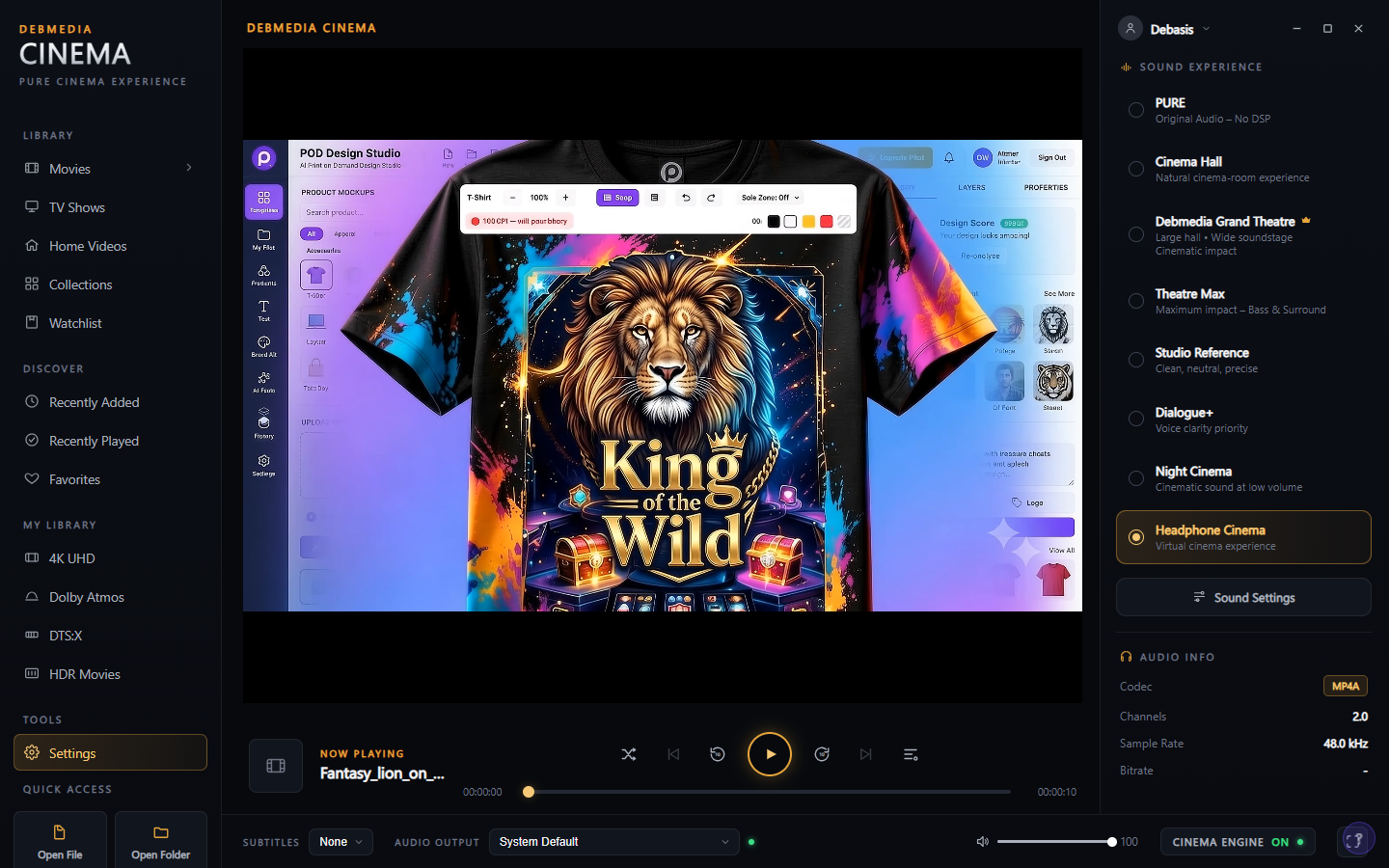
Once a file is open and playing, the interface shifts focus to the content. The video fills the main area while the right panel confirms the active audio environment — Headphone Cinema profile is selected and the CINEMA ENGINE ON indicator glows at the bottom of the screen. Playback controls appear at the bottom bar alongside the NOW PLAYING information, giving you quick access to play/pause, seek, volume and track details without obscuring the picture. The Cinema Engine processes audio in real time as the video plays, meaning no pre-processing delay and no quality compromise on the source file.
3. In-Player File Browser Panel
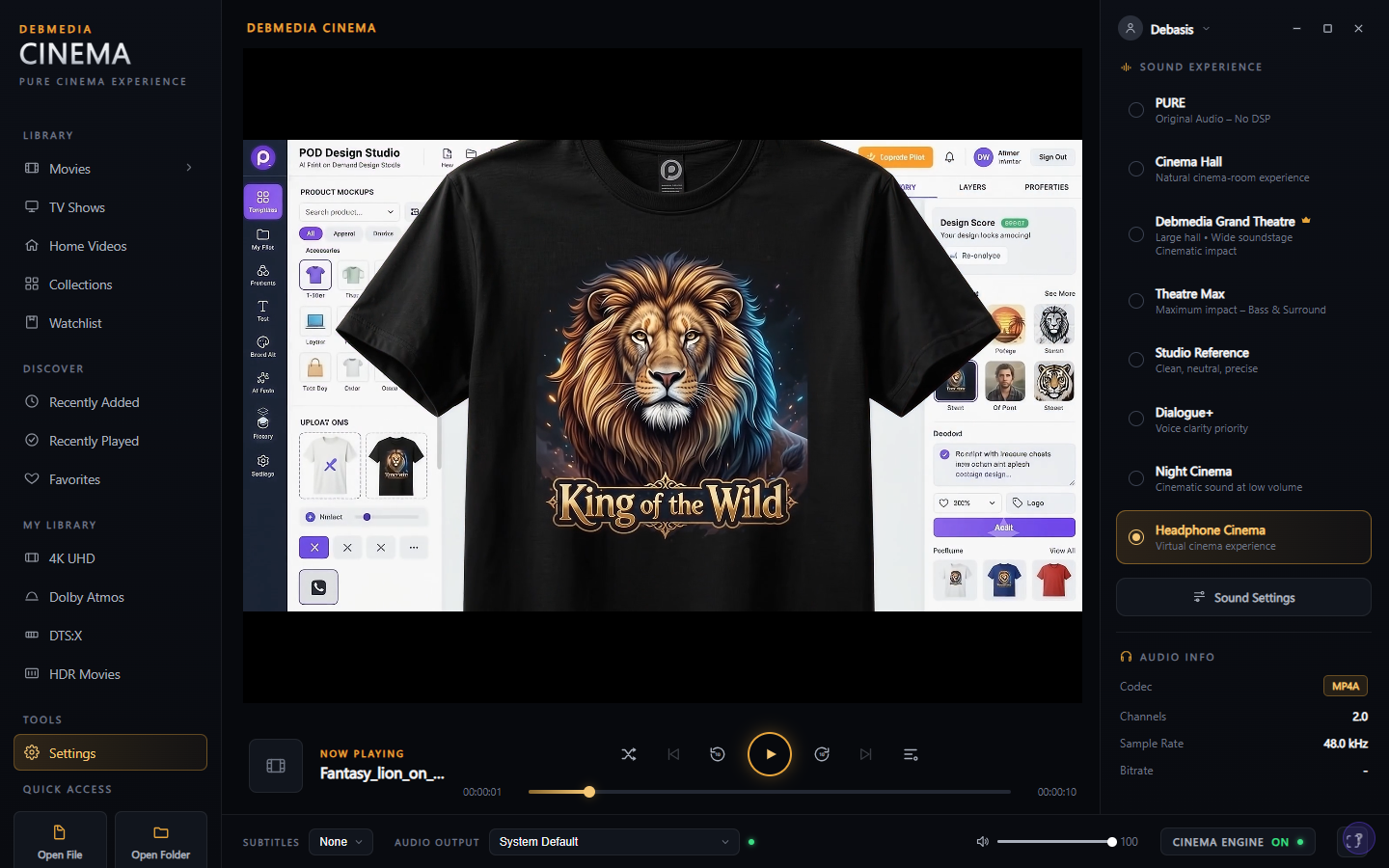
While a video is playing, a file browser panel can slide in from the left side of the screen without interrupting playback. The panel shows thumbnail previews of other video files in the same folder, letting you queue up your next watch or switch to a different file in the same collection with a single click. The panel overlays the interface rather than resizing the video area, so the current video remains fully visible behind it. This is especially useful when playing through a folder of episodes or a collection of home videos where you want to pick the next file based on the thumbnail preview.
4. Expanded Cinema View
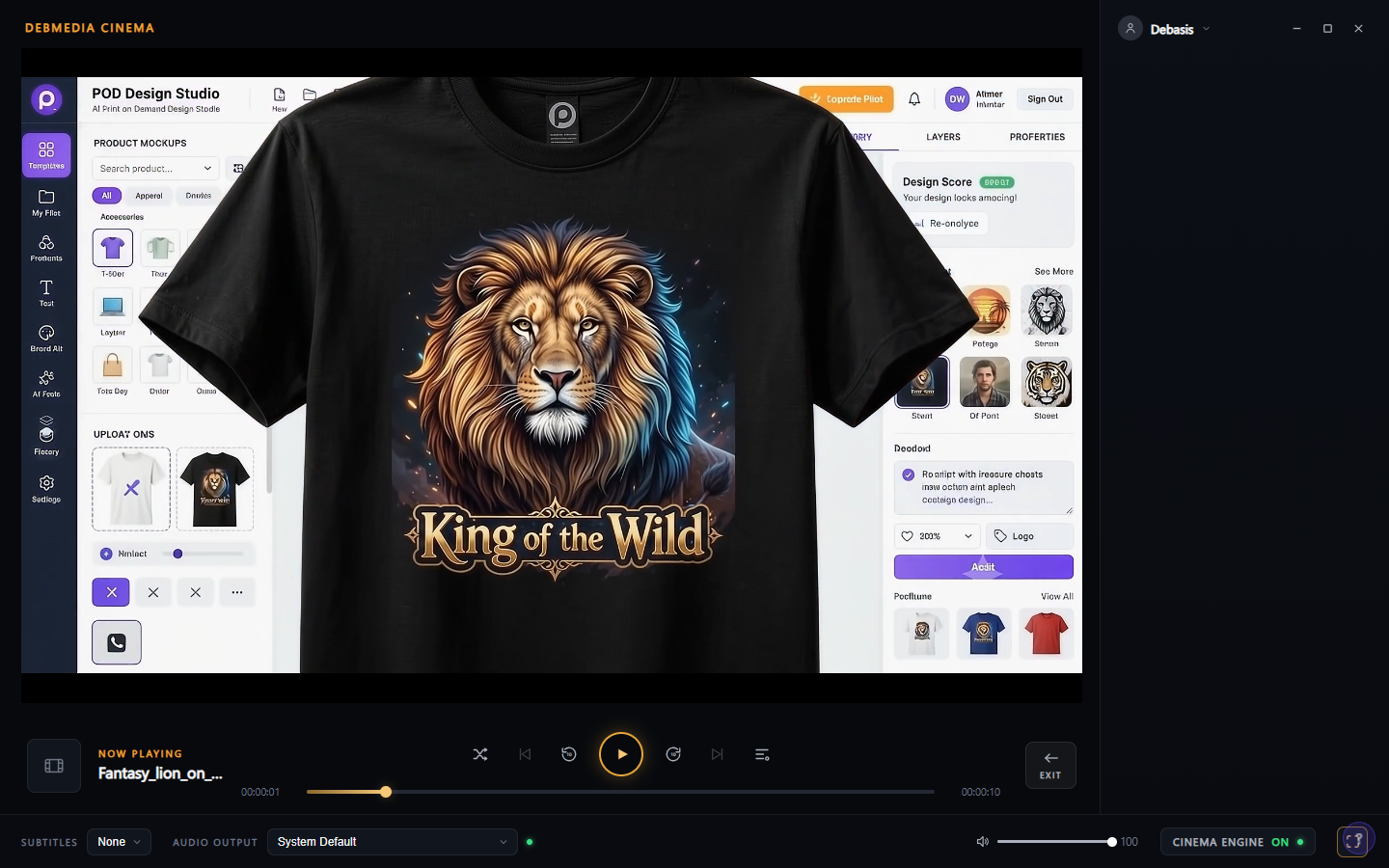
For distraction-free viewing, the sidebar can be collapsed to expand the video into a wider cinema view. The Cinema Engine status indicator remains visible at the bottom of the screen confirming audio processing is still active, while the controls retreat to give the content maximum screen space. This mode is designed for the actual watching experience — all the setup and configuration happens before you press play, and once you are in expanded view, the interface steps aside. The playback controls reappear on hover so they are always accessible without permanently taking up screen space.
5. Library Categories and About Dialog
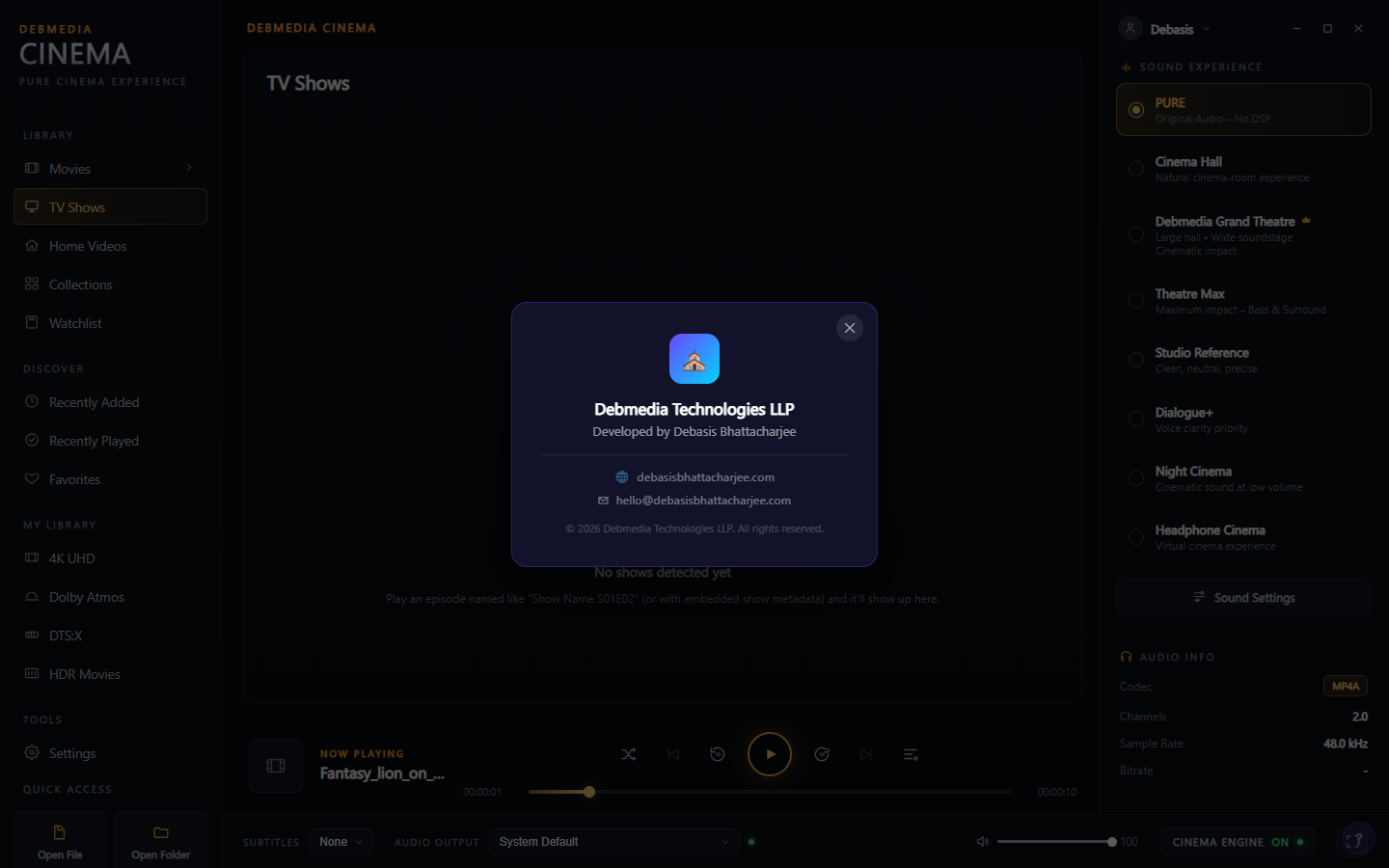
The TV Shows section in the sidebar demonstrates how Debmedia Cinema organises your library into content types — Movies, TV Shows and Home Videos each get their own section, keeping episodic content separate from films and personal recordings. An About dialog accessible from Settings displays the application identity: Debmedia Cinema, developed by Debmedia Technologies LLP, with contact details and the official website. Each library category can be populated as you add content, building up a personal cinema catalogue over time.
Who Is Debmedia Cinema For?
- Home theatre enthusiasts — Experience locally stored 4K, HDR and Dolby Atmos content through a player that actively enhances the audio rather than just decoding it.
- Casual movie watchers — A clean, intuitive interface that gets out of the way and lets you focus on the film, with smart library organisation so your collection stays easy to navigate.
- Headphone viewers — The dedicated Headphone Cinema audio profile is engineered for private viewing, creating spatial audio depth through stereo headphones.
- Home video collectors — The Home Videos library category and folder-browsing panel make it easy to organise and watch personal recordings alongside your movie collection.
- Users moving away from VLC or Windows Media Player — A modern, feature-rich replacement that adds library management and professional audio processing to straightforward local file playback.
System Requirements
- Operating System: Windows 10 (64-bit) or Windows 11
- Processor: Any modern x64 processor (Intel Core i5 or AMD Ryzen 5 or better recommended for 4K)
- RAM: 4 GB minimum — 8 GB recommended for 4K playback
- Storage: 150 MB for the application
- Display: 1280 × 720 minimum — 1920 × 1080 or higher recommended
- GPU: DirectX 11 compatible — hardware video decoding recommended for 4K content
- Internet: Not required — fully offline
Frequently Asked Questions
What video formats does Debmedia Cinema support?
Debmedia Cinema supports all common video formats including MP4, MKV, AVI, MOV, WMV, FLV, M2TS and TS files. The Cinema Engine processes audio regardless of the source format.
Does the Cinema Engine modify or alter my video files?
No. The Cinema Engine processes audio in real time during playback only. Your original video files are never modified, re-encoded or touched in any way.
What is the difference between the audio profiles?
Each profile applies a different acoustic treatment to the audio. PURE passes audio through with no processing for reference playback. Cinema Hall and Debmedia Grand Theatre simulate large-room acoustics for an immersive experience. Dialogue enhances speech clarity for talk-heavy content. Headphone Cinema creates spatial depth for earphone and headphone listening. Studio Reference is calibrated for flat, accurate reproduction.
Can I use Debmedia Cinema without building a library?
Yes. The Open File and Open Folder buttons at the bottom of the home screen let you browse and play any video on your drive immediately, without adding it to the library. Library management is optional.
Does it support subtitle files?
Yes. Debmedia Cinema loads external subtitle files (.srt, .ass, .ssa) automatically when they share the same filename as the video file. You can also load subtitles manually from the playback controls.
Cinema-Quality Sound for Every Video on Your Drive
Most media players treat audio as an afterthought — decode it and send it to the speakers. Debmedia Cinema treats it as the centrepiece of the experience. The Cinema Engine, seven carefully engineered audio profiles, and a library system that organises your 4K, HDR and Dolby Atmos content into a personal theatre catalogue all combine into a player that makes every viewing session feel intentional.
Whether you are watching a Hollywood blockbuster through headphones at midnight or playing home videos on a living room display, Debmedia Cinema gives you the right acoustic environment for every context. Download it now — no subscription, no account, runs entirely offline.
Download Cinema++
Beautiful media player and personal movie library manager for Windows