Short answer: IrfanView is a tiny, very capable Windows image viewer with decades of history, a huge plugin system and a command line, and it is free for personal use. VividView Pro is a newer viewer built around a thumbnail grid, built-in RAW support, EXIF inspection and batch tools. I built VividView Pro, so read this as an interested but fact-checked comparison.
Both open photos quickly and both can batch-convert. They differ in how much comes built in versus as plugins, in licensing, and in age. This guide sets out what each says it does and where IrfanView is simply the better choice.
Disclosure: VividView Pro is my product. Its facts come from its product page. IrfanView facts come from irfanview.com, read on 23 October 2026 (version 4.76 was current).
VividView Pro vs IrfanView at a glance
| VividView Pro | IrfanView | |
|---|---|---|
| Price | Free version; see the page for the paid version | Free for non-commercial use; US$18 or EUR 15 for commercial |
| Windows versions | Windows 10 or 11 (64-bit) | XP to 11, 32-bit and 64-bit, plus ARM64 |
| Size | 100 MB of disk space | About 8 MB program; plugins about 21.6 MB |
| Browsing | Thumbnail grid for large libraries | Thumbnail and preview option |
| RAW photos | Built in: Canon, Nikon, Sony, Fujifilm and others | Via the CamRAW plugin (DNG, NEF, ORF, RAF, ARW and others) |
| EXIF metadata | Full inspector | EXIF date change; IPTC editing; metadata plugin |
| Quick edits | Brightness, contrast, saturation, sharpness, rotation | Crop, paint tools, overlay text, effects, Photoshop filter support |
| Batch tools | Rename, convert, resize | Batch conversion with multithreading, lossless JPG rotation and crop |
| Slideshow | Full screen with transitions and music | Transitions; save as MP4, EXE or SCR |
| Extensibility | None stated | Many plugins and command-line options |
What each product is
IrfanView calls itself “fast and compact” freeware for Windows, designed to be simple for beginners and powerful for professionals. It has been around since 1996 (its pages carry a 1996 to 2026 copyright), supports Windows XP through 11, and keeps its core to one small program with optional plugins for more formats and tools.
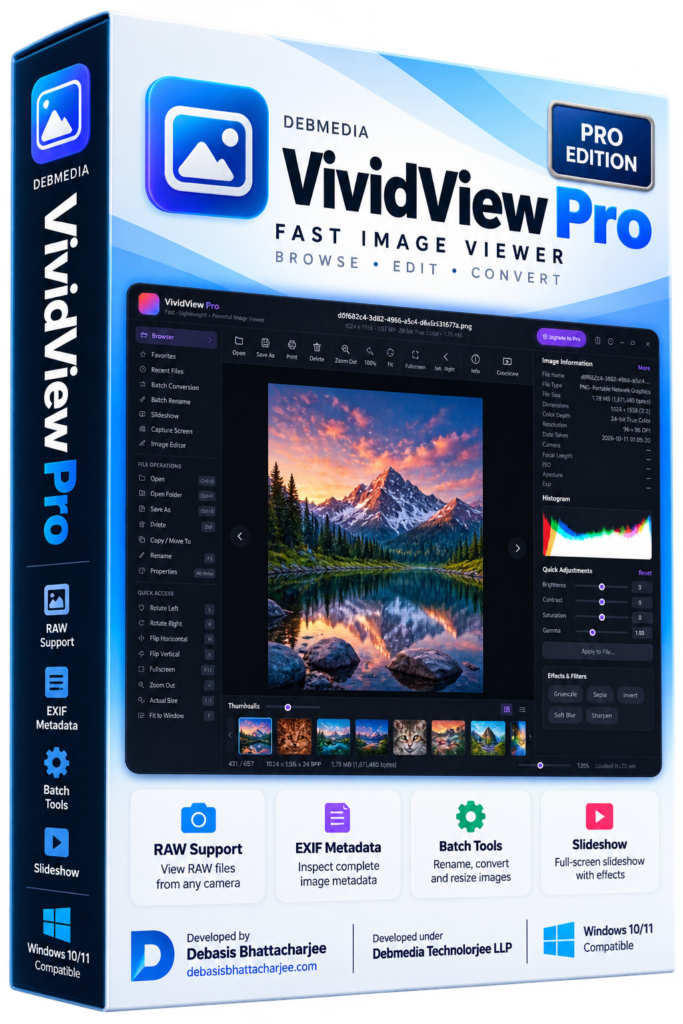
VividView Pro is a Windows image viewer and browser. Its page describes smooth browsing of thousands of images in a thumbnail grid with hardware-accelerated rendering, RAW support without conversion, an EXIF inspector, non-destructive quick adjustments, a slideshow with music and batch rename, convert and resize.
Licensing
IrfanView’s usage agreement is clear. It is freeware for private, non-commercial use, free for schools, universities, museums, libraries and charities, and businesses are asked to buy a licence: US$18 or EUR 15 for one perpetual licence valid for 32-bit and 64-bit versions, with discounts from 11 licences. VividView Pro lists a free version covering browsing, viewing, basic adjustments and batch operations. If you use either at work, read the licence first.
RAW, formats and plugins
This is the practical difference. IrfanView reads many formats out of the box and adds more through plugins: CamRAW for camera RAW files (listed for DNG, EEF, NEF, ORF, RAF, MRW, DCR, SRF/ARW and PEF), plus plugins for AVIF, WebP, JPEG XL, JPEG 2000, HEIC, PDF and SVG. Some are third party, and some need extra software (for example OCR needs Tesseract). That flexibility is powerful if you like to tune your tools.
VividView Pro puts RAW viewing for major camera brands in the main program and lists JPG, PNG, BMP, GIF, TIFF, WebP and more. If you want RAW support without hunting for plugins, that is its advantage. I have not tested every camera model, so confirm your own RAW files open.
Editing and automation
IrfanView goes further here. Its site lists cut and crop, overlay text or watermark, a paint tool, effects (sharpen, blur), support for Adobe Photoshop filters, multipage TIFF editing, batch conversion with multithreading, lossless JPG rotation, many command-line options, screen capture and a scan option. VividView Pro keeps to quick adjustments for reviewing and culling, plus batch rename, convert and resize, rather than a full editor.
Where IrfanView is the better choice
- You want a very small program that also runs on older Windows, and 32-bit systems.
- You want deep batch processing, command-line control and plugins.
- You like Photoshop filter support, paint tools and the option to save a slideshow as a video or screensaver.
- It is for personal use, where it is free.
Where VividView Pro is the better choice
- You browse large photo libraries and want a thumbnail-first interface.
- You shoot RAW and want it built in, without plugins.
- You want an EXIF inspector with camera, lens, ISO and GPS details in one view.
- You are on Windows 10 or 11 and prefer a modern interface.
How to decide in 60 seconds
- Old PC or 32-bit Windows? IrfanView.
- Heavy batch work or scripting? IrfanView.
- Browsing and culling RAW photos? Try VividView Pro.
- Not sure? Both have free options. Open the same folder in each and see which feels better.
Frequently asked questions
Is IrfanView free?
IrfanView is freeware for private, non-commercial use, according to its site. It is free for educational use and for charities. If you use it for business or commercial purposes you are asked to register and purchase it, and the site lists US$18 or EUR 15 for a single perpetual licence, with discounts for 11 or more.
Does IrfanView open RAW photos?
Through a plugin. IrfanView's plugins page lists a CamRAW plugin that reads DNG, EEF, NEF, ORF, RAF, MRW, DCR, SRF/ARW and PEF files. It is not part of the normal install, so you add it separately.
Is VividView Pro free?
Its product page says there is a free version that covers full browsing, viewing, basic adjustments and batch operations. Check the page for what the paid version adds.
Which Windows versions do they support?
IrfanView says it supports Windows XP, Vista, 7, 8, 10 and 11 in 32-bit and 64-bit, with an ARM64 download. VividView Pro lists Windows 10 or 11 (64-bit), 100 MB of disk space and 4 GB of RAM recommended for large folders.
Which one is faster?
I have not benchmarked them, so I cannot say. IrfanView describes itself as fast and compact at about 8 MB. VividView Pro describes hardware-accelerated rendering. Try both on your own photo folder.
What I checked, and what this comparison cannot tell you
I read IrfanView’s about page, download page and plugins page on 23 October 2026. Its licence page link I tried returned an error, so the licensing detail comes from the about page. VividView Pro facts come from its product page. I did not benchmark speed or test RAW support on specific cameras, so I make no claims there.
See my other Windows apps on the products page.