
Short answer: PushPro is the cheaper way to start, with a hosted lifetime account at a $27 launch price or a $299 self-hosted edition, while LaraPush is the older self-hosted panel at $499 to $799 with no limits on domains or subscribers. I built PushPro, so read this as an interested but numbers-first comparison.
People often lump these two together as “one-time push notification tools”, but they are built differently. One is mainly a hosted account with published limits, the other is software you install on your own server. This guide puts the real prices, limits, features and terms side by side so you can see which one fits your site, and where LaraPush is simply the better choice.
Disclosure: PushPro is my product. LaraPush facts below come from LaraPush’s own pricing, features, terms and WordPress plugin pages, which I read on 23 October 2026, plus reviews on Capterra. PushPro facts come from the product itself. Where LaraPush’s pages do not say something, I say “not stated” rather than guess.
PushPro vs LaraPush at a glance
| PushPro | LaraPush | |
|---|---|---|
| Model | Hosted account (I run it), plus an optional self-hosted edition | Self-hosted panel you install on your own server |
| Price | $27 hosted (launch price, then $47); $299 self-hosted | $499 Startup, $799 Pro; $399 Premium add-on |
| Payment type | One-time | One-time |
| Websites | 3 on the $27 account; more through upgrades; no cap self-hosted | Unlimited domains |
| Subscribers | 100,000 on the hosted account; no cap self-hosted | Unlimited |
| Monthly sends | 2 million on the hosted account; no cap self-hosted | Unlimited |
| Server needed | None for hosted; Linux, PHP 8.2+, HTTPS and cron for self-hosted | Yes: a dedicated VPS, per its terms |
| Refunds | 30-day guarantee (WarriorPlus) | Only in exceptional cases, per its terms |
| Track record | New, no independent reviews yet | Established, 4.4 of 5 on Trustpilot from 87 reviews (stated on its site) |
What each product actually is
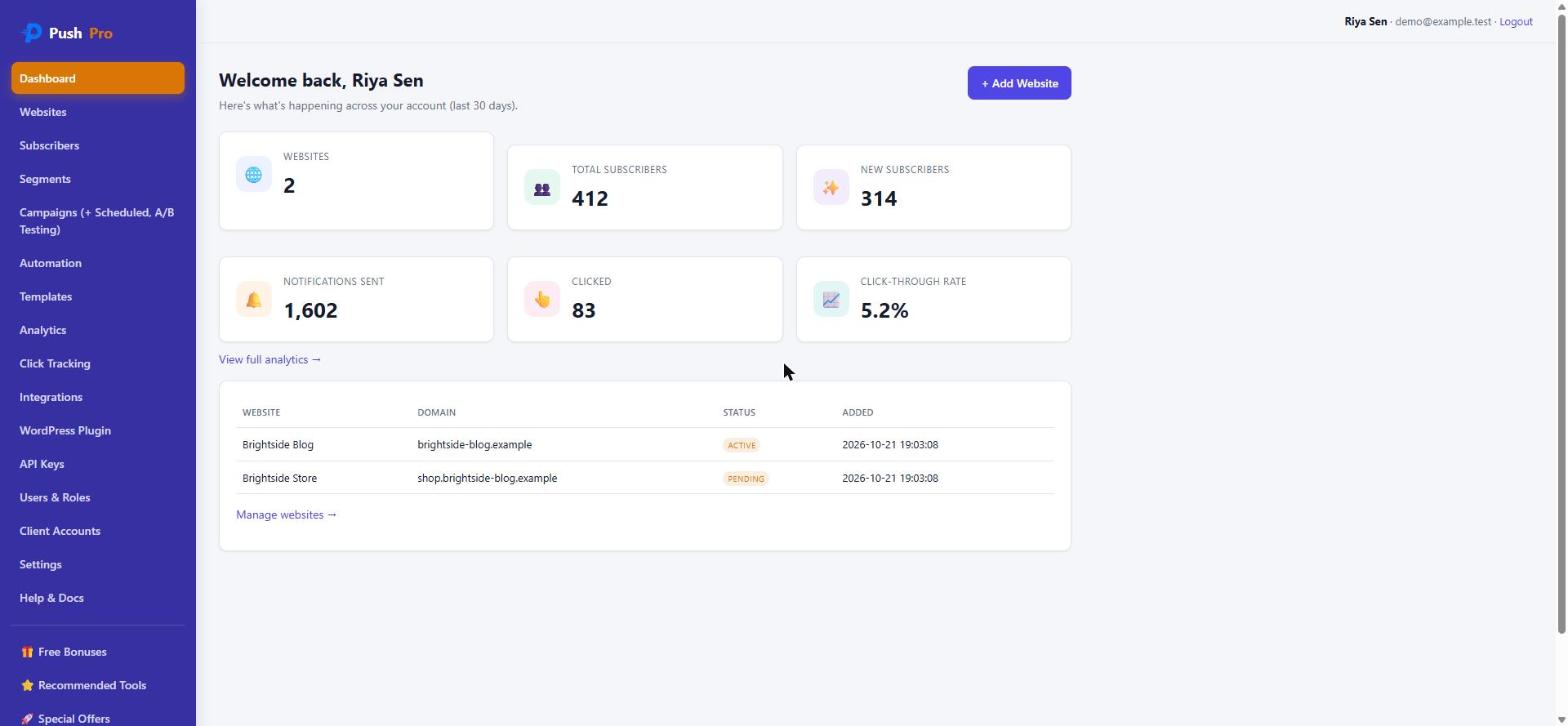
The main source of confusion is hosting. PushPro Lifetime is a cloud account. You add a script tag (or the included WordPress plugin), and I host the dashboard, the send queue and the database. That is why its limits are published and enforced: 3 websites, 100,000 subscribers and 2 million notifications a month. “Lifetime” means the life of version 1.x on the hosted service. The full PushPro review covers every screen and upgrade.
LaraPush is software you host yourself. Its site calls it “a self-hosted push notification panel” with a one-time cost. You install it on your own server, connect it to Google’s Firebase Cloud Messaging (FCM), and your subscriber data stays with you. Its terms say it only runs on a dedicated VPS such as DigitalOcean, Vultr, AWS or Linode, so shared hosting is not an option.
PushPro also has a self-hosted edition ($299), so the fairest like-for-like comparison is PushPro Self-Hosted against LaraPush. The hosted $27 account is a different category: cheaper and simpler, but capped.
Price: what you really pay
List prices are the easy part. The real cost has four pieces: the licence, the server, the support period and future upgrades.
| Option | Licence | Server | Support and updates |
|---|---|---|---|
| PushPro Lifetime (hosted) | $27 launch price (then $47) | None, I host it | Free updates to version 1.x; 30-day refund |
| PushPro Self-Hosted | $299 | Your own Linux server | Install guide included; paid install help on request |
| LaraPush Startup | $499 | Your own dedicated VPS | 6 months support; updates free within a major version |
| LaraPush Pro | $799 | Your own dedicated VPS | 12 months support; advanced analytics and push-on-publish |
| LaraPush Pro + Premium add-on | $799 + $399 = $1,198 | Your own dedicated VPS | Adds YouTube collection, link shortener, priority support and more |
Three things deserve a plain reading:
- The server is a recurring cost for both self-hosted options. A one-time licence does not remove your hosting bill. Check your provider’s price for a VPS, because it varies widely.
- “Lifetime” has limits in both products. LaraPush’s terms say updates within the same major release are free, but major upgrades (for example 2.0 to 3.0) are paid, and support runs for a limited period. Some Capterra reviewers describe being asked to pay to move to a newer version. PushPro’s hosted lifetime covers version 1.x, so I would expect a future major version to be priced separately too.
- Third-party listings can differ from the official page. Capterra showed a $750 starting price when I checked. I use LaraPush’s own pricing page for the numbers above.
On list price, PushPro Self-Hosted ($299) costs $200 less than LaraPush Startup and $500 less than LaraPush Pro. That gap is real, but it only matters if the products do what you need, which the next sections check.
Limits: capped vs unlimited
This is where LaraPush has a clear advantage. Its pages promise unlimited domains, unlimited subscribers and unlimited campaigns, and its home page says some customers have very large lists. Those are the vendor’s own claims and I could not verify them independently, but the model is simple: on your own server, the only limit is your hardware.
The PushPro $27 account is deliberately capped, because a lifetime buyer costs me hosting money every month:
- 3 websites (upgrades raise this to 10 or unlimited)
- 100,000 subscribers
- 2 million notifications a month
- 2 team members and 2 API keys
If your audience will stay below 100,000 subscribers on a few sites, those limits will not affect you. If you expect hundreds of thousands or millions, the hosted account is the wrong choice and the real contest is PushPro Self-Hosted against LaraPush. At that scale be careful: LaraPush says it has been tested on more than 150 million tokens, while I have no large public load numbers for PushPro. I would run a pilot before moving a very large list to any new platform.
Features side by side
| Feature | PushPro | LaraPush |
|---|---|---|
| Campaigns and scheduling | Yes, with draft, schedule and send now | Yes, including scheduling and campaign cloning |
| Segmentation | Browser, OS, device, country, language, tag, subscribed days | Yes, “6 parameters” such as location, device and OS |
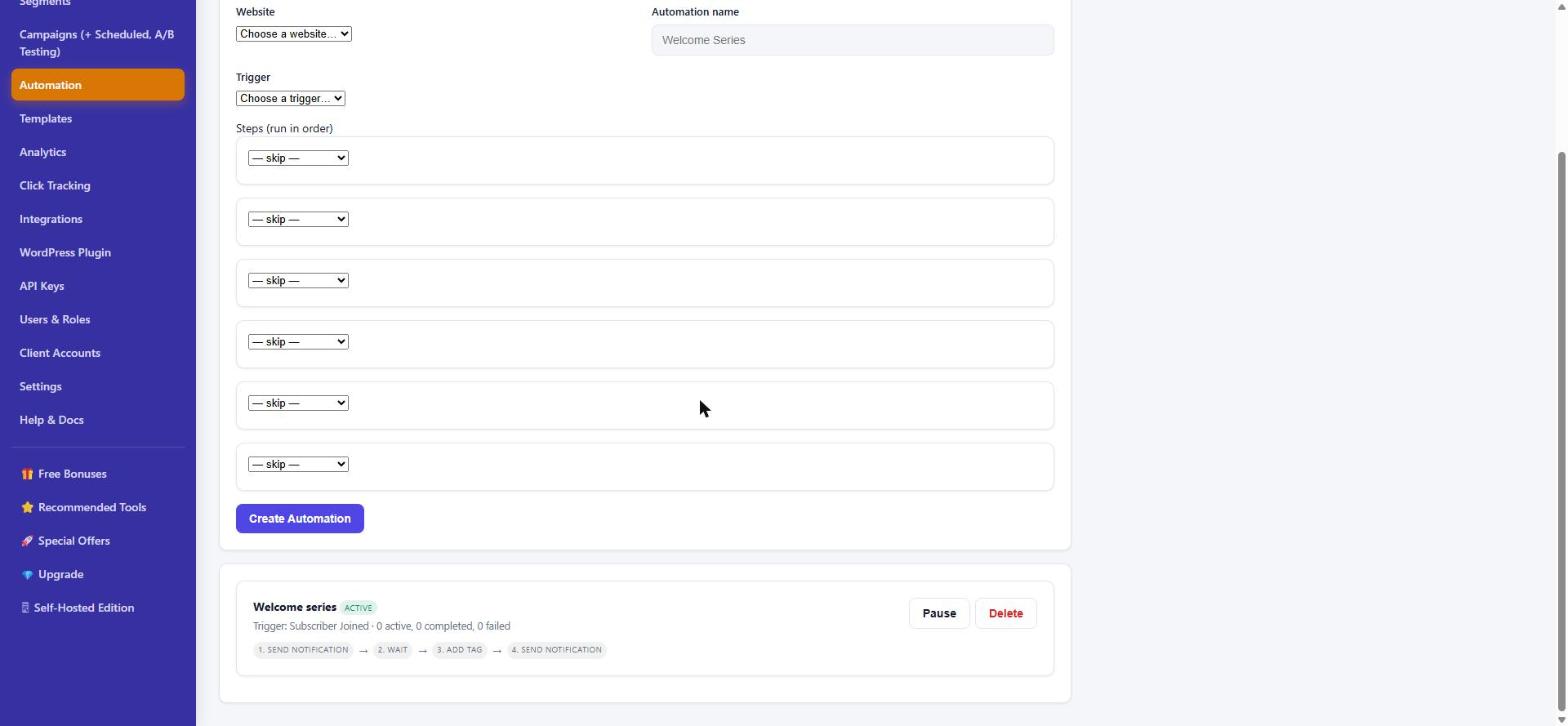
| Automation | Triggers and steps (notify, wait, tag, webhook), up to six steps | Drip notifications and AutoMagic push (random recent post) |
| A/B testing | Yes, on notification text | Not stated on the pages I read |
| Analytics | Click tracking, KPIs and growth chart included | Basic on Startup; advanced (date, location, device, OS, browser) on Pro |
| WordPress plugin | Included; notifies on new posts | Plugin available; push-on-publish needs the Pro plan |
| API | REST API v1 with signed webhooks | “API for developers” |
| Backups | Daily database snapshots on the hosted service | Scheduled Google Drive backup |
| Client accounts and white-label | Agency Mode (up to 25 clients) and a rebrand option | Not stated; its terms ask you not to remove “powered by” notices |
| Extras | Templates, team roles, install check for HTTPS and service worker | YouTube collection, shareable subscription links, import/export, AMP support (some in the Premium add-on) |
Neither list is complete, and a feature that is “not stated” may still exist. Check the vendor pages before you buy.
Setup and WordPress
PushPro hosted is the quicker start: paste a script tag or install the WordPress plugin, and an install check tells you if HTTPS or the service worker is the problem. There is no server to set up. If you are on WordPress, see web push notifications for WordPress, from zero to first subscriber.
LaraPush needs a VPS you set up and maintain. Its site says no coding knowledge is needed, and its WordPress plugin takes an API key from your LaraPush dashboard. Its installation docs page returned an error when I tried to read it, so I cannot describe the install steps first-hand. Plan for server administration time either way.
PushPro Self-Hosted also needs a server: Linux, PHP 8.2 or newer, Nginx or Apache, HTTPS and cron access. The licence is checked online and keeps working with a warning if the licence server cannot be reached.
Support, refunds and track record
- Refunds. PushPro offers a 30-day money-back guarantee through WarriorPlus. LaraPush’s terms say a refund is not normally possible after purchase, except in exceptional cases, so you are relying on the product matching its description.
- Support. LaraPush limits free support to 6 months (Startup) or 12 months (Pro), in Indian office hours, and mainly for installation and errors. PushPro support runs through a ticket desk.
- Reputation. LaraPush shows 4.4 out of 5 from 87 Trustpilot reviews on its own site. Capterra reviews are mixed: some are positive, and some complain about bugs, price increases and upgrade requests. PushPro is new and has no independent reviews yet, which is a real risk you should weigh.
- Dependencies. LaraPush sends through Google FCM and says it is not responsible for Google downtime. PushPro sends through the browsers’ own push services with its own queue and retries.
Where LaraPush is the better choice
- You already know you will have a very large subscriber list and want a product with a longer public history at scale.
- You want unlimited domains on one server without per-account caps.
- You want extras such as YouTube-based subscriber collection or the Google Drive backup.
- You are comfortable running a VPS and have the budget for $499 to $799.
Where PushPro is the better choice
- You run one to a few sites and want to start for $27 with no server to manage.
- You want a money-back guarantee while you test web push on your own audience.
- You sell push to clients and want client accounts and optional white-label branding.
- You want the self-hosted route at $299 instead of $499 or $799, and accept that the product is newer.
How to decide in 60 seconds
- Count your subscribers you expect in a year. Under 100,000 on three sites or fewer: the PushPro hosted account fits. Above that: compare self-hosted options.
- Decide whether you want a server. If not, choose the hosted PushPro account. If you do, compare PushPro Self-Hosted with LaraPush.
- Check the refund terms. If a money-back window matters to you, PushPro has one and LaraPush’s terms are stricter.
- Weigh track record against price. LaraPush is proven at scale; PushPro is cheaper and newer. Match that trade to your risk comfort.
Frequently asked questions
Is LaraPush a one-time purchase?
Yes. LaraPush's pricing page lists Startup at $499 and Pro at $799 as one-time payments for a perpetual licence on a single server. Support is limited (6 months on Startup, 12 months on Pro), updates within the same major version are free, and major upgrades are paid, according to its terms page.
Is PushPro self-hosted or hosted?
Both. The front-end offer is a hosted account that I run for you, with published limits of 3 websites, 100,000 subscribers and 2 million notifications a month. A separate Self-Hosted Edition at $299 gives you the platform to run on your own Linux server with no caps.
Which is cheaper, PushPro or LaraPush?
On list prices PushPro is cheaper: $27 (launch price) for the hosted account or $299 for the self-hosted edition, against $499 or $799 for LaraPush. LaraPush includes unlimited domains and subscribers on your own server, while the PushPro hosted account has limits, so the cheaper option depends on how big your audience is.
Do I need my own server for LaraPush?
Yes. LaraPush is a self-hosted panel, and its terms say it only works on a dedicated VPS such as DigitalOcean, Vultr, AWS or Linode. You pay for that server separately.
Does web push work on iPhone?
It depends on the browser and the setup. Both products rely on the browser's own push support, so check how web push behaves for Safari and iPhone visitors before you rely on it for a large share of your audience.
Can I try either one before paying?
PushPro has a 30-day money-back guarantee through WarriorPlus. LaraPush's terms say refunds are not normally possible once a purchase is made, except in exceptional cases, so read its terms before buying.
What I checked, and what this comparison cannot tell you
I read LaraPush’s pricing, features, terms and WordPress plugin pages on 23 October 2026, and looked at its Capterra listing for outside opinions. I did not install LaraPush, so I make no claims about its performance, speed or install experience. Prices and terms change, so confirm them on the vendors’ pages before buying. PushPro’s details come from my own product and the PushPro review, where I list its weaknesses too.
Want to compare PushPro with other tools? See PushPro vs OneSignal and PushPro vs PushEngage. If you are still deciding how to ask for permission, read how to show a push opt-in. You can also see everything else I have built on the products page.