The Traffic Problem Nobody Talks About
You spend real money on SEO, social ads, and content. A visitor lands on your site, reads your post, maybe even loves it — and then they leave. Unless they handed over their email or you’re paying to retarget them with ads, there’s almost no way to bring them back.
Social media reach keeps shrinking thanks to algorithm changes. Email? A big chunk of what you send ends up buried in the Promotions tab or the spam folder. Bookmarks? Nobody bookmarks anything anymore.
Web push notifications solve this problem elegantly: a single click from the visitor, no email address required, and from that moment on you have a direct line back to their browser — desktop, Android, and even iPhone (iOS 16.4+). When you publish something new, they get a native alert, just like a WhatsApp or Facebook notification, on any device.
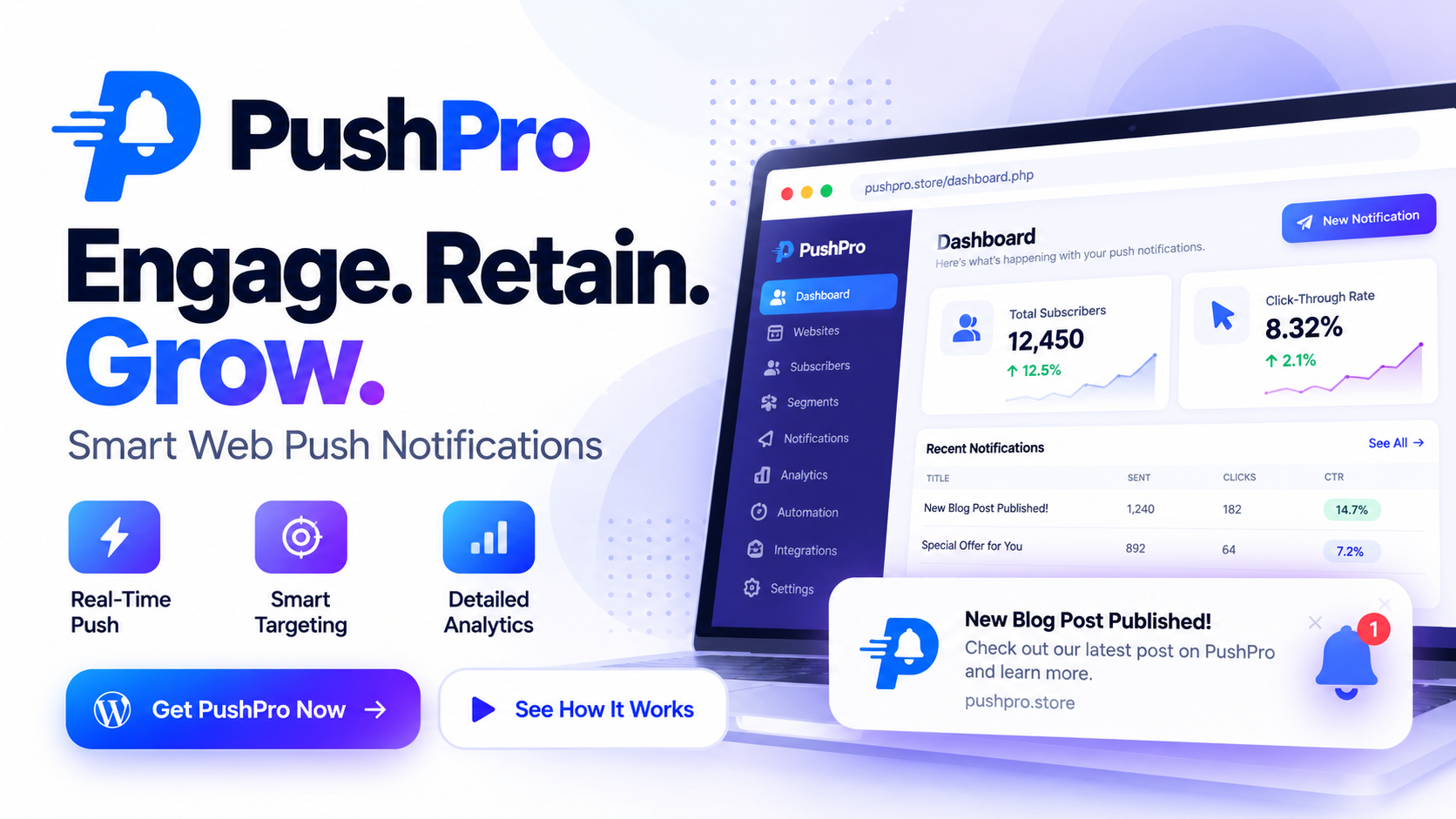
PushPro is a full-featured web push notification platform built for WordPress and any website — with every capability a serious marketer needs, a genuinely free plan, and a unique self-hosted option for agencies and developers who want to own their infrastructure.
What Is PushPro?
PushPro is a web push notification SaaS (and self-hosted software) built by Debmedia Technologies LLP. Unlike most push platforms that are either purely hosted subscription services or bare-bones self-hosted panels wired to Firebase, PushPro gives you both options on the same codebase — and neither requires a Firebase account.
At its core, PushPro uses the open Web Push standard with your own VAPID keys, talking directly to browser push services (Google, Mozilla, Apple, Microsoft) without any intermediary. That means no third-party dependency, no extra Google project to configure, and no risk of losing access to a Firebase project your subscriber list depends on.
Whether you’re a solo blogger trying to grow an audience, a digital marketer running campaigns across multiple sites, or a developer agency wanting to resell push notification services under your own brand — PushPro is built for all three.
Key Features: A Complete Walkthrough
1. 🔔 Core Push Notifications
At the foundation, PushPro delivers real-time browser push notifications that show up as native OS alerts on Windows, macOS, Android, and (in beta) iOS. Setup takes less than 5 minutes:
- Upload a single
pushpro-sw.jsservice worker file to your site’s root - Paste one JavaScript snippet before
</body> - Or, on WordPress: just search “Debmedia WebPush,” install, activate, paste your API key — done
The subscribe prompt appears automatically. Visitors click Allow and they’re on your list. No form, no email, no friction.
Every notification delivery is duplicate-safe: each campaign creates exactly one delivery record per subscriber, so even if a worker restarts mid-send, the same notification can never go out twice to the same person.
2. 📊 Analytics — Real Numbers, Not Estimates
PushPro’s analytics are built from actual delivery records, not approximations.
What you get:
- Delivery performance: Sent, clicks, click-through rate (CTR), failed, invalid/expired, and failure rate — for today, yesterday, 7 days, 30 days, this month, or any custom date range
- Daily chart: Notifications sent with clicks overlaid, plus a separate subscriber growth chart
- Audience breakdowns: Location, device type, operating system, browser, language, and subscribe source — with subscriber counts and engagement rates for each group
- Top campaigns: Your best-performing campaigns by clicks
- Top subscribe pages: Which pages on your site are converting visitors to subscribers
- Per-website filtering: Run multiple sites and zoom into any one of them
- Click tracking: Every notification link carries a per-delivery tracking ID, so clicks map back to a specific campaign and subscriber
Available on all plans, with richer audience breakdowns unlocked as your account grows.
3. 🎯 Smart Segmentation
Stop broadcasting to everyone when only some of them should receive a given message. PushPro’s segmentation lets you build audiences from real subscriber attributes, evaluated live at send time — so they’re never stale.
Rules you can apply:
- Browser (Chrome, Firefox, Edge, Safari…)
- Operating system (Windows, macOS, Android, iOS…)
- Device type (desktop, mobile, tablet)
- Country (approximate, from network or timezone)
- Language
- Tags (applied manually or via automations)
- Days since subscribing
- Page they subscribed from (contains / doesn’t contain / starts with)
- Subscribe source (widget, share link, collector, short link, migrated)
Combine multiple rules — all conditions must match. Preview how many subscribers a segment will reach before you send. Use segments in both manual campaigns and Auto Push feeds.
Available on Starter and above.
4. ⚡ Automation & A/B Testing
Set up a sequence once, let it run forever.
Triggers:
- New subscriber joined
- Tag added or removed
- Custom event sent through the API
- Manual enrollment
Steps you can chain:
- Send a notification
- Wait (any interval)
- Add a tag
- Remove a tag
- Call a webhook
- End the sequence
Practical use cases: welcome series for new subscribers, cart-abandonment reminders, re-engagement drips, content nurture sequences. A subscriber can never be enrolled in the same automation twice, and one failed send never stops the rest of the sequence from running.
A/B Testing is built right in: split any campaign 50/50 between two titles or messages, run both, and compare sent, clicks, and CTR for each variant. PushPro shows you the results — you decide the winner.
Available on Pro and above.
5. 📡 Auto Push: AutoMagic, RSS, YouTube & Blogger
This is one of PushPro’s genuinely standout features. Point it at a content source and it handles all notifications automatically — no manual campaign creation needed.
Sources supported:
- Any RSS or Atom feed
- Blogger blogs (native integration)
- YouTube channels (by @name, /channel/ URL, or channel ID)
Two modes:
Push New Posts — the moment a new item is published to the feed, subscribers get a push notification (within ~10 minutes). YouTube uploads come through with their thumbnail. At most 3 posts are pushed per check to prevent flooding if someone bulk-imports content.
AutoMagic — picks a random post from your newest 5–50 posts and re-sends it on a schedule (every 1, 2, 3, 6, 12, or 24 hours). Each post is sent once per cycle before repeats. Perfect for evergreen content that deserves a second life.
Every Auto Push send is a regular campaign: click tracking, analytics, and your plan’s monthly limit all apply. You can also pause, resume, or trigger a feed check on demand.
Works with any segment as the audience. Available on Pro and above.
6. 🔗 Share Links & Collector — Collect Subscribers Anywhere
Browsers only allow push subscriptions from the domain that owns the service worker. That means you can’t natively collect subscribers on Blogger, landing-page builders, partner pages, or AMP pages.
PushPro solves this with two tools available on every plan:
Shareable Subscribe Link — A hosted subscribe page for each of your websites. Post it in email signatures, social media bios, YouTube descriptions, or anywhere your audience is. Visitors click the link, subscribe via PushPro’s hosted page, and they’re on your list.
One-line Collector — Add a single <script> tag to any page and a “Get notifications” button appears. Clicking it opens a small PushPro popup where the visitor subscribes. Works on Blogger, custom landing pages, partner sites — anywhere you can drop a script tag.
AMP Support — AMP forbids custom scripts, but a plain link is valid AMP markup. PushPro provides a ready-made subscribe link button for AMP pages.
iPhone-Friendly — The hosted page automatically detects iOS Safari and guides the visitor through Apple’s required “Add to Home Screen” flow.
Source attribution — Every subscriber records the page they came from and how they subscribed. Segment by it, or see top subscribe pages in Analytics.
7. 🔀 Short Links with Live Reports
PushPro includes a built-in URL shortener, but with a twist: you can add an optional subscribe step before the redirect.
Features:
- Create a short link for any URL
- Toggle the subscribe step on or off (visitors can always skip it)
- Live report updating every few seconds: clicks in the last hour, 24 hours, 7 days, a 14-day chart, top referrers, device breakdown, and browser breakdown
- Bot and crawler filtering — counts people, not bots
- Subscribers gained through a short link are tagged with their source
Available on all plans.
8. 📱 iPhone & iPad Push (Beta)
Apple made web push possible on iOS 16.4+ in 2023, but with a catch: the site has to be added to the Home Screen first. Most push platforms either ignore iOS entirely or show visitors a broken-looking “Allow” button that does nothing.
PushPro handles it properly:
- Detects iOS Safari automatically
- Shows clear “Add to Home Screen” step-by-step instructions instead of a useless Allow button
- Automatically adds a web-app manifest (unless your site already has one), so the visitor’s icon opens as a proper PWA
- The hosted subscribe link keeps everything on one domain — the most reliable approach on iPhone
- Once the app is installed and the visitor taps Allow, they receive notifications like any other subscriber
Currently in Beta — the flow follows Apple’s documented behavior, and real-device feedback is being gathered.
9. 🚚 Migrate Subscribers from FCM-Based Services (Beta)
Switching push providers usually means starting your subscriber list from scratch. If your current service is built on Firebase Cloud Messaging (FCM) — which includes many popular SaaS push platforms — PushPro lets you bring your list with you.
How it works:
- Upload your Firebase service-account key (encrypted at rest, validated by Google immediately)
- Import a plain token list or a CSV (up to 20,000 per import) — columns: token / fcm_token / registration_id, plus optional browser, OS, device, country, language, and tags
- Replace your old service worker file at the same URL with PushPro’s one-line version
- Add the PushPro snippet
Imported subscribers are tagged source = migrated and don’t receive welcome automations (they’re not new subscribers). When a returning visitor hits your site, PushPro silently upgrades their subscription to a native one — no new permission dialog — and retires the old Firebase worker to prevent duplicates.
Currently in Beta. Available on Pro and above.
10. 🔌 WordPress Plugin — Free on WordPress.org
The official Debmedia WebPush plugin is listed on WordPress.org and free to install. It connects any WordPress site to PushPro in about 3 minutes.
What the plugin does:
- Loads the subscribe prompt for your visitors automatically
- Serves the service worker for you — no manual file uploads
- Pushes each new post the first time it’s published (title, excerpt, featured image, and link)
- Never sends twice — editing or re-saving a post does not retrigger a send
- Uses a send-only API key that can trigger notifications but can’t read subscriber data, billing, or other campaigns
To set it up:
- In WordPress: Plugins → Add New → search “Debmedia WebPush” → Install → Activate
- In PushPro: add your site, create a send-only API key
- In WordPress: Settings → Debmedia WebPush → paste the key, choose the website, save
Available on all plans, including the free tier.
11. 🛠 REST API & Webhooks
For developers and teams who need to integrate PushPro with their own systems.
REST API covers:
- Websites (list, manage)
- Campaigns (create, send now, schedule)
- Subscribers (read-only — a browser subscription can only be created by the visitor’s own browser)
- Analytics
- Custom events endpoint (can trigger automations)
API Keys:
- Full keys for server-side integrations
- Send-only keys for plugins, third-party tools — can trigger sends but can’t access subscriber data or billing
- Keys are stored hashed and shown once — a leaked database doesn’t leak working keys
Rate limits by plan:
- Free: 10 requests/minute
- Starter: 60 requests/minute
- Pro: 300 requests/minute
- Business: 1,000 requests/minute
Signed Webhooks — HMAC-SHA256 signatures for:
subscriber.createdsubscriber.unsubscribedcampaign.sentcampaign.completednotification.clicked
All webhooks include automatic retries. Available on Pro and above.
12. 🏢 White-Label & Multi-Tenant (Agency)
For agencies and developers who want to resell or run push notification services under their own brand.
Self-Hosted Pro License:
- Host PushPro on your own server
- Multi-tenant mode: onboard your own customers, bill them yourself
- Your server, your data — Debmedia never has access to your subscribers
Self-Hosted Agency License:
- Everything in Pro
- Full dashboard rebrand: replace PushPro’s name and logo with yours
- Up to 25 client accounts (Agency), 5 client accounts (Agency Lite)
- Team members, scoped API keys
One-time pricing — a lifetime license with one year of updates included. No recurring fee to keep the lights on.
13. 🔒 Reliability & Delivery Infrastructure
- Duplicate-safe sends: Each campaign creates exactly one delivery record per subscriber — worker restarts can’t cause double-sends
- Automatic retries: Temporary failures are retried at 1, 5, and 15 minutes (up to 4 attempts) before being marked failed
- Self-cleaning: Expired or dead subscriptions are detected on the first failed send, marked invalid, and purged after 90 days of inactivity
- Daily backups: 7 daily snapshots + 4 weekly copies retained
- No Firebase dependency: Sends go directly to browser push services via standard Web Push protocol
- Updatable service worker: Your site hosts a one-line stub — PushPro’s worker logic updates server-side without you touching anything
Pricing Plans
PushPro offers both hosted (monthly) plans and a one-time self-hosted license:
Hosted Plans
| Plan | Price | Websites | Subscribers | Notifications/Month | Key Features |
|---|---|---|---|---|---|
| Free | $0/month | 1 | 5,000 | 5,000 | Basic analytics, subscribe prompts, share links |
| Starter | $12/month | 5 | 10,000 | 50,000 | + Scheduling, Segmentation |
| Pro | $35/month | 25 | 100,000 | 1,000,000 | + Automation, A/B Testing, API, Auto Push, Migration |
| Business | $99/month | Unlimited | Unlimited | Unlimited | + Priority send processing, unlimited team & keys |
Indian pricing available (₹999, ₹2,999, ₹7,999). Payment by UPI or PayPal.
Self-Hosted License (WarriorPlus Launch Offer)
| License | Websites | Subscribers | Client Accounts | Team Members |
|---|---|---|---|---|
| PushPro Lifetime | 3 / 10 / Unlimited | 100,000 | 0 | 2 |
| Agency Lite | 3 / 10 / Unlimited | 250,000 | 5 | 3 |
| Agency | 3 / 10 / Unlimited | 500,000 | 25 | 5 |
One-time payment, one year of updates included. 30-day guarantee on WarriorPlus launch purchases.
Comparison: PushPro vs LaraPush vs OneSignal vs PushRipple
Overview Table
| Feature | PushPro | LaraPush | OneSignal | PushRipple |
|---|---|---|---|---|
| Pricing model | Hosted (monthly) OR one-time self-hosted | One-time self-hosted license | Free tier + paid plans (scales with subscribers) | Hosted monthly |
| Free plan | ✅ 5,000 subs, no card, no expiry | ❌ Paid license required | ✅ Generous free tier | ❌ Trial only |
| Self-hosted option | ✅ Full source, your server | ✅ Built on Laravel | ❌ Cloud only | ❌ Cloud only |
| Firebase / FCM required | ❌ No — standard Web Push (VAPID) | ⚠️ FCM-based architecture | ⚠️ FCM-based | ⚠️ FCM-based |
| WordPress plugin | ✅ Free on WordPress.org | ✅ Available | ✅ Available | ✅ Available |
| Setup complexity | 🟢 2 files or 1 plugin | 🟡 Server setup required | 🟢 Simple hosted setup | 🟢 Simple |
| iOS (iPhone) push | ✅ Beta (guided Home Screen flow) | ❌ Not documented | ✅ Yes | ⚠️ Partial |
| Auto Push (RSS/YouTube) | ✅ Built-in | ❌ Not built-in | ❌ Requires API integration | ❌ Not built-in |
| AutoMagic (evergreen re-send) | ✅ Built-in | ❌ No | ❌ No | ❌ No |
| Segmentation | ✅ Multi-rule, live evaluation | ✅ Basic | ✅ Advanced | ✅ Basic |
| Automation / drip sequences | ✅ (Pro+) | ⚠️ Limited | ✅ Yes | ⚠️ Limited |
| A/B Testing | ✅ Built-in (Pro+) | ❌ No | ✅ Yes | ❌ No |
| REST API + webhooks | ✅ HMAC-signed (Pro+) | ✅ Basic API | ✅ Comprehensive | ⚠️ Basic |
| Scoped API keys (send-only) | ✅ Yes | ❌ No | ⚠️ Partial | ❌ No |
| Short links with live stats | ✅ Built-in | ❌ No | ❌ No | ❌ No |
| Share links / off-site collector | ✅ Built-in all plans | ❌ No | ❌ No | ❌ No |
| Blogger / AMP support | ✅ Yes | ❌ No | ⚠️ Partial | ❌ No |
| FCM subscriber migration | ✅ Beta (import up to 20K tokens) | ❌ No | ❌ No | ❌ No |
| White-label / rebrand | ✅ Agency license | ✅ With license | ❌ No | ❌ No |
| Multi-tenant (resell to clients) | ✅ Pro + Agency self-hosted | ✅ Basic | ❌ No | ❌ No |
| Data ownership | ✅ Self-hosted = your server only | ✅ Self-hosted | ❌ Vendor’s cloud | ❌ Vendor’s cloud |
| Duplicate-safe sends | ✅ By design | ⚠️ Depends on config | ✅ Yes | ⚠️ Not documented |
| Daily backups | ✅ 7 daily + 4 weekly | ❌ Your responsibility | ✅ Vendor managed | ✅ Vendor managed |
PushPro vs LaraPush — Head to Head
| PushPro | LaraPush | |
|---|---|---|
| Tech stack | PHP 8.2+, SQLite | Laravel (PHP), MySQL |
| Hosting requirement | PHP 8.2+, SQLite, cron | Full Laravel stack, MySQL/PostgreSQL |
| Firebase dependency | ❌ None — VAPID / Web Push standard | ⚠️ FCM-based architecture |
| One-time pricing | ✅ From WarriorPlus launch | ✅ Available |
| Hosted option | ✅ Yes — start without a server | ❌ Self-hosted only |
| Free plan | ✅ 5,000 subs, forever | ❌ Must buy license |
| Auto Push (RSS/YouTube) | ✅ Built-in + AutoMagic | ❌ Not included |
| A/B Testing | ✅ Yes | ❌ No |
| Subscriber migration from FCM | ✅ Beta | ❌ No |
| iOS push with guided flow | ✅ Beta | ❌ Not documented |
| Off-site collector / share links | ✅ All plans | ❌ No |
| Short links with live stats | ✅ Built-in | ❌ No |
| Dashboard rebrand | ✅ Agency license | ✅ Available |
Key difference: LaraPush requires you to set up and maintain a full Laravel server environment and remains dependent on Firebase Cloud Messaging. PushPro works on lightweight PHP+SQLite (no heavy framework), offers a hosted option so you don’t need a server at all, and sends directly via the Web Push standard — no Firebase account, no third-party dependency.
PushPro vs OneSignal — Head to Head
| PushPro | OneSignal | |
|---|---|---|
| Pricing model | Flat monthly or one-time license | Subscriber-based pricing (costs grow with your list) |
| Free tier | 5,000 subscribers, no card | Generous free tier, but limits become restrictive |
| Self-hosted option | ✅ One-time license | ❌ Cloud only |
| Firebase dependency | ❌ None | ⚠️ FCM under the hood |
| Data on your server | ✅ With self-hosted license | ❌ Always on OneSignal’s cloud |
| White-label / rebrand | ✅ Agency license | ❌ No |
| Resell to clients | ✅ Multi-tenant (Pro + Agency) | ❌ No |
| Auto Push (RSS/YouTube) | ✅ Built-in | ❌ Requires custom API integration |
| AutoMagic evergreen sends | ✅ Built-in | ❌ No |
| Off-site collector (Blogger, AMP) | ✅ Built-in, all plans | ❌ No |
| Short links with live reports | ✅ Built-in | ❌ No |
| FCM migration | ✅ Beta | ❌ No (you’d need to start over) |
| Scoped send-only API keys | ✅ Yes | ⚠️ Not equivalent |
| HMAC-signed webhooks | ✅ Yes | ✅ Yes |
| Cost at scale | Flat $99/month for unlimited | Scales per subscriber — can exceed $99/month at moderate list sizes |
Key difference: OneSignal is powerful but its pricing scales with subscriber count, which means costs compound as your audience grows. PushPro’s Business plan is flat at $99/month for unlimited subscribers. More importantly, OneSignal is cloud-only with no self-hosted option, and there’s no white-labeling — making it unsuitable for agencies who want to resell or own their data.
PushPro vs PushRipple — Head to Head
| PushPro | PushRipple | |
|---|---|---|
| Free plan | ✅ 5,000 subs, no card, no expiry | ❌ Trial-based only |
| Self-hosted option | ✅ One-time license available | ❌ Cloud only |
| Firebase dependency | ❌ None | ⚠️ FCM-based |
| Auto Push (RSS/YouTube) | ✅ Built-in | ❌ Not available |
| AutoMagic scheduling | ✅ Built-in | ❌ Not available |
| A/B Testing | ✅ Built-in | ❌ Not available |
| Short links | ✅ Built-in | ❌ Not available |
| Off-site subscriber collection | ✅ Share links + collector | ❌ Limited |
| iOS push with guided flow | ✅ Beta | ⚠️ Partial |
| FCM migration | ✅ Beta | ❌ No |
| White-label / Agency | ✅ Agency license | ❌ No |
| Multi-tenant reselling | ✅ Self-hosted | ❌ No |
| WordPress plugin | ✅ Free on WordPress.org | ✅ Available |
| REST API | ✅ Full (Pro+) | ⚠️ Basic |
| HMAC-signed webhooks | ✅ Yes | ❌ Not documented |
Key difference: PushRipple covers the basics of web push but lacks the depth that serious marketers and agencies need — no A/B testing, no Auto Push, no off-site collection, no white-labeling, and no self-hosted option. PushPro packs significantly more into every plan tier, especially with features like AutoMagic and share links that are available even on the free plan.
Who Should Use PushPro?
Bloggers and content creators — The WordPress plugin + Auto Push combo means zero manual effort. Publish a post, your subscribers get notified automatically. Connect your YouTube channel and every new upload goes out too.
Affiliate marketers — Short links with subscribe-on-the-way, segmented campaigns, A/B testing of notification copy, and AutoMagic to keep evergreen content circulating. All the tools to maximize CTR without paying per-subscriber.
Digital agencies — Self-hosted Pro or Agency license, white-label dashboard, multi-tenant client accounts, scoped API keys, and team roles. Run it all under your own brand on your own server.
Developers and SaaS builders — Clean REST API with HMAC-signed webhooks, scoped keys, rate limit headers on every response, and a custom-event endpoint that can trigger automations from your own code.
Businesses migrating from another platform — If your current push service runs on Firebase (LaraPush, OneSignal, PushRipple, PushEngage, etc.), import up to 20,000 subscriber tokens and switch over without losing your audience.
Blogger / AMP / landing page owners — Platforms where you can’t install a service worker are no longer a dead end. Share links and the one-line collector work anywhere.
Getting Started
Setup on any website takes roughly 5 minutes:
- Create a free account at pushpro.store — no card required
- Add your website (name and domain)
- Upload the service worker: Create a file
pushpro-sw.jsat your site root containing one line:importScripts('https://pushpro.store/sw/pushpro-sw.js'); - Add the snippet before
</body>:<script src="https://pushpro.store/sdk/pushpro.js"></script>+ the init call with your site key - Verify using the built-in installation checker
- Send a test notification to yourself
On WordPress: step 3 and 4 are handled by the plugin. You just paste your API key.
Final Verdict
PushPro stands out in a crowded market not because it does one thing brilliantly, but because it does everything — and makes deliberate choices that competitors miss.
The no-Firebase architecture is the most strategically important differentiator. Most push platforms are built on FCM, which means they depend on Google’s infrastructure, require a Firebase project setup, and create lock-in that makes migration painful. PushPro uses the open Web Push standard directly — cleaner, faster, and independent.
The hosted + self-hosted duality is rare. You can start for free with zero infrastructure, and move to your own server later with a one-time license. Your subscriber list is yours to export whenever you want.
Features like AutoMagic, off-site subscriber collection, and short links with live reports aren’t found bundled together at this price point anywhere else. The free plan alone — 5,000 subscribers, no card, no expiry — is more useful than most competitors’ paid entry tiers.
For agencies, the white-label + multi-tenant licensing model on a one-time purchase is exceptional value. No recurring SaaS markup eating into your margins when you resell.
Web push has quietly become one of the highest-converting re-engagement channels available. PushPro makes it accessible without the usual complexity, cost, or dependency baggage.
PushPro is a product of Debmedia Technologies LLP. Plans start at $0/month. Self-hosted lifetime licenses available via the WarriorPlus launch with a 30-day guarantee.