PushPro Review 2026: Lifetime Web Push Notifications for $27 + OTO Info
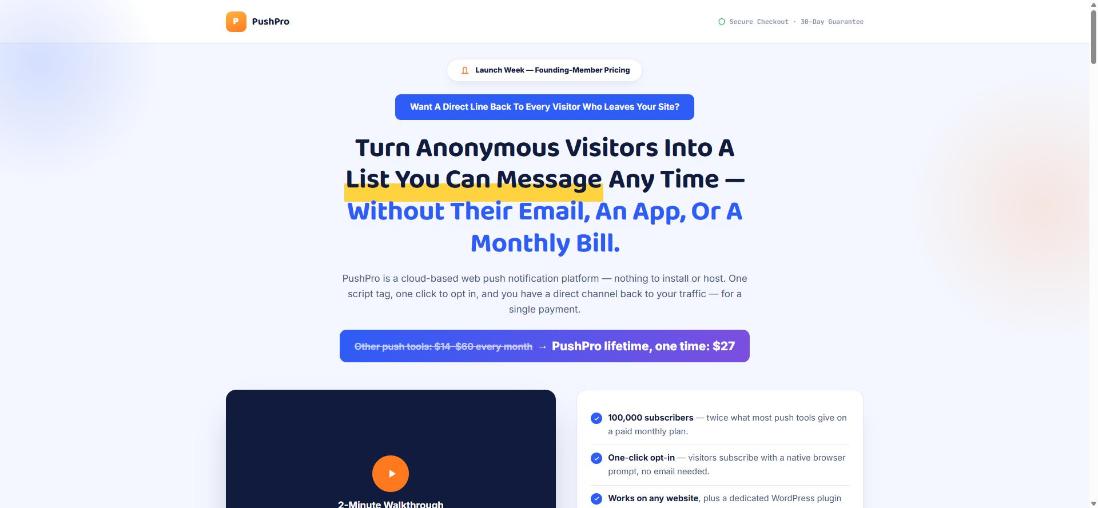
PushPro is a cloud-based web push notification platform sold for a one-time $27 founding price. Here is what it does, what is in the dashboard, what every upsell and downsell adds, and where it falls short. I built it, so I say so up front.
In this review I cover what PushPro does, who it is for, how much it costs, its pros and cons, what the upsells (OTOs) are, and the exclusive bonuses you get when you buy through my link — so you can decide whether it is right for you.
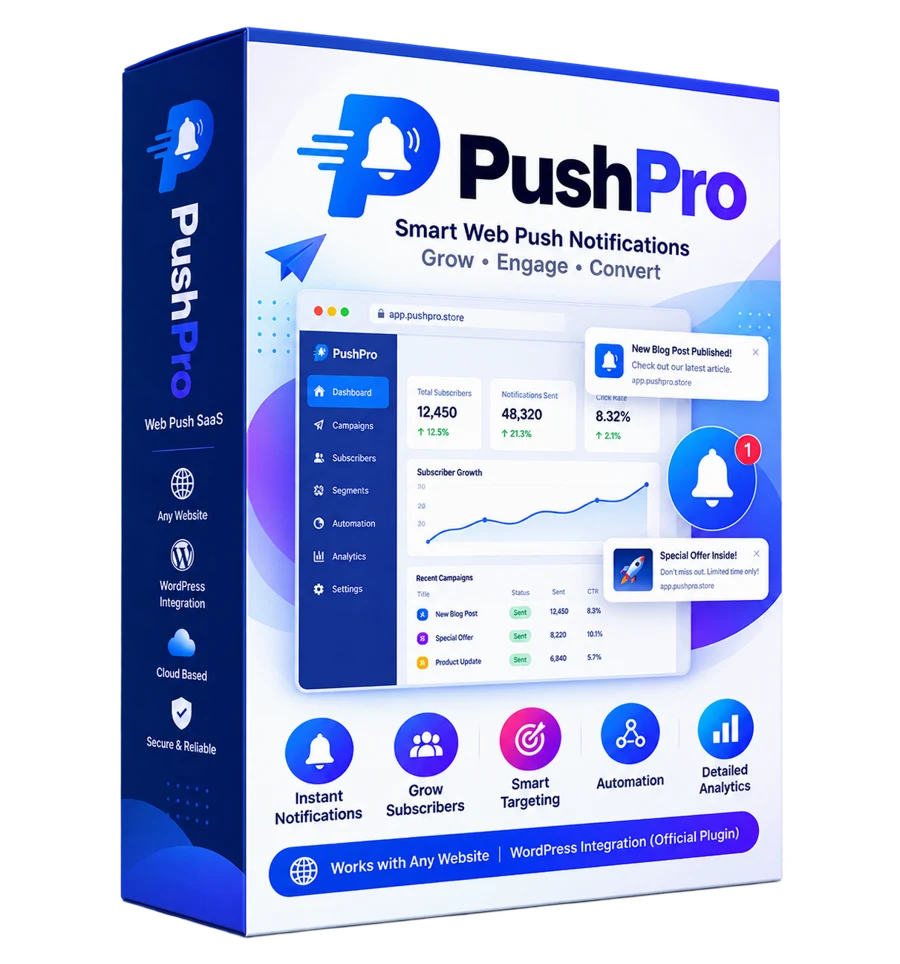
At a glance
PushPro Review — Overview
- CreatorDebasis Bhattacharjee (Debmedia Technologies LLP)
- ProductPushPro
- Launch DateFounding-member launch on WarriorPlus
- Refund30 Days refund policy
- Pricing
$47 after launch$27 (one-time) - Official WebsiteClick here to visit
- TrainingBuilt-in help, API docs and a step-by-step WordPress plugin guide
- ExperienceNone. Paste one script tag, or use the WordPress plugin
- SupportEmail support through the PushPro support page
- BonusYes — you get exclusive bonuses (see below)
For a limited time
Get PushPro for $27 (one-time) $47 after launch
Get Instant Access → ✓ 30 Days money-back guarantee · Affiliate link — I may earn a commission
What Exactly Is PushPro?
PushPro is a cloud-based web push notification platform. A visitor to your website clicks “Allow” on the permission prompt their own browser shows, and from that moment you can send them a notification whenever you like, even when they are not on your site. There is no email address to collect, no app to install and no account for the visitor to create.
Most push tools charge a monthly fee that climbs as your subscriber list grows. PushPro’s pitch is different: pay once for a hosted account with published limits — 3 websites, 100,000 subscribers and 2 million notifications a month — and use the campaign, segmentation, automation, analytics and API features that are normally spread across paid tiers. This review goes through what that really means, what the dashboard looks like, what every upgrade adds, and where the product falls short.
Why web push is worth a look
Visitors arrive, read one page and leave. Search and social traffic does not belong to you, and email only works for the small share of people who hand over an address. Web push sits between the two: the opt-in is a single click, the message lands on the visitor’s screen without any inbox in the way, and it works on desktop and Android browsers. For a blog it means telling readers a new post is live. For a store it means a cart reminder or a price-drop alert. For a course site it means a nudge to come back for the next lesson.
The catch is that web push has real technical plumbing behind it: a service worker that must be served from your own domain, VAPID keys, an encrypted payload for each browser, a queue so thousands of sends do not time out, and handling for subscriptions that quietly expire. That plumbing is exactly what a push platform exists to hide, and it is what I spent most of the build on.
What is under the hood
PushPro is written in PHP 8 with SQLite and a small vanilla-JavaScript SDK, with no heavy framework. Sends go through a database-backed job queue with automatic retries and exponential back-off, so a temporary failure at a browser vendor’s push service does not lose a notification. Every campaign notification links through a click-tracking redirect, which is how the analytics can tell you what drove a visit rather than just how many messages left the building. Subscriptions that a browser reports as dead are marked expired and cleaned up by a scheduled worker, so your numbers do not fill up with ghosts. Daily database backups are built in.
The security basics are there too: CSRF-protected forms, hashed API keys that are shown only once, login brute-force protection, password reset and email verification, and tenant isolation so one account can never read another’s data. If you are on the agency upgrade, suspending or removing a client is enforced immediately, even for sessions that are already logged in.
The dashboard, screen by screen
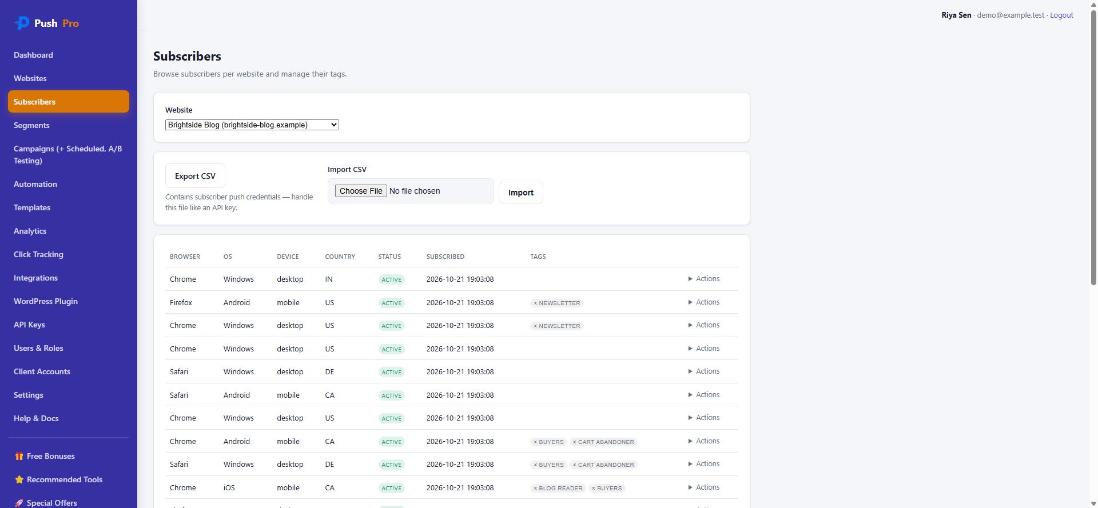
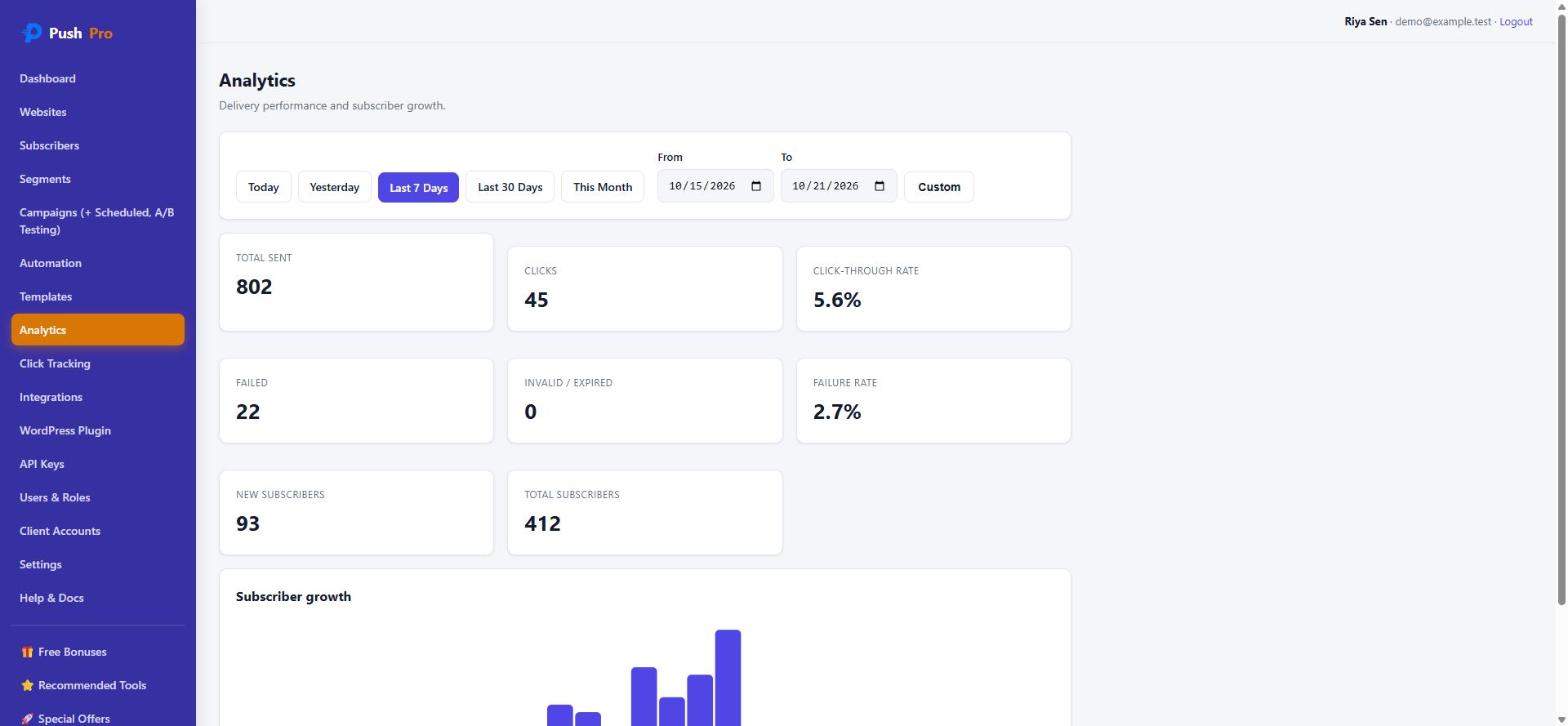
The screenshots below come from a local copy of PushPro loaded with demo data: a fictional blog with 412 sample subscribers and four finished campaigns. They are meant to show the interface and the kinds of numbers it reports, not real performance.
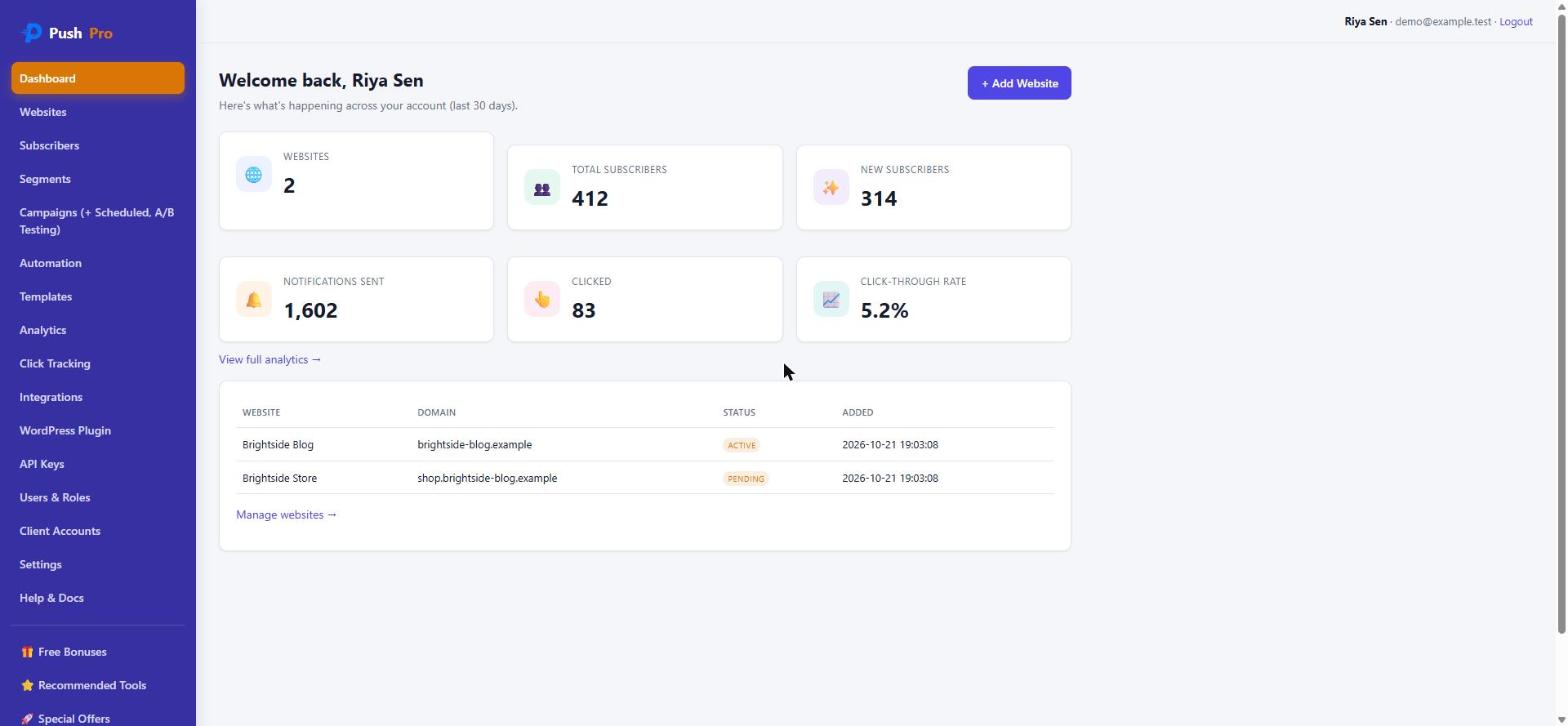
The dashboard opens with six tiles — websites, total subscribers, new subscribers, notifications sent, clicks and click-through rate — and a list of your websites with their status. A website shows as pending until PushPro’s install check confirms your site is served over HTTPS and the service worker is reachable, then flips to active. That check is a small thing, but it removes the most common reason a new push setup “just does nothing”.
What you actually get for $27
The front-end offer, PushPro Lifetime, is a hosted account with the following limits, all of which the product enforces rather than merely printing on the sales page:
- 3 websites
- 100,000 subscribers
- 2,000,000 notifications per month
- 2 team members and 2 API keys
- API access with a rate limit of 120 requests per minute
- Campaigns, scheduling, segments, tags, templates, automation, A/B testing and click analytics
- The included WordPress plugin and the REST API with signed webhooks
- Free updates to version 1.x
That last line deserves a plain reading. “Lifetime” here means the lifetime of version 1.x on the hosted service, not a promise to run the servers forever whatever happens. The product is hosted by me, and a lifetime buyer costs hosting money every month, which is why the limits are explicit instead of “unlimited”. If you want to own the software outright, that is what the self-hosted upgrade is for.
The whole offer at a glance
There are four upgrades and two downsells. The downsells only appear if you decline the offer above them, and the full offer always wins over its cheaper version: if you hold both Unlimited Websites and the 10-website option, you get unlimited.
| Step | Offer | Price | What changes |
|---|---|---|---|
| Front end | PushPro Lifetime | $27 (then $47) | 3 sites, 100k subscribers, 2M sends a month |
| OTO #1 | Unlimited Websites | $67 (then $97) | Removes the 3-website cap |
| Downsell #1 | Websites x10 | $37 | 10 websites in total |
| OTO #2 | Agency Mode | $147 (then $197) | 25 client accounts, pooled 500k subscribers and 18.75M sends |
| Downsell #2 | Agency Lite | $67 | 5 client accounts, pooled 250k subscribers and 9.375M sends |
| OTO #3 | White-Label Rebrand | $67 (then $97) | Your name and logo on the dashboards |
| OTO #4 | Self-Hosted Edition | $299 | Full platform on your own server, no caps |
If someone bought the front end and said yes to all four upgrades, the total would be $607. Almost nobody needs that. Most buyers need the front end alone, and the upgrades below are written so you can see quickly which one, if any, applies to you.
Which version should you pick?
- One or two sites, mostly for yourself: the front end is enough. Do not buy anything else.
- More than three sites: Websites x10 if ten covers you, Unlimited Websites if you will keep adding.
- You sell push to clients: start with Agency Lite if you have none yet, Agency Mode once you are managing a roster, and add the rebrand if clients should see only your brand.
- You want your data on your own server: the self-hosted edition, and only if you are comfortable running PHP, a web server and cron jobs.
Everything above is covered by a 30-day money-back guarantee handled through WarriorPlus. Refunding the front end closes the account; refunding an upgrade removes only that upgrade, and turns white-label branding or the self-hosted licence off automatically. I tested those purchase, refund and dispute paths with a 24-check script rather than assuming they work.
PushPro Review — How Does It Work?
Here is how it works, step by step.
Log in, add your site and PushPro gives you a single script tag to place on every page. If you run WordPress you can skip the code entirely and use the included plugin, which loads the subscribe widget for you and serves the service worker your site needs. A built-in install check then confirms your site is on HTTPS and the service worker is reachable, and only then marks the website active. That check catches the most common reason a new push setup silently does nothing.
Visitors see their browser's native permission prompt, with no PushPro branding and nothing to fill in. One click on Allow and they are on your list. PushPro records the browser, operating system, device type, country and language, which is what makes segmentation possible later. Subscribers can also be tagged by hand, and you can export or import a list as CSV.
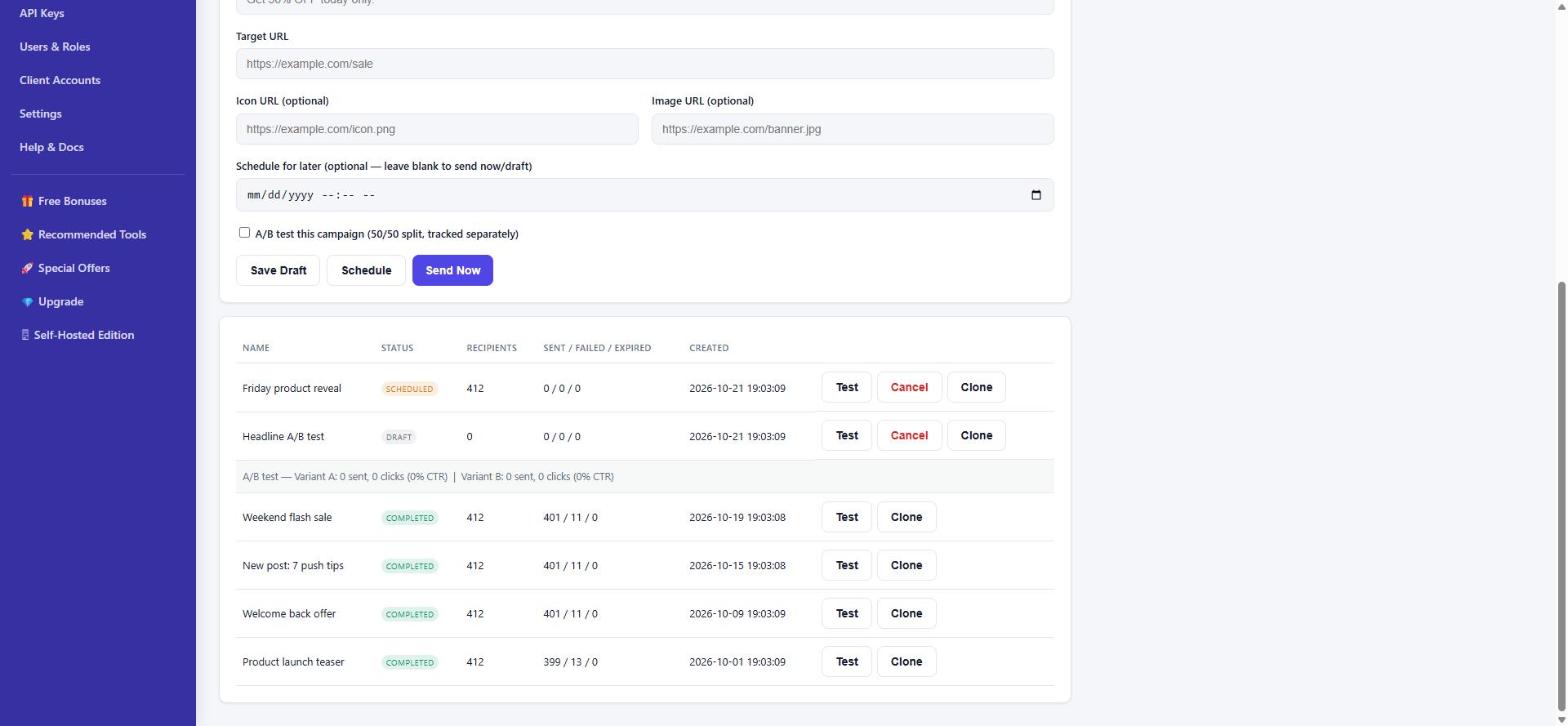
Write the title and body, add a target URL and an optional icon and image, and pick the audience: all subscribers or a saved segment. A live audience preview shows how many people will receive it before you commit. You can send immediately, schedule for later, or tick the A/B box to test two versions of the headline on a 50/50 split. Delivery runs through a queue with automatic retries.
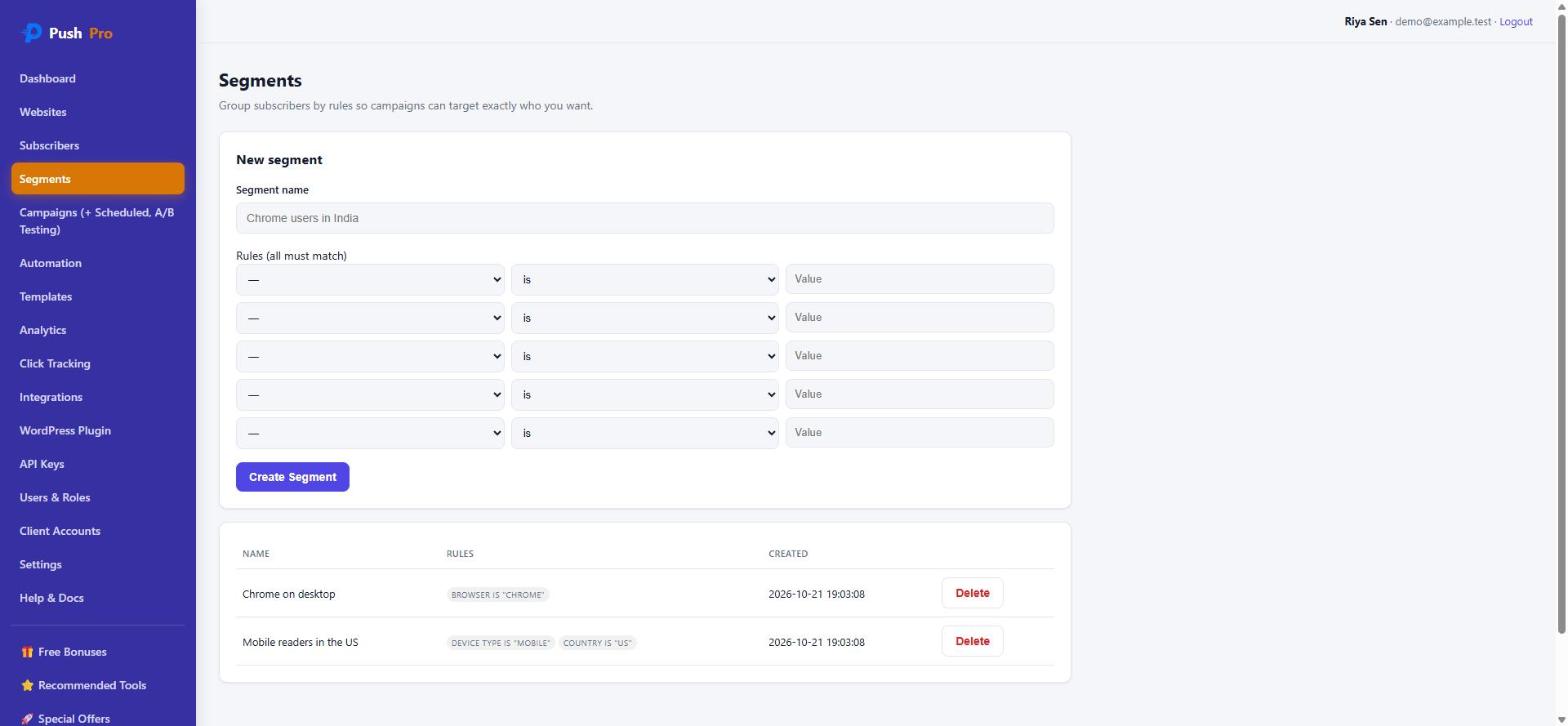
A segment is a saved set of rules on browser, operating system, device type, country, language, tag or how long someone has been subscribed. All rules in a segment must match, and the segment is evaluated at send time, so it is always current rather than a stale snapshot. A segment such as mobile readers in the United States takes a minute to build and can be reused for every campaign.
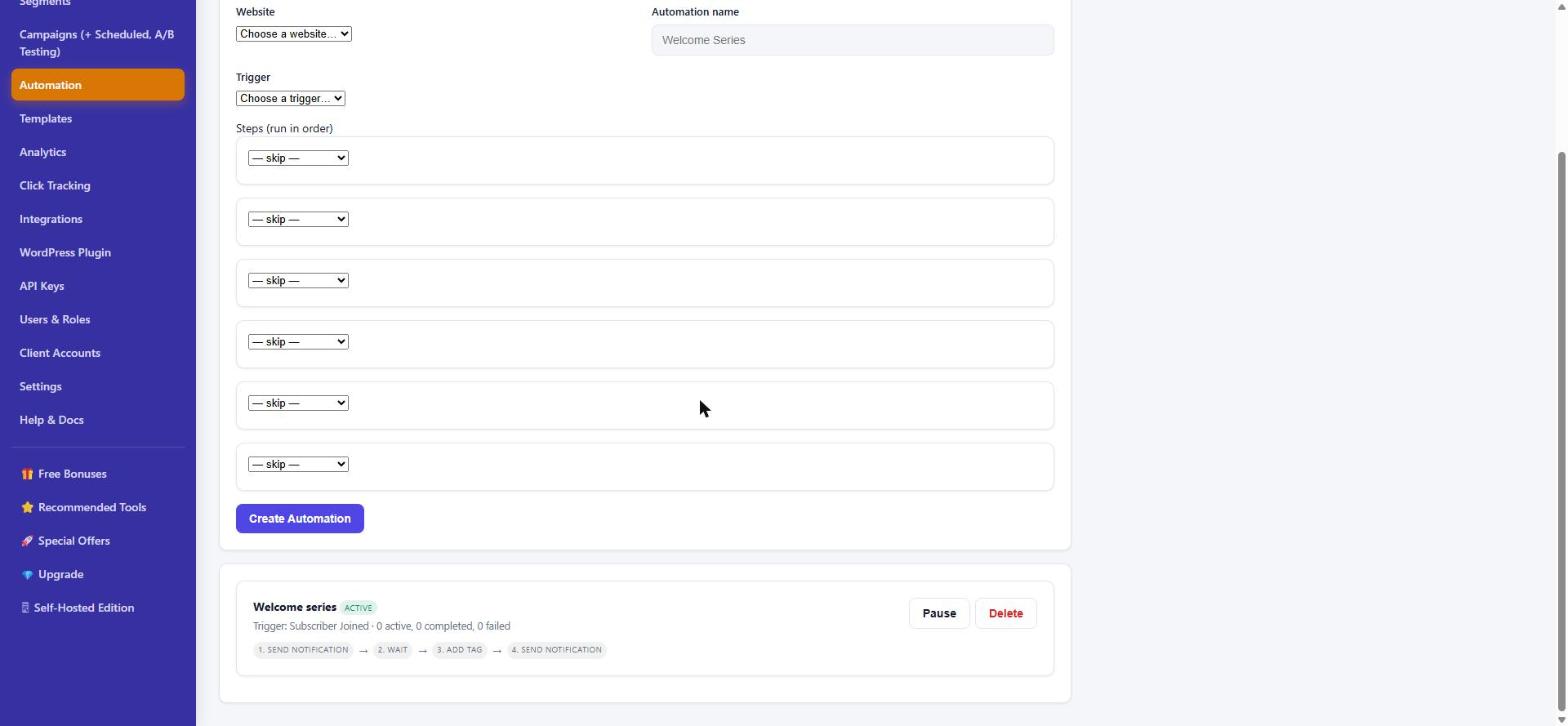
Pick a trigger, then chain up to six steps. Triggers are subscriber joined, tag added, tag removed, manual enrollment, or a custom event sent from your own app through the API. Steps are send a notification, wait, add or remove a tag, call a webhook, or end. A welcome series is the classic first one: a greeting on subscribe, a wait of a day, a tag, then a follow-up.
Every notification links through a tracking redirect before it reaches your page, so the analytics report sent, clicks, click-through rate, failures, expired subscriptions and subscriber growth for today, yesterday, the last 7 or 30 days, this month or any custom range. Check it after each campaign and keep the segments and send times that earn clicks.
PushPro Review — Features & Benefits
What you actually get.
Campaign builder with draft, schedule and send now
Write once, preview the audience, then send immediately or queue it for the right moment. A queue with automatic retries and back-off means a temporary failure at a browser vendor's push service does not lose the send.
Segments and subscriber tags
Rules on browser, OS, device, country, language, tag and subscribed days, evaluated live at send time. Tags let you group people your own way, for example buyers, newsletter readers or cart abandoners.
Automation engine
Triggers for subscriber joined, tag added or removed, manual enrollment and custom API events, with steps for notify, wait, tag, webhook and end. Failed sends do not abort the rest of a sequence, and a person cannot be enrolled twice in the same automation.
A/B testing on notification text
Test two versions of a title and body on a deterministic 50/50 split and compare sent, clicks and click-through rate per variant.
Click tracking and analytics
A tracking redirect on every notification shows which campaigns bring visitors back. KPI tiles, a daily subscriber growth chart, date presets and a click-tracking log are included.
Templates
Save a notification as a template, duplicate it and use it to pre-fill the campaign builder, so recurring messages such as a flash sale or a new post alert take seconds.
WordPress plugin
Install the zip, connect it with a send-only API key and pick your site. The plugin loads the subscribe widget, serves the same-origin service worker and notifies subscribers automatically when you publish a new post, without sending a duplicate if you edit it later.
REST API and signed webhooks
API v1 covers websites, campaigns (including send and schedule), analytics, read-only subscribers and a custom-event endpoint. Webhooks are signed with HMAC-SHA256 and fire for new and unsubscribed subscribers, campaign sent and completed, and notification clicked.
Team members and roles
Invite teammates with roles. The front-end account includes 2 team members and 2 API keys, and API keys are stored hashed and shown only once.
Install and domain verification
A real check for HTTPS and service-worker reachability, with SSRF protection against private addresses, plus optional DNS TXT domain-ownership verification.
Plan limits that are actually enforced
Websites, subscribers, monthly sends, team members and API keys are checked live when you subscribe, send, invite or create a key, not just displayed on a pricing page.
Backups, cleanup and logging
Daily database snapshots with 7 daily and 4 weekly copies kept, a cleanup worker that purges dead subscriptions and old logs without touching active data, and structured error logging for the admin.
- One-time $27 founding price for a hosted account
- 100,000 subscribers and 2M notifications a month on the front end
- 3 websites included, upgrades for more
- Segments, scheduling, automation and A/B testing included
- Click analytics and subscriber growth reporting
- WordPress plugin, REST API and signed webhooks
- Agency, white-label and self-hosted upgrade paths
- 30-day money-back guarantee on every purchase
PushPro Review — Pros and Cons
The honest picture, good and bad.
Pros
- One-time payment for the front-end account: no monthly bill and no per-subscriber fee
- Cloud-based, so there is nothing to install, host or keep updated
- 100,000 subscribers and 2 million notifications a month are included, and the limits are published and enforced
- Segments, scheduling, automation, A/B testing and click analytics come in the front end rather than behind a higher tier
- Works on any site that can hold a script tag, with an included WordPress plugin for one-click setup
- A REST API and signed webhooks make it easy to connect to your own app or store
- The install check tells you when HTTPS or the service worker is the problem instead of failing silently
- Clear upgrade paths: more sites, agency features, white-label branding or your own server
- Refunds are handled cleanly: refunding an upgrade removes only that upgrade
- 30-day money-back guarantee through WarriorPlus
Cons
- It is a new product with no long track record and no independent user reviews yet
- The vendor wrote this review, so treat the score as one informed but interested opinion
- The front end covers only 3 websites; more sites means an upgrade
- Web push only: it does not send email, SMS or native mobile-app notifications
- Browser support follows the browsers: the sales page lists Chrome, Firefox and Edge, so check Safari and iPhone behaviour for your audience before relying on it
- Your site must be served over HTTPS for push to work at all
- The interface is functional rather than fancy: the automation builder is a set of dropdowns with up to six steps, and A/B tests compare two versions of text only
- 'Lifetime' means the lifetime of version 1.x on the hosted service; owning the software outright is a separate $299 upgrade
- Checkout runs through WarriorPlus, so expect an upsell sequence after you buy
For a limited time
Get PushPro for $27 (one-time) $47 after launch
Get Instant Access → ✓ 30 Days money-back guarantee · Affiliate link — I may earn a commission
PushPro Review — Who Can Use It?
Check who can benefit from PushPro:
- Bloggers and publishers
- Online store owners
- Course and membership site owners
- Affiliate marketers with their own sites
- Local business websites
- Agencies and freelancers (with the agency upgrades)
- WordPress site owners
- Developers who want an API and webhooks
- Marketers running several sites
- Beginners who can paste one line of code
PushPro Review — Is There Any Upsell Or OTO?
Yes, there are 4 optional upgrades (OTOs) plus 2 downsell offers that appear if you decline an upgrade. You do not need any of them to use PushPro, but they may be useful depending on your situation.
OTO / Upsell #1Unlimited Websites
$67 (then $97)- Removes the 3-website cap so you can add every site you own or manage
- Applies to your account the moment checkout completes, with the same login
- One-time payment, no recurring fee
- Covered by the same 30-day guarantee
- Who it is for: owners of more than three sites, or anyone who expects to be
- My take: buy it only when you actually hit the limit, since you can add it later from the Upgrades page
Downsell #1Websites x10
$37- Shown only if you say no to Unlimited Websites
- Raises the account from 3 websites to 10
- A lighter step up for a handful of sites or client sites
- You can still move to Unlimited later
- Who it is for: people with four to ten sites who do not need unlimited
- My take: good value if ten covers you, because it costs $30 less than the full upgrade
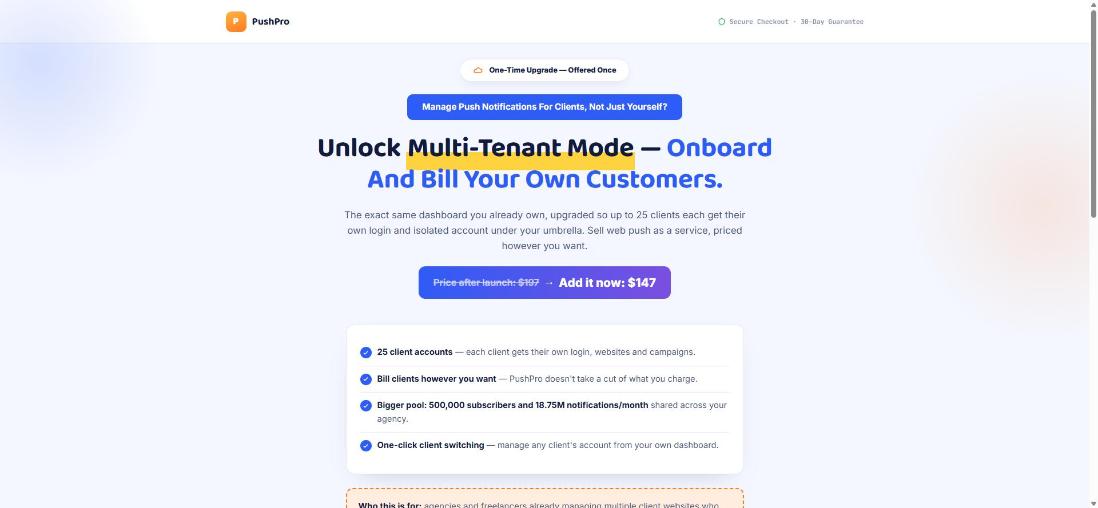
OTO / Upsell #2Agency Mode (Multi-Tenant)
$147 (then $197)- Up to 25 client accounts, each with their own login, websites and campaigns
- Subscriber and send limits are pooled across the agency: 500,000 subscribers and 18.75 million notifications a month
- One-click switching between clients from your own dashboard
- You bill clients however you like and PushPro takes no cut
- Team members rise to 5 and API keys to 10, with a higher API rate limit
- Who it is for: agencies and freelancers who sell push notifications as a service
- My take: only worth it if you really have, or are about to have, clients; otherwise skip
Downsell #2Agency Lite (5 Clients)
$67- Shown only if you say no to Agency Mode
- The same multi-tenant dashboard, sized for 5 client accounts
- Pooled limits of 250,000 subscribers and 9.375 million notifications a month
- 3 team members and 5 API keys
- You can move to the full 25-client Agency Mode later
- Who it is for: anyone landing their first few clients
- My take: the sensible way to start offering push as a service without paying the full price up front
OTO / Upsell #3White-Label Rebrand
$67 (then $97)- Your brand name and logo replace PushPro on the dashboards your clients and your team see
- Works hand in hand with Agency Mode
- Switches on at purchase and switches off automatically if you refund it
- Change the name and logo any time from Settings, with instant effect
- Who it is for: agencies that want clients to see only their own brand
- My take: skip it unless you have clients; it does nothing for a single-site owner
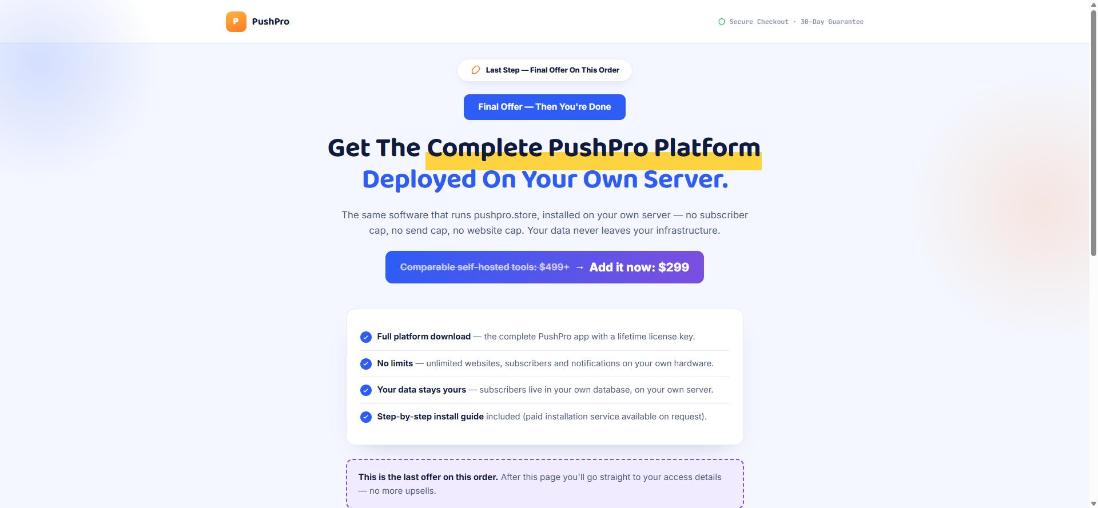
OTO / Upsell #4Self-Hosted Edition
$299- The complete PushPro platform as a download, with a lifetime licence key
- No website, subscriber or send caps, because it runs on your own hardware
- Your subscriber data stays in your own database on your own server
- A step-by-step install guide is included, and paid installation help is available on request
- Needs a Linux server with PHP 8.2 or newer, Nginx or Apache, HTTPS and cron access
- The licence is checked online and keeps working with a warning if the licence server cannot be reached
- Who it is for: developers and agencies who want full control of data and infrastructure
- My take: only for people comfortable running their own server; everyone else is better on the hosted account
My verdict
PushPro Review — Why Should You Get This?
Push notifications are a direct line to people who already chose to visit you, and the usual price is a monthly fee that grows with your list. PushPro replaces that with a single payment, published limits and the features that tend to sit behind higher tiers: segments, automation, A/B testing, click analytics, an API and a WordPress plugin. At $27 with a 30-day guarantee the risk is low. Its weak spots are real: it is new, it only does web push, it needs HTTPS, and you should check browser coverage for your own audience. The upgrades are optional and aimed at specific people, so start with the front end and add one only when you hit a real limit. I built it, so read the score as one informed but interested opinion.
Frequently Asked Questions
Exclusive when you buy through my link
PushPro Exclusive Bonuses
When you buy PushPro through the link on this page, I will send you these bonuses. Send me your purchase details to claim them.
Push Notification Swipe File
Notification templates for blogs, stores, courses and local businesses, written for you to adapt in your own words.
WordPress Plugin Setup Guide
A step-by-step walkthrough for connecting PushPro to a WordPress site with the included plugin and a send-only API key.
Welcome-Flow Automation Templates
Ready-to-copy welcome and win-back sequences for the PushPro automation builder.
Quick-Start Video
A short walkthrough from signup to your first campaign.
How to apply for the bonuses
- Buy PushPro using the link on this page.
- Email me your transaction details for verification at debmedia@gmail.com, or use the contact page.
- I will verify your purchase and send you the bonuses.
Affiliate disclosure: I may earn a commission if you buy through my link, at no extra cost to you.
Honest comparisons
PushPro compared with the alternatives
- PushPro vs LaraPush (2026): Price, Limits and Who Each FitsA numbers-first comparison by the builder of PushPro: what you pay, what you can run, and where LaraPush is the better choice.
- PushPro vs OneSignal (2026): Cost, Limits and Which FitsA numbers-first comparison by the builder of PushPro: what web push costs as your list grows, what each plan includes, and where…
- PushPro vs PushEngage (2026): Price and E-commerce FeaturesA numbers-first comparison by the builder of PushPro: PushEngage plans and renewals, e-commerce triggers, and where each tool is the better fit.