Overview
Wireless Key View recovers the Wi-Fi passwords Windows has already saved on this specific PC for networks it has connected to before. It exists for the single most common form of "I forgot my own Wi-Fi password" — you set up the router years ago, every device in the house has connected and remembered the password automatically ever since, and now a new device needs the password typed in manually and nobody can find where it was written down. If the PC you are running this on has ever connected to that network, the password is still sitting in its saved network profile, and Wireless Key View reads it back out in plain text.
This tool only ever reads credentials Windows itself already stores locally for networks this machine has joined — it has no ability to see, guess or crack the password of a network this PC has never connected to, and it does not touch any other computer on the network.
Key Features
- Lists every saved Wi-Fi network profile on the current PC
- Reveals the plain-text password for each saved network
- Uses Windows' own built-in networking command set, nothing proprietary
- Works entirely offline once the profiles are already saved
- No network scanning, no packet capture, no brute-forcing involved
- Simple scrollable list — no per-network clicking required
Why You Might Need This Tool
Beyond the classic "forgot my own router password" scenario, this comes up whenever you are setting up a new device — a smart TV, a printer, a guest's phone — and the only PC with the password already memorized is sitting right there but the password itself was never written down anywhere retrievable. It is equally useful when migrating to a new PC and wanting to bring every saved network profile across at once, or when documenting a small office's network configuration for a handover. Because Windows already trusts this specific machine with the password (it uses it automatically every time it connects), reading it back out is simply asking Windows to show you what it already knows on your behalf. It also helps before doing a clean reinstall of Windows on this same PC — grabbing every saved network's password first means you are not stuck manually re-typing passwords from memory for half a dozen networks once the fresh install is running. IT support desks in small offices run into a related version of this constantly: someone remembers that "the office laptop connects automatically" but nobody currently on staff knows the actual key, and the person who originally configured the router left the company years ago. Rather than resetting the router (which breaks every other already-connected device until they are all reconfigured), pulling the saved key off any machine that still has it preserves continuity for everything else on the network.
How It Works
Wireless Key View is a friendly wrapper around Windows' own built-in wireless
profile commands, run as hidden background processes rather than requiring you to
open a command prompt yourself. It first runs netsh wlan show profiles
and parses the "All User Profile" lines to get every saved network name. For each
one, it then runs netsh wlan show profile name="<network>" key=clear,
which is the specific flag that tells Windows to include the decrypted password —
normally omitted for privacy — in its output, and extracts the "Key Content" line
from the result. Networks with no stored password (open or enterprise-authenticated
networks) are reported as such rather than showing a blank or incorrect value.
How to Use It
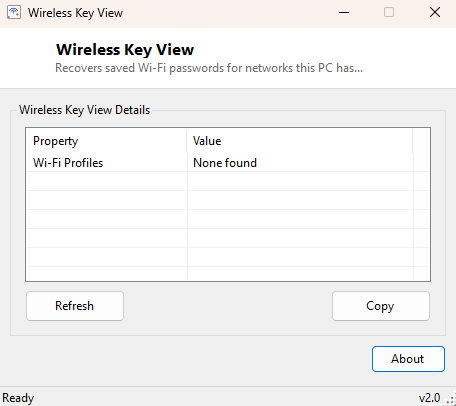
Simply launch the program — it scans and populates automatically with no configuration needed. Every saved network appears with its password in the second column. Click Refresh after connecting to a new network to add it to the list, or Copy to grab the full list for pasting elsewhere.
System Requirements & Notes
Wireless Key View runs on 64-bit Windows 10 and Windows 11. Reading saved Wi-Fi
passwords through netsh wlan generally works from a standard user
account, though some system configurations restrict this to administrators — if the
list comes back empty on a machine you know has saved networks, try running the
tool elevated. Because this tool reveals real passwords in plain text, treat its
output the same way you would treat a written-down password list.
Frequently Asked Questions
Can this find my neighbor's Wi-Fi password?
No. It can only read passwords for networks this specific PC has itself connected
to and saved; it has no ability to see or decrypt any network's password from the
outside.
Why is the password blank for one of my networks?
Open networks and networks using enterprise authentication (802.1X, often seen in
offices and universities) don't have a single shared pre-shared key to display, so
the field is correctly left blank for those profile types.
Does this work for networks I connected to a long time ago?
Yes, as long as Windows still has the saved profile — profiles generally persist
indefinitely unless you explicitly "forget" the network or a system reset clears
them, so even a network you have not joined in months will usually still show up
with its password intact.