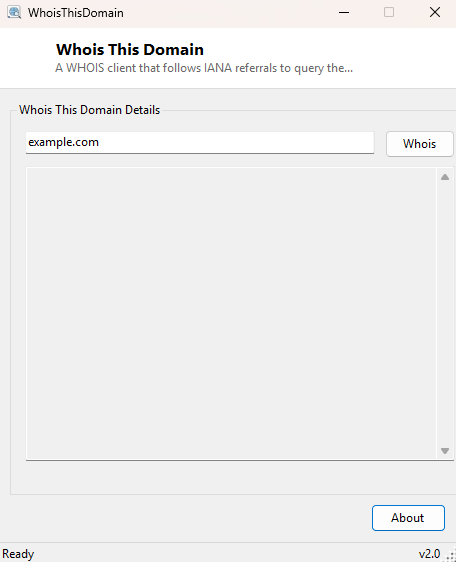
Overview
Whois This Domain is a proper WHOIS client that queries domain registration data the correct, protocol-native way — following the standard IANA referral chain to find and query the actual authoritative registry server for any top-level domain, rather than relying on a single hard-coded server that only works correctly for .com and a handful of others.
Key Features
- Automatically follows IANA referrals to the correct registry WHOIS server
- Works across different top-level domains without manual server selection
- Shows the complete raw WHOIS response text, unmodified
- Uses the real WHOIS protocol (TCP port 43) directly, not a third-party web wrapper
- No API key, rate-limited web service, or account required
Why You Might Need This Tool
Checking when a domain you own is due for renewal, confirming the registrar and nameservers currently on file for a domain you're troubleshooting, or doing basic due diligence on a domain before a purchase or partnership are all classic WHOIS use cases. Because this tool speaks the actual WHOIS protocol rather than scraping a website, it avoids the rate limits, CAPTCHAs and formatting inconsistencies that plague many browser-based "whois lookup" pages, and it works identically whether you're checking a .com, a country-code domain, or a newer generic top-level domain.
How It Works
WHOIS is a decades-old, deliberately simple protocol: connect over TCP to port 43, send the
query term followed by a line break, and read back whatever plain text the server sends
until it closes the connection. The complication is that no single server holds
authoritative data for every domain — each top-level domain's registry runs its own WHOIS
server. This tool solves that correctly by first querying whois.iana.org,
the Internet Assigned Numbers Authority's own root WHOIS server, which for any domain
responds with a "refer:" line pointing to the actual authoritative registry server for
that specific top-level domain. The tool parses that referral line out of IANA's response,
extracts the server hostname, and issues a second WHOIS query directly against that correct
server — using a raw Net.Sockets.TcpClient connection and
Net.Http-independent stream reading both times, since WHOIS predates HTTP
entirely and is not an HTTP-based protocol. The final raw response text from the correct
registry is displayed exactly as received.
How to Use It
Type a domain name (without http://) into the input box and click
Whois. The tool queries IANA first, follows the referral automatically,
and displays the full raw response from the correct registry server within a few seconds.
System Requirements & Notes
Requires outbound network access on TCP port 43 — some corporate or public networks block this less-common port even while allowing normal web traffic, which will cause the lookup to time out; no administrator rights are otherwise needed.
Frequently Asked Questions
Why is the output sometimes limited or redacted?
Many registries have redacted personal registrant details (name, address, email) from
public WHOIS output since GDPR and similar privacy regulations took effect; this is a
policy decision by the registry itself, not a limitation of the query.
Does this work for IP address WHOIS as well as domains?
It is built and tested around domain name queries following the IANA referral pattern;
for IP address ownership specifically, IPNetInfo is the more
appropriate tool.