Overview
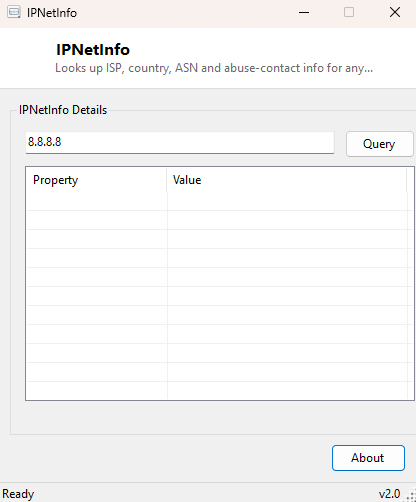
IPNetInfo takes any IP address and looks up who it actually belongs to — the ISP or hosting provider, the country, the Autonomous System Number (ASN), and abuse-contact information — turning an anonymous-looking string of numbers into a genuine answer about where on the internet it actually comes from.
Key Features
- Looks up ISP/organization, country, region and city for any IP address
- Reports the Autonomous System Number (ASN) that IP's network operates under
- Displays results as a clean, scrollable property/value table
- Works for both IPv4 addresses out of the box
- No API key or account required for typical lookup volumes
Why You Might Need This Tool
Reviewing a server access log, a firewall block list, or an email header's originating IP and wanting to know "is this a legitimate cloud provider, a residential ISP, or something suspicious" is the most common reason to reach for a tool like this. It's equally useful for confirming that a public-facing IP you just configured actually resolves to the hosting provider you expect, or for basic due diligence before whitelisting or blocking a specific address on a firewall rule. Pairing it with Whois This Domain gives you both sides of an investigation — IP ownership and domain registration — from two focused, single-purpose tools rather than one bloated combined lookup service.
How It Works
IPNetInfo sends an HTTPS request via Net.Http.HttpClient to the free
ip-api.com JSON endpoint — specifically
http://ip-api.com/json/{ip} — which returns a structured JSON document
containing the IP's geolocation and network ownership data. The tool parses that response
using System.Text.Json.JsonDocument, then iterates every property the API
returned with root.EnumerateObject(), adding each field name and value as a
row in the results table automatically — rather than hard-coding a fixed list of expected
fields, this approach means the tool displays whatever the API actually provides, including
any additional fields the service might add over time, without needing a code update to
surface them.
How to Use It
Type or paste an IP address into the input box and click Query. Results populate the table below within a second or two, showing every field the lookup service returned — organization, ISP, country, region, city, timezone, latitude/longitude and ASN among them.
System Requirements & Notes
Requires an active internet connection to reach the lookup service; no administrator rights are needed. Free-tier lookup services like this one apply reasonable rate limits for very high query volumes — typical occasional manual lookups are well within normal limits.
Frequently Asked Questions
Does this work for private/internal IP addresses like 192.168.x.x?
No — private address ranges have no public ownership record, so a lookup against them will
return an error or empty result from the external service, which is expected behavior
rather than a bug.
Is my query sent anywhere besides the lookup service?
No — the IP address you enter is sent only to the lookup API to retrieve ownership data;
the tool does not log, store or transmit your query anywhere else.