Overview
TPM Information Viewer answers a question that has become suddenly important to a
lot of people who never had to think about it before: does this PC actually have a
Trusted Platform Module, and if so, is it a version modern software actually cares
about? Windows 11's minimum requirement of TPM 2.0 turned a chip most users had
never heard of into a genuine upgrade-blocker, and the built-in way to check it —
the tpm.msc management console — is a heavyweight MMC snap-in that
takes several seconds to load just to show you three or four facts. This tool shows
the same facts in under a second, in a plain window, with nothing else attached.
Beyond the Windows 11 compatibility question, the TPM also plays a quiet but constant role in day-to-day security — it is what BitLocker uses to seal disk encryption keys, what Windows Hello uses to protect biometric templates, and what a growing number of enterprise attestation and credential-guard features depend on silently in the background. Knowing whether yours is present, enabled and owned is useful well beyond a one-time upgrade check.
Key Features
- Reports whether a TPM is present on the system at all
- Shows the TPM specification version (1.2 vs. 2.0)
- Displays manufacturer ID and manufacturer-specific version strings
- Reports activation, enablement and ownership state
- Opens instantly — no MMC snap-in loading delay
- Read-only: makes no changes to TPM state or ownership
Why You Might Need This Tool
The single most common reason people reach for this tool is checking Windows 11 upgrade eligibility before running Microsoft's own PC Health Check, since a missing or disabled TPM is one of the two hardware gates (alongside Secure Boot) that most often trips people up on older-but-still-capable hardware. IT support staff use it as a fast first-pass diagnostic when a user reports that BitLocker "won't turn on" or that Windows Hello setup is failing silently — both symptoms that frequently trace back to a TPM that is present in firmware but disabled, or a spec version older than the feature actually requires. It is also genuinely useful after a BIOS update or a motherboard firmware reset, since some vendors quietly reset the TPM's enabled/disabled state along with everything else.
How It Works
The tool queries the Win32_Tpm WMI class, which lives in the special
root\CIMV2\Security\MicrosoftTpm namespace rather than the standard
root\CIMV2 namespace most system-information tools use — this is the
same namespace the Trusted Platform Module Management console itself reads from.
From the returned instance it pulls SpecVersion for the specification
version string, ManufacturerId and ManufacturerVersion for
chip identity, and the three boolean-style fields
IsActivated_InitialValue, IsEnabled_InitialValue and
IsOwned_InitialValue for state. If the WMI query returns no instance at
all — which happens on systems with genuinely no TPM hardware, including many older
desktops and some virtual machines without a virtual TPM configured — the tool
reports that plainly rather than showing blank or misleading fields.
How to Use It
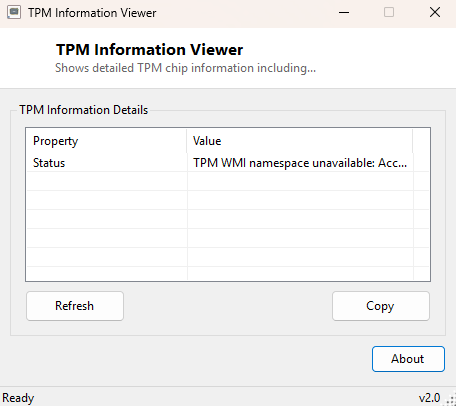
Launch the program and the full TPM report appears immediately in the results list — no target to select, no options to configure. Click Refresh if you have just changed a TPM-related BIOS setting and rebooted, and want to confirm the new state took effect. Use Copy to grab the whole report as tab-separated text for a support ticket or an inventory spreadsheet.
System Requirements & Notes
Runs on 64-bit Windows 10 and Windows 11 and does not require administrator rights — reading TPM identity and state through WMI is a standard-user operation. This tool never attempts to take ownership of, clear, or otherwise modify the TPM in any way; it is strictly read-only.
Frequently Asked Questions
My PC says "no TPM" but the BIOS has a TPM setting — what's wrong?
Most modern CPUs support firmware-based TPM (fTPM on AMD, PTT on Intel), which
ships disabled by default on many motherboards. Check your BIOS/UEFI setup for a
setting labeled "Security Device Support," "PTT" or "fTPM" and enable it, then
re-run this tool.
Is TPM 1.2 enough for Windows 11?
No — Microsoft's official requirement is TPM 2.0. This tool's specification version
field will show you exactly which one you have.