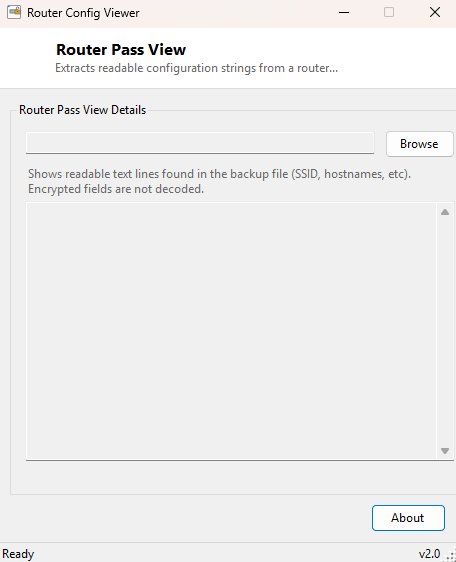
Overview
RouterPassView opens a router configuration backup file — the kind almost every
consumer router lets you export as a .cfg or .bin file
before a factory reset or firmware update — and extracts every readable, printable
piece of text buried inside it: SSIDs, hostnames, configuration key names, and any
other plain-text strings the router's firmware embedded in the file. Like MailPassView
in this same category, the name references a well-known class of tool while this
implementation makes a deliberate, stated choice: it does not attempt to decrypt or
decode any vendor-specific password encoding scheme. It shows you what is genuinely
readable as plain text and nothing more.
Key Features
- Extracts every printable ASCII string of four characters or more from any binary file
- Works on router backup files regardless of vendor, since it does not rely on a specific known format
- No attempt to decrypt, decode, or reverse-engineer proprietary password encoding
- Useful for locating SSIDs, hostnames and configuration labels quickly by eye
- Simple browse-and-scan workflow with results shown directly in a scrollable text view
Why You Might Need This Tool
Router configuration backup files are dense binary blobs that most people only ever generate once, right before resetting a router, and then never look at again unless something goes wrong. When you do need to look inside one — confirming what SSID a backup corresponds to before restoring it to the wrong device, or checking whether a found backup file actually belongs to your own network before deleting it — a raw hex editor makes that unnecessarily tedious. This tool gives you the readable text content in one pass, which is usually enough to identify the file's origin and general contents without needing to understand the router vendor's specific binary format at all.
How It Works
The tool reads the entire chosen file into a byte array and scans it sequentially,
building up a run of consecutive bytes that fall in the printable ASCII range
(0x20–0x7E). Whenever that run breaks — hitting a non-printable byte, which is most of
a binary config file — it checks whether the accumulated run was at least four
characters long and, if so, emits it as one line of output before starting a new run.
This "strings"-style extraction technique is the same basic approach the classic Unix
strings utility uses, applied here to router backup files specifically,
and deliberately does not attempt any vendor-specific decryption of password fields,
which in many router firmwares are not stored as plain text at all and would require
reverse-engineering a proprietary, undocumented format to recover.
How to Use It
Click Browse, select a router configuration backup file, and the extracted readable strings appear immediately in the text area below, one per line, in the order they were found in the file.
System Requirements & Notes
Runs on 64-bit Windows 10 and Windows 11 with no administrator rights required, since it only reads a file you explicitly choose. It does not connect to any network or router — it works entirely on a backup file already saved to disk.
Frequently Asked Questions
Will this show me my router's admin or Wi-Fi password?
Only if that specific router vendor happened to store it as unencrypted plain text
inside the backup, which varies by manufacturer and firmware version and is
increasingly uncommon on modern routers. This tool makes no attempt to decode any
encrypted or obfuscated password field.
Why does the output include a lot of text that isn't obviously useful?
Router firmware backups contain many internal configuration key names and default
strings alongside the values you actually care about — scanning through for
recognizable SSIDs or hostnames is usually the fastest way to find what you need.