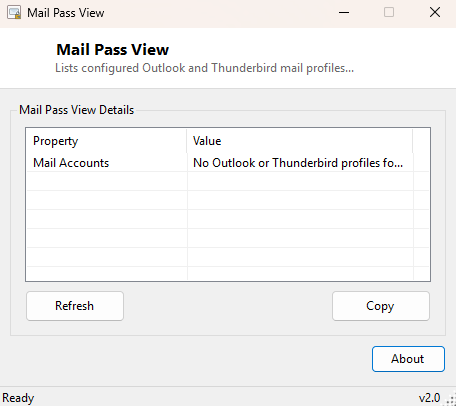
Overview
MailPassView is an inventory tool for the mail clients configured on your PC — it lists every Outlook profile and every Thunderbird profile it finds, by name, so you can quickly see what mail account configurations exist on the machine. The name deliberately echoes a well-known category of tool that recovers saved mail credentials, but this implementation makes a specific, intentional design choice worth stating plainly: it never reads, decrypts or displays a saved password. It stops at telling you which mail profiles exist, and nothing more.
Key Features
- Lists every Outlook profile found under the current user's Office registry keys
- Lists every Thunderbird profile found via that application's profiles.ini file
- Works across multiple installed Office versions automatically
- Never touches Windows Credential Manager, DPAPI-protected stores, or any password field
- Purely an inventory and audit tool — nothing here can be used to sign into an account
Why You Might Need This Tool
Before reinstalling Windows, migrating to a new PC, or simply cleaning up an old profile, it is genuinely useful to see a quick inventory of what mail configurations exist without having to open Outlook and Thunderbird separately and click through their account settings dialogs one at a time. IT support staff auditing a shared or handed-down machine also benefit from a fast way to confirm what mail profiles are present before deciding what needs to be backed up, migrated, or removed. Because this tool was deliberately scoped away from credential extraction, it is safe to use for this kind of routine inventory work without raising the same red flags a genuine password-recovery tool would.
How It Works
For Outlook, the tool walks HKEY_CURRENT_USER\Software\Microsoft\Office,
checking each installed Office version subkey for an
Outlook\Profiles registry path and listing every profile name found
there — this is purely registry-key enumeration, reading names only, never opening
the encrypted credential blobs Outlook stores separately through Windows' own
credential protection mechanisms. For Thunderbird, it reads the plain-text
profiles.ini file in the Thunderbird AppData folder, which lists each
configured profile's storage path — again, only ever reading configuration metadata,
never the separate, encrypted logins.json file Thunderbird uses to store
actual saved credentials.
How to Use It
Launch the tool and both mail clients are scanned automatically; results populate directly into the list with a clear label distinguishing Outlook profiles from Thunderbird profiles. Click Refresh after adding or removing a mail account to see the updated profile list.
System Requirements & Notes
Runs on 64-bit Windows 10 and Windows 11 with no administrator rights required, since everything it reads lives in the current user's own registry hive and AppData folder. It reports nothing about other users' mail profiles on a shared machine.
Frequently Asked Questions
Will this show me my saved email password?
No. This tool intentionally lists only profile names and never reads any password or
credential data, by design.
Does it work with webmail clients like the Outlook website or Gmail's browser interface?
No — it only covers the desktop Outlook and Thunderbird applications, which store
profile configuration locally in the ways described above; browser-based webmail
stores nothing in these locations.