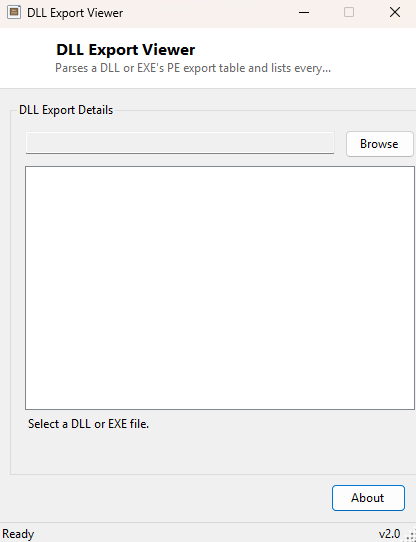
Overview
DLL Export Viewer opens a DLL or EXE file and lists every function name that file exports for other programs to call — the same fundamental question tools like Dependency Walker have answered for decades, done here with a self-contained parser that reads the Windows Portable Executable (PE) file format directly, byte by byte, rather than relying on the operating system to load the file first. That distinction matters: because this tool parses the file format on disk rather than loading the module into its own process, it can inspect a DLL safely without ever executing a single instruction from it.
Key Features
- Lists every exported function name from a chosen DLL or EXE file
- Detects and correctly parses both 32-bit (PE32) and 64-bit (PE32+) images
- Never loads or executes the target file — pure on-disk binary parsing
- Works on any well-formed PE file, not just DLLs specifically built for this tool
- Reports a clear message when a file has no export table at all
- Simple browse-and-inspect workflow with no configuration required
Why You Might Need This Tool
Developers reach for this kind of tool when they need to confirm a third-party or
in-house DLL actually exports the function name and calling signature their code
expects to P/Invoke or dynamically load with LoadLibrary and
GetProcAddress — a mismatch here is one of the most common causes of a
mysterious "entry point not found" runtime error. It is equally useful for basic
software forensics: inspecting an unfamiliar DLL found on a system to understand what
functionality it exposes before deciding whether it is safe or expected to be there,
without the risk of actually running it.
How It Works
The tool reads the target file into memory as raw bytes and walks the PE format by hand. It confirms the MZ signature at offset 0, follows the pointer at offset 0x3C to locate the PE header, reads the COFF file header to get the section count and optional-header size, then inspects the Magic field of the optional header to determine whether the image is PE32 or PE32+ — this changes where the data directory array begins. From the first data directory entry (the export table), it resolves the Relative Virtual Address to a file offset using the section header table, walked manually by comparing each section's virtual address range. From the resulting export directory it reads the name-pointer RVA table, resolves each entry through the same RVA-to-offset logic, and reads each null-terminated ASCII string as one exported function name.
How to Use It
Click Browse, choose any .dll or .exe file, and the export
list populates immediately below. If the file has no export table — true of most
ordinary executables, which only import functions rather than export them — the tool
reports that plainly instead of showing an empty, ambiguous list.
System Requirements & Notes
Runs on 64-bit Windows 10 and Windows 11 with no administrator rights required, since it only opens the target file for reading. It does not require the target file's architecture to match the tool's own — the manual PE32/PE32+ detection means it can inspect 32-bit DLLs from the 64-bit build of this tool without issue.
Frequently Asked Questions
Does this tool run any code from the DLL I open?
No. It only reads the file's bytes from disk and parses the header structures; the
DLL is never loaded into any process or executed in any way.
Can it show imported functions too, not just exports?
Not in this version — it is deliberately scoped to the export directory only, which
covers the most common "does this DLL provide the function I need" question.