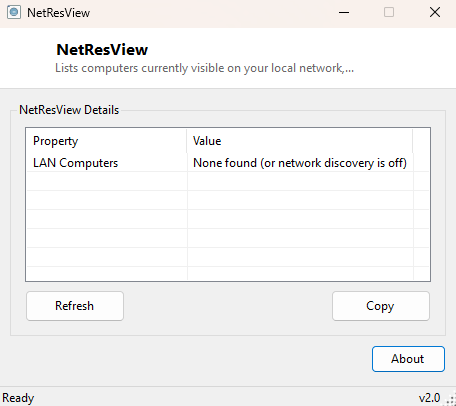
Overview
NetResView answers the classic "what other computers are on my network" question in the same way Windows itself has for decades — by listing the computers visible under Network browsing — but does it instantly, in a plain sortable window, without waiting on File Explorer's Network view to slowly populate itself and without needing Network Discovery's full UI. It is a thin, fast front end around the same underlying Windows networking infrastructure that has powered "My Network Places" since the Windows 95 era, still present and functional in modern Windows for browsing local Workgroup and Active Directory network resources.
Key Features
- Lists every computer name currently visible on the local network browse list
- Loads far faster than File Explorer's Network view for the same information
- Simple flat list with no navigation required to see results
- Uses the same underlying data Windows' own network browsing relies on
- No configuration or network scanning parameters to set up
Why You Might Need This Tool
On a small office or home network, quickly confirming which other Windows PCs are currently reachable and browsable is a common first troubleshooting step before diving into file-sharing permission issues or firewall configuration. It is also useful simply as a faster alternative to opening File Explorer, waiting for the Network node to expand, and hoping Network Discovery has actually populated the list — a process that can be noticeably slow on larger or more restrictively configured networks. Because this tool wraps a command that has existed since early Windows networking, it also works reliably in older, simpler Workgroup-based network setups that some newer network-browsing UI has become less consistent with over the years.
How It Works
NetResView launches the classic net view command-line utility as a
hidden child process with its standard output redirected, then parses the resulting
text table — which lists each visible computer's UNC-style name (in the form
\\COMPUTERNAME) under a header row — extracting every line that begins
with the double-backslash UNC prefix and presenting it as a clean list rather than raw
console text. This relies on the same NetBIOS/SMB browse-list mechanism Windows
Explorer's Network view uses internally, just accessed through the command-line tool
rather than the graphical shell.
How to Use It
Simply launch the tool — the network computer list populates automatically on startup by running the underlying command once. If a computer you expect to see is missing, it is most often because that machine has Network Discovery disabled, is on a different network profile (Public networks hide browsing by default), or is simply offline at the moment you ran the scan.
System Requirements & Notes
Runs on 64-bit Windows 10 and Windows 11 with no administrator rights required. Results depend entirely on your network's browsing configuration and the target computers' Network Discovery settings — this tool cannot see machines that have chosen not to be discoverable.
Frequently Asked Questions
Why does the list sometimes miss a PC I know is on the network?
Network browsing depends on each machine's Network Discovery setting and its current
network profile (Private networks allow browsing; Public networks typically do not).
A missing entry usually means one of those settings, not a fault in this tool.
Can this tool see devices that aren't Windows PCs, like printers or NAS boxes?
Only if those devices implement the same SMB/NetBIOS browse-list protocol Windows
uses — many modern NAS devices and network printers do, and will appear alongside
Windows machines when they do.