Overview
HashCheck Shell Extension automates the tedious part of verifying downloaded files
against a published checksum manifest — instead of hashing files one at a time and
manually comparing each result against a list, point this tool at a single
.md5, .sha1, .sha256 or .sfv
manifest file, and it hashes and verifies every listed file in that manifest's folder
in one pass, reporting OK, MISMATCH or MISSING for each entry.
Key Features
- Parses standard checksum manifest formats (space-separated and asterisk-separated hash/filename pairs)
- Auto-detects the hash algorithm per entry from the hash string's length (MD5, SHA-1 or SHA-256)
- Verifies every listed file against its manifest entry in a single batch operation
- Clearly reports OK, MISMATCH or MISSING for each file rather than a single pass/fail summary
- Works from any folder — no shell integration or right-click menu installation required
Why You Might Need This Tool
Software distributors and archive maintainers commonly publish a checksum manifest alongside a batch of files specifically so downloaders can confirm nothing was corrupted or tampered with in transit. Verifying that manually — opening each file, computing its hash, and comparing against the published value by eye — does not scale past a handful of files and is exactly the kind of repetitive, error-prone task a small tool should automate. This is especially useful after downloading a large multi-file archive, a set of disk images, or a directory of assets where even one silently corrupted file could cause problems much later if it goes unnoticed.
How It Works
The tool reads the chosen manifest file line by line, splitting each non-empty, non-comment line into a hash value and a file name using either the SFV-style asterisk separator or a plain space separator, whichever the line actually uses. For each parsed entry it looks up the referenced file in the manifest's own folder; if the file exists, it computes the matching hash using .NET's built-in MD5, SHA-1 or SHA-256 implementation, chosen automatically based on the hash string's character length (32 hex characters for MD5, 40 for SHA-1, 64 for SHA-256), and compares the computed digest against the manifest's value using a case-insensitive match. Results populate a table immediately as each file is checked.
How to Use It
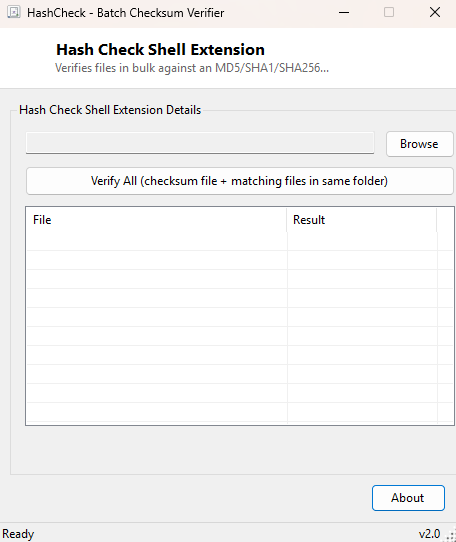
Click Browse, select the checksum manifest file (it must be in the same folder as the files it references), and click Verify All. The result table fills in as each listed file is checked, ending with a complete OK/MISMATCH/MISSING status for every entry in the manifest.
System Requirements & Notes
Runs on 64-bit Windows 10 and Windows 11 with no administrator rights required, since it only reads files you have access to in the manifest's own folder. Larger files take proportionally longer to hash, since the entire file content must be read to compute any cryptographic digest.
Frequently Asked Questions
What manifest formats does this tool understand?
Standard hash filename and hash *filename line formats, the
same conventions used by md5sum, sha1sum, sha256sum
and classic SFV files.
What does a MISMATCH result actually mean?
It means the file's computed hash does not match the value published in the manifest —
almost always a sign of file corruption during transfer, though in rare cases it can
also indicate the file was modified after the manifest was created.