Overview
Handle answers one of the most quietly frustrating questions in Windows: "who is holding this file open?" Every experienced Windows user has hit the moment where Explorer refuses to delete, rename or move a file with nothing more helpful than "This action can't be completed because the file is open in another program" — and then has to guess which of the forty processes currently running is the culprit. Handle removes the guesswork entirely. Point it at a file, click one button, and it tells you exactly which process (or processes) currently have that file locked open, by name and process ID.
The name and purpose are a direct nod to the classic Sysinternals handle.exe
command-line tool, which has been the standard answer to this exact question for
system administrators for over two decades. This version wraps the same underlying
detection mechanism in a simple point-and-click window rather than a command-line
flag syntax to remember.
Key Features
- Detects every process currently holding a chosen file open
- Shows both the process name and its numeric process ID (PID)
- Uses the same official Windows mechanism the Windows shell itself relies on internally
- Works without installing any driver or kernel component
- Simple browse-and-check workflow — no command-line syntax required
- Read-only by design: Handle only reports locks, it never closes anything itself
Why You Might Need This Tool
The most common trigger is exactly the scenario above — a file refuses to delete, move or be overwritten by an installer, and you need to know what to close before trying again. It comes up constantly with log files a background service keeps open, media files a preview pane or thumbnail cache is still touching, and project files an editor left locked after what looked like a clean close. It is also genuinely useful before ejecting a USB drive or unmounting a network share — running Handle against a folder on that drive first can save you from a corrupted transfer caused by unplugging while something is still mid-write. Unlike blindly closing programs one at a time and retrying, Handle tells you precisely which process to target the first time. Software installers and uninstallers benefit from the same check — running Handle against a file the installer keeps complaining about often reveals a leftover background process from a previous install attempt that never fully exited.
How It Works
Handle uses the Windows Restart Manager API — the same official mechanism Windows
Installer and Windows Update use internally to figure out which running applications
need to close before a patch or install can proceed safely. It calls
RmStartSession from rstrtmgr.dll to open a session, registers
the chosen file with RmRegisterResources, and then calls
RmGetList to ask Windows which processes currently have that specific
file open. Windows itself walks its internal handle tables to answer this — Handle
is not scanning process memory or guessing, it is asking the operating system
directly through the same P/Invoke-accessible API Microsoft designed for exactly
this purpose. Each returned process ID is then resolved to a friendly process name
via Process.GetProcessById before being listed on screen.
How to Use It
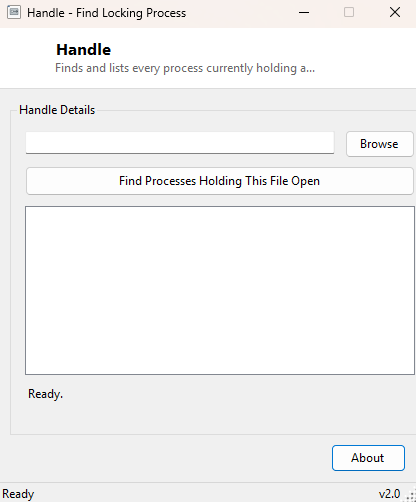
Click Browse and select the file that will not delete, move or rename. Click Find Processes Holding This File Open, and within a second or two the list fills with every process currently locking it. If the list comes back empty, the file is not actually locked by anything Restart Manager can see, and the "file in use" error may be transient — closing and retrying the original operation often works at that point.
System Requirements & Notes
Handle runs on 64-bit Windows 10 and Windows 11 and does not require administrator rights to query which processes hold a file open, since the Restart Manager API is available to standard user accounts for files the user has permission to read. If you also want to close the reported processes and delete the file in one step rather than closing them manually, see Unlocker, which uses this same detection technique and adds that extra action.
Frequently Asked Questions
Does Handle close the processes it finds?
No — Handle is strictly read-only. It reports what is locking the file and stops
there, leaving the decision of what to close entirely up to you.
Why does it sometimes show system processes I don't recognize?
Background services like search indexing, antivirus scanning or a cloud-sync client
frequently hold a brief handle on files they are actively scanning or syncing; this
is normal and the lock is often released within moments.