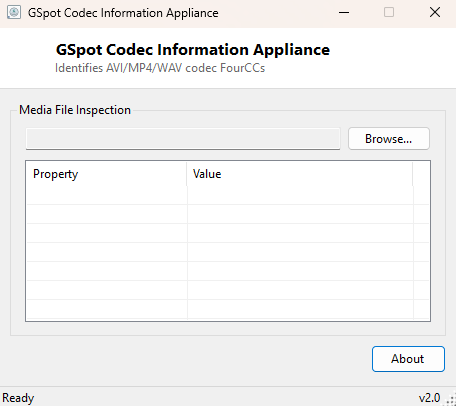
Overview
GSpot Codec Information Appliance revives a very specific, once-common question from the era of downloadable AVI video files and codec packs: what codec does this particular file actually need to play? Modern streaming and MP4-based video have made this question rarer, but old AVI files, archived recordings, and files pulled from older devices or software still show up regularly, and Windows itself gives you no easy way to see the exact codec identifier a file requires without either already having a working media player and squinting at its properties dialog, or resorting to a much heavier full media-analysis suite. This tool parses the file's own container format directly to answer the question in seconds.
Key Features
- Identifies video and audio codec FourCC identifiers directly from an AVI file's own header
- Distinguishes video streams from audio streams automatically
- Basic container-type detection for MP4/MOV (ISO Base Media) and RIFF/WAV files
- Reports file size and extension alongside codec detail for quick reference
- Works without needing any codec pack, media player, or external library installed
Why You Might Need This Tool
If a video file refuses to play, or plays with no sound, or plays as a black screen with audio, the very first diagnostic question is almost always "what codec does this file actually use" — and for an AVI file whose extension gives you no information about that at all, this tool answers it directly by reading the file's own internal stream headers rather than guessing from the file extension or relying on a media player's own (sometimes silent) codec-detection logic. It is also useful for archival and cataloguing purposes, confirming what codec a batch of old video files actually uses before deciding whether they need re-encoding to remain playable on current software.
How It Works
For AVI files, the tool confirms the RIFF/AVI signature at the start of the file, then
performs a linear byte-by-byte scan looking for the four-character chunk marker
strh (stream header), which the AVI container format embeds once per
audio or video stream. Immediately following each strh marker and its
4-byte chunk size, the stream header data begins with a 4-byte fccType
field (vids for video or auds for audio) followed immediately
by a 4-byte fccHandler field — the actual codec FourCC, such as
XVID, DIVX or H264 — which the tool extracts and
labels according to its stream type. For MP4/MOV files it checks for the
ftyp box signature to confirm the ISO Base Media container format without
attempting the considerably deeper box-tree parsing that format requires to reach
codec-level detail, and for generic RIFF files without the AVI marker it correctly
identifies WAV-style audio containers.
How to Use It
Click Browse, select a media file, and the tool reports its container type immediately, followed by every video and audio codec FourCC it found in the file's stream headers, labeled clearly by stream type.
System Requirements & Notes
Runs on 64-bit Windows 10 and Windows 11 with no administrator rights required, and reads only the file you select — nothing is installed, and no codec pack is required or affected by using this tool.
Frequently Asked Questions
Can this tool install the codec it identifies?
No — it is purely an identification tool. Once you know the codec FourCC a file
needs, you can look up an appropriate, trustworthy codec pack or player separately.
Why doesn't it show detailed codec information for MP4 files the way it does for AVI?
MP4's ISO Base Media box structure nests codec information much deeper than AVI's flat
stream-header layout, requiring considerably more parsing to reach reliably; this
lightweight tool intentionally stops at confirming the container type for that format
rather than attempting an incomplete deep parse.