Overview
Drive Temperature Viewer reads the physical operating temperature reported by each hard drive and solid-state drive attached to your system, pulling that data straight from the modern Windows Storage Management stack rather than relying on parsing raw S.M.A.R.T. bytes by hand. Unlike some of its neighbors in this catalog that have to explain why a piece of hardware data simply isn't available through standard APIs, drive temperature genuinely is exposed cleanly on most modern NVMe and SATA drives — making this one of the more reliably successful "hot data" readers in the collection.
Storage devices are frequently overlooked in thermal troubleshooting compared to CPUs and GPUs, but a drive running consistently hot — particularly a small M.2 NVMe SSD tucked under a graphics card with no airflow — can throttle its own performance or, over the long term, shorten its usable lifespan. This tool exists to make that number visible in seconds.
Key Features
- Reads live temperature for every physical disk that reports it
- Works across both SATA and NVMe drives via the modern Storage Management provider
- Auto-refresh option for ongoing monitoring during heavy disk activity
- One-click Copy to clipboard
- No third-party driver required
- Instant startup, single-window interface
Why You Might Need This Tool
If a system feels sluggish during large file transfers, video editing scratch-disk work, or a long game install, a genuinely overheating SSD is a real and commonly overlooked culprit — many NVMe drives will silently throttle write speeds once they cross an internal temperature threshold to protect the controller. Confirming drive temperature before assuming the problem lies elsewhere (a busy CPU, insufficient RAM, a fragmented HDD) can save considerable troubleshooting time, and this tool gets you that number without installing a full SSD-vendor toolbox application.
How It Works
The tool enumerates physical disks through MSFT_PhysicalDisk in the
root\Microsoft\Windows\Storage WMI namespace — the modern Storage
Management API that PowerShell's own Get-PhysicalDisk cmdlet is built
on — and for each disk it invokes the
GetStorageReliabilityCounter WMI method, which returns a
MSFT_StorageReliabilityCounter object containing a
Temperature field reported directly by the drive's own controller
firmware, expressed in degrees Celsius. This is the same mechanism SSD Wear Level
Checker and SSD Health Percentage Viewer use to read wear-out data from the same
reliability counter object, just reading a different field from it. Where a drive's
controller or driver does not populate this counter — occasionally seen on older or
certain USB-bridge external drives — the tool reports that plainly rather than
guessing.
How to Use It
Launch the tool and every physical disk with reportable temperature data appears immediately. Enable auto-refresh before starting a large file copy or a benchmark run to watch the temperature climb in real time, and disable it again once you are done to avoid unnecessary background polling.
System Requirements & Notes
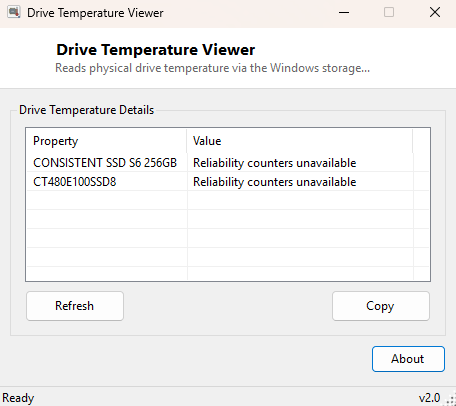
Runs on 64-bit Windows 10 and 11. Reading the Storage Management reliability counters typically does not require administrator rights on a standard desktop installation, though some locked-down enterprise configurations may restrict WMI method invocation to elevated accounts — if the tool reports "Reliability counters unavailable," try running it as Administrator.
Frequently Asked Questions
Does this work on external USB drives?
Sometimes — it depends on whether the USB-to-SATA/NVMe bridge chipset passes SMART
and reliability data through to Windows, which many budget external enclosures do
not.
What temperature is too hot for an SSD?
Most consumer NVMe drives are rated to operate safely up to roughly 70°C, with
throttling often beginning somewhere above 75-80°C depending on the model; check your
specific drive's datasheet for exact thresholds.