Overview
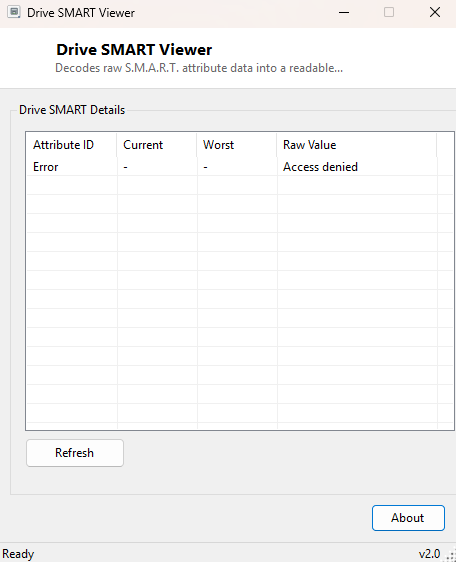
Every modern hard drive and SSD continuously tracks its own health through a standard called S.M.A.R.T. (Self-Monitoring, Analysis and Reporting Technology) — a table of numbered attributes covering things like reallocated sector count, power-on hours, read error rate and temperature, each with a current value, a worst-recorded value, and a raw counter. Windows quietly receives this data from the drive controller but does not expose it anywhere in its own UI. Drive SMART Viewer reads the raw attribute table directly and decodes it into a plain, readable grid — the same category of data tools like CrystalDiskInfo built their reputation on, presented here as a lightweight, single-purpose viewer.
Because SMART data is the earliest warning sign most drives give before an actual failure, being able to check it in under a minute — without installing a heavier diagnostic suite — is genuinely valuable. A climbing reallocated-sector count or a rising raw read-error-rate value, caught early, is the difference between a planned drive replacement and a surprise data-loss event.
Key Features
- Decodes the full raw SMART attribute table for every detected drive
- Shows Attribute ID, Current value, Worst-recorded value, and Raw value per row
- No interpretation guesswork — displays the numbers exactly as the drive controller reports them
- Refresh button to re-read live data at any time
- Honest fallback message on drives or systems where SMART data is not exposed
- Zero write access to the drive — this is a read-only diagnostic tool
Why You Might Need This Tool
The most valuable use is preventive: periodically checking a drive's SMART table the way you might check a car's oil level, so a slowly worsening problem gets caught while there is still time to back up data and plan a replacement rather than discovering the drive is already gone. It is equally useful reactively — if a PC has started behaving oddly (slow file access, occasional read errors, unusual noises from a spinning hard drive), a quick SMART check is often the fastest way to confirm or rule out failing hardware as the cause before spending time chasing software explanations. Anyone buying a used drive or PC also benefits from a SMART check as a basic health verification before trusting it with real data.
How It Works
The tool queries the root\WMI namespace's
MSStorageDriver_ATAPISmartData class, which exposes each drive's raw
SMART data as a VendorSpecific byte array — the exact bytes the ATA
SMART READ DATA command returns from the drive controller. Rather than relying on
any pre-parsed interpretation, Drive SMART Viewer decodes this array itself
following the standard ATA SMART attribute table layout: a 30-entry table starting
at byte offset 2, with each entry occupying 12 bytes — attribute ID at the first
byte, current value at offset+3, worst-recorded value at offset+4, and a 6-byte raw
counter spanning offset+5 through offset+10, reconstructed as a 48-bit integer.
This byte-level parsing is exactly the technique real disk-health tools use
internally, made visible here rather than hidden behind a simplified pass/fail
indicator, because the raw numbers are often more informative than a single health
percentage once you know which attribute IDs matter for your specific drive type.
How to Use It
Launch the tool and it immediately reads SMART data for every drive Windows exposes it for, listing each attribute row by row. Click Refresh at any time to re-read current values — useful if you want to watch a specific attribute like temperature change during a heavy write operation. If a drive or system does not expose SMART data at all (common on some external USB enclosures that do not pass ATA commands through, or certain RAID controllers that intercept them), the tool says so plainly rather than showing misleading empty rows.
System Requirements & Notes
Drive SMART Viewer runs on 64-bit Windows 10 and Windows 11 and does not require administrator privileges to read this WMI class on most systems. It makes no changes to any drive and issues no write commands whatsoever — this is a strictly read-only diagnostic.
Frequently Asked Questions
What attribute IDs matter most for spotting a failing drive?
Reallocated Sector Count (05), Current Pending Sector Count (C5) and Uncorrectable
Sector Count (C6) are the classic early-warning attributes on hard drives; any
non-zero and climbing raw value there is worth taking seriously.
Why does one of my drives show no data at all?
Some external USB enclosures and certain RAID/NVMe configurations do not pass raw
ATA SMART commands through to Windows' WMI provider, so no data is available to
read regardless of which tool you use.
Is this the same as an SSD health percentage?
Not exactly — see SSD Health Percentage
Viewer for a single simplified percentage derived from the drive's wear-level
counter; this tool shows the full raw attribute table instead.