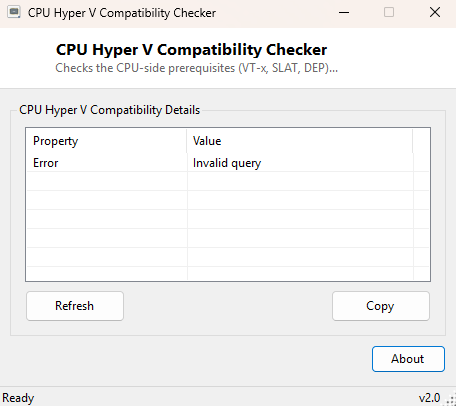
Overview
CPU Hyper-V Compatibility Checker verifies the CPU-side prerequisites Windows needs before it will let you enable Hyper-V, WSL2, Docker Desktop, or any other feature built on Windows' hardware virtualization stack. Rather than enabling the "Hyper-V" optional feature and discovering afterward that it silently failed to activate, this tool checks the underlying hardware capability flags directly and reports whether each one is present and, where meaningful, currently active.
Key Features
- Checks whether hardware virtualization (VT-x/AMD-V) is enabled in firmware
- Reports VM Monitor Mode Extensions support
- Checks Second Level Address Translation (SLAT) support, required by Hyper-V
- Reports Data Execution Prevention availability
- Shows whether a hypervisor is already running on the system right now
- Instant, read-only results
Why You Might Need This Tool
Enabling Hyper-V or WSL2 only to be met with a vague error message is a common frustration, and the root cause is almost always one of a small number of CPU or firmware settings — virtualization disabled in BIOS being the most frequent one by far. Running this check before attempting to enable virtualization features saves a round trip through Windows Features and a restart, by confirming upfront whether the hardware side is actually ready.
How It Works
The tool queries WMI's Win32_Processor class for four properties:
VirtualizationFirmwareEnabled (whether VT-x/AMD-V is turned on in
firmware right now), VMMonitorModeExtensions,
SecondLevelAddressTranslationExtensions (SLAT, a hard requirement for
Hyper-V specifically), and DataExecutionPrevention_Available. It also
queries Win32_ComputerSystem's HypervisorPresent
property, which reports whether a hypervisor is already actively running — useful
for confirming Hyper-V or another hypervisor is genuinely active, not just
installed.
How to Use It
Open the tool and each prerequisite appears as a clear Yes/No/Unknown result. If
VirtualizationFirmwareEnabled shows No, the fix is almost always in
your motherboard's BIOS/UEFI setup screen, under a setting named Intel VT-x, AMD-V,
SVM Mode, or similar depending on manufacturer.
System Requirements & Notes
Runs on Windows 10 and 11 x64 without administrator rights, since these are
read-only capability queries. It does not enable Hyper-V or any Windows feature
itself — that remains a separate step through Windows Features or
dism.
Frequently Asked Questions
All checks pass but Hyper-V still won't enable — why?
A small number of laptops require a separate "Virtualization Technology" toggle in
firmware distinct from the basic VT-x flag, and some antivirus or third-party
hypervisor software can also conflict with Hyper-V activation.
Can this tool enable virtualization for me?
No — firmware-level virtualization must be enabled manually in BIOS/UEFI setup;
this tool can only report its current state.