Overview
BulletsPassView reveals the real text hidden behind bullet-masked or asterisk-masked password fields in other windows currently open on your own desktop. Anyone who has typed a password into a login box, walked away, come back, and forgotten exactly what they typed — while the field still shows nothing but dots — will recognize the specific, narrow problem this tool solves. It works only on your own active session, on fields that are visibly open in front of you right now; it has no ability to reach into another user's session, a remote machine, or a closed application.
This is a deliberately narrow, local-only recovery tool. It reveals what standard Win32 password edit controls are already storing in plain text internally — the masking is purely visual — rather than decrypting or extracting anything from a protected credential store.
Key Features
- Reveals the underlying text of any standard Win32 password-masked edit control currently on screen
- Works across other open application windows, not just the current one
- Results list shows the source window handle alongside the recovered text
- Single-click operation — no configuration or target selection needed
- Reads only currently visible windows in your own session; nothing persists or is logged
Why You Might Need This Tool
The classic scenario is exactly the "I typed it and forgot it" moment: you filled in a password field in some application, got interrupted, and now the field shows only bullets while you have genuinely lost track of what you typed. Rather than clearing the field and trying to remember or guess again, BulletsPassView reads the real value straight back out. It is equally useful when an application's saved-password field shows a masked value you want to confirm or copy elsewhere, and there is no built-in "show password" checkbox provided by that particular application.
How It Works
Standard Windows Edit controls with password masking (the ES_PASSWORD
style) still hold the actual typed characters in memory — only the on-screen rendering
is replaced with bullet characters. The tool uses EnumWindows to walk
every top-level window currently open, then EnumChildWindows on each one
to reach every child control. For each control with the window class name "Edit," it
sends the EM_GETPASSWORDCHAR message to check whether password masking is
active; if it is, it follows up with WM_GETTEXTLENGTH and
WM_GETTEXT to retrieve the field's actual stored text, exactly the way
any well-behaved accessibility tool reads text from a standard Win32 control. Matches
are listed with the owning window's handle so you can identify which application and
field each recovered value came from.
How to Use It
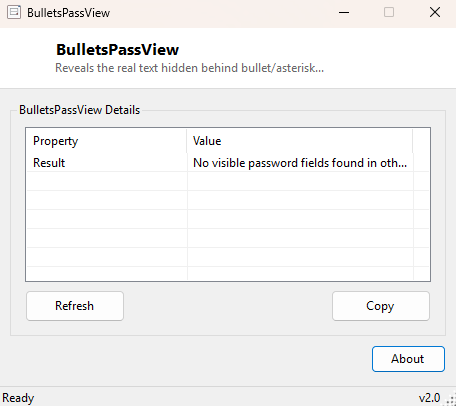
With the application containing the masked password field still open somewhere on your desktop, launch BulletsPassView and click Refresh. The tool scans every visible window and lists any password field it finds along with its recovered text. If the field you need is not showing, confirm the source window is still open (not minimized to the taskbar in a way that closes it) and try again — some modern applications built on non-standard UI frameworks do not use the classic Win32 Edit control this technique depends on, and their fields will not appear.
System Requirements & Notes
Runs on 64-bit Windows 10 and Windows 11 and does not require administrator privileges for windows running in your own user session at the same privilege level. It cannot read password fields in a window running elevated (as Administrator) while BulletsPassView itself runs as a standard user, since Windows' User Interface Privilege Isolation blocks lower-privilege processes from reading higher-privilege window content by design.
Frequently Asked Questions
Can this be used to spy on someone else's passwords remotely?
No. It only reads windows open in your own current desktop session on the same
machine you are running it on — there is no remote, network or cross-session
capability at all.
Does this work on browser password fields?
Modern browsers generally render their own custom form controls rather than native
Win32 Edit controls, so browser-based password fields typically will not be detected
by this technique.
Is this the same as recovering a saved password from a credential store?
No — this reads a field that is currently displayed on screen right now. For
inventorying (not extracting secrets from) saved Windows credentials, see
Vault Password View.