Overview
Windows' built-in battery indicator gives you exactly one number: a percentage. That is enough to decide whether to find a charger in the next hour, but it tells you nothing about whether the battery underneath that percentage is actually healthy. BatteryInfoView goes several layers deeper, reporting design capacity, full-charge capacity and the wear that has accumulated between the two — the same kind of data laptop manufacturers' own diagnostic utilities show, gathered here through Windows' standard management interfaces rather than a vendor-specific tool tied to one brand of laptop.
Key Features
- Reports current charge percentage, battery status and design voltage
- Reads design capacity — what the battery was rated for when new
- Reads full-charge capacity — what it can actually hold today
- Surfaces the same wear-related data laptop OEM utilities are built on
- Works entirely through Windows' own battery reporting interfaces, no vendor tool required
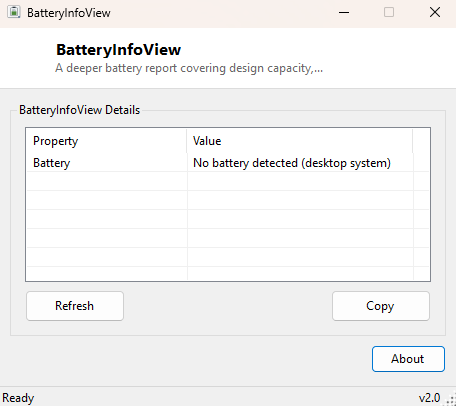
- Clearly reports "no battery detected" on desktop systems rather than showing blank fields
Why You Might Need This Tool
Laptop batteries degrade gradually and invisibly — a battery reporting "100%" charged can still be holding dramatically less energy than it did when new, because 100% simply means fully charged relative to its current, shrunken capacity, not relative to its original rated capacity. Comparing design capacity against full-charge capacity is the standard way to estimate real battery health and decide whether a shrinking runtime is normal aging or a sign the battery genuinely needs replacing. This is especially useful before buying a used or refurbished laptop, where a quick capacity check can reveal a battery that is technically "working" but already significantly worn down.
How It Works
The basic charge and status fields come from Win32_Battery — Name,
EstimatedChargeRemaining and DesignVoltage. The deeper wear data comes from two
additional WMI classes in the root\WMI namespace that standard battery
indicators do not query: BatteryStaticData, which exposes the battery's
original DesignedCapacity in milliwatt-hours as reported by its internal fuel gauge
chip, and BatteryFullChargedCapacity, which reports what the battery can
actually hold at a full charge today. Both figures come directly from the battery's own
embedded controller rather than being estimated by Windows, so BatteryInfoView is really
just presenting hardware-reported truth that Windows already has access to but does not
surface anywhere in its own UI.
How to Use It
Launch BatteryInfoView and it immediately reads and displays every available field — there is nothing to configure. On a laptop you will see charge percentage, status, design voltage, and (where the battery controller reports it) design and full-charge capacity in milliwatt-hours; comparing those last two numbers gives you a rough percentage estimate of remaining battery health. On a desktop with no battery, the tool reports that plainly instead of showing empty or misleading fields.
System Requirements & Notes
BatteryInfoView runs on 64-bit Windows 10/11 laptops and tablets and requires no administrator rights. Not every battery controller exposes DesignedCapacity or FullChargedCapacity through WMI — on some older or budget hardware only the basic charge-percentage fields will be available, in which case the tool reports what it can and notes the rest is simply not exposed by that battery's firmware.
Frequently Asked Questions
Why are the capacity fields blank on my laptop?
Some battery controllers, particularly on older hardware, do not report design or
full-charge capacity through the standard WMI battery classes — this is a firmware
limitation on the battery's own controller, not a bug in the tool.
What counts as significant battery wear?
There is no universal cutoff, but a full-charge capacity noticeably below 80% of design
capacity is a widely used rule of thumb for "this battery has aged meaningfully" in
laptop diagnostics generally.
Does this drain the battery faster while running?
No — it performs a single read of already-available data and does not poll continuously
or keep the display awake.