
SNP-2025-0017
Home / Code Snippets / SNP-2025-0017
SNP-2025-0017  ·  CODE SNIPPET

Final steps to Deploy on Netlify

Guides · Published: 2026-06-12 · Debasis Bhattacharjee
Developer Snippet Cookbook and Pocket Reference PDF cover
Developer Reference Kit · PDF

Want a clean, checked snippet book?

  • 146 copy-ready snippets: JavaScript, Python, SQL, Bash & Linux, Git, PHP, CSS & HTML, Docker
  • Each one says when to use it, how it works and what to watch out for
  • 12 one-page cheat sheets for Git, Linux, cron, HTTP, SQL, regex and more
  • Code was checked with real tools, and the SQL was run against a sample database

146 snippets and 12 cheat sheets, each snippet with a "watch out" note.

$3.99 one-time · instant email delivery
2,000 Interview Questions & Answers cover
Also available: 2,000 Interview Questions & Answers $7.99 The questions developers get asked in interviews, across 89 topics, with short answers, in-depth explanations, common mistakes and follow-ups. See what's inside →

The material stays free to read online. This is the organised, offline, print-ready PDF edition. Secure payment by PayPal; your personal download link is emailed after payment is confirmed. Digital product, no shipping.

01
Problem Statement & Scenario
The Problem

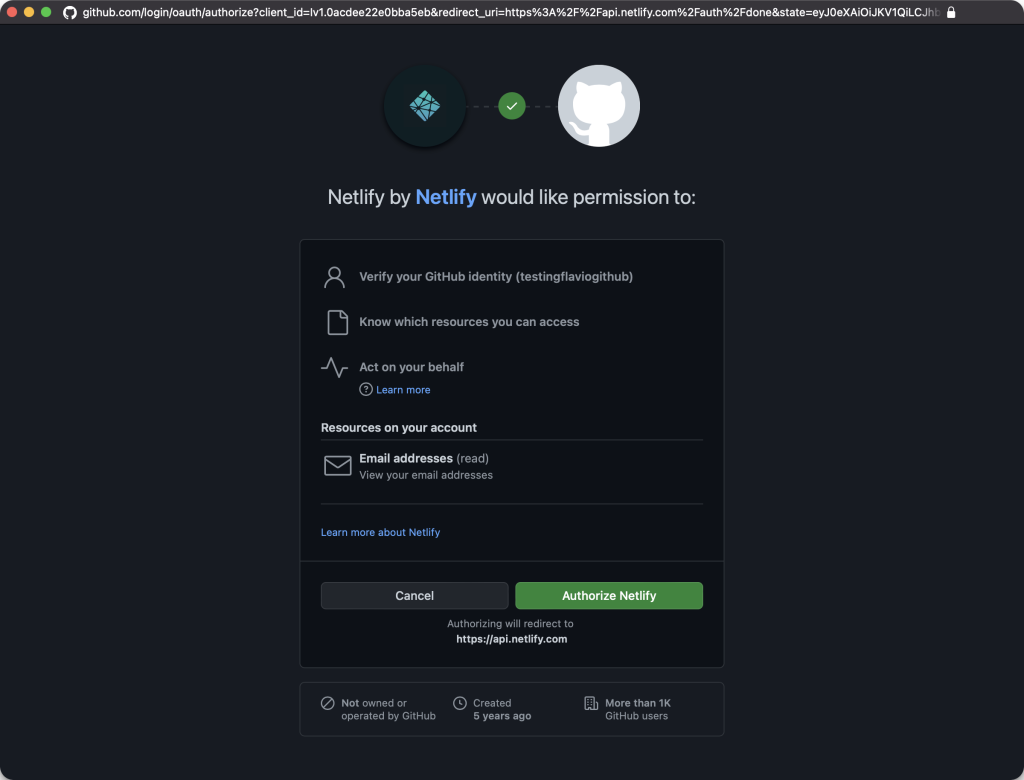
Authorize Netlify on GitHub:
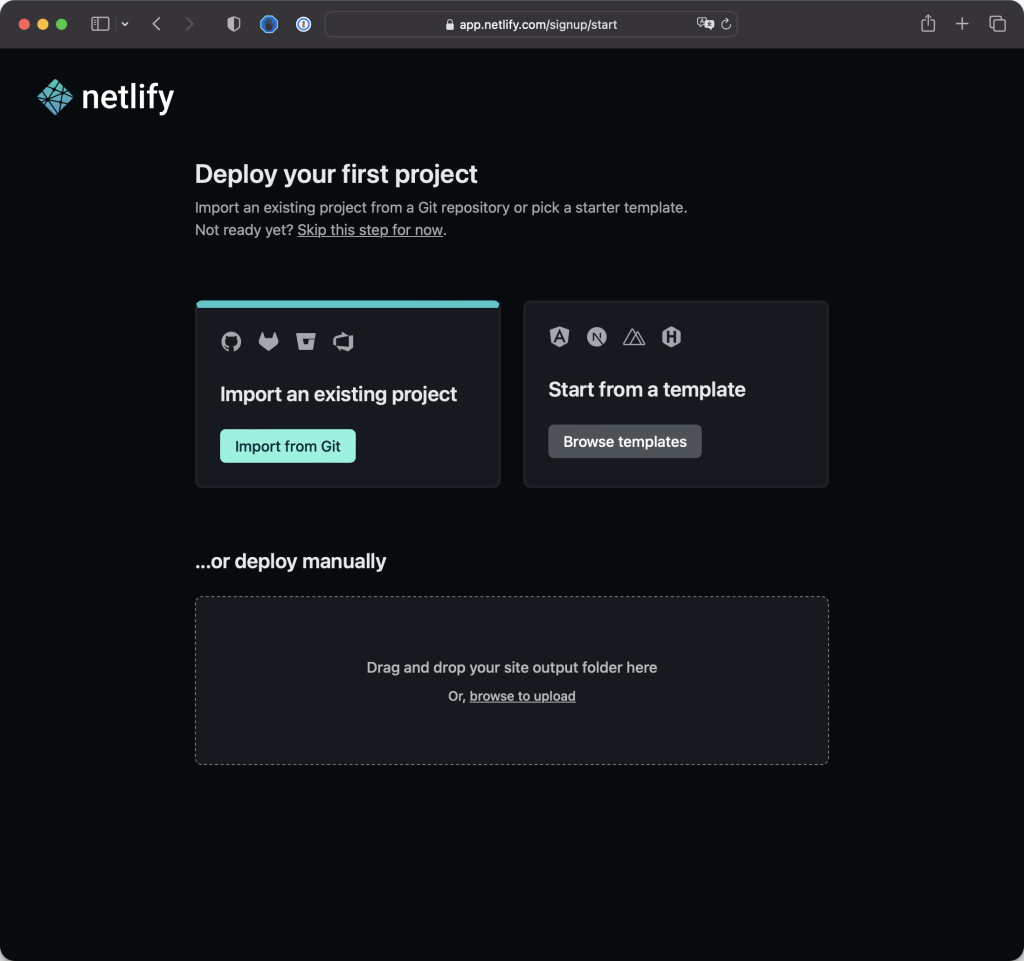
Select import method
  1. Clicked on "Import from Git" on Netlify.
  2. Chose GitHub and authorized Netlify to access GitHub repositories.

Select Repository and Deploy:

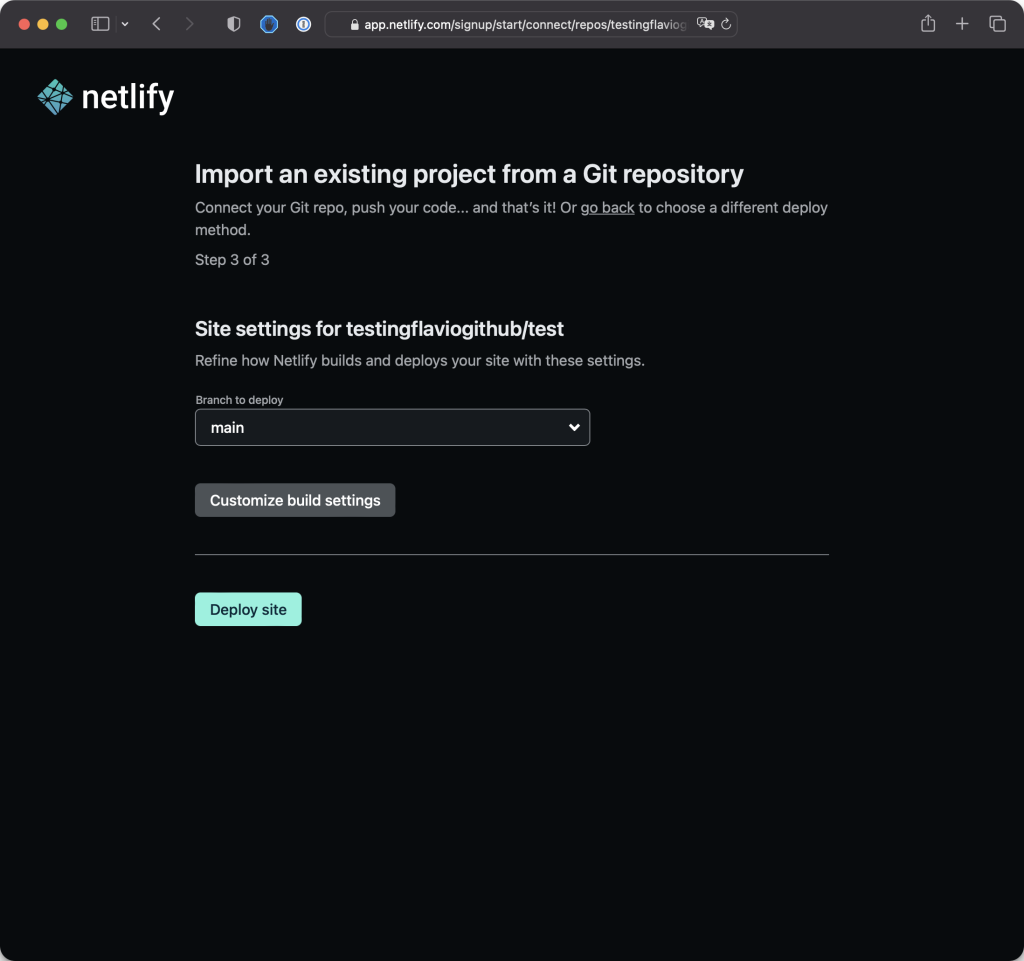
  1. Picked the GitHub repository you want to deploy.
  2. Clicked "Deploy site" on Netlify.
Allow Access

Monitor Deployment:

  1. Netlify proceeded to deploy the site using the code from the GitHub repo.
  2. You monitored the deployment progress on Netlify.

View Live Site:

  1. The site was successfully deployed on a .netlify.app domain.
  2. You viewed your live site on the provided domain.

Automatic Redeployment:

  1. Netlify automatically detected the change and redeployed the site.
  2. You saw the changes live on the .netlify.app domain.
Import from Github

Additional Tips:

  • Custom Domain: Consider buying and assigning a custom domain if your project becomes more serious. Netlify allows easy integration with custom domains.
  • Automated Deployment: The beauty of this setup is the automatic deployment. Every time you make changes, commit, and push to GitHub, Netlify takes care of deploying the updates.
  • Productivity Boost: This automated deployment process enhances productivity by eliminating manual deployment steps.

Congratulations on successfully deploying your site! If you have any further questions or if there's anything else you'd like to explore, feel free to ask. Happy coding!

1-on-1 Technical Mentorship

Want to master snippets like this?

Debasis Bhattacharjee offers direct mentorship sessions for developers looking to level up their code quality, architecture decisions, and production engineering skills. Two decades of real-world experience — no theory, just craft.