Why Workstations Lose Speed Over Time
Every single week you run your computer, invisible digital debris accumulates under the surface. Temporary caches bloat from normal daily usage, system pathways cross directions, and stealth background applications quietly attach themselves to your startup sequence.
The result? Your hardware isn't old—it's simply crowded. The utility safely unburdens your storage blocks to bring back original click responsiveness.
One-Click Simplicity. No Jargon.
Most operating toolkits on the market are intentionally confusing. They scare users with cryptic alerts or swamp you under endless, risky confirmation checklists. Our development blueprint focuses entirely on clean, background automation.
You do not need to be an administrator or understand complex software settings. Simply click the interface activation handle, let the automated sequence clean the targets, and return immediately to a light, responsive system environment.
Smart Video Cutter — Cut Your Videos Like a Pro, Without the Headache
Ever spent hours trying to figure out a complicated video editor just to trim a simple clip? Yeah, we’ve all been there. Smart Video Cutter was built specifically to fix that frustration — and honestly, once you try it, you won’t go back.
What is it, exactly?
Smart Video Cutter is a desktop video trimming and cutting tool designed for people who just want to get the job done quickly and cleanly. No bloated timelines, no subscription fees, no YouTube tutorials needed. Load your video, set your cut points, done.
Here’s what makes it genuinely impressive:
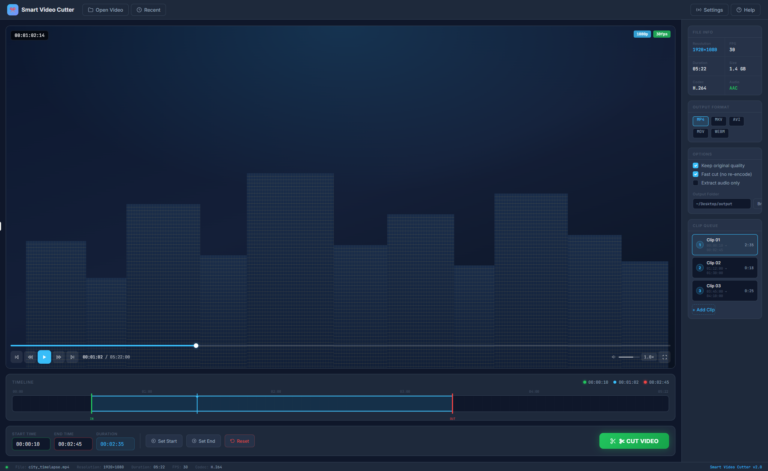
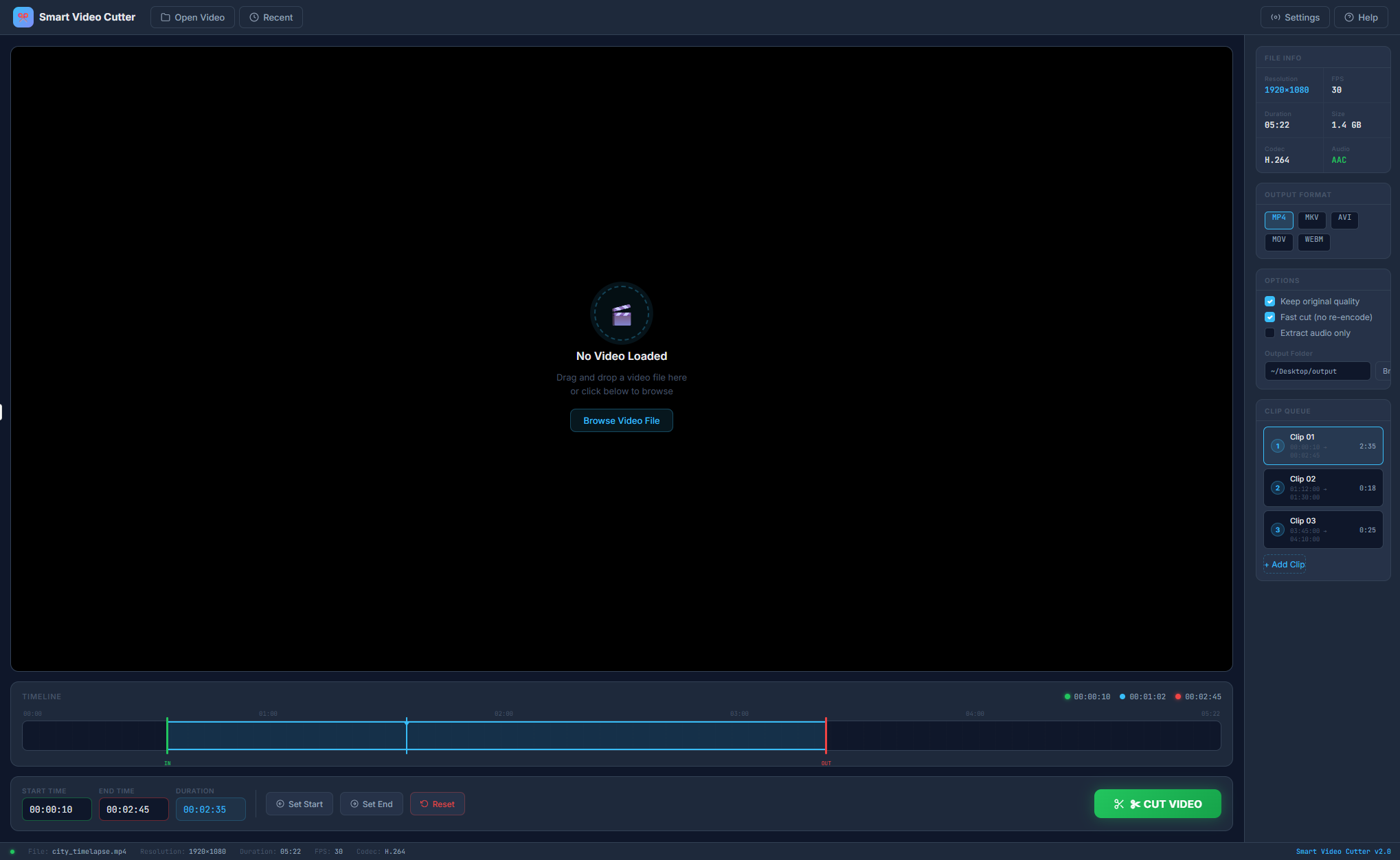
The moment you open a video, the app shows you everything you need — your file’s resolution, frame rate, file size, codec — right there in the sidebar. No guessing, no digging through file properties. It immediately tells you what you’re working with (1920×1080, 30fps, H.264, 1.4GB — boom, done).
The timeline at the bottom is clean and intuitive. You simply drag the start and end markers to where you want your cut, and the app shows you the exact Start Time, End Time, and Duration in real time. No frame-by-frame frustration. Just drag, set, cut.
The “Fast Cut” feature is a game changer. Most video editors re-encode your entire video when you trim it — which means waiting minutes (or longer) while quality degrades. Smart Video Cutter’s Fast Cut skips re-encoding entirely, so your cut is done in seconds and your video comes out exactly as crisp as the original. That’s a huge deal if you care about quality.
You can queue multiple clips from the same video. Need to pull out three different moments? Just add Clip 01, Clip 02, Clip 03 to the queue and cut them all at once. No reopening the file, no repeating steps. It’s a small feature that saves an enormous amount of time.
You also get full control over your output format — MP4, MKV, AVI, MOV, or WEBM — so whatever device or platform you’re cutting for, you’re covered. And you can choose your output folder right from the interface, so your files go exactly where you want them.
When you’re ready to cut, you hit the big green CUT VIDEO button and a clean progress dialog shows you exactly where things stand — no hanging, no wondering if it froze. It tells you the percentage and what it’s doing (finalizing, processing, etc.) so you always feel in control.
Who is this for?
Honestly? Pretty much anyone. Content creators who need to pull clips for social media. Teachers trimming lecture recordings. Families cutting out the boring parts of a holiday video. Professionals extracting specific segments from long recordings. If you’ve ever needed to cut a video and didn’t want to deal with the complexity of a full editor, this is your tool.
The bottom line:
Smart Video Cutter does one thing and does it exceptionally well. It’s fast, it preserves your video quality, it handles multiple clips in one go, and it doesn’t waste your time. If video cutting has ever felt harder than it should be, this is the answer you’ve been looking for.