Why Workstations Lose Speed Over Time
Every single week you run your computer, invisible digital debris accumulates under the surface. Temporary caches bloat from normal daily usage, system pathways cross directions, and stealth background applications quietly attach themselves to your startup sequence.
The result? Your hardware isn't old—it's simply crowded. The utility safely unburdens your storage blocks to bring back original click responsiveness.
One-Click Simplicity. No Jargon.
Most operating toolkits on the market are intentionally confusing. They scare users with cryptic alerts or swamp you under endless, risky confirmation checklists. Our development blueprint focuses entirely on clean, background automation.
You do not need to be an administrator or understand complex software settings. Simply click the interface activation handle, let the automated sequence clean the targets, and return immediately to a light, responsive system environment.
Modern Uninstaller — Take Back Control of Your Windows PC
Your Windows PC collects software the way a garage collects junk. Modern Uninstaller helps you clear it out — cleanly, quickly, and completely.
The Problem With Windows’ Built-In Uninstaller
Windows has always had a way to remove programs. But anyone who has used it knows how frustrating the experience can be. The list is unsorted and overwhelming. There’s no easy way to spot what you installed recently or what’s quietly eating up gigabytes of your storage. Some programs refuse to uninstall cleanly, leaving behind folders, registry entries, and startup items that slow your system down for years after the software is supposedly gone.
And then there’s the clutter that accumulates invisibly — browser extensions you forgot you installed, Windows Store apps running in the background, software that got bundled in with something else you actually wanted. Windows gives you no easy way to see any of this clearly.
Modern Uninstaller was built to fix exactly that.
A Cleaner, Smarter Way to Manage Installed Software
Modern Uninstaller is a lightweight Windows desktop application that gives you a clear, organized, and actionable view of everything installed on your computer. It goes far beyond the standard Add or Remove Programs panel — presenting your software in intelligent categories, surfacing the things most likely to be wasting your space, and giving you the tools to remove them quickly and completely.
The interface is clean, fast, and immediately intuitive. There’s no learning curve. From the moment you open it, you can see exactly what’s on your machine and start taking action.
Everything Installed, Organized the Way You Think
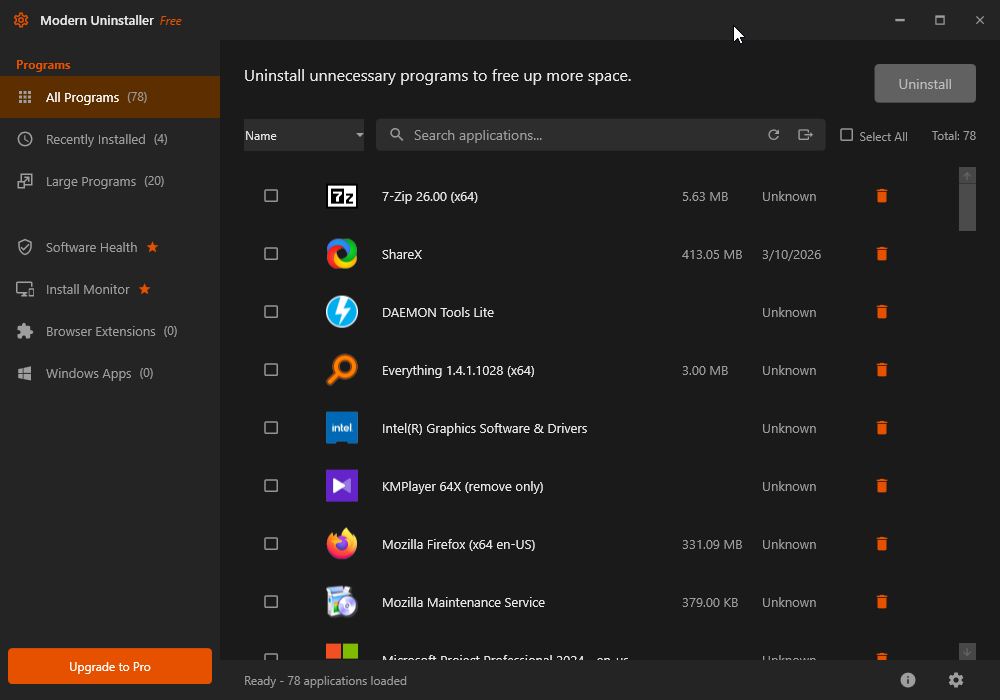
All Programs — The Complete Picture
The All Programs view gives you a full list of every piece of software installed on your Windows machine — presented clearly with program icons, names, install dates, and file sizes where available. A built-in search bar lets you find any application by name instantly, so you’re never scrolling through a wall of entries looking for something specific.
A sort control lets you reorder the list by name, size, or date — putting the information you care about front and center. Checkboxes allow you to select multiple programs at once for batch uninstallation, saving you time when you’re doing a serious cleanup session.
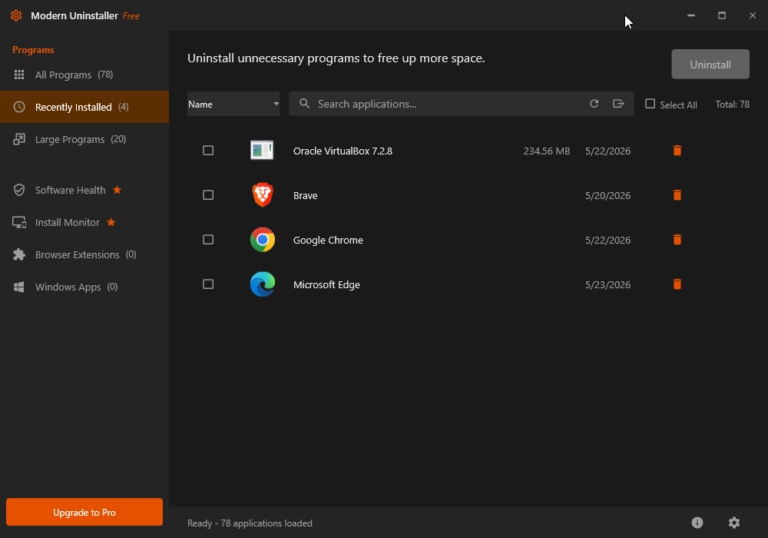
Recently Installed — Spot the Newcomers
The Recently Installed filter is one of those features that sounds simple but proves incredibly useful in practice. It automatically surfaces every program that has been added to your system in the recent past — making it effortless to catch bundled software you didn’t ask for, trial applications that snuck in during another installation, or anything else that appeared on your system without you explicitly choosing it.
If your PC ever feels slower after installing something new and you can’t put your finger on why, this view is your first stop.
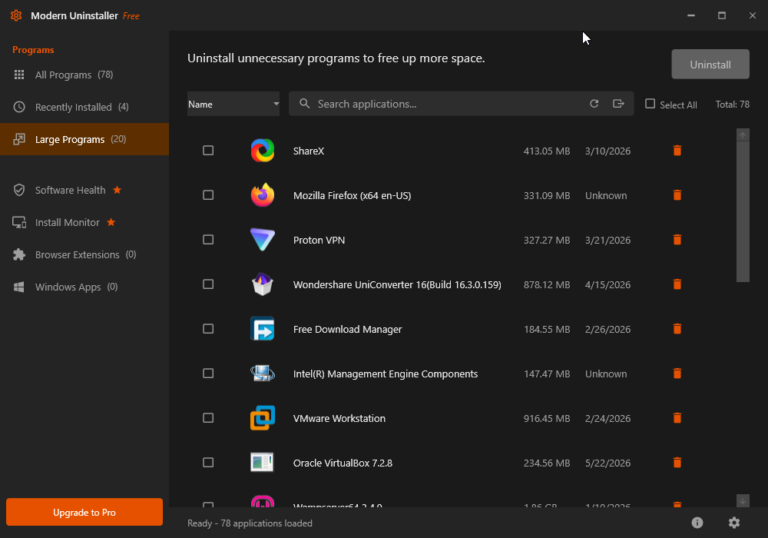
Large Programs — Reclaim Your Storage
The Large Programs view ranks your installed software by disk footprint, showing you exactly which applications are consuming the most space on your drive. With a count of the top offenders displayed right in the sidebar, you can immediately identify candidates for removal and make informed decisions about what’s worth keeping.
Whether you’re running low on disk space or simply doing a periodic cleanup, this view makes storage management fast and obvious. No need to dig through File Explorer trying to guess which programs are the biggest — Modern Uninstaller does the work for you.
Software Health — Know What’s Running Under the Hood
The Software Health feature goes beyond simple uninstallation to give you a broader picture of your system’s software environment. It highlights programs that may be affecting your PC’s performance, flagging items that deserve a closer look — startup entries, background processes, or applications with known issues.
This is the kind of insight that used to require separate utilities or a trip to a tech support forum. Modern Uninstaller surfaces it directly in the same interface where you can act on it immediately.
Install Monitor — Watch What Gets Added
Install Monitor is a proactive feature that keeps an eye on new software being added to your system. It gives you visibility into what’s arriving on your machine, helping you stay in control of your software environment over time rather than discovering unwanted programs weeks or months after the fact.
For anyone who regularly installs and evaluates new software — or who shares a computer with others — Install Monitor is an invaluable layer of awareness.
Browser Extensions — See What’s In Your Browsers
Browser extensions are among the most overlooked sources of system bloat, privacy risk, and performance degradation. Many users have extensions installed that they don’t remember adding, and some of those extensions continue running in the background, consuming memory and potentially tracking activity.
The Browser Extensions section of Modern Uninstaller brings all installed browser extensions into view from one place, giving you the awareness you need to make informed decisions about what to keep and what to remove.
Windows Apps — Manage Your Store Applications
The Windows Apps section covers the Microsoft Store applications installed on your system — the modern app layer that Windows’ own control panel handles awkwardly and incompletely. Modern Uninstaller surfaces these alongside your traditional desktop programs, giving you a unified view of your entire installed software landscape rather than forcing you to hunt through multiple system menus.
Uninstall Completely — Not Just Partially
One of the most important distinctions between Modern Uninstaller and Windows’ built-in removal tool is the quality and completeness of the uninstallation process. Standard Windows uninstallers run whatever removal routine the software developer provided — and many of those routines are incomplete, leaving behind configuration files, cache folders, and registry entries that accumulate over time and contribute to system slowdown.
Modern Uninstaller is designed with thoroughness in mind. When you remove a program, the goal is to remove it properly — leaving your system cleaner than a standard uninstall would.
Batch Uninstall — Clear the Clutter Fast
When it’s time for a serious cleanup, Modern Uninstaller’s Select All and checkbox-based multi-select functionality lets you queue up multiple programs for removal in a single pass. Rather than uninstalling programs one at a time and waiting for each removal to complete before moving to the next, you can make your selections and let Modern Uninstaller work through the list.
For anyone setting up a new PC, refreshing an older machine, or doing a periodic software audit, this capability alone saves significant time.
Free to Use — Pro Features When You Need Them
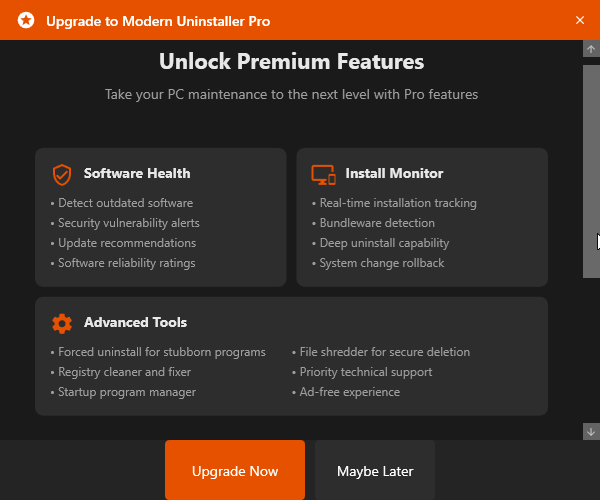
Modern Uninstaller is available as a free application with all the core features you need to manage and remove installed software effectively. For users who want deeper capabilities — enhanced cleaning, more advanced monitoring, additional health tools, and priority support — a Pro upgrade is available and easily accessible right from the application.
The free version is genuinely useful, not artificially hobbled. It’s a tool you can rely on from day one, with a clear path to more powerful features when your needs grow.
Lightweight, Fast, and Always Ready
Modern Uninstaller is designed to be on your machine and out of your way. It loads quickly, runs without bogging down your system, and presents its information immediately. There’s no bloat, no unnecessary background services, and no subscription required to use the core product.
The dark-themed interface is easy to use at any time of day, and the straightforward layout means you’ll never have to consult a manual to figure out where something is.
Your PC, Under Control
Over time, every Windows machine accumulates software — some intentional, some not. Programs that were useful once and forgotten. Trials that never got removed. Bundles that arrived uninvited. Each one leaves a trace, and those traces add up: slower startups, reduced disk space, background processes competing for memory, and a creeping sense that your PC isn’t quite as fast as it used to be.
Modern Uninstaller gives you the clarity and the tools to reverse that trend. A clean, organized view of everything installed. Smart filters that surface what matters. A reliable removal process. And the kind of ongoing visibility that keeps your system running the way it should.
Modern Uninstaller — Because a clean PC is a fast PC.