Why Workstations Lose Speed Over Time
Every single week you run your computer, invisible digital debris accumulates under the surface. Temporary caches bloat from normal daily usage, system pathways cross directions, and stealth background applications quietly attach themselves to your startup sequence.
The result? Your hardware isn't old—it's simply crowded. The utility safely unburdens your storage blocks to bring back original click responsiveness.
One-Click Simplicity. No Jargon.
Most operating toolkits on the market are intentionally confusing. They scare users with cryptic alerts or swamp you under endless, risky confirmation checklists. Our development blueprint focuses entirely on clean, background automation.
You do not need to be an administrator or understand complex software settings. Simply click the interface activation handle, let the automated sequence clean the targets, and return immediately to a light, responsive system environment.
You Have More Wasted Space Than You Think.
Every download you saved twice. Every photo you transferred from your phone and forgot you already had. Every video exported in multiple formats and left in three different folders. Every document backed up, renamed, and backed up again. Over months and years, these duplicates pile up silently — consuming gigabytes of storage you could be using for something that actually matters.
Duplicate File Finder for Windows was built to find every single one of them and put you back in control.
Three Scanners. One Tool. Total Coverage.
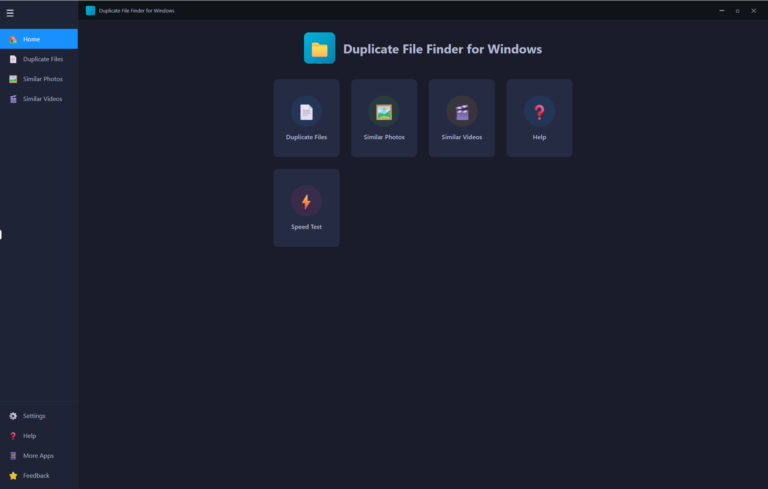
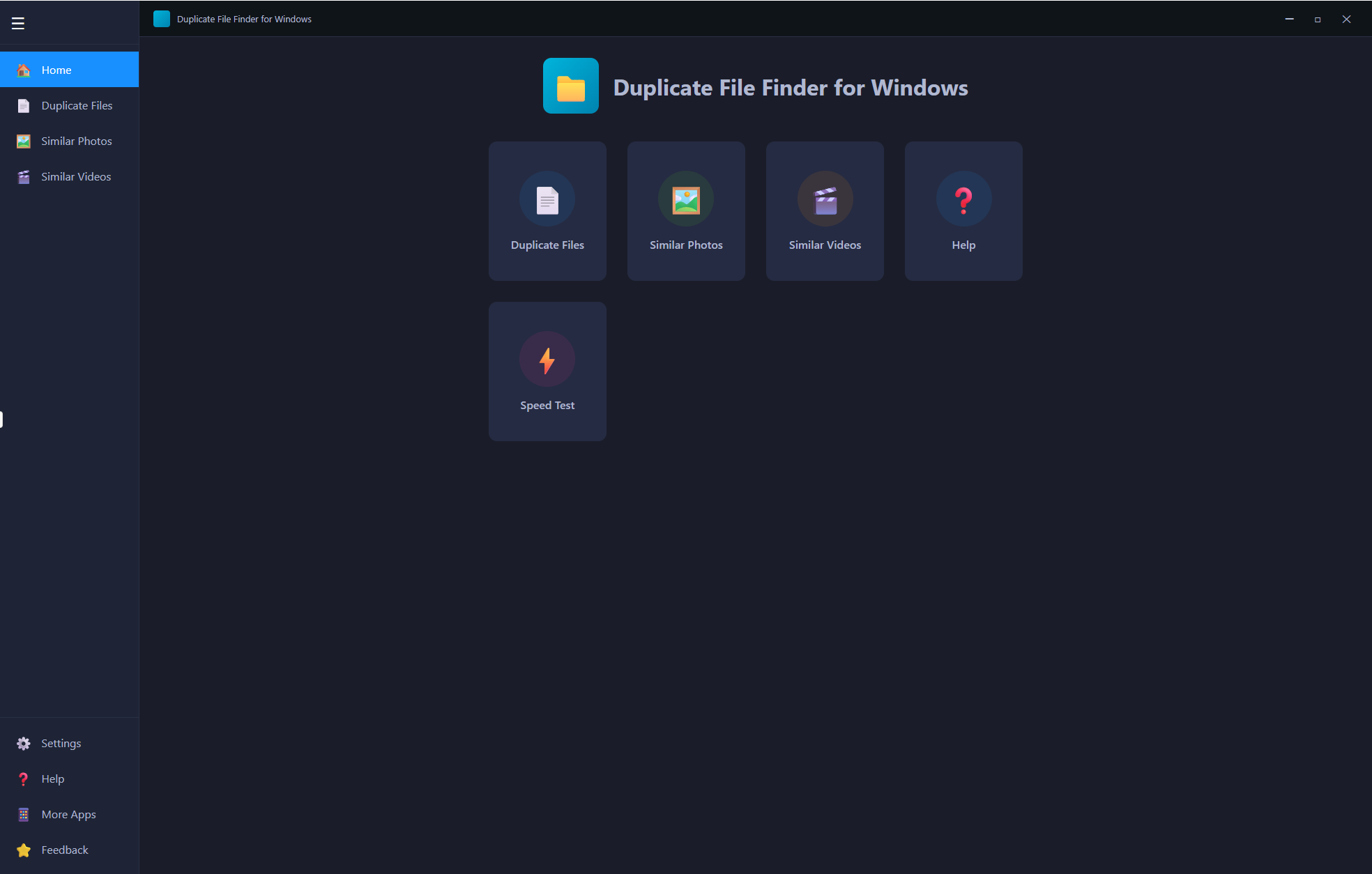
Most duplicate finders only look for exact file matches. Duplicate File Finder goes further with three dedicated scanners, each targeting a different type of wasted space:
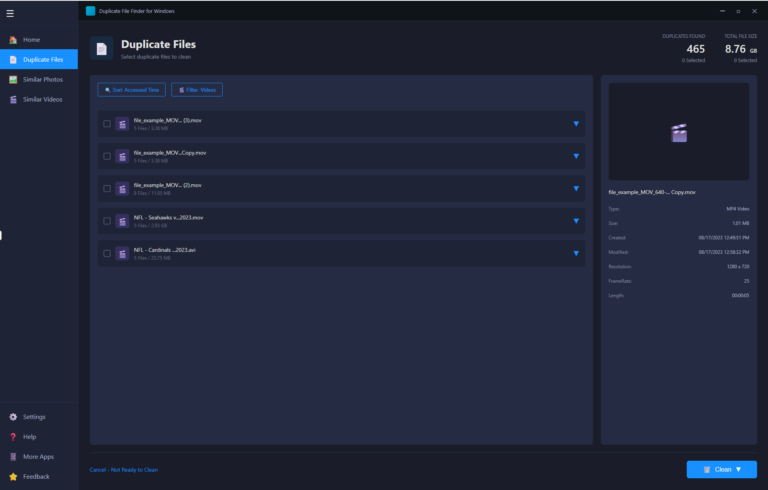
Duplicate Files — The core scanner finds exact duplicate files of every type across your entire drive. Documents, archives, executables, audio files, installers — if two files are identical, it finds them. In one scan it detected 465 duplicate files totalling 8.76 GB. That is space you can reclaim today.
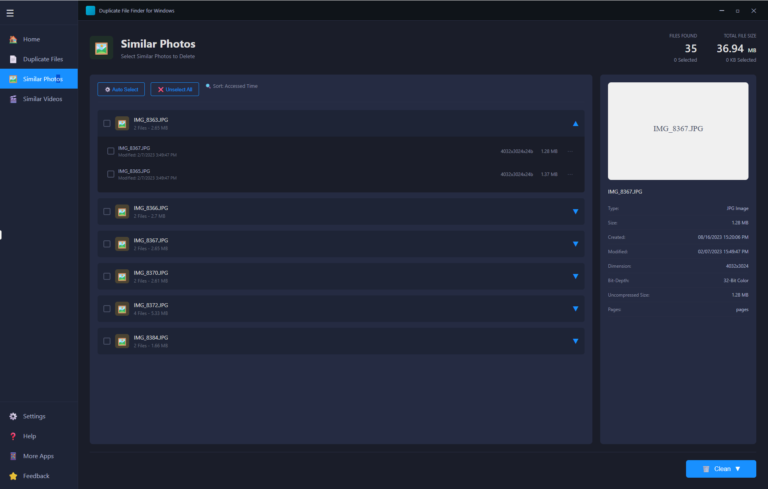
Similar Photos — A smarter scanner that goes beyond exact matches. It finds near-identical photos — the same shot taken twice, burst mode duplicates, photos transferred from multiple devices, images resized and saved alongside the original. 35 similar photo groups found, 36.94 MB identified for cleanup. Each photo shows a full preview panel with type, dimensions, bit-depth, file size, and modification date — so you always know exactly which version you are keeping.
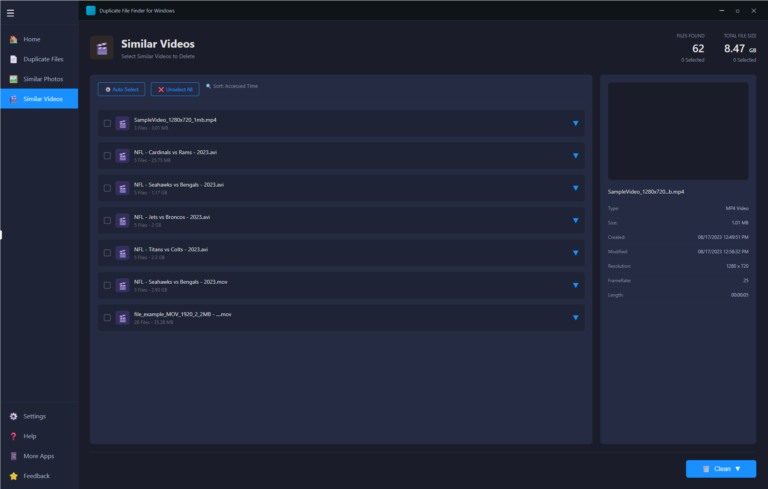
Similar Videos — The hardest duplicates to find manually. Similar Videos detects video files that are the same content even if saved in different formats, resolutions, or under different filenames. 62 similar video groups found, 8.47 GB identified. Each result shows resolution, frame rate, length, file size, and creation date in the preview panel so you can make informed decisions before deleting anything.
Preview Before You Delete. Always.
Duplicate File Finder never deletes anything blindly. Every scan result shows a full details panel on the right — file type, size, creation date, modification date, resolution, frame rate, length, and more depending on file type. For photos you see a visual preview. For videos you see full metadata. You know exactly what each file is before you decide to remove it.
Smart Auto-Select — Clean Without the Guesswork
Not sure which duplicate to keep and which to delete? The Auto Select feature intelligently marks the best candidates for deletion based on access time, keeping the most recently used version. One click, smart selection, ready to clean. Or sort by accessed time and make your own choices — full control is always yours.
Built-In Speed Test
Beyond duplicate finding, Duplicate File Finder includes a built-in Speed Test utility to benchmark your drive performance. Know exactly how fast your storage is reading and writing — useful after a cleanup to confirm your drive is running at its best.
Clean With Confidence
When you are ready, hit Clean. The selected files are removed, your storage is reclaimed, and your drive is leaner and faster. No complicated settings. No technical knowledge required. Open the app, run a scan, review the results, clean.
Built by a Developer with 20+ Years of Experience
Duplicate File Finder for Windows is built and maintained by Debasis Bhattacharjee, Senior Software Architect and AI Developer with over two decades of experience building software used by millions. No subscriptions. No bloatware. No pop-ups. A clean, focused tool that does exactly what it promises — every time.
Your drive is full of files you forgot you had. Find them. Delete them. Get your space back.