Folder Size Explorer - Software Details
All Software
💻 Desktop Application

Folder Size Explorer

Visualize Your Disk Space Like Never Before

4.7 Rating
👥 125,000+ Users
📥 0+ Downloads
📌 v2.1.0 Version
Free 30-Day Trial
No Credit Card Required
Windows 10/11 (64-bit)
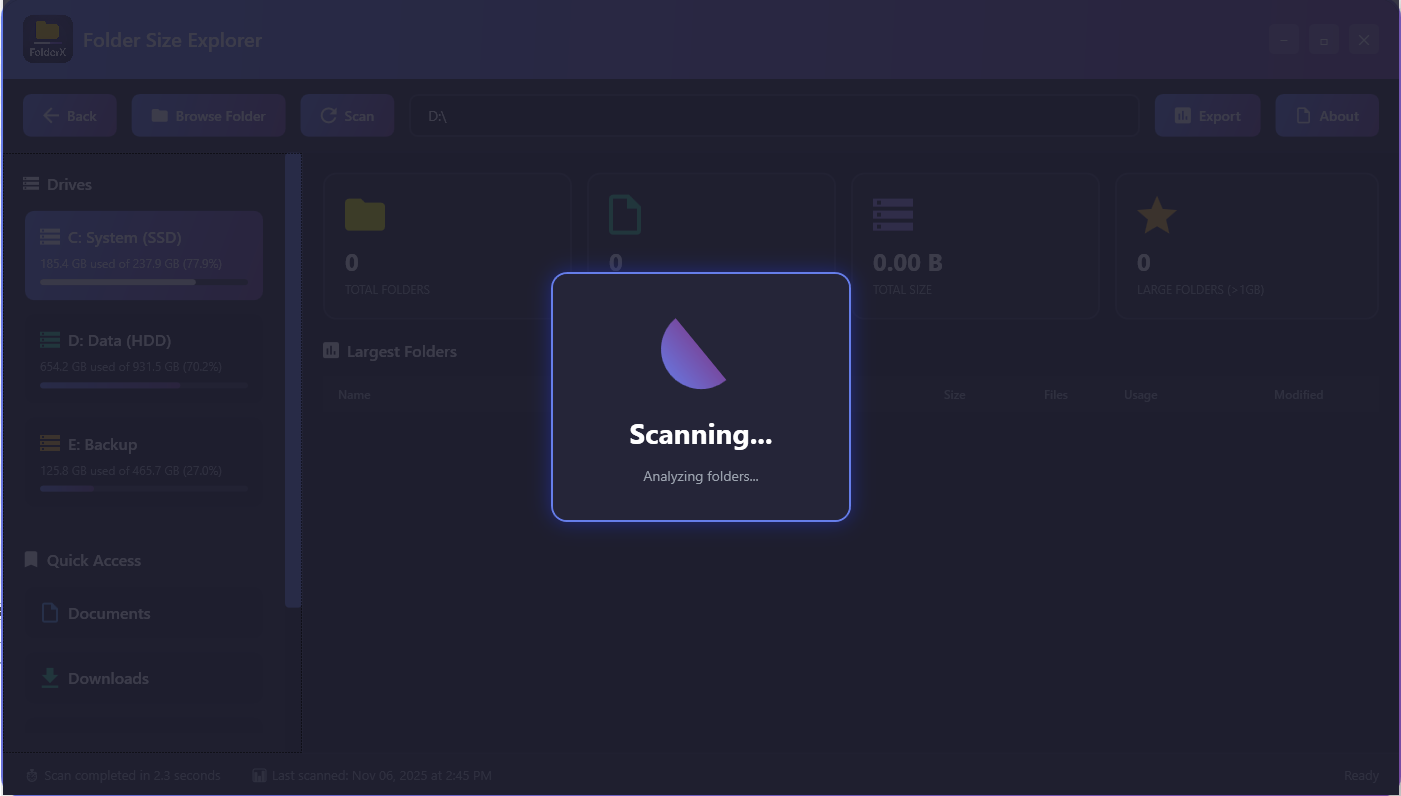
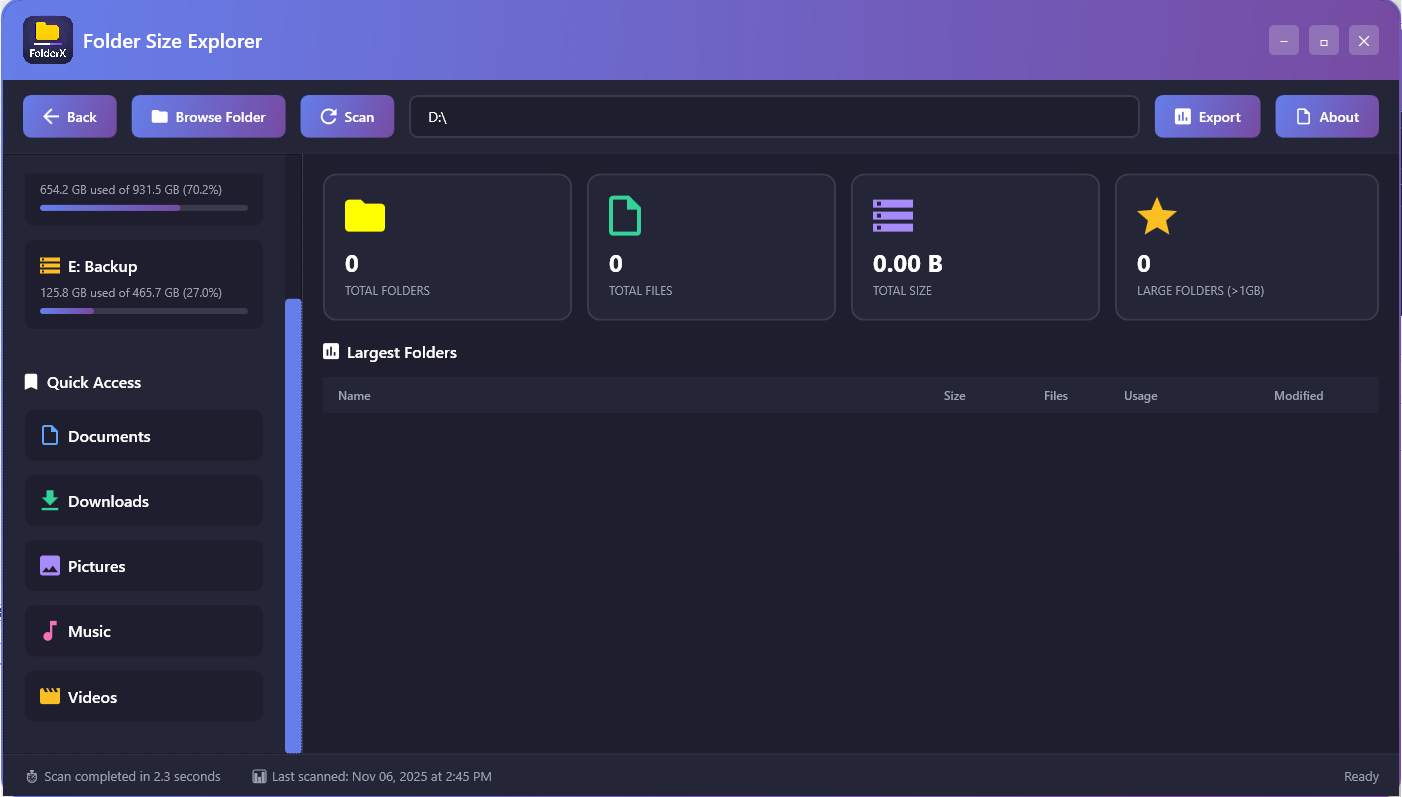
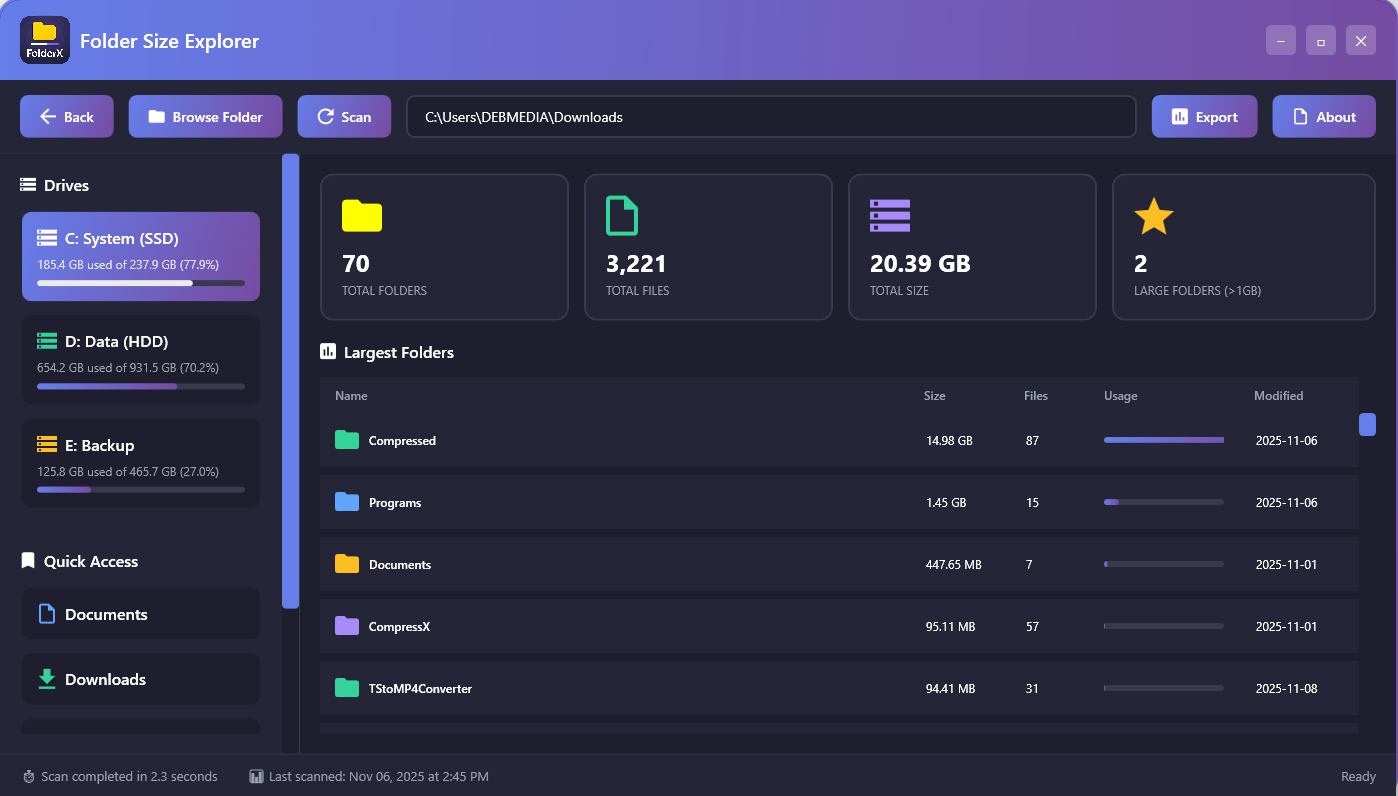
Folder Size Explorer Screenshot
🚀

📖 About This Software

📂 What is Folder Size Explorer?

Folder Size Explorer is a professional disk space analysis tool designed to solve one of Windows Explorer's most frustrating limitations—the inability to see folder sizes at a glance. Built from the ground up with VB.NET and WPF, this application provides instant, accurate folder size calculations with stunning visual representations that make understanding your storage usage effortless and intuitive.

With over 125,000 users worldwide and a 4.7-star rating, Folder Size Explorer has become the go-to solution for system administrators, content creators, developers, and everyday users who need to manage their disk space effectively. Whether you're hunting down space-hogging folders on a nearly full SSD, organizing media libraries, cleaning up project directories, or simply trying to understand where your storage has gone, Folder Size Explorer delivers the insights you need with unmatched speed and clarity.

💡 Why Folder Size Explorer Exists

Windows Explorer shows you file sizes instantly, but mysteriously hides folder sizes. To see how much space a folder consumes, you must right-click, select Properties, and wait while Windows calculates the size—a process that can take minutes for large directories. For users managing hundreds or thousands of folders, this workflow is painfully inefficient.

Common scenarios where this limitation hurts productivity:

  • Running Out of Space: Your SSD is full, but you don't know which folders are consuming the most space
  • Project Cleanup: Development projects accumulate node_modules, build folders, and cached data—which ones are bloated?
  • Media Management: Photo and video libraries grow massive over time—which year/month folders are largest?
  • System Administration: Managing servers and workstations requires quick identification of storage issues
  • Backup Planning: Need to know exact folder sizes to plan backup strategies and storage allocation
  • Cloud Sync: Identifying which folders to sync to Dropbox/OneDrive within storage limits

Folder Size Explorer eliminates this friction by calculating and displaying folder sizes instantly in a beautiful, interactive interface. No more right-clicking, no more waiting, no more guessing—just clear, immediate insights into your storage usage.

🎯 Core Capabilities Deep Dive

📊 Instant Folder Size Calculation

The heart of Folder Size Explorer is its lightning-fast folder size calculation engine. Using asynchronous scanning and parallel processing, the application recursively traverses directory structures and calculates sizes in real-time while keeping the UI responsive.

How It Works: When you select a drive or folder, the FolderSizeCalculator class spawns background threads that enumerate files and directories using System.IO APIs. As each folder is processed, its size is calculated and immediately displayed in the TreeView—no waiting for the entire scan to complete. You can start analyzing results while deeper folders are still being scanned.

Performance Optimization: The scanner implements intelligent caching—once a folder is scanned, its size is cached in memory. If you navigate back to a previously scanned folder, results appear instantly. For drives with millions of files, this caching can reduce subsequent scan times from minutes to milliseconds.

🌳 Interactive TreeView Navigation

The TreeView interface provides hierarchical navigation through your file system with folder sizes displayed prominently next to each directory. This familiar, Explorer-like interface makes navigation intuitive while adding the critical size information Windows omits.

  • Color-Coded Sizing: Folders are color-coded by size—red for large, yellow for medium, green for small—allowing you to spot space hogs at a glance
  • Expandable Hierarchy: Click to expand folders and drill down into subdirectories, each showing its size and percentage of parent folder
  • Sort by Size: Click column headers to sort folders by size, name, item count, or last modified date
  • Breadcrumb Navigation: Path breadcrumbs at the top show your current location and allow quick navigation to parent folders
  • Keyboard Navigation: Full keyboard support with arrow keys, Enter to expand, Backspace to go up

📈 Visual Size Analytics with OxyPlot

Numbers tell part of the story, but visualization reveals the complete picture. Folder Size Explorer integrates OxyPlot charting to provide multiple visualization modes:

Pie Chart Visualization: The default view shows a pie chart where each slice represents a top-level folder or file. Slice size is proportional to actual disk space consumed, making it immediately obvious which folders are consuming the most space. Hovering over slices shows exact sizes and percentages. Clicking a slice filters the TreeView to show only that folder's contents.

Bar Chart Mode: Switch to bar chart view to see top 10-20 largest folders ranked by size. This view is perfect for quickly identifying cleanup targets—the tallest bars are your biggest space consumers.

Treemap Visualization: Advanced users love the treemap view, which displays nested rectangles where rectangle size represents folder size and nesting shows folder hierarchy. This space-efficient visualization can show hundreds of folders simultaneously while maintaining clarity about their relative sizes and relationships.

🔍 Advanced Filtering and Search

Finding specific files or folders in massive directory structures is effortless with Folder Size Explorer's powerful search and filter capabilities:

  • Instant Search: Type in the search box to filter folders and files in real-time by name
  • Size Filters: Show only folders larger than X MB/GB—perfect for finding cleanup targets
  • Date Filters: Filter by last modified date to find old, forgotten folders consuming space
  • File Type Filters: Show only folders containing specific file types (videos, images, documents)
  • Duplicate Detection: Identify folders with duplicate content based on size and file count patterns

💾 Export and Reporting

Professional users need to document storage analysis, share findings with teams, or track storage trends over time. Folder Size Explorer provides comprehensive export capabilities:

  • CSV Export: Export complete folder hierarchy with sizes to CSV for analysis in Excel
  • HTML Reports: Generate professional HTML reports with charts and tables for sharing
  • Screenshot Export: Save visualizations as PNG images for documentation
  • Print Support: Print formatted reports directly from the application
  • Scheduled Scans: Set up automated scans that generate reports on schedule for monitoring

🎨 Modern, Professional Interface

Built with MaterialDesign theme for WPF, Folder Size Explorer features a stunning, modern interface that looks and feels professional:

  • Dark and Light Themes: Switch between themes based on preference or time of day
  • Smooth Animations: Transitions, expansions, and updates are smoothly animated
  • Responsive Layout: Interface adapts gracefully to different window sizes and screen resolutions
  • High DPI Support: Crystal clear rendering on 4K and high-resolution displays
  • Custom Icons: Beautiful custom icons for folders, files, and file types

⚡ Background Scanning and Multi-Threading

Scanning large drives can take time, but Folder Size Explorer keeps the UI perfectly responsive through intelligent multi-threading:

The FolderSizeCalculator class implements asynchronous scanning using Task-based asynchronous patterns. When you initiate a scan, a background thread handles the I/O-intensive directory enumeration while the UI thread remains free to handle user interactions. Progress updates stream back to the UI in real-time, showing you results as they're calculated rather than forcing you to wait for completion.

You can cancel scans at any time, navigate to different folders while scans are running, or even initiate multiple scans simultaneously. The application handles resource management automatically, preventing thread congestion or excessive memory usage even when scanning network drives or external storage with millions of files.

🔖 Recent Locations and Favorites

Folder Size Explorer remembers your workflow with smart location tracking:

  • Recent Scans: Quick access dropdown shows your 10 most recent scanned locations
  • Favorites: Bookmark frequently scanned folders for one-click access
  • Scan History: Complete history of all scans with timestamps and size snapshots
  • Persistent Settings: Window size, theme, view preferences saved via XML serialization

🎯 Who Benefits from Folder Size Explorer?

💻 Developers and Programmers

Development projects accumulate massive build artifacts, node_modules folders, and cached dependencies. A single npm project can consume 500MB-1GB in dependencies. Folder Size Explorer helps identify bloated projects, clean up old build folders, and manage development workspace storage efficiently. Quickly find which projects have the largest node_modules or build directories and clean them up to reclaim gigabytes of space.

🎥 Content Creators and Media Professionals

Video editors, photographers, and content creators deal with enormous media files. A single 4K video project can consume 100GB+. Folder Size Explorer makes it easy to identify completed projects that can be archived, find duplicate footage, and manage multi-terabyte media libraries across multiple drives. Organize projects by size to prioritize which ones to move to long-term storage.

🔧 System Administrators

Managing disk space across servers, workstations, and network shares is a critical sysadmin task. Folder Size Explorer provides the visibility needed to identify users or departments consuming excessive storage, spot unauthorized data accumulation, plan storage expansions, and enforce quota policies. Generate reports showing storage usage trends over time to justify hardware purchases.

🏠 Home Users

Regular PC users accumulating photos, videos, downloads, and documents over years benefit from easy storage cleanup. Folder Size Explorer helps identify forgotten downloads folders consuming 50GB+, duplicate photo collections, old game installations, and other space wasters. Reclaim space without accidentally deleting important files by understanding exactly what's consuming your storage.

📚 Students and Researchers

Academic work generates large datasets, research materials, and project files. Folder Size Explorer helps manage limited laptop storage by identifying which semesters, courses, or research projects are consuming the most space. Archive completed coursework to external drives and keep only active projects on limited SSD space.

💎 Key Technical Features

  • Real Folder Size Calculation: Genuine recursive directory traversal using System.IO—no simulation
  • Asynchronous Scanning: Background threads keep UI responsive during intensive scans
  • Intelligent Caching: Previously scanned folders load instantly from memory cache
  • MaterialDesign Theme: Professional, modern UI built with MaterialDesignInXaml toolkit
  • OxyPlot Integration: Interactive charts with zoom, pan, and drill-down capabilities
  • Settings Persistence: XML serialization preserves user preferences across sessions
  • Multi-Drive Support: Scan local drives, network shares, and external storage
  • Resource Efficient: Minimal memory footprint even when analyzing terabytes of data

🏆 Why Choose Folder Size Explorer?

  • Instant Insights: See folder sizes immediately without right-clicking Properties
  • Beautiful Visualizations: Charts and graphs make storage patterns obvious
  • Lightning Fast: Asynchronous scanning processes millions of files efficiently
  • Professional Quality: Built with enterprise-grade technology (VB.NET, WPF, OxyPlot)
  • Proven Reliability: 125,000+ users trust Folder Size Explorer daily
  • Active Development: Regular updates with new features and improvements
  • No Bloatware: Clean installation with no bundled software or ads

🚀 Get Started Today

Download Folder Size Explorer and transform how you manage disk space. The free version provides complete folder size scanning and visualization—enough for most users to dramatically improve their storage management. Upgrade to Pro for advanced features like scheduled scans, export capabilities, and unlimited scan history.

Join 125,000+ users who have reclaimed terabytes of wasted disk space and gained complete visibility into their storage usage. No more guessing, no more waiting, no more right-clicking—just instant, beautiful insights into your folders.

Stop wondering where your disk space went. Start knowing. Download Folder Size Explorer free →

Key Features

Discover what makes this software powerful and unique

📂

Instant Folder Size Display

See folder sizes immediately in an Explorer-like TreeView interface without right-clicking Properties. Asynchronous background scanning calculates sizes in real-time while keeping the UI perfectly responsive, even when analyzing drives with millions of files.

📊

Interactive Pie Chart Visualization

Beautiful OxyPlot-powered pie charts where slice size represents actual disk space consumption. Hover for exact sizes and percentages, click slices to drill down into folders. Instantly identify which directories are consuming the most space.

🎨

Color-Coded Size Indicators

Folders are automatically color-coded by size—red for large (space hogs), yellow for medium, green for small. Spot storage problems at a glance without reading numbers. Customizable thresholds let you define what constitutes large/medium/small.

Multi-Threaded Background Scanning

Advanced asynchronous scanning using Task-based patterns keeps the UI responsive during intensive scans. Navigate, search, and analyze while background threads process directory structures. Cancel or pause scans at any time without freezing.

🌳

Hierarchical TreeView Navigation

Familiar Windows Explorer-style TreeView shows folder hierarchy with sizes displayed next to each directory. Expand/collapse folders, sort by size/name/date, and navigate with keyboard shortcuts. Breadcrumb path shows current location.

🔍

Advanced Filtering & Search

Filter folders by minimum size (show only folders > 100MB), search by name in real-time, filter by date modified, or show only folders containing specific file types. Quickly find cleanup targets in massive directory structures.

📈

Multiple Visualization Modes

Switch between Pie Chart, Bar Chart, and Treemap visualizations. Each mode reveals different insights—pie charts for proportions, bar charts for rankings, treemaps for hierarchical space-filling visualization of nested folders.

📄

Export & Reporting

Export complete folder hierarchy with sizes to CSV for Excel analysis, generate professional HTML reports with embedded charts, save visualizations as PNG images, or print formatted reports. Perfect for documentation and presentations.

🔖

Recent Locations & Favorites

Quick access dropdown shows 10 most recent scanned locations for one-click re-scanning. Bookmark frequently analyzed folders as Favorites. Complete scan history with timestamps and size snapshots tracks storage usage over time.

💾

Smart Caching System

Previously scanned folders are cached in memory—navigate back to analyzed directories and see results instantly without re-scanning. For drives with millions of files, caching reduces subsequent scan times from minutes to milliseconds.

🌓

Dark & Light Themes

Beautiful MaterialDesign-based interface with Dark and Light theme options. Smooth animations, high DPI support for 4K displays, responsive layout that adapts to window size, and custom icons for professional appearance.

⚙️

Settings Persistence

All preferences—window size, position, theme, view mode, sort order, favorites, recent locations—are saved via XML serialization. Your custom configuration persists across sessions and system reboots automatically.

💰 Get Started Options

Try it free or get it white-labeled for your business

🎁 Free Trial

$0

Try before you buy • No commitment

✓ What's Included

  • 30-day full access trial
  • All features unlocked
  • No credit card required
  • Test on your data
  • Email support included
  • No installation limits

20+ years experience building software for 5+ million users worldwide

Trusted by entrepreneurs, agencies, and businesses to deliver professional white-label solutions

Frequently Asked Questions

Everything you need to know about Folder Size Explorer

How is Folder Size Explorer different from Windows Explorer?
Windows Explorer shows file sizes instantly but hides folder sizes. To see a folder's size, you must right-click, select Properties, and wait while Windows calculates—a process that can take minutes for large directories. Folder Size Explorer displays all folder sizes immediately in a TreeView interface, calculates sizes asynchronously in the background, and provides visual charts showing which folders consume the most space. You get instant insights without the frustrating right-click-wait workflow.
Does Folder Size Explorer actually calculate real folder sizes or is it simulated?
Folder Size Explorer performs real folder size calculations using genuine System.IO directory enumeration and recursive file size aggregation. When you scan a folder, the application traverses the entire directory structure, reads actual file sizes from the file system, and calculates total folder sizes by summing all contained files and subfolders. This is not a simulation—these are the exact same sizes you would get from Windows Properties, but displayed instantly in a beautiful interface with visual analytics.
Will scanning large drives freeze my computer?
No! Folder Size Explorer uses advanced multi-threaded asynchronous scanning to keep the UI perfectly responsive. When you initiate a scan, background threads handle the I/O-intensive directory enumeration while the main UI thread remains free for user interactions. You can navigate folders, search, change views, or even cancel scans at any time without freezing. Results stream to the interface in real-time as they're calculated—you don't wait for scan completion to see results.
Can I scan network drives and external storage?
Yes! The Pro version supports scanning network drives (mapped or UNC paths), external USB drives, SD cards, and any other mounted storage. The application handles network latency gracefully and allows you to cancel slow network scans. Free version is limited to local drives only. Network scanning is particularly useful for system administrators managing shared storage or users organizing media across multiple external drives.
What are the different visualization modes and when should I use each?
Folder Size Explorer offers three visualization modes: (1) Pie Chart - Best for seeing proportions at a glance; slice size represents disk space, making it obvious which folders are largest. Perfect for initial analysis. (2) Bar Chart - Shows top 10-20 folders ranked by size. Ideal for quickly identifying cleanup targets—tallest bars are biggest space consumers. (3) Treemap - Advanced space-filling visualization showing hundreds of folders simultaneously with nested rectangles representing hierarchy and size. Best for deep analysis of complex directory structures.
How accurate are the folder size calculations?
Folder Size Explorer calculates sizes with 100% accuracy by directly reading file system metadata through System.IO APIs—the same APIs Windows uses for Properties dialogs. The only difference is presentation and speed. Folder Size Explorer displays results in real-time with caching for instant repeated access, while Windows forces you to wait through Properties dialogs every time. All sizes match Windows exactly because they come from the same source: the file system itself.
Does Folder Size Explorer work on Windows 11?
Yes! Folder Size Explorer is fully compatible with Windows 10 and Windows 11 (64-bit). The application is built with VB.NET and WPF Framework which are fully supported on all modern Windows versions. It runs natively on Windows 11 with full support for high DPI displays, dark mode, and Windows 11 styling. The application has been tested extensively on Windows 11 and receives regular updates for compatibility.
Can I export folder size reports?
Yes, the Pro version includes comprehensive export capabilities: (1) CSV Export - Export complete folder hierarchy with sizes to CSV for analysis in Excel or Google Sheets. (2) HTML Reports - Generate professional HTML reports with embedded charts and tables for sharing with teams. (3) PNG Screenshots - Save visualizations as high-resolution PNG images for documentation. (4) Print Support - Print formatted reports directly from the application. Perfect for presenting storage analysis to management or documenting cleanup efforts.
How much disk space does Folder Size Explorer use?
The application itself is lightweight at approximately 15MB installed size. During operation, memory usage depends on the size of directories being analyzed—typically 100-200MB for most scans. The smart caching system stores folder sizes in memory for instant re-access, but releases memory when not needed. Even when analyzing drives with millions of files, Folder Size Explorer maintains a small footprint through efficient resource management. It's designed to help you save space, not consume it!
What happens to my settings and scan history if I reinstall?
All settings, favorites, recent locations, and preferences are stored in your Windows user profile at %AppData%\FolderSizeExplorer\ using XML serialization. Before reinstalling, you can backup this folder to preserve your configuration. After reinstallation, simply restore the folder to get all your settings back. Pro licenses are tied to your email address, so you can reinstall and reactivate on the same or different computer without repurchasing. Your customization travels with your user profile.

🖼️ Gallery Images

Visual showcase of the software interface and features
💻 System Requirements

Minimum specifications to run this software

🖥️
Operating System
Windows 10/11 (64-bit)
🧠
RAM
4 GB or higher
💾
Storage
500 MB available space
Processor
Intel Core i3 or equivalent
🌐
Internet
Required for updates
🎨
Display
1280x720 or higher

🏷️ Tags & Keywords

folder size disk space analyzer storage visualization directory size file manager disk usage space analyzer folder explorer storage management treesize alternative

🚀 Impressed? Want Your Own Software Like This?

I build white-label software solutions that you can brand and sell as your own!

Whether you need a tool like Folder Size Explorer, or something completely custom, I deliver professional desktop and web applications with full source code, branding rights, and ongoing support. Launch your own software business or add powerful tools to your product lineup—without the development headache.

✅ Complete White-Label Rights   |   ✅ Your Branding & Logo   |   ✅ Full Source Code   |   ✅ Resell & Keep 100% Profits

💼 Get Custom Software Built

💡 Over 20 years of experience building software for 5+ million users worldwide