Why Workstations Lose Speed Over Time
Every single week you run your computer, invisible digital debris accumulates under the surface. Temporary caches bloat from normal daily usage, system pathways cross directions, and stealth background applications quietly attach themselves to your startup sequence.
The result? Your hardware isn't old—it's simply crowded. The utility safely unburdens your storage blocks to bring back original click responsiveness.
One-Click Simplicity. No Jargon.
Most operating toolkits on the market are intentionally confusing. They scare users with cryptic alerts or swamp you under endless, risky confirmation checklists. Our development blueprint focuses entirely on clean, background automation.
You do not need to be an administrator or understand complex software settings. Simply click the interface activation handle, let the automated sequence clean the targets, and return immediately to a light, responsive system environment.
Your PC Is Slower Than It Should Be. Here Is Why.
Every day your Windows PC accumulates invisible weight. Temp files from apps that opened and closed. Browser cache from Chrome, Edge, and Firefox building up across months. Windows Update leftovers sitting in folders you never knew existed. Crash dump files. Prefetch files. Registry entries pointing to software you uninstalled a year ago. Startup programs loading silently in the background, adding 28 seconds to every boot.
None of this is visible. None of it is obvious. But all of it is slowing you down.
Quantum Cleaner was built to find every single piece of it, show it to you clearly, and remove it safely — in seconds.
The Dashboard Tells You Everything at a Glance
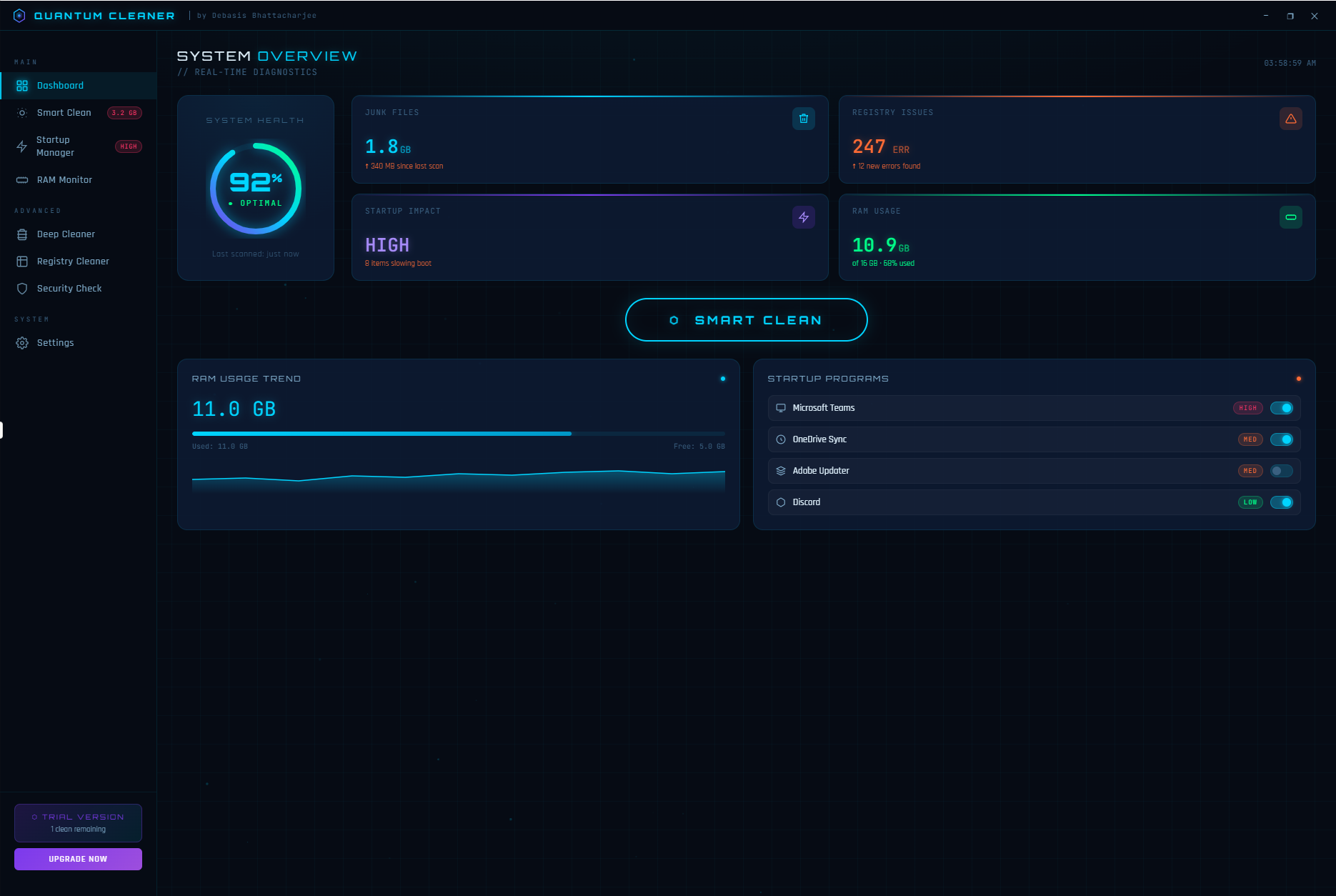
Open Quantum Cleaner and the System Overview dashboard gives you a complete real-time picture of your PC’s health before you do anything. System Health score displayed as a live percentage — 92% Optimal. Junk Files total — 1.8 GB identified, growing since your last scan. Registry Issues — 247 errors found. Startup Impact — HIGH, with 8 items slowing your boot. RAM Usage — 10.9 GB of 16 GB used, 68% utilized, with a live trend graph showing memory usage over time. Startup programs listed with their impact level — Microsoft Teams flagged HIGH, OneDrive Sync flagged RED, Adobe Updater flagged RED.
Everything you need to know. One screen. No digging.
Smart Clean — Intelligent Junk Detection in One Click
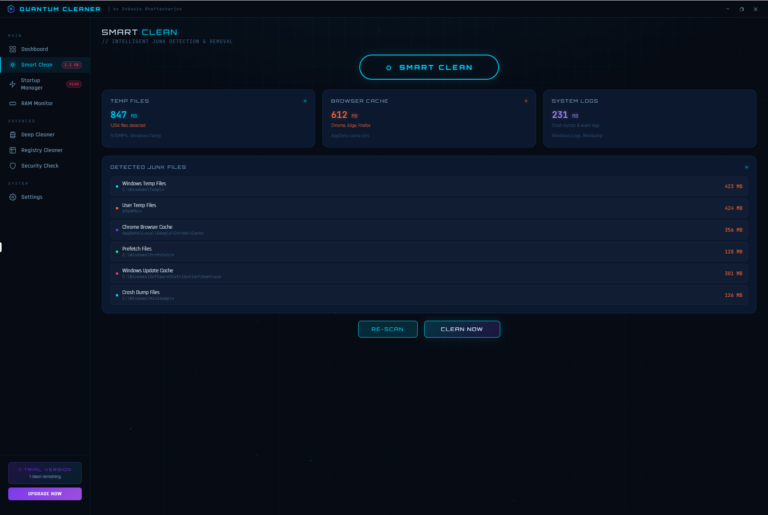
Hit Smart Clean and Quantum Cleaner scans your entire system for junk intelligently — not just a generic sweep, but a precise category-by-category breakdown of exactly what it found and where:
Windows Temp Files at 423 MB. User Temp Files at 424 MB. Chrome Browser Cache at 356 MB. Prefetch Files at 128 MB. Windows Update Cache at 301 MB. Crash Dump Files at 126 MB. Total detected: 847 MB in temp files alone, plus 612 MB in browser cache across Chrome, Edge, and Firefox, plus 231 MB in system logs. All itemized, all with exact folder paths, all ready to clean with one button.
Re-Scan anytime. Clean Now when you are ready. That is it.
Deep Cleaner — Go Even Further
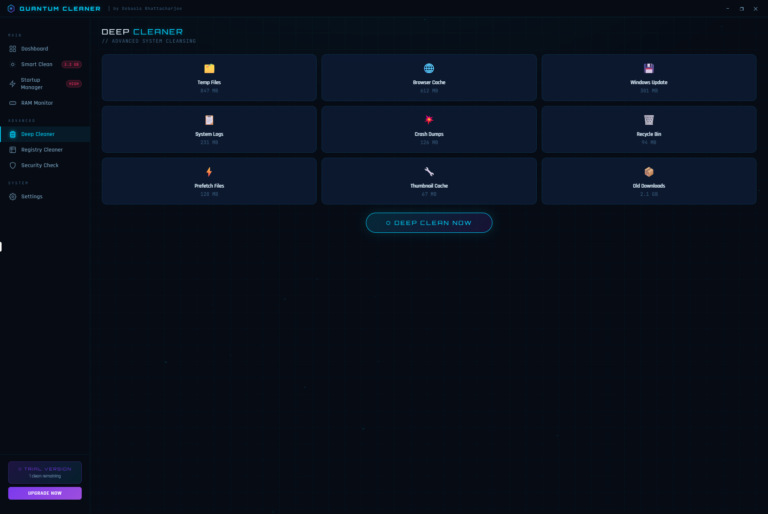
When Smart Clean is not enough, Deep Cleaner gives you granular control over nine specific junk categories — each shown with its exact size so you know precisely what you are removing:
Temp Files (847 MB), Browser Cache (612 MB), Windows Update (301 MB), System Logs (231 MB), Crash Dumps (126 MB), Recycle Bin (94 MB), Prefetch Files (128 MB), Thumbnail Cache (67 MB), and Old Downloads (2.1 GB). One click on Deep Clean Now removes everything selected. Total potential savings from a full deep clean: over 4.5 GB.
Startup Manager — Boot Faster Every Single Day
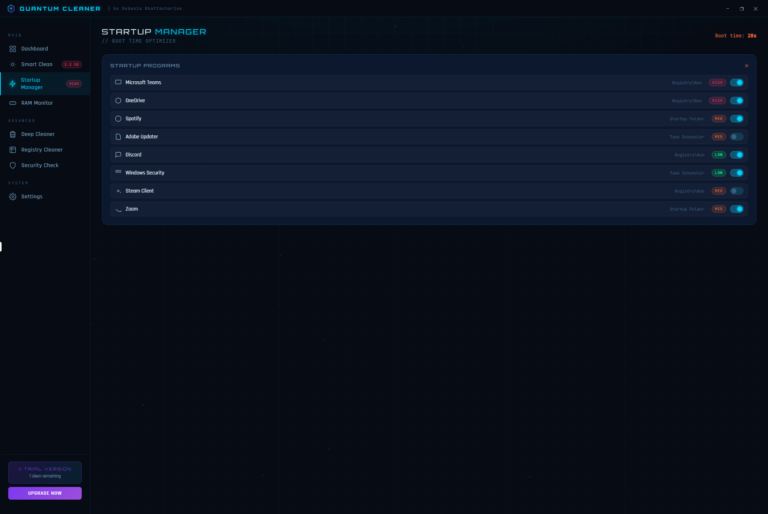
Every program that loads at startup steals seconds from your boot time and RAM from your available memory. Startup Manager shows you every program set to run on boot — Microsoft Teams, OneDrive, Spotify, Adobe Updater, Discord, Windows Security, Steam Client, Zoom — each with its startup method, its performance impact rating (HIGH, MED, LOW), and a simple toggle to disable it instantly.
Current boot time: 28 seconds. Disable the right programs and that number drops fast.
Registry Cleaner — Fix 247 Hidden Errors
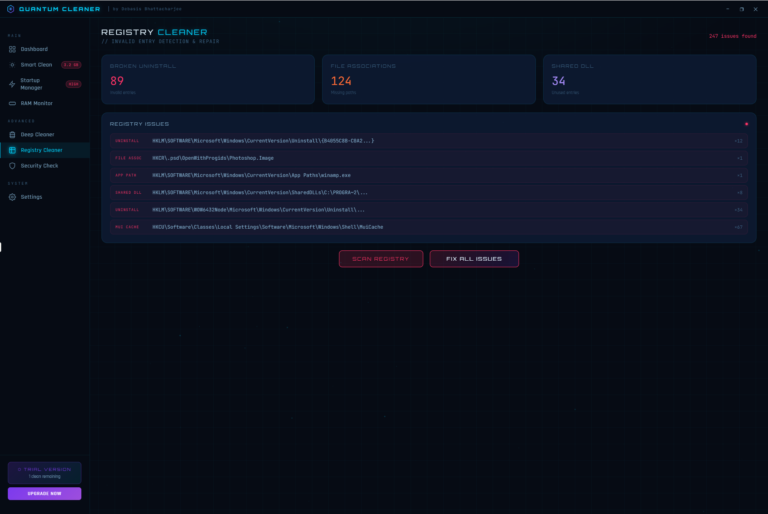
Your Windows registry accumulates broken entries every time you install or uninstall software, change file associations, or move files around. Over time these pile up and contribute to slowdowns, errors, and instability. Quantum Cleaner’s Registry Cleaner found 247 issues in a single scan — 89 broken uninstall entries, 124 missing file associations, and 34 unused shared DLL entries. Every issue is listed with its exact registry path so you can see precisely what is being fixed. Hit Fix All Issues and Quantum Cleaner repairs every one of them safely.
RAM Monitor — Watch Your Memory in Real Time
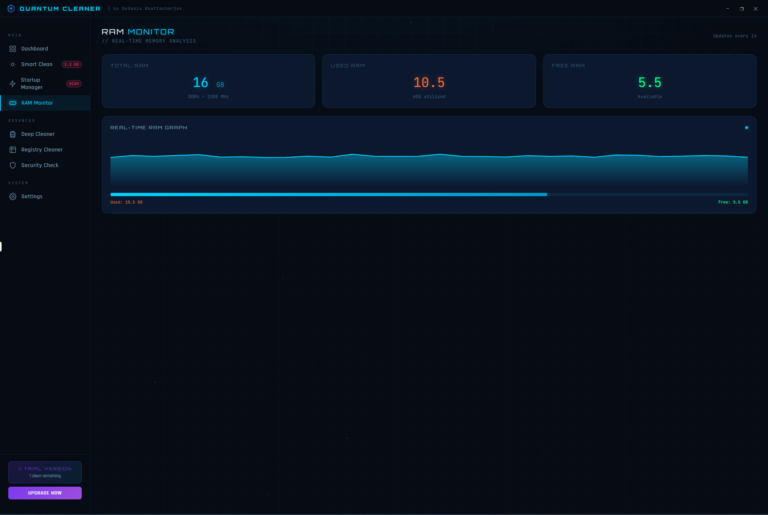
The RAM Monitor gives you a live view of your system memory — total RAM (16 GB DDR4 at 3200 MHz), used RAM (10.5 GB, 65% utilized), and free RAM (5.5 GB available) — updated every second. A real-time graph shows your memory usage trend over time so you can see patterns, identify memory-hungry processes, and act before your system starts to struggle.
Security Check — Know Where You Stand
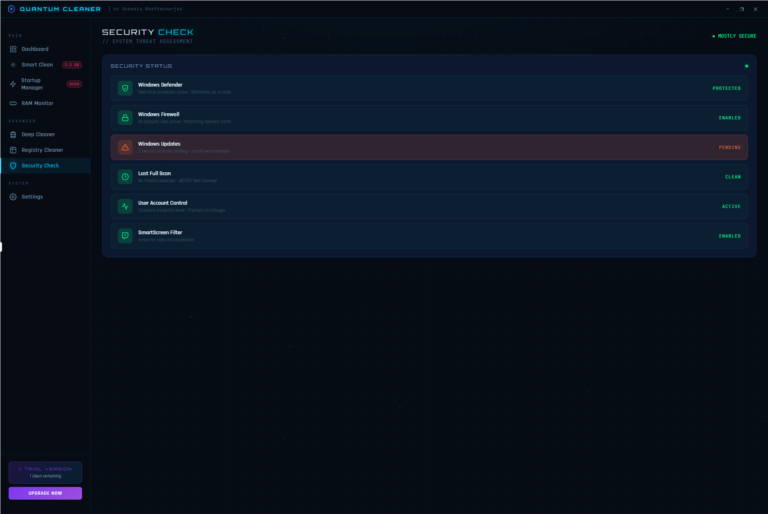
Quantum Cleaner includes a built-in Security Check that audits your Windows security configuration and reports the status of every major protection layer — Windows Defender (Protected), Windows Firewall (Enabled), Windows Updates (Pending — install recommended), Last Full Scan (Clean, 48,291 files scanned), User Account Control (Active), and SmartScreen Filter (Enabled). One panel, complete security picture. No separate tool needed.
Built-In Safety — Restore Point Before Every Clean
Quantum Cleaner automatically creates a Windows restore point before every cleaning operation. If anything ever goes wrong — which it will not — you can roll back with one click. Clean with complete confidence.
Designed for the Way You Work
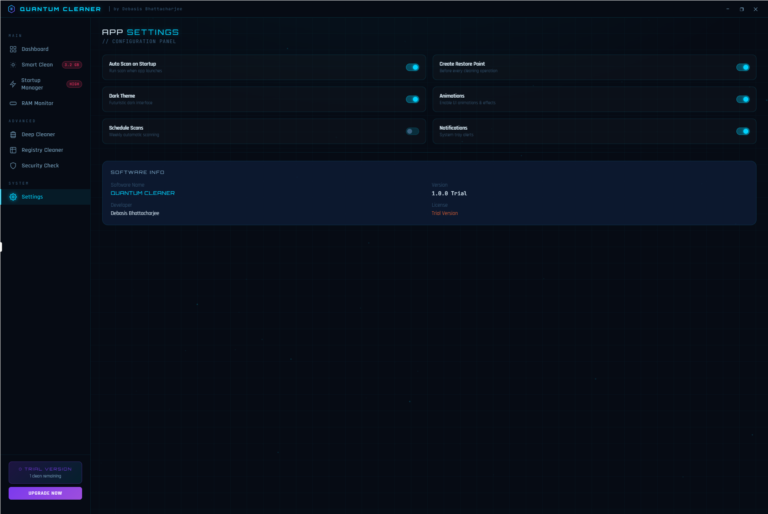
Auto Scan on Startup so your PC is always optimized. Scheduled Scans for hands-free maintenance. Dark theme built for focused, comfortable use. Smooth animations throughout. System tray notifications so you always know when action is needed. Every setting is a single toggle.
Built by a Developer with 20+ Years of Experience
Quantum Cleaner is built and maintained by Debasis Bhattacharjee, Senior Software Architect and AI Developer with over two decades of experience building software used by millions. No subscriptions. No bloatware. No pop-ups. A precise, powerful, beautifully designed tool that keeps your PC running at its absolute best.
Your PC deserves to run like it did on day one. Quantum Cleaner makes it happen.