Why Workstations Lose Speed Over Time
Every single week you run your computer, invisible digital debris accumulates under the surface. Temporary caches bloat from normal daily usage, system pathways cross directions, and stealth background applications quietly attach themselves to your startup sequence.
The result? Your hardware isn't old—it's simply crowded. The utility safely unburdens your storage blocks to bring back original click responsiveness.
One-Click Simplicity. No Jargon.
Most operating toolkits on the market are intentionally confusing. They scare users with cryptic alerts or swamp you under endless, risky confirmation checklists. Our development blueprint focuses entirely on clean, background automation.
You do not need to be an administrator or understand complex software settings. Simply click the interface activation handle, let the automated sequence clean the targets, and return immediately to a light, responsive system environment.
Karaoke Studio — Your Personal Recording Booth, Right on Your PC
Sing over any music playing on your computer, hear yourself with professional voice effects, and save the result as a finished audio file. No studio required.
The Joy of Karaoke, Elevated
Karaoke has always been about one simple pleasure — singing along to music you love and hearing your voice alongside it. But the tools available to do this at home have never quite matched the experience. Basic recording apps capture your microphone but ignore the music. Screen recorders produce poor audio quality. Professional DAWs are overwhelmingly complex for anyone who just wants to sing and save the result.
Karaoke Studio fills that gap perfectly. It’s a purpose-built desktop recording application that captures both your voice and whatever music is playing on your computer simultaneously — applies professional-quality voice effects to your singing in real time — and exports the combined result as a finished audio file you can keep, share, or play back anywhere.
It’s simple enough to use the first time you open it. It’s powerful enough to produce results you’ll actually be proud of.
Two Tracks, One Perfect Mix
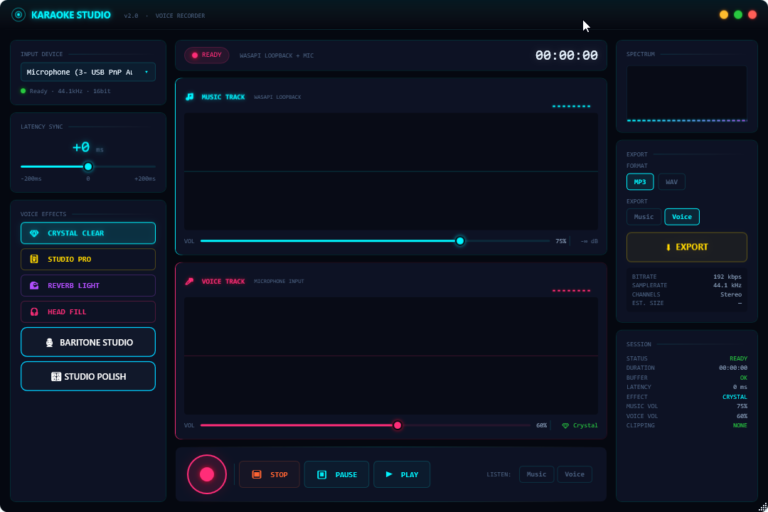
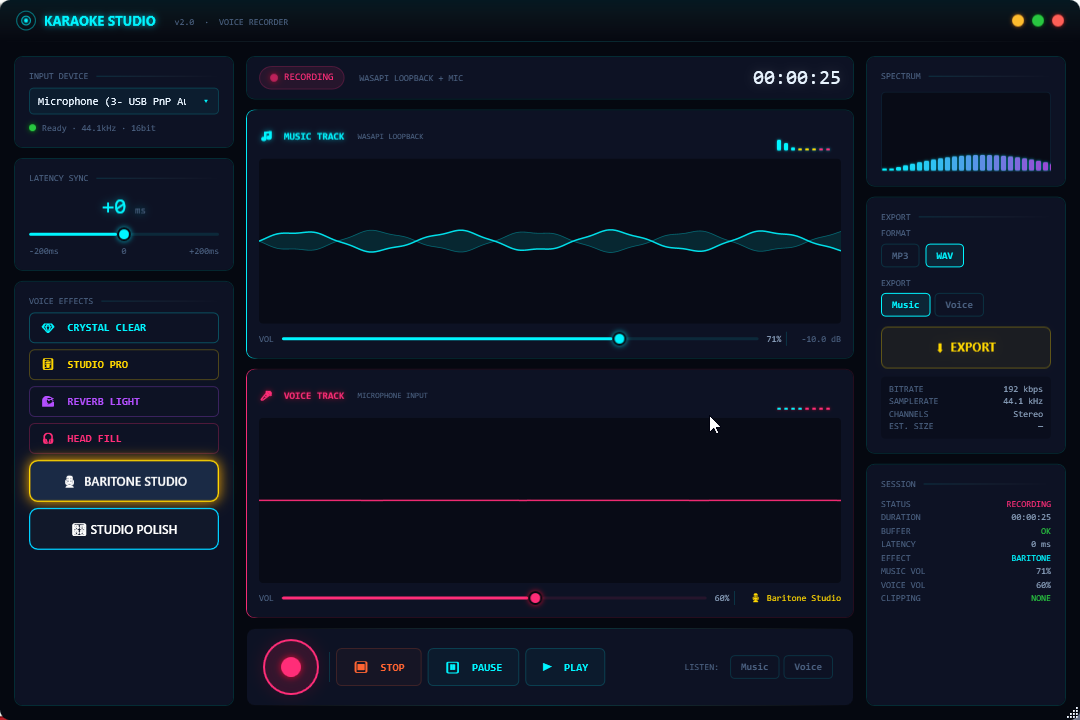
The core of Karaoke Studio is a clean dual-track recording interface that separates your session into exactly what it needs to be: a Music Track and a Voice Track, running side by side.
The Music Track captures whatever audio is playing through your computer — your karaoke backing track, a YouTube video, a music streaming app, or any other audio source currently active on your system. It records directly from your system’s audio output, meaning there’s no need to import files, no fiddling with separate audio routing software, and no worrying about whether the music will sync correctly. If it’s playing on your PC, Karaoke Studio captures it.
The Voice Track captures your microphone input simultaneously — your singing, recorded in real time alongside the music, perfectly synchronised from the moment you press record.
Both tracks have independent volume controls, letting you dial in exactly the right balance between your voice and the backing music before you start recording and adjust on the fly as you go. The live level indicators on both tracks give you immediate visual feedback about signal levels, making it easy to avoid distortion and ensure both sources are being captured clearly.
The result is a complete, mixed recording of your performance — music and voice together — produced in a single take without any post-recording editing required.
Voice Effects — Sound Like a Professional
This is where Karaoke Studio becomes genuinely exciting. Built directly into the application is a suite of six real-time voice effects, each designed to transform your raw microphone input into something that sounds polished, produced, and ready to share.
Crystal Clear is the clean, pristine option — your voice processed to remove roughness and background noise, presented with clarity and definition. Perfect for singers who want their natural voice to shine without distraction.
Studio Pro applies the kind of processing you’d associate with a professional recording studio — warmth, presence, and a finished quality that makes your voice sound like it belongs on a proper record. This is the effect that will make your recordings sound most like the songs you’re singing along to.
Reverb Light adds a subtle spatial quality to your voice — a gentle sense of room and dimension that lifts a flat dry recording into something that sounds like it was captured in a real performance space. Enough to add character without overwhelming the natural sound of your voice.
Head Fill creates a more enveloping, immersive vocal sound — the kind of rich, full quality that makes voices sound large and present in a mix. Particularly effective for powerful vocal styles.
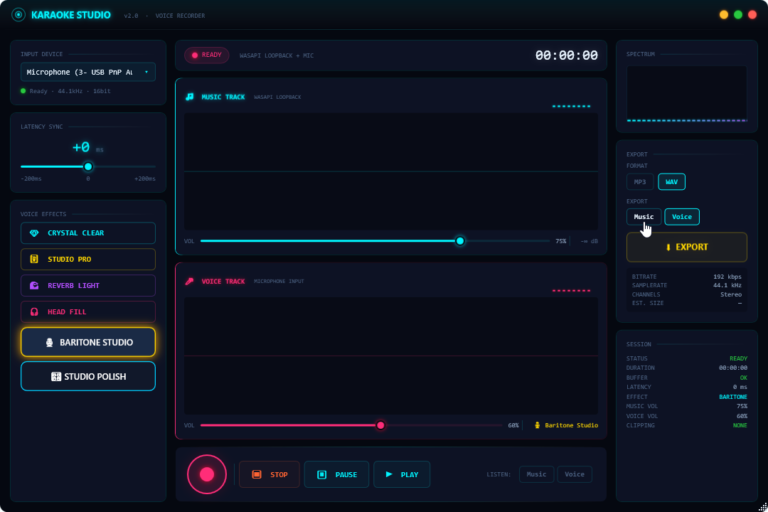
Baritone Studio is tailored for deeper, richer voices — processing that enhances warmth and low-end presence to give a full, resonant vocal character. Ideal for male voices or anyone who wants a more commanding sound.
Studio Polish applies a final layer of professional finishing — the subtle processing that separates a raw home recording from something that sounds truly broadcast-ready. Think of it as the final coat of varnish on an already good recording.
All six effects are applied in real time as you record — you hear exactly how your voice will sound in the final recording while you’re singing, with no delay and no surprises when you play it back.
Switching between effects is instant. One click, and your voice transforms. You can audition every effect before you start recording to find the one that suits your voice and your song.
Latency Sync — Music and Voice, Perfectly Aligned
One of the most technically challenging aspects of recording voice over system audio is keeping the two sources perfectly synchronised. Even tiny timing differences between when the music plays and when your microphone captures your voice can make a recording feel slightly off — and those differences are often invisible until you listen back.
Karaoke Studio addresses this directly with a built-in Latency Sync control. An adjustable slider lets you dial in the precise timing offset between your music and voice tracks — with a range of -200ms to +200ms and a default starting point of 0ms. For most setups this will need no adjustment at all, but the control is there when you need it, ensuring your voice and the music land in perfect alignment in the final recording regardless of your audio hardware.
The Session panel confirms your current latency setting at all times, and a clipping indicator monitors your audio levels to flag any distortion before it becomes a problem in your recording.
Live Spectrum Visualiser
Running alongside your recording session is a live audio spectrum display in the top right panel — a real-time visual representation of the frequency content of your audio as you sing. Beyond being genuinely satisfying to watch, the spectrum display gives you useful feedback about the character of your voice and the music, and serves as an additional visual cue for audio levels during recording.
Seeing the spectrum respond to your voice in real time adds an engaging visual dimension to the recording experience — and gives you an immediate sense of when your microphone is picking up well versus when something might be off.
Session Monitor — Complete Transparency
The Session panel keeps you informed about every aspect of your current recording at all times. Status (Ready or Recording), duration of the current take, buffer health, latency setting, active voice effect, music volume level, voice volume level, and clipping status are all displayed continuously — giving you complete transparency about what Karaoke Studio is doing and confidence that your session is being captured correctly.
The session timer in the top bar of the recording interface counts up in real time the moment you press record, so you always know exactly how long your current take is running.
Export — Your Recording, Your Format
When your performance is done, Karaoke Studio gives you full control over how you save it.
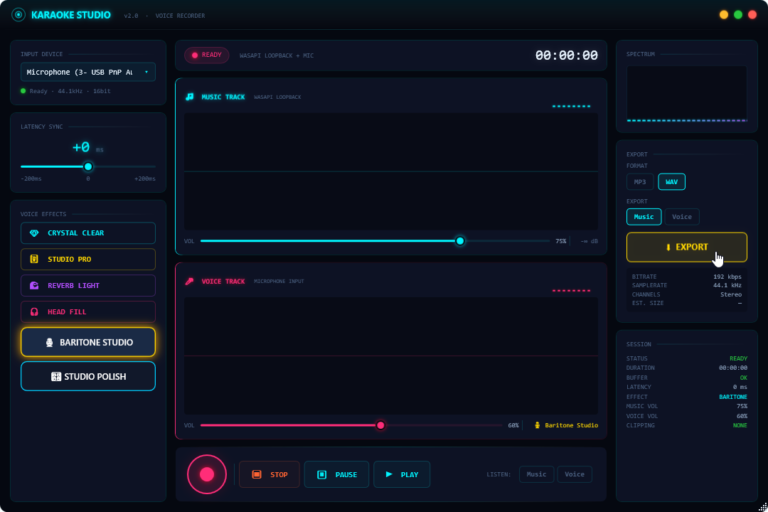
Choose between MP3 and WAV export formats — MP3 for a smaller, shareable file that plays everywhere, or WAV for a full-quality, uncompressed audio file suitable for further editing or archiving.
Choose whether to export the Music track, the Voice track, or both — giving you the flexibility to save your isolated vocal performance, the music alone, or the complete mixed recording depending on what you need.
Export settings confirm your output quality before you save: 192 kbps bitrate, 44.1 kHz sample rate, stereo output — the settings that produce a clean, high-quality audio file suitable for sharing on any platform.
The entire export process takes seconds. Press Export, choose your destination, and your recording is saved and ready to share.
Designed for Singers, Not Sound Engineers
Every design decision in Karaoke Studio has been made with one person in mind: someone who loves singing and wants to record themselves, not someone who wants to learn audio production.
The interface is clean and immediately understandable. The two tracks are clearly labelled and visually distinct. The voice effects are named in plain language that tells you what they do. The controls you need — record, stop, pause, play, volume, effects — are all visible at once without any menus to navigate. And the real-time feedback throughout the interface means you always know exactly what’s happening.
You don’t need to understand audio engineering to get great results. You just need to press record and sing.
Who Is Karaoke Studio For?
Karaoke enthusiasts who want to record their performances at home and keep a personal archive of their favourite songs. Aspiring singers who want to hear how their voice sounds against professional backing tracks and develop their confidence. Content creators who produce singing videos for YouTube, TikTok, or social media and need a simple way to capture clean audio. Families and friends who enjoy singing together and want to record memories of their sessions. Voice students who want to hear their own performances critically and track their improvement over time.
If you sing, and you want to capture it — Karaoke Studio is the tool you’ve been looking for.
No Studio. No Complexity. Just Sing.
Recording your voice used to mean expensive microphones, acoustic treatment, complicated software, and hours of post-production. Karaoke Studio strips all of that away and replaces it with something far more enjoyable: open the application, choose your effect, press record, and sing.
The music plays. Your voice is captured. The effect transforms your sound in real time. And when you’re done, you have a finished audio file that sounds better than anything you could have produced with a general-purpose recording app.
Karaoke Studio — Sing. Record. Sound amazing.