Why Workstations Lose Speed Over Time
Every single week you run your computer, invisible digital debris accumulates under the surface. Temporary caches bloat from normal daily usage, system pathways cross directions, and stealth background applications quietly attach themselves to your startup sequence.
The result? Your hardware isn't old—it's simply crowded. The utility safely unburdens your storage blocks to bring back original click responsiveness.
One-Click Simplicity. No Jargon.
Most operating toolkits on the market are intentionally confusing. They scare users with cryptic alerts or swamp you under endless, risky confirmation checklists. Our development blueprint focuses entirely on clean, background automation.
You do not need to be an administrator or understand complex software settings. Simply click the interface activation handle, let the automated sequence clean the targets, and return immediately to a light, responsive system environment.
Finally, a Smarter Way to Read SQL Files
If you’ve ever received a MySQL dump file and needed to quickly understand what’s inside, you know the frustration. Opening a raw .sql file in a text editor means scrolling through thousands of lines of cryptic syntax, hunting for the data you need, and squinting at column definitions buried between CREATE TABLE statements. Setting up a local MySQL server just to peek at a backup feels like overkill. And cloud-based tools raise immediate questions about privacy and data security.
SQL Script Viewer changes all of that.
It’s a clean, fast, beautifully designed desktop application that lets you open any MySQL .sql dump file and instantly explore it — as if you had a full database client, but with none of the infrastructure. No server. No installation of MySQL. No configuration files. Just open your .sql file and start working.
Who Is SQL Script Viewer For?
SQL Script Viewer is built for anyone who regularly works with MySQL database exports and needs a better way to understand, inspect, and query that data.
Web developers and WordPress professionals often receive database backups from clients or hosting providers. With SQL Script Viewer, you can immediately browse posts, users, metadata, and custom table data — without touching a server or writing a single line of setup code.
Database administrators and backend developers will appreciate the ability to audit table structures, verify data integrity, and run quick SELECT queries against a dump file for troubleshooting and review purposes — especially useful before executing a migration or restore.
Data analysts and project managers who receive exported data from developers no longer need to ask for CSV conversions or wait for someone to run a query on their behalf. Simply open the file, browse the tables, and search for exactly what you need.
Freelancers and agencies handling multiple client projects can keep each database export organized, inspectable, and queryable on their local machine — privately and securely, with no data ever leaving their computer.
QA engineers and testers can verify database states, check seeded data, and confirm schema definitions all from a single, self-contained application.
If you work with .sql files more than once a month, SQL Script Viewer will save you hours.
A Complete Feature Set, Built Around Your Workflow
Instant File Loading — Drag, Drop, Done
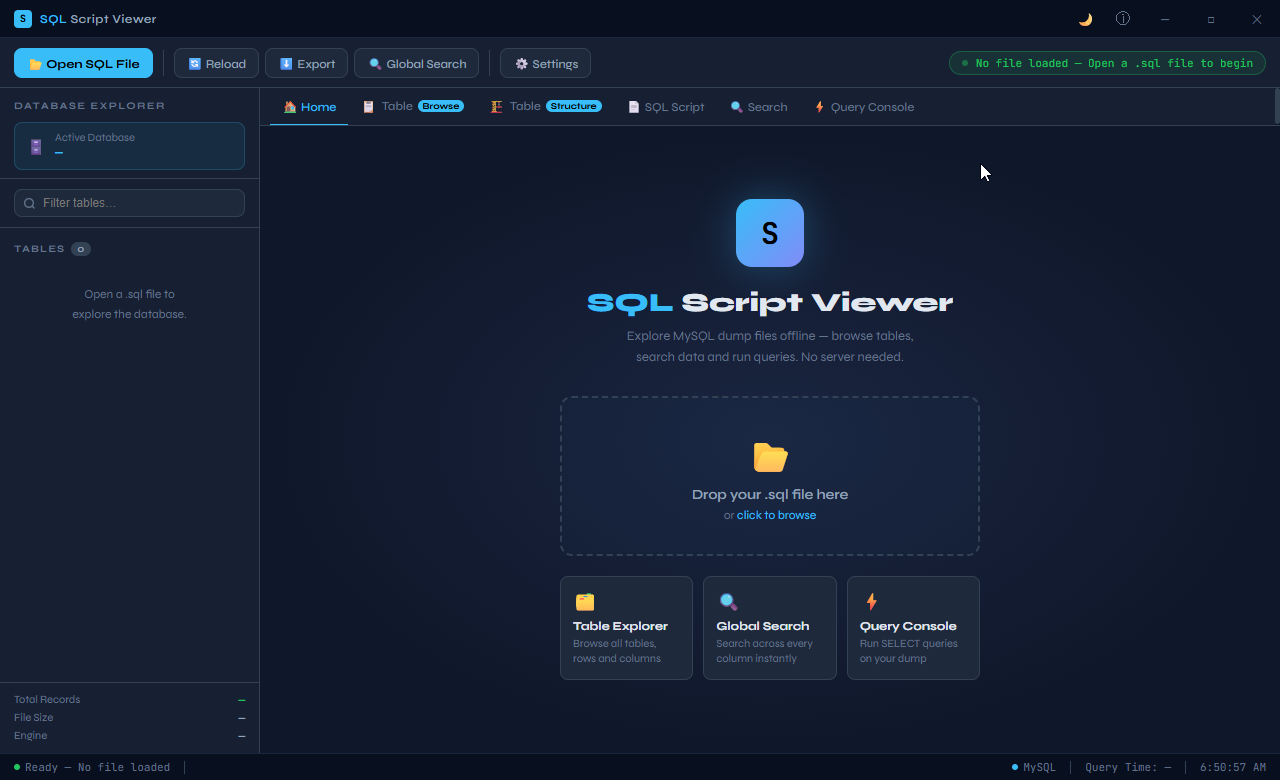
Getting started with SQL Script Viewer takes seconds. Simply drag your .sql file onto the application window, or click to browse and select it from your system. The moment you load a file, the application parses it and presents your database in a clean, organized interface. No waiting. No progress bars that hang. No setup wizards.
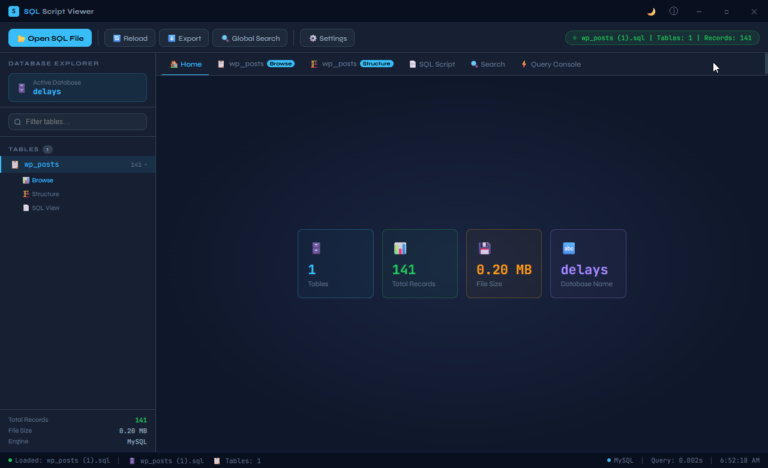
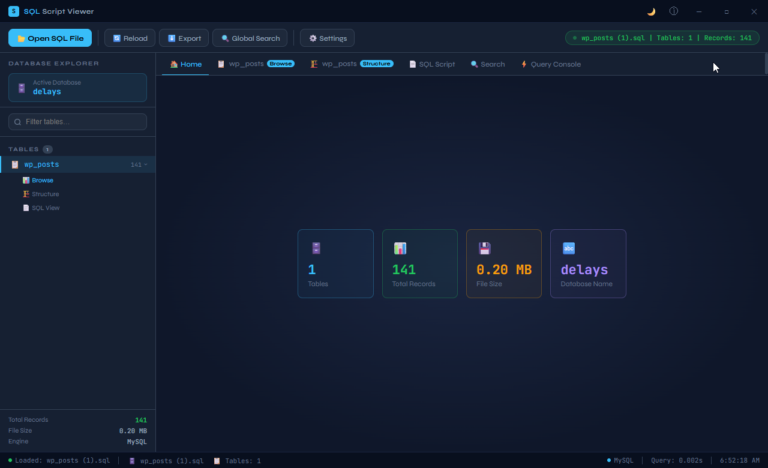
The status bar immediately confirms how many tables were found, how many records are present, the file size, and the database engine — giving you a complete at-a-glance summary before you’ve even clicked a single thing.
Database Explorer — Navigate Like a Pro
The left-hand sidebar gives you a full Database Explorer panel — a collapsible, searchable tree of every table in your SQL file. Each table entry shows its record count right alongside the name, so you instantly know which tables are empty, which are small, and which contain the bulk of your data.
Clicking any table gives you three immediate views: Browse, Structure, and SQL View — each just one click away. A built-in filter box lets you type to instantly narrow the table list, which becomes invaluable when working with large WordPress installations or complex application databases containing dozens of tables.
Table Browse — See Your Data as a Table
The Browse view presents your data exactly as you’d expect from a professional database client: a clean, scrollable grid with column headers, paginated rows, and readable values. Every record in the table is available for inspection, and the column layout adapts to your data automatically.
This view is ideal for quickly checking what records actually look like — verifying that a post has the right content, checking whether a user’s metadata is complete, or simply sanity-checking a backup before restoring it. No queries needed. Just click a table, select Browse, and your data is right there in front of you.
Table Structure — Understand Your Schema Instantly
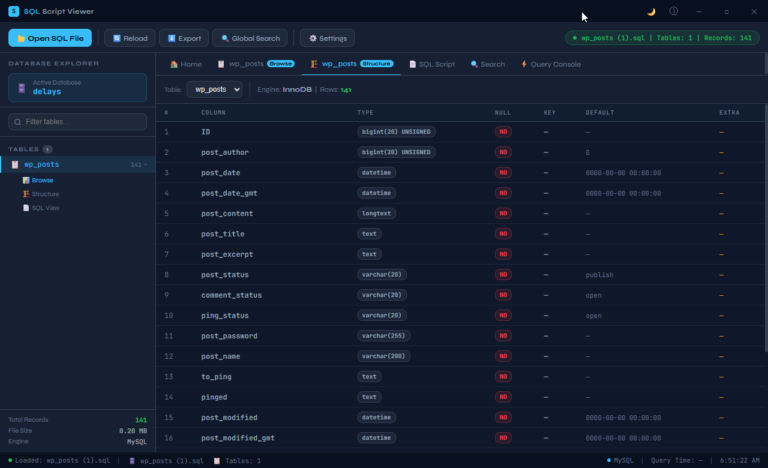
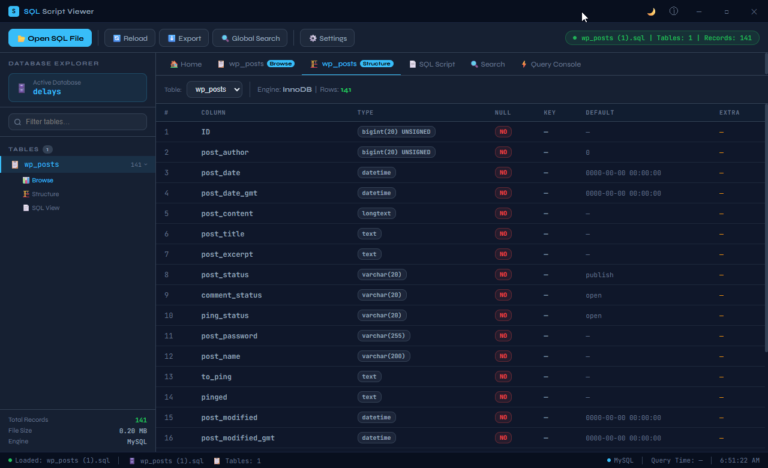
The Structure view gives you a professional breakdown of every column in a table. For each field, you can see its data type, whether it allows null values, what key constraints apply, what the default value is, and any extra properties defined in the schema.
This view is invaluable for developers reviewing unfamiliar databases, analysts trying to understand what a column actually stores, or anyone preparing to write queries and needing to know their exact field names and types before they start. It’s the kind of clear, tabular schema view you’d normally only get from a running database client — now available entirely offline.
SQL Script View — The Raw Source, Beautifully Presented
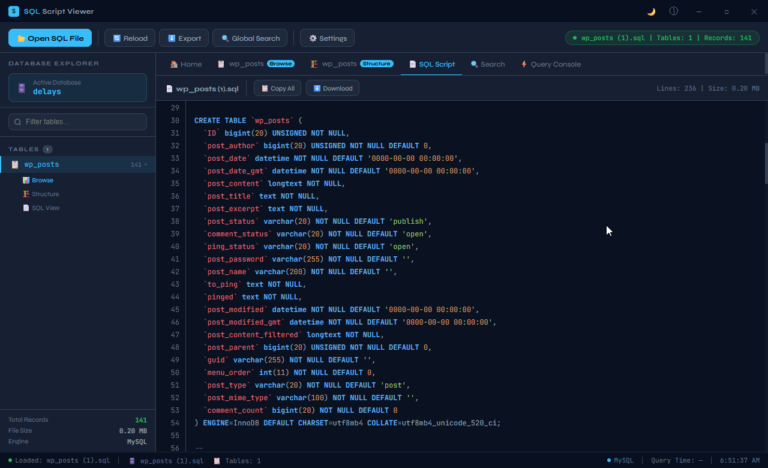
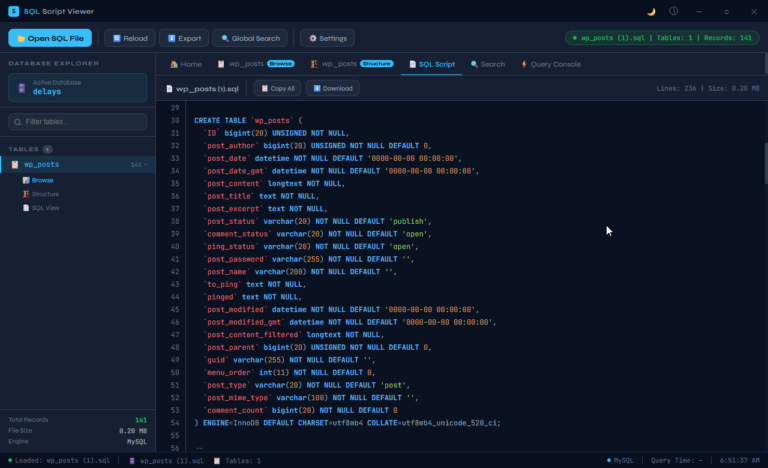
Sometimes you need to see the actual SQL. The SQL Script view presents the raw contents of your .sql file with full syntax highlighting, line numbers, and a clean monospaced layout that makes even complex scripts easy to read.
A Copy All button and a Download button are built right into the toolbar, making it trivially easy to extract the script, share it with a colleague, or use it as the basis for further work. The line count and file size are displayed prominently — useful context when you’re working with larger exports. This isn’t just a text dump. It’s a proper code viewer that respects the content it’s presenting.
Query Console — Run SELECT Queries Without a Server
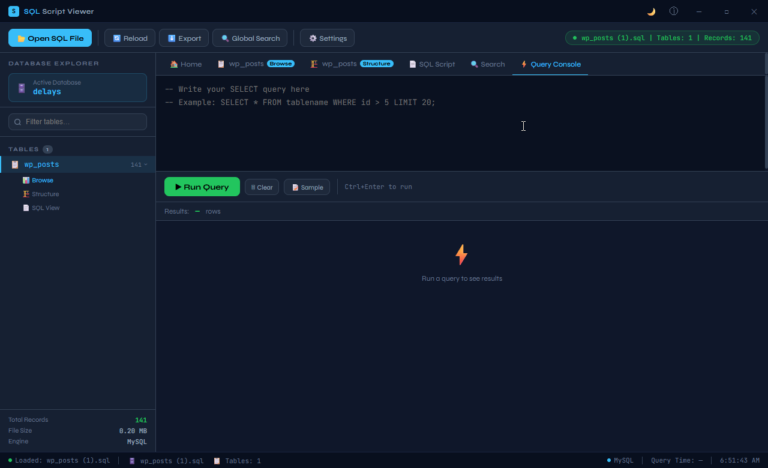
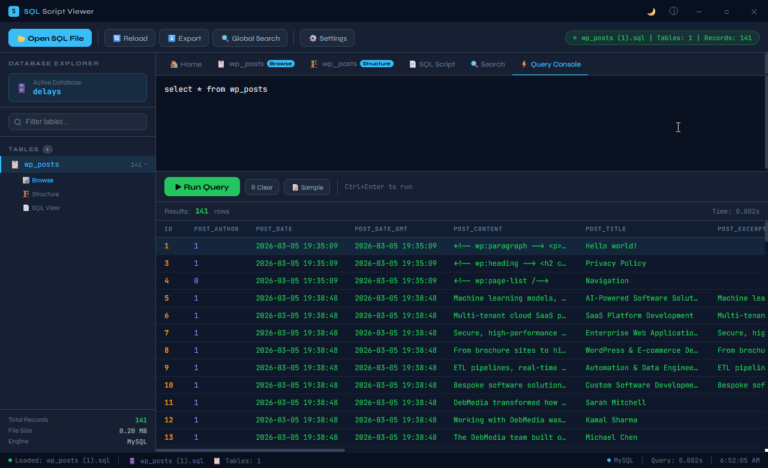
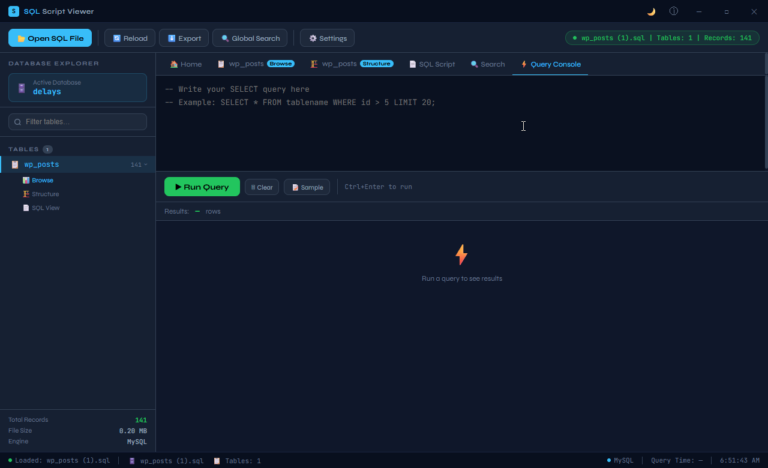
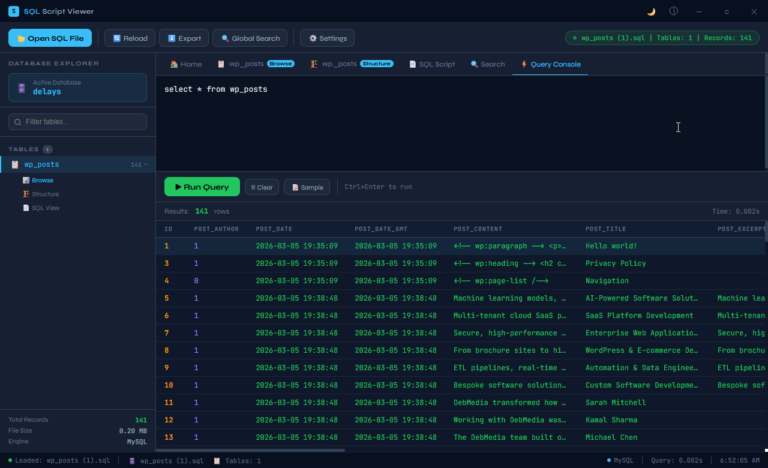
This is where SQL Script Viewer becomes genuinely powerful. The built-in Query Console lets you write and run SELECT queries directly against your loaded .sql file — as if the data were live in a running database.
Type your query, press Run Query (or use the keyboard shortcut Ctrl+Enter for speed), and your results appear instantly in a formatted results table below. The console shows you the number of rows returned and the query execution time — the same feedback you’d expect from a professional database client.
A Sample button inserts a ready-to-run example query so you can get started immediately. A Clear button resets the editor for your next query. It’s a complete, self-contained query environment that requires absolutely nothing beyond the application itself.
This feature alone transforms SQL Script Viewer from a viewer into a genuine productivity tool — letting you filter, sort, and interrogate your data without ever needing to restore the dump to a live server.
Global Search — Find Anything, Instantly
The Global Search feature is one of those capabilities you’ll reach for constantly once you know it’s there. Rather than browsing table by table, you can search across every column of every table in your database simultaneously — and results appear as you type.
Looking for a specific email address? A post title? A customer name buried somewhere in the data? Global Search finds it in seconds, regardless of which table it lives in. For large databases with many tables, this single feature can save enormous amounts of time.
Export — Take Your Data Anywhere
Need to share your data with someone who doesn’t have SQL Script Viewer? The built-in Export feature lets you output your data in formats that work for everyone. Whether you’re handing off a spreadsheet to a non-technical colleague, creating a backup of specific table contents, or preparing data for import into another system, the export functionality has you covered without requiring any additional tools.
Privacy and Security — Your Data Stays Yours
In a world where many tools push you toward cloud processing, SQL Script Viewer takes a deliberately different approach. Everything happens on your machine. Your .sql files are never uploaded to any server. No account is required. No internet connection is needed. Your data never leaves your computer.
This matters. SQL dump files often contain sensitive information — customer records, user credentials, business data, proprietary content. With SQL Script Viewer, you retain complete control over that data at all times. It’s a tool you can use with confidence on client files, internal business databases, and any data that needs to stay private.
Designed for Daily Use
SQL Script Viewer has been built with real-world usage in mind. The dark-mode interface is easy on the eyes during long working sessions. The tab-based navigation keeps multiple views of the same table readily accessible. The status bar at the bottom gives you constant context about what’s loaded and what’s happening. Keyboard shortcuts speed up common actions. The application is responsive, snappy, and feels fast even with larger SQL files.
These aren’t accidents — they’re the result of designing a tool that people will actually use every day, not just occasionally dust off when there’s no alternative.
One Tool. Every MySQL Dump File.
Whether you’re a solo developer managing client websites, a data professional handling regular exports, a database administrator auditing backups, or simply someone who’s been handed a .sql file and needs to understand what’s in it — SQL Script Viewer gives you everything you need in a single, self-contained application.
No server. No configuration. No complexity.
Just open your file and get to work.
SQL Script Viewer — Explore MySQL dump files offline. Browse tables, search data, and run queries. No server needed.