About This Software
Is Your Hard Drive Always Running Full — But You Can’t Figure Out Why?
You delete files. You empty the recycle bin. You uninstall apps. Yet somehow, your storage is still nearly full. Sound familiar? The real problem is not the files you can see — it is the hidden folders quietly consuming gigabytes without your knowledge. Old project backups, forgotten video exports, leftover system caches, and duplicate downloads pile up silently until your PC slows to a crawl.
Folder Size Explorer was built to solve exactly this. It gives you a complete, instant visual picture of where every megabyte of your storage is hiding — so you stop guessing and start reclaiming your disk space.
What Is Folder Size Explorer?
Folder Size Explorer is a powerful Windows desktop application that scans any drive or folder and presents a detailed, visual breakdown of your disk usage in seconds. Instead of navigating blindly through Windows File Explorer, you see the entire storage landscape at a glance — which folders are the biggest, which files are eating space, and exactly where you should clean up first.
It is designed for everyday users and professionals alike. No command lines, no confusing settings, no technical knowledge required. Open it, scan your drive, and the answers are right in front of you.
See Everything — All at Once
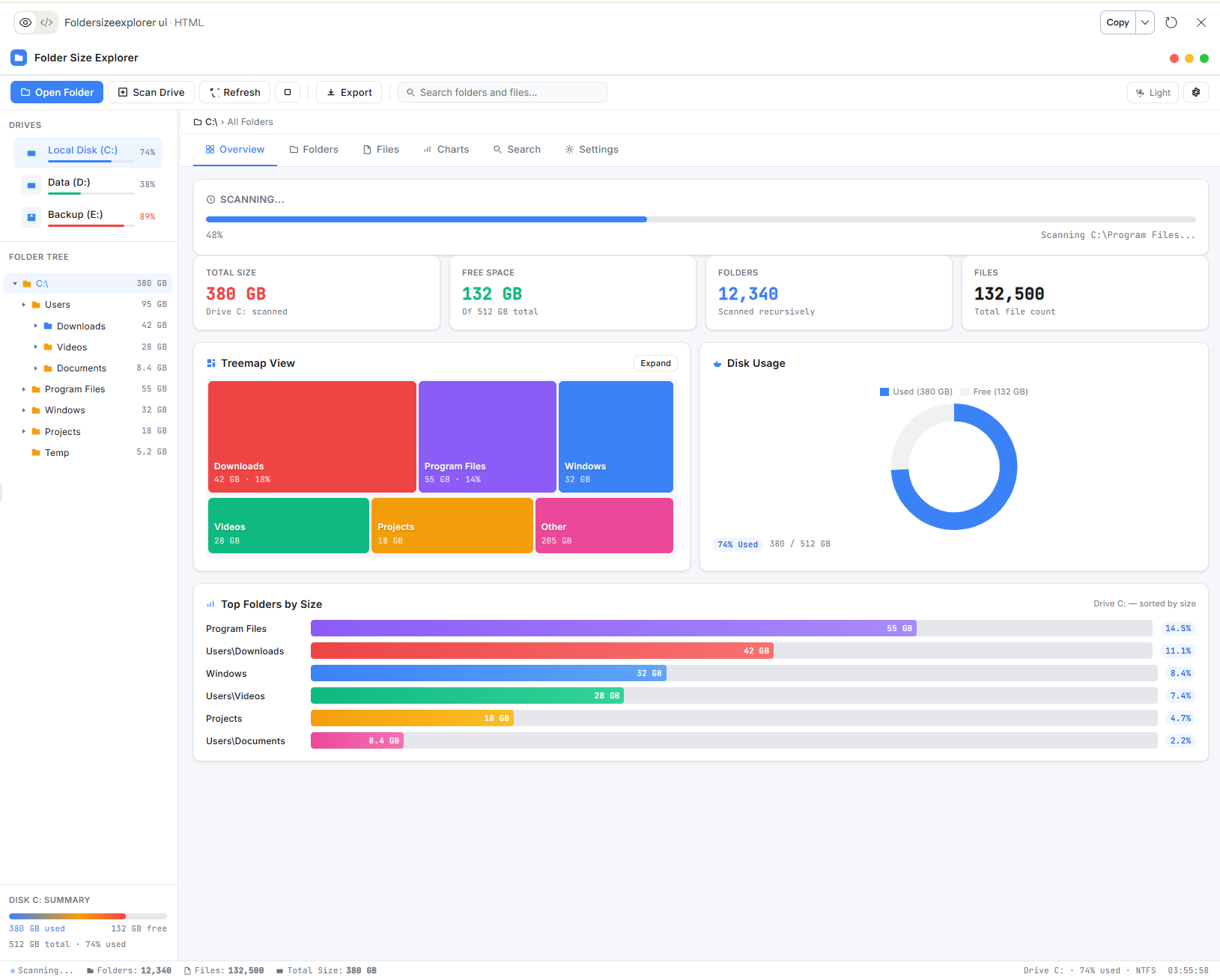
The moment you run a scan, Folder Size Explorer shows you a live progress bar as it works through your drive in real time. Within seconds you get a complete dashboard showing your total drive size, free space remaining, total folder count, and total file count — all on one clean screen.
The left panel shows your connected drives — C:, D:, E: and any external drives — each with a color-coded usage bar so you can instantly see which drives are nearly full. Below that, the folder tree lists every folder with its exact size, letting you drill down into any directory with a single click.
Treemap View — The Most Powerful Feature
The standout feature of Folder Size Explorer is its interactive Treemap View. This turns your entire folder structure into a colorful visual map where the size of each block represents the size of that folder. Bigger block means bigger folder — it is that simple.
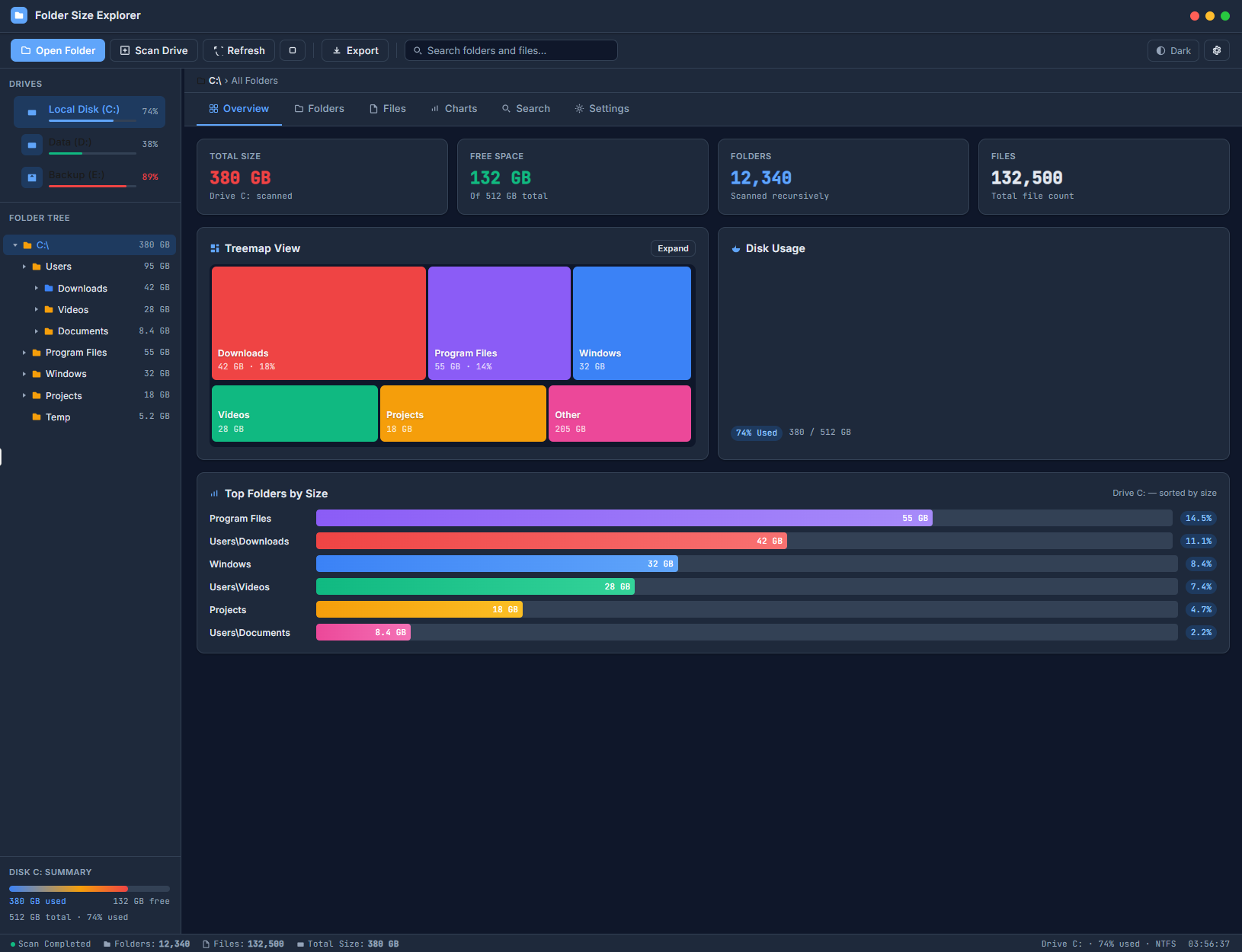
At a glance you can see that your Downloads folder is taking 42 GB, Program Files is using 55 GB, Windows folder is consuming 32 GB, and your Videos folder has grown to 28 GB. No digging through folders manually. The visual map does the work for you — and you can expand any section to go deeper.
Disk Usage Chart & Top Folders Ranking
Alongside the treemap, a clean donut chart shows your used versus free space in an easy-to-read visual. Below that, the Top Folders by Size section ranks every major folder with a horizontal bar chart — giving you a precise percentage breakdown of what is consuming your drive.
Program Files at 14.5%, Downloads at 11.1%, Windows at 8.4% — you know exactly where to focus your cleanup efforts without spending hours investigating manually.
Multiple Tabs, Total Control
Folder Size Explorer is not just a one-view tool. It comes with dedicated tabs for deeper analysis:
The Folders tab lets you browse and sort all folders by size, name, or file count. The Files tab shows individual files ranked by size — perfect for finding that single massive file you forgot about. The Charts tab gives you multiple visual representations of your storage data. The Search tab lets you find any folder or file instantly by name or size range. The Settings tab lets you customize scan behavior, display preferences, and export options.
Export Your Disk Report
When you need to share findings with a colleague or keep a record for future reference, Folder Size Explorer lets you export your complete disk usage report with one click. Save it as a CSV file, open it in Excel, and analyze or share your storage data however you need.
Light & Dark Mode — Built For Comfort
Whether you work in a bright office or a dim room at night, Folder Size Explorer adapts to you. Switch between a clean light mode and a comfortable dark mode instantly from the top toolbar — no restarts required.
Why Choose Folder Size Explorer Over Free Tools?
Free disk analyzer tools are often outdated, cluttered with advertisements, bundled with unwanted software, or simply too technical for everyday use. Folder Size Explorer is clean, portable, fast, and focused entirely on giving you answers quickly.
It is built and maintained by an independent developer with over 20 years of software experience. Updates are responsive, support is personal, and the tool is continuously improved based on real user feedback. No subscriptions. No pop-ups. No bloatware. Just a tool that works — every single time.
Your storage problems deserve a proper solution. Folder Size Explorer gives you the clarity to see exactly what is happening on your drives, reclaim your space, and keep your system running at its best.
Gallery Images
Visual showcase of the software interface and features