Word Counter: Free Online Word & Character Count Tool
This free word counter counts the words, characters, sentences and paragraphs in your text as you type. Paste your writing below to see reading time, speaking time and keyword density instantly, with no signup.
The Complete Guide to Counting Words, Characters and Keywords
What Is a Word Counter?
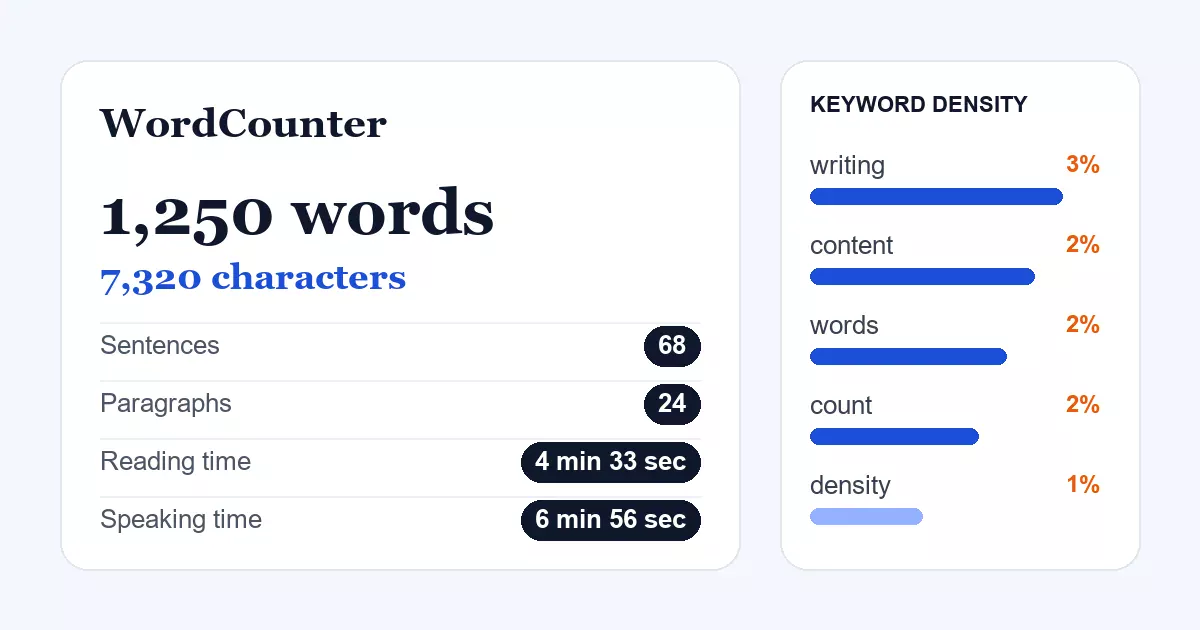
A word counter is an online tool that counts the words, characters, sentences and paragraphs in any text you type or paste. It updates instantly, so you always know how long your writing is without counting by hand.
Most counters also estimate how long a piece takes to read aloud or silently. Better ones, like this one, add a keyword density report and a reading level, which turns a simple tally into a quick writing review.
Knowing your length matters more than most people expect. Essays have limits, search snippets get cut off, and social posts stop at fixed sizes. A fast word count removes the guesswork before you publish or submit.
Why Use an Online Word Counter Instead of Counting by Hand?
Counting by hand is slow and easy to get wrong. An online word counter does the same job in a fraction of a second and stays correct after every edit, which matters when a deadline or a limit is close.
It also shows more than a total. A good word counter reveals how your text is built, including how long your sentences run, how many paragraphs you wrote and which words you lean on too often.
- Speed: results appear while you type, with no button to press.
- Accuracy: the same rules are applied every time, so edits never throw the count off.
- Insight: timings, reading level and keyword data highlight problems early.
- Convenience: it works in any modern browser on a phone, tablet or computer.
How to Use This Free Word Counter
You do not need an account, and nothing needs to be installed. Follow these steps:
- Click inside the editor at the top of this page and start typing, or press the Paste button to bring in text from your clipboard.
- Watch the headline above the editor. It shows your total words and characters and changes with every keystroke.
- Open the Details panel on the right for sentences, paragraphs, reading level, reading time and speaking time.
- Check Keyword Density to see your most repeated words. Switch between x1, x2 and x3 to view single words, two-word phrases and three-word phrases.
- Fix and refine with the Case menu, Clean Text and Find / Replace, then use Undo or Redo if you change your mind.
- Save your work by downloading a .txt file, or switch on Auto-Save to keep the text in your browser.
To count only part of a document, paste just that section. The numbers always describe exactly what is in the editor.
Features and What Each Number Means
Each figure in the Details panel answers a different question about your writing. Here is how they are worked out.
| Measure | What it tells you | How it is calculated |
|---|---|---|
| Words | Total length of the text | Groups of letters or digits separated by spaces, with hyphenated and apostrophe words counted as one |
| Characters | Total size, including spaces | Every character in the editor, including spaces and line breaks |
| Sentences | How the text is broken up | Segments ending in a full stop, question mark, exclamation mark or the Hindi and Bengali danda |
| Paragraphs | Structure and spacing | Blocks of text separated by line breaks |
| Reading time | How long a reader needs | Words divided by 275 words per minute |
| Speaking time | Length of a spoken version | Words divided by 180 words per minute |
| Reading level | Difficulty of the language | A readability grade based on sentence length and word length |
Open More (12) in the Details panel for extra measures such as unique words, average word length, longest word and handwriting time.
Useful tools beside the counter
- Case converter: switch between sentence case, title case, UPPERCASE and lowercase in one click.
- Clean Text: removes double spaces, tabs and extra blank lines.
- Find / Replace: swaps a word or phrase everywhere in the text.
- Goal setting: choose a target such as 500 or 2,000 words and track your progress.
- Proof Read and Talk to Type: listen to your text read aloud, or dictate it where your browser supports speech.
- Upload and download: open a .txt file or save your text back to one.
Word Counter vs Word Processor: Why Numbers Differ
If you compare this word counter with Microsoft Word, Google Docs or a publishing system, the totals can differ slightly. That is normal, because each program follows its own rules for what counts as a word.
Common causes include:
- Standalone dashes and symbols, which some programs count as words and others ignore.
- Numbers, dates and times such as "10:30" or "2026-11-02".
- Hyphenated terms and slashes, for example "and/or" or "state-of-the-art".
- Footnotes, headers, footers and text boxes, which some tools include and some skip.
When a strict limit applies, such as a journal or a contest entry, check your total in the same tool the organiser will use. Use this word counter for drafting, then confirm the final number where it counts.
Ideal Word Counts by Content Type
No single length ranks or reads best. The right size depends on the topic and on what readers expect. Use these ranges as a starting point, then check what already performs well for your subject.
| Content type | Typical length |
|---|---|
| Product description | 50 to 300 words |
| Short blog post or news item | 300 to 700 words |
| Standard blog article | 1,000 to 1,800 words |
| In-depth guide or pillar page | 2,000 to 4,000 words |
| College essay | 500 to 650 words |
| Academic essay | 1,500 to 3,000 words |
| Press release | 400 to 600 words |
| Email newsletter | 200 to 500 words |
| Cover letter | 250 to 400 words |
Length should come from the topic. Write as much as the reader needs to be satisfied and no more. Padding a page to reach a number usually makes it worse.
Character Limits for Popular Platforms
Many places cut text off at a fixed number of characters. Check your draft here before you paste it in. These limits are the commonly published ones and platforms can change them, so confirm on the platform itself.
| Where you are writing | Approximate limit |
|---|---|
| SEO title tag | About 60 characters |
| Meta description | 150 to 160 characters |
| Post on X (standard accounts) | 280 characters |
| Instagram caption | 2,200 characters |
| LinkedIn post | 3,000 characters |
| YouTube video title | 100 characters |
| YouTube description | 5,000 characters |
| Single SMS message | 160 characters |
Search engines may show a different title or snippet than the one you write, but staying within these lengths gives your own wording the best chance of appearing intact.
Keyword Density Explained
Keyword density is the share of your text taken up by one word or phrase. You work it out by dividing the number of times a keyword appears by the total number of words, then multiplying by 100.
For example, if a phrase appears 12 times in a 1,000-word article, its density is 1.2%. The keyword panel in this word counter does that sum for you and lists your top ten terms with their counts and percentages.
What density is a healthy range?
As a practical guide, most writers aim for roughly 0.5% to 2.5% for the main phrase. This is a rule of thumb, not an official search engine requirement. Search engines read for meaning, so natural writing beats chasing a percentage.
| Density | What it usually means |
|---|---|
| Below 0.5% | The topic may be only lightly covered or the phrase barely used |
| 0.5% to 2.5% | Usually reads naturally for a main phrase |
| Above 2.5% | May read as repetitive; check for keyword stuffing |
How to use the keyword report
- Paste your finished draft into the editor.
- Look for your main phrase in the top ten list on the right.
- If an unrelated word dominates the list, tighten that section.
- If your main phrase is missing, add it where it fits the meaning, such as the introduction and a heading.
- Use synonyms and related terms instead of repeating the same phrase.
Common filler words such as "the", "and" and "of" are left out of the single-word list, so the results show your real topic terms. For a deeper walkthrough of writing for search, read Google's own guidance on helpful, people-first content.
Who Uses a Word Count Tool?
Students and academics
Assignments, dissertations and scholarship essays come with strict limits. A live count stops you from losing marks for going over, and the reading level shows whether your style suits the audience.
Bloggers and SEO writers
Writers use the keyword report to check balance, trim repeated phrases and keep titles and descriptions inside display limits. It is a quick final check before an article goes live.
Social media and marketing teams
Captions, ads and email subject lines all have limits. Counting characters first avoids cut-off messages and wasted ad edits.
Translators and editors
Many projects are priced and scheduled by word count. Because this word counter handles many scripts, including Bengali, Hindi and Tamil, it works for multilingual jobs too.
Speakers and content creators
The speaking time estimate helps you shape a talk, a video script or a podcast segment to the minute.
Tips to Reach or Cut Your Word Count
If you need more words
- Add a real example or short case study to a point that feels thin.
- Answer the follow-up question a reader is likely to ask next.
- Define a technical term instead of assuming everyone knows it.
- Include a step-by-step list or comparison table where it helps.
If you need fewer words
- Delete filler such as "very", "really" and "in order to".
- Prefer active voice, which is usually shorter and clearer.
- Merge sentences that repeat the same idea.
- Cut any paragraph that does not support your main point.
After each round of edits, glance at the headline total. It updates with every change, so you can see progress immediately.
Common Word Counting Mistakes to Avoid
- Counting the wrong text. Make sure titles, references and captions are included or removed according to the rules you must follow.
- Trusting one tool blindly. Two programs can disagree by a few words, so leave a small safety margin under any hard limit.
- Padding to hit a number. Extra filler hurts readability. Add useful detail instead.
- Ignoring characters. Titles, descriptions and social posts depend on characters, not words.
- Chasing keyword density. A natural sentence is always better than a forced phrase.
A final pass through this word counter, with the Details and Keyword Density panels open, catches most of these problems in under a minute.
Privacy and Your Text
The counting happens inside your browser. Your text is not sent to a server for analysis. If you turn on Auto-Save, a copy is stored only in your own browser storage, and Clear removes the text from the editor.
For sensitive documents, leave Auto-Save off, and clear the editor when you finish on a shared computer.
Frequently Asked Questions
How does this word counter decide what a word is?
It counts any run of letters or numbers separated by spaces or punctuation. Hyphenated terms like "well-known" and contractions like "don't" count as one word, which matches how most writers expect.
Why does my word processor show a different number?
Programs treat dashes, numbers, symbols, footnotes and headers differently. Small differences of a few words are normal. If a strict limit applies, use the same tool the recipient will use.
Are spaces included in the character count?
The headline total includes spaces. Open More (12) in the Details panel to see the count without spaces as well.
Does it work for languages other than English?
Yes. Word, character and keyword counts work with scripts such as Bengali, Hindi, Tamil and Arabic. The reading level is an estimate and is most accurate for English.
Is there a limit on how much text I can enter?
There is no fixed limit. Very large documents of hundreds of thousands of words may feel slower, depending on your device.
Is this word counter really free?
Yes. It is free to use, with no signup, and there is nothing to download or install.
How accurate are the reading and speaking times?
They are averages based on 275 and 180 words per minute. Real speeds vary with the reader, the subject and the language, so treat them as planning estimates.
Start Counting
A dependable word counter saves time and prevents avoidable mistakes, whether you are trimming an essay, tuning a blog post or checking a caption. Jump back to the editor, paste your text and see the results straight away.
For wider context on why clear, useful writing matters, see Google's SEO starter guide. You can also revisit the keyword density section or the character limit table whenever you need a quick reference.
Disclaimer: We aim to make this tool as accurate as possible, but we cannot guarantee that every count will match other programs.
- Words0
- Characters0
- Sentences0
- Paragraphs0
- Reading Level?-
- Reading Time?-
- Speaking Time?-